

SurfEasy VPN
About SurfEasy VPN
SurfEasy VPN is the consumer VPN that built its reputation on simplicity rather than feature competition. The application installs in a couple of minutes, signs you in with a free account or paid subscription, and starts routing your internet traffic through encrypted tunnels with a single click.
There’s no elaborate configuration interface, no protocol selection menus, no advanced kill-switch tweaking by default. Click the connect button, choose a server location from the list, and your traffic flows through that location with bank-grade AES-256 encryption between your device and the server. The straightforward approach matches what most casual VPN users actually want, which is privacy from internet service providers and basic geo-unblocking without committing to learning networking concepts.
The product comes from SurfEasy, a Canadian company that became part of Symantec (now Gen Digital, the parent of Norton, Avast, and other security brands) in 2017. The acquisition history matters because it explains the application’s positioning. Where independent VPN providers like Mullvad, Proton, and IVPN compete on technical features and audited privacy practices, SurfEasy sits in the broader Symantec/Gen security portfolio alongside Norton products, with marketing aimed at users who want VPN protection as part of consumer security rather than as a specialized privacy tool.
The free tier provides 500 MB of monthly bandwidth (with options to expand through specific actions like sharing and account verification), the Total VPN tier provides unlimited bandwidth with various streaming-focused features, and the Ultra tier adds support for additional simultaneous devices. For users wanting a VPN that integrates naturally with their existing Norton or Avast security setup rather than running as a standalone privacy tool, the application’s positioning fits the use case better than independent alternatives that don’t share that ecosystem.
How VPN protection actually works
The application creates an encrypted tunnel between your device and a server in a location of your choosing. All your internet traffic flows through that tunnel rather than directly to the websites and services you’re using. From the perspective of those websites, the traffic appears to come from the VPN server’s IP address rather than your real one. From the perspective of your internet service provider and anyone monitoring your local network, the traffic is encrypted enough that they can see you’re connected to a VPN server but can’t read what’s actually flowing through the tunnel.
The encryption uses AES-256 in cipher block chaining mode, which is the standard for serious encryption work and the same algorithm various government and military applications use. The protocol underneath is OpenVPN in current versions, which has been audited and used widely enough that confidence in its security is genuinely earned rather than just claimed. Older versions used proprietary protocols that received less scrutiny, with the migration to OpenVPN representing a meaningful improvement in trust foundation.
For users wanting to understand what protection they’re actually getting, the practical model is that VPNs hide your traffic from your ISP and local network observers but don’t hide it from the VPN provider itself. You’re shifting trust from your ISP (who handles your traffic by default) to your VPN provider (who handles your traffic when the VPN is active). The provider’s privacy practices and jurisdiction become the relevant trust questions rather than technical encryption details.
The server network and location coverage
The server network covers locations across multiple continents. North American servers in the United States and Canada. European servers across the United Kingdom, Germany, Netherlands, France, and various others. Asia-Pacific servers in Hong Kong, Singapore, Japan, and Australia. Various other locations covering specific regions. The total location count is substantial without competing with the largest networks that some commercial alternatives advertise.
For typical use cases (general privacy, accessing geographically-restricted content from major regions), the location coverage handles practical needs. Users specifically wanting access to obscure regions or smaller country selections may find dedicated alternatives offering broader coverage, with the trade-off being that those alternatives often cost more.
The server selection interface presents locations as a flat list rather than the more elaborate filtering some competitors offer. Pick a country, optionally pick a city within larger countries, and connect. The simplicity matches the application’s overall design philosophy of staying out of the user’s way rather than exposing every configuration option through the main interface.
Server load balancing and automatic selection handle the case where you don’t care about specific server choice. Connect to “fastest available” and the application picks a server based on current performance metrics. For users who don’t have specific location requirements, this automatic mode produces good results without requiring manual server hunting.
The free tier and bandwidth limits
The 500 MB monthly free tier is genuinely usable for specific scenarios but won’t cover heavy use. 500 MB handles roughly 5-10 hours of audio streaming, an hour or two of standard-definition video, or substantial light browsing. For occasional public WiFi protection during travel, this allotment usually fits. For ongoing daily VPN use, the free tier exhausts quickly enough that it’s mostly useful as a way to evaluate the application before paying.
Several actions extend the free tier beyond the base 500 MB. Confirming your email address adds 250 MB. Sharing the application on social media adds bandwidth. Inviting friends through referral codes adds further bandwidth when those friends sign up.
The cumulative effect can produce several gigabytes of free bandwidth monthly for users willing to engage with the promotional mechanisms, though the various conditions and verification steps make this less useful than simple unlimited free tiers that some alternatives offer.
For users specifically wanting unlimited free VPN access, the application isn’t the strongest option. Proton VPN’s free tier, Windscribe’s free tier, and various others offer more generous baseline limits without requiring promotional engagement to expand. SurfEasy‘s free tier works as evaluation rather than as a long-term free option, with serious users typically moving to paid tiers within their first month.
Paid tier features and streaming optimization
The paid Total VPN tier provides unlimited bandwidth across multiple simultaneous devices. The pricing follows industry-standard subscription models with annual commitments producing meaningful discounts compared to monthly billing. For users who decide they want VPN protection as ongoing infrastructure rather than occasional protection, the annual subscription typically produces the best value.
Streaming optimization is one of the paid-tier focus areas. Specific servers are configured for streaming use, with attention paid to maintaining access to major streaming services that aggressively block VPN connections. Netflix, BBC iPlayer, Hulu, and various other services that rotate their VPN-blocking IP lists frequently get attention from the SurfEasy team to maintain access through their servers. The success rate isn’t perfect (no VPN guarantees streaming access permanently because it’s an ongoing arms race), but the streaming-focused servers produce better results than general-purpose servers for these specific scenarios.
The Ultra tier expands device support and adds various other features that matter for users with substantial device counts. Multi-device households running VPN protection across phones, tablets, computers, and smart TVs benefit from the higher device limits. Users with single devices don’t need this tier and find Total VPN sufficient.
Wi-Fi protection and the public network use case
The application includes specific features for public WiFi protection. Hotel networks, coffee shop networks, airport networks, and various other public networks have known security weaknesses where attackers can monitor traffic from other users on the same network. VPN protection prevents this monitoring by encrypting your traffic before it leaves your device, which makes the local network observer unable to read what you’re doing.
The auto-connect feature automatically activates the VPN when your device joins specific WiFi networks you’ve classified as untrusted. For users who travel frequently and connect to many different networks, this automation eliminates the friction of remembering to activate the VPN on each new network. The protection happens automatically rather than depending on user action at each connection point.
For the specific use case of protecting from local network attackers on public WiFi, the protection is genuinely useful. The threat is real (anyone running packet capture software on the same network can see unencrypted traffic), and the protection is effective (encrypted VPN traffic can’t be read by local observers regardless of their tools).
The marketing around this use case sometimes overstates the protection level, but the underlying capability matches what’s being claimed.
Tracker blocker and adjacent privacy features
Beyond VPN tunneling itself, the application includes a tracker blocker that prevents known tracking domains from loading. The implementation works through DNS-level blocking, which means tracker domain requests fail before any tracking happens rather than just blocking the visual elements. For users wanting protection beyond IP masking, this adjacent privacy feature adds value without requiring separate browser extensions.
The tracker blocker isn’t as comprehensive as dedicated content blocking tools like uBlock Origin or Pi-hole, with a smaller blocklist focused on the most common tracking domains rather than aggressive comprehensive blocking.
For users wanting maximum tracker prevention, dedicated tools produce better results. For users wanting reasonable tracker protection alongside their VPN without configuring additional tools, this integrated approach handles the use case adequately.
The browser-specific extension version of the application focuses entirely on browser traffic rather than system-wide tunneling. For users who only want VPN protection for browser activity (without affecting other applications), the extension provides a lighter-weight option. The trade-off is that traffic from other applications continues using your direct internet connection, which means the protection covers less than the full system-wide VPN does.
Logs policy and privacy positioning
The privacy policy specifies a no-logs approach for the actual traffic flowing through the VPN. The provider claims not to log which websites you visit, what content you transfer, or other details about your specific online activity. Connection metadata (when you connected, which server, total bandwidth used) gets logged for service operation purposes, with this metadata being substantially less sensitive than full traffic logs would be.
The Symantec/Gen Digital ownership produces some considerations worth understanding. The parent company is a US-based corporation subject to various legal frameworks that affect what data can be requested and disclosed.
Independent VPN providers in privacy-friendly jurisdictions (Switzerland, Panama, British Virgin Islands) face different legal frameworks that some users prefer for privacy purposes. The choice between corporate-owned VPN with established consumer presence versus independent VPN with privacy-focused jurisdiction depends on what specific privacy concerns matter for your use case.
For users primarily wanting protection from ISP traffic monitoring, geographic content access, and general privacy from random network observers, the corporate ownership doesn’t substantially affect the protection delivered. For users specifically concerned about state-level adversaries or wanting to ensure their traffic data can’t be subpoenaed regardless of jurisdiction, the privacy-focused independent providers may produce better matches for those threat models.
Comparison with alternatives
The VPN market has substantial diversity in pricing, features, and privacy positioning. NordVPN offers extensive server networks, polished applications, and frequent promotional pricing alongside ongoing audited privacy practices. ExpressVPN positions itself as a premium option with substantial reliability and strong technical features, at correspondingly higher pricing. Proton VPN combines a generous free tier with premium tiers and explicit privacy focus through its Switzerland-based parent company. Mullvad takes a different approach with flat per-month pricing and aggressive privacy commitments including no-account-required signup.
SurfEasy sits in a middle ground that balances ease of use against feature completeness. Less feature-rich than the premium options, more polished than minimalist privacy-focused tools, with corporate ownership that provides recognizable branding but produces the trade-offs that come with US-based corporate VPNs. For users wanting a VPN that integrates with the broader Symantec/Gen ecosystem or who value the recognizable corporate branding, the positioning fits. For users prioritizing maximum features per dollar or strongest privacy positioning, alternatives may produce better matches.
The Opera browser includes a VPN feature based on SurfEasy technology (Opera acquired SurfEasy before the Symantec acquisition, with Opera’s browser-based VPN using the underlying SurfEasy infrastructure). For users who want VPN protection only within their browser without installing separate VPN software, Opera’s browser-based option fills that specific niche through the same underlying technology.
Considerations and limitations
The free tier’s bandwidth limits make it useful only for evaluation or very light use. Users wanting ongoing free VPN access find Proton VPN, Windscribe, or other alternatives offering more generous baseline allowances without the promotional engagement requirements that SurfEasy uses to expand its free tier.
The corporate ownership affects how some users feel about the application even when the technical capability is comparable to alternatives. For users specifically concerned about US-based VPN ownership and the legal frameworks that apply to it, independent providers in privacy-friendly jurisdictions produce more comfortable matches for those preferences. For users without these specific concerns, the ownership doesn’t materially affect the daily experience.
Some advanced VPN features remain absent or less developed than alternatives offer. Dedicated IP addresses, multi-hop connections through multiple servers, port forwarding, split tunneling with sophisticated rule configuration, and various other features that power users sometimes want aren’t all available. For users wanting these advanced features, alternatives like NordVPN, ProtonVPN, or Mullvad cover more ground.
The application has been criticized historically for various decisions including its acquisition by Symantec (which some users felt changed the privacy-focused positioning the original company had), changes to terms of service that affected what users were comfortable with, and various other corporate-strategy decisions that don’t directly affect technical capability but affect user trust over time. Users sensitive to these patterns may prefer providers with more stable strategic direction.
Connection performance varies based on which server you choose and current load. Premium VPN providers often produce better consistent performance than this software does on specific workloads, though the difference isn’t typically dramatic for standard browsing scenarios. Users wanting maximum throughput find the premium-priced alternatives produce better consistency, with this software being adequate for typical use without competing on raw performance.
Conclusion
For users wanting straightforward VPN protection without learning networking concepts or managing elaborate configuration interfaces, SurfEasy VPN delivers basic privacy and security through an accessible interface backed by the corporate resources of Gen Digital.
The combination of AES-256 encryption, OpenVPN protocol, multi-continent server coverage, automatic Wi-Fi protection, integrated tracker blocking, and recognizable corporate branding produces an application that handles typical consumer VPN scenarios without requiring users to compare technical specifications across competing products.
The reasons to consider alternatives are mostly about specific priorities. Users wanting maximum features at competitive pricing find NordVPN, ExpressVPN, or similar alternatives covering more ground. Users specifically prioritizing privacy-focused jurisdiction and audited no-logs practices find Proton VPN, Mullvad, or similar privacy-focused independent providers fitting better. Users wanting more generous free tiers find Proton VPN’s free tier or Windscribe offering substantially more without engagement requirements.
But for users whose priorities align with simple operation, corporate ecosystem integration, and basic effective protection without paying premium prices, this software remains a workable option in the broader consumer VPN category.
Features & benefits
Pros & Cons
- Simple installation and connection workflow without elaborate configuration
- AES-256 encryption with OpenVPN protocol provides standard-grade security
- Free tier (500 MB monthly base, expandable) supports evaluation and light use
- Auto-connect on untrusted Wi-Fi networks protects public network usage automatically
- Tracker blocker adds privacy protection beyond IP masking
- Streaming-optimized servers handle access to major streaming services
- Multi-device support across various platforms with single subscription
- Recognizable corporate branding under Symantec/Gen Digital ownership
- Browser extension version handles browser-only protection scenarios
- Free tier bandwidth limit is restrictive compared to free tiers from alternatives
- Corporate ownership produces trust trade-offs for users with privacy concerns
- Server network smaller than premium VPN provider networks
- Advanced features (dedicated IP, multi-hop, port forwarding) less developed than alternatives
- Subscription pricing competitive but not the cheapest option in the category
- Specific marketing around protection capabilities sometimes overstates effectiveness
Frequently asked questions
This software is a consumer VPN application from SurfEasy Inc. (now part of Gen Digital, the parent company of Norton and Avast) that creates encrypted tunnels between your device and servers in various locations worldwide. It uses AES-256 encryption with OpenVPN protocol, offers free and paid subscription tiers, includes auto-connect protection for untrusted Wi-Fi networks, integrates a tracker blocker, and provides server locations across multiple continents. The application is marketed primarily for casual users wanting straightforward privacy protection rather than for technical users wanting elaborate configuration depth.
The application creates an encrypted tunnel between your device and a VPN server in your chosen location. All internet traffic flows through that tunnel rather than directly to the websites and services you use. From the websites' perspective, traffic appears to come from the VPN server's IP address rather than your real one, which provides location-based privacy and content access. The encryption prevents local network observers (your ISP, public Wi-Fi attackers, network administrators) from reading your traffic content.
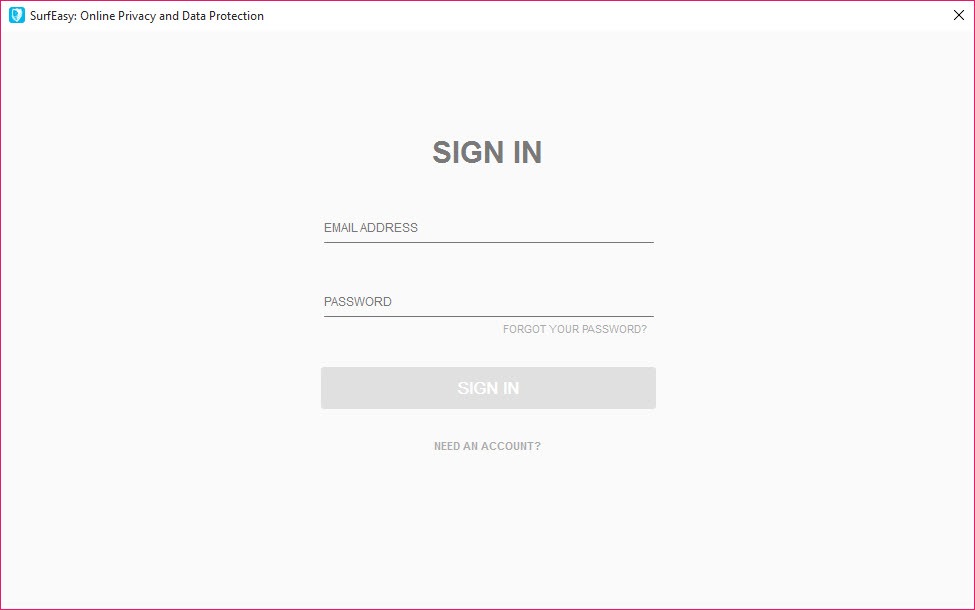
Install the application, sign in with your account, choose a server location from the list, and click connect. The VPN activates within a few seconds, and your traffic begins routing through the chosen server. To disconnect, click the disconnect button or close the application. For users wanting automatic protection on specific Wi-Fi networks, configure the auto-connect feature to activate the VPN when joining those networks. For most operations, the application stays out of the way after the initial connection rather than requiring ongoing interaction.
VPN connections add latency and potentially reduce bandwidth compared to direct internet connections because traffic travels through additional network hops and undergoes encryption processing. Slow connections typically come from a few common causes including choosing a server location physically distant from you, choosing a server with high current load, network congestion between your device and the chosen server, encryption overhead on older or constrained hardware, or your underlying internet connection having limited bandwidth. Trying different server locations and times of day usually identifies which factors apply to your specific situation.
NordVPN has a substantially larger server network, more advanced features (dedicated IP options, multi-hop connections, threat protection, and various others), and aggressive promotional pricing that produces low effective costs on multi-year subscriptions. SurfEasy VPN has simpler interface design, integration with the broader Gen Digital security ecosystem, and a free tier that NordVPN doesn't offer. For users wanting the most feature-rich VPN at competitive pricing, NordVPN typically fits better. For users wanting simpler setup with corporate ecosystem integration or who specifically want a free tier for evaluation, this software fits better.
ExpressVPN positions itself as a premium reliability-focused option with strong technical implementations, audited privacy practices, and substantial server coverage. The pricing is correspondingly higher than most alternatives. SurfEasy VPN is more budget-friendly with simpler interface design, though without matching ExpressVPN's premium polish or comprehensive feature set. For users prioritizing maximum reliability and willing to pay for premium positioning, ExpressVPN often produces the better experience. For users wanting reasonable VPN protection at moderate cost, this software covers the use case adequately.
Open the application's settings and navigate to the Wi-Fi protection section. Enable auto-connect, then classify your known networks as trusted or untrusted. Trusted networks (like your home Wi-Fi) won't trigger automatic VPN activation, while untrusted networks (like public Wi-Fi at coffee shops or hotels) trigger automatic VPN connection when your device joins them. The classification can be adjusted later as your network usage patterns change.
The tracker blocker prevents known tracking domains from loading by blocking DNS requests for those domains. Trackers typically work by loading scripts or pixels from specific tracking-focused domains, and blocking those domains at the DNS level prevents the tracking from happening. The implementation focuses on the most common tracking domains rather than aggressive comprehensive blocking, which produces useful protection without breaking websites that depend on legitimate cross-domain functionality.
The free tier provides 500 MB of monthly bandwidth (expandable to several gigabytes through specific actions like email verification, social sharing, and referrals) suitable for evaluation or very light use. Paid tiers (Total VPN and Ultra) provide unlimited bandwidth, expanded device support, streaming-optimized servers, and access to the full server network without bandwidth restrictions. For users wanting ongoing daily VPN use, the paid tiers are appropriate, while the free tier works as a way to evaluate the application before paying.
Yes, public Wi-Fi protection is one of the application's primary use cases. The encryption between your device and the VPN server prevents local network observers (other users on the same Wi-Fi network, network administrators, attackers running packet capture) from reading your traffic content. The auto-connect feature can be configured to automatically activate VPN protection when joining untrusted networks, which means you don't need to remember to activate the VPN at each new network. For users who travel frequently and connect to many different Wi-Fi networks, this automatic protection eliminates substantial friction.


