

HideMy.name VPN
About HideMy.name VPN
When picking a VPN, the marketing pitch from most providers blurs into the same slogans about privacy, security, and bypassing geo-blocks. HideMy.name VPN sits in a slightly different position from the household-name providers. It’s been around long enough to have built a reputation in markets where bypassing aggressive content filtering matters more than streaming Netflix from the wrong country, and the feature set reflects that focus.
The application is a desktop VPN client with servers spread across dozens of countries, support for the standard tunneling protocols, and a few specific touches for users who actually need to get around DPI-based blocking rather than just changing their apparent location for casual browsing.
Whether that profile fits your use case depends on what you’re trying to do with a VPN in the first place.
Server network and geographic coverage
The server list spans roughly fifty countries with multiple locations in the higher-traffic regions. North America, Western Europe, and several Asian countries get multiple endpoint cities, while smaller markets are represented by a single server. The interface shows ping times to each location, which is the practical metric that matters when you’re choosing where to connect.
A useful detail. The server selection screen flags which locations support which protocols, since not every server is configured identically. If you need WireGuard specifically, the filtered list narrows accordingly. For users in regions with active VPN blocking, the application also marks which servers tend to remain accessible behind censorship infrastructure versus ones that get caught in blanket blocks.
For situations where even the VPN connection itself gets filtered at the network level, dedicated anti-censorship tools like Freegate take a different approach to the same problem.
Protocol support and what each one does
OpenVPN over UDP and TCP, IKEv2, and a proprietary stealth protocol cover most use cases. OpenVPN on UDP is the default for everyday use, balancing speed with reliability. TCP variants help on networks that block UDP entirely or where packet loss makes UDP-based connections unstable.
IKEv2 is the option that survives best on mobile devices when switching between networks, since the protocol natively handles connection migration when your IP address changes mid-session. The stealth protocol is the one that matters in restricted environments, since it disguises the VPN traffic as ordinary HTTPS to evade deep packet inspection systems that would otherwise drop standard OpenVPN connections.
WireGuard support exists on a subset of the server fleet. When it works, it’s notably faster than OpenVPN and uses substantially less CPU on both ends. The catch is that WireGuard’s traffic signature is easier to identify than obfuscated OpenVPN, so it’s the wrong choice in environments where the VPN protocol itself is being actively blocked.
Kill switch and DNS handling
The application’s kill switch blocks all internet traffic if the VPN connection drops, preventing the data leak that happens when an active connection fails and applications continue communicating through the unprotected interface. The implementation is firewall-based rather than application-monitoring based, which means it survives even unusual failure modes that some simpler implementations miss.
DNS leak prevention routes all DNS queries through the VPN tunnel to the provider’s own DNS servers rather than letting the operating system fall back to ISP-supplied DNS. That matters more than people realize, since DNS queries outside the tunnel reveal what sites you’re visiting even when the actual traffic to those sites is encrypted. Tools like Green Tunnel take a complementary DNS-focused approach for users who want DNS protection without a full VPN.
The kill switch is configurable per network type. You can have it active on untrusted networks like public Wi-Fi but disabled on your home network where the trade-off may not be worth the inconvenience. That granularity is more thoughtful than most consumer VPN clients offer.
Censorship circumvention as the design focus
Most consumer VPNs are built around the assumption that the network between you and the server is more or less neutral. Aggressive content filtering environments break that assumption, and the application has been built with that breakage in mind.
The stealth protocol is the most obvious accommodation. Beyond that, the server rotation policy aims to keep at least some endpoints unblocked at any given time, with the application’s connection logic falling back to alternative servers when the primary choice is unreachable. The frequency of server IP rotation is higher than typical for the category, which makes blanket IP-based blocking more expensive for whoever is doing the filtering.
This isn’t a perfect shield. Determined network operators can and do block specific providers, and no VPN survives indefinitely against a well-resourced filtering system. But the application is a meaningful tool in the category rather than a vanilla provider that gets blocked the first day it appears on a filter list.
For users in highly restricted environments, parallel tools like Hotspot Shield cover the same problem with a different proprietary protocol approach.
Logging policy and trust model
The provider claims a no-logs policy, which is the standard claim every VPN provider makes regardless of what they actually do. Independent audits of that claim exist for some providers in the category and not for others. Reading the actual privacy policy rather than the marketing page is the right move before trusting any specific provider with traffic that matters.
The threat model the application reasonably defends against is your ISP and casual network observation. Hiding traffic from determined nation-state actors is a different threat model that no commercial VPN really protects against, and treating any commercial VPN as protection against that level of adversary is a mistake regardless of the marketing.
The application doesn’t require an email address for the free trial in some configurations, which is one of the few practical privacy-protective touches in the sign-up flow. Most providers require email registration upfront. For users wanting maximum anonymity in the relationship with the provider itself, that detail matters.
Where the application falls short
Speed is competitive but not class-leading. The OpenVPN performance is fine, the WireGuard performance is good where available, but the application doesn’t reach the throughput numbers that the speed-focused providers in the category advertise. For HD streaming and large downloads it’s adequate. For users who need every megabit of their connection passed through the tunnel, there are faster options.
The streaming-unblocking story is also patchier than what the dedicated streaming-focused VPNs offer. Some servers work with specific streaming services on some days. That’s the reality of the cat-and-mouse game between streaming services and VPN providers, but if your primary use case is unblocking a specific streaming catalog, this isn’t the provider built around that goal. HMA! Pro VPN and IPVanish compete more directly in the streaming-focused VPN bracket.
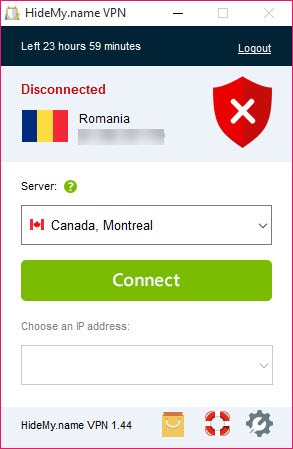
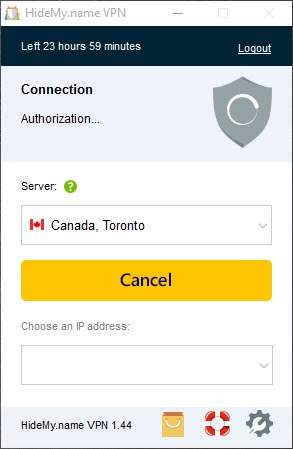
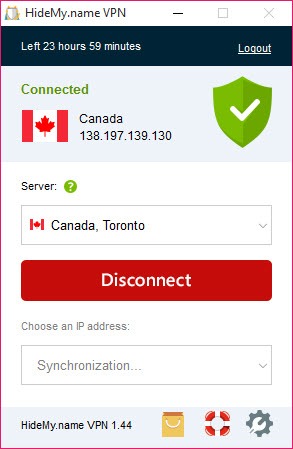
The desktop client interface is also functional rather than polished. Server list, connect button, settings panel, status indicator. It works, it’s clearly built by people who understand the technical problem space, but it doesn’t have the consumer-product sheen that the larger commercial providers invest in.
Conclusion
HideMy.name VPN is the right tool for a specific subset of VPN users, which is the subset that actually cares about getting around active network filtering rather than chasing the lowest latency or unblocking the largest streaming library. The protocol diversity, the stealth option, the firewall-level kill switch, and the awareness of operating in hostile network environments all line up around that profile.
For users in jurisdictions with relaxed network policy who mostly want a basic privacy layer for public Wi-Fi or casual geo-shifting, the application works fine but doesn’t particularly stand out from the rest of the category. For users dealing with serious filtering, censorship circumvention, or just network environments where standard VPN connections get dropped, the application earns its position alongside more anti-censorship-focused alternatives.
The match between user need and product positioning matters more here than in many consumer software categories, and getting that match right is the meaningful question before installing.
Pros & Cons
- Server network spans dozens of countries with multiple locations in high-traffic regions
- Stealth protocol disguises VPN traffic as HTTPS for circumvention of DPI-based blocking
- Firewall-based kill switch with per-network configurability
- DNS leak prevention routes all queries through provider DNS
- OpenVPN, IKEv2, WireGuard, and proprietary protocols cover most use cases
- Higher-than-typical server IP rotation frequency frustrates IP-based blocking
- Speed is competitive but doesn't lead the category for raw throughput
- Streaming service unblocking works inconsistently across servers and services
- WireGuard support is partial rather than fleet-wide
- Desktop interface is functional rather than polished
- No independently audited verification of the no-logs claim available
Frequently asked questions
The application's design focus leans toward censorship circumvention rather than pure privacy or streaming. The stealth protocol that disguises VPN traffic as HTTPS, frequent server IP rotation, and protocol diversity are the practical differentiators for users dealing with active network filtering.
OpenVPN over UDP and TCP, IKEv2, WireGuard on a subset of the server fleet, and a proprietary stealth protocol designed to evade deep packet inspection. The interface filters servers by which protocols each one supports.
Yes, implemented at the firewall level. When the VPN connection drops, all internet traffic is blocked until the tunnel reconnects, preventing data from leaking through the unprotected interface. The kill switch can be configured to be active only on specified network types.
Some servers work with some streaming services some of the time. The application isn't optimized around streaming unblocking the way a few competitor products are, so results vary. If unblocking a specific streaming catalog is the primary goal, a streaming-focused VPN may serve better.
That's a use case the application is genuinely designed for. The stealth protocol, server rotation, and protocol diversity all matter in restricted environments. No commercial VPN is undefeatable in such environments, but the application is a more credible option than vanilla providers that get blocked quickly.
The provider claims a no-logs policy. As with any VPN provider, the right move is reading the actual privacy policy and considering whether the trust model matches your threat model. Independent audit verification of the policy is not currently available.
OpenVPN is adequate for HD streaming and general browsing. WireGuard, where available, is notably faster. The application isn't class-leading for raw throughput, but speed is acceptable for typical use.


