

FoxyProxy
About FoxyProxy
FoxyProxy is a proxy management tool that switches between proxy servers based on URL patterns rather than forcing you to apply one proxy to all your traffic. Configure rules like “use the corporate proxy for sites under company.internal” and “use my testing proxy for sites under staging.example.com” and “go direct for everything else”, and the application routes each request through the appropriate proxy automatically.
The pattern-based switching is what genuinely separates the application from the operating system’s built-in proxy settings, which apply globally without per-site granularity. Whether you’re a developer testing applications through specific proxies, a security researcher routing traffic through Burp Suite or OWASP ZAP for analysis, an administrator managing access to internal systems through corporate proxies, or a privacy-focused user wanting different proxies for different categories of traffic, the rule-based approach matches how proxy work actually happens in practice.
Pattern matching and the rule system
The pattern matching engine is the central feature most users come for. Each rule combines a pattern (which URLs the rule applies to) and an action (which proxy to use, or whether to go direct). The patterns support wildcards, regex matching, and various other forms of URL matching that handle the practical scenarios that real proxy work involves.
A simple pattern might match all subdomains of a specific company. .company.internal/ matches anything under the internal domain, with the rule applying that company’s proxy server to all traffic going to those addresses. A more sophisticated pattern using regex could match specific URL structures like staging environments across multiple domains, applying a testing proxy to anything matching the pattern regardless of which underlying domain hosts it.
The rule order matters because the engine evaluates rules sequentially, with the first matching rule determining the action. Higher-priority rules at the top of the list match before lower-priority rules below, which means specific exceptions can override general defaults through proper ordering. For example, you might have a default “use proxy A for everything” rule at the bottom and a specific “go direct for company.com” rule above it, producing the behavior of routing through proxy A except when accessing your company’s domain.
For users with complex networking situations involving multiple proxies for different purposes, the rule system handles the routing decisions automatically rather than requiring manual mode switching for each context. The engine evaluates the rules at every request, with the result being that browsing experiences feel seamless even when underlying traffic is routing through different proxies based on which sites you’re accessing.
The toolbar workflow and quick switching
The browser extension surfaces the application’s controls through a toolbar icon that shows your current proxy state at a glance. Click the icon to see your configured proxies and switch between them quickly. The popup interface includes options for using a specific proxy for everything, using rule-based switching, going entirely direct, or using random proxy selection for users wanting to rotate through multiple proxies for various reasons.
The mode switching is what most casual users actually need rather than the full rule system. Configure several proxies you use frequently, and the toolbar lets you switch among them through three or four clicks. For users with simpler scenarios where one proxy at a time is fine but the specific proxy varies based on what you’re doing, this approach handles the use case without requiring rule configuration.
The extension icon also indicates the current proxy state visually. Different colors or badges show whether you’re connected through a proxy, which proxy is active, or whether you’re in a particular mode. For users running multiple browsers or browser profiles with different proxy configurations, the visual indicators help confirm at a glance which configuration is currently active.
Standard versus Basic versions
The product splits into two main extension versions with different feature scopes. FoxyProxy Standard is the full-featured version with the complete rule system, advanced pattern matching, and various other capabilities the application has accumulated across its development. FoxyProxy Basic provides simpler functionality focused on quick proxy switching without the rule complexity.
For users with sophisticated routing needs, Standard is the appropriate choice. The full pattern matching, rule prioritization, and various other capabilities support the kinds of complex scenarios that motivated installing the application in the first place. For users who only need quick proxy switching among a few configurations, Basic produces a simpler experience without the configuration overhead Standard exposes.
The Standard version’s interface is more elaborate, with options and settings that some users find intimidating. Basic’s reduced scope makes it more approachable for users who don’t need the advanced capabilities, with the trade-off being that scenarios requiring rule-based switching aren’t fully supported. Most serious users end up on Standard because the rule system is what justifies using a dedicated proxy manager rather than the operating system’s built-in proxy settings.
Use in security testing and Burp Suite integration
The security testing use case has become one of the application’s primary user populations. Web application security testing typically involves intercepting traffic through a tool like Burp Suite or OWASP ZAP, with the proxy intercepting requests as they leave the browser and responses as they return. The interception captures requests for analysis, manipulation, and replay against the target application.
The complication is that you don’t always want all your browser traffic going through the testing proxy. Logging into your bank account or checking email through Burp Suite produces unnecessary traffic in the proxy logs and creates security concerns about your own credentials. The application solves this by routing only the specific testing target through the testing proxy while everything else routes directly or through a normal proxy.
Configure a rule that matches your testing target (say, .testtarget.com/) and routes through Burp Suite’s listening port (typically 127.0.0.1:8080). Other traffic to other sites bypasses the testing proxy entirely. Switch to the testing target, your traffic flows through Burp Suite for analysis. Switch to other sites, your traffic goes direct without filling Burp’s logs with unrelated activity.
For penetration testers and bug bounty hunters specifically, this surgical proxy routing matches their actual workflow rather than forcing all-or-nothing proxy decisions. The application’s specific support for this scenario, including documentation that walks through Burp Suite integration explicitly, has made it essentially standard tooling in the security research community.
Use for accessing internal systems
Corporate environments frequently use proxies for accessing internal systems that aren’t publicly routable. Internal documentation servers, development environments, intranet applications, and various other resources may live behind proxy servers that handle authentication and access control for company-internal traffic. External resources continue using direct internet connections without going through the corporate proxy.
The application handles this scenario by routing internal-domain traffic through the corporate proxy while letting external traffic flow normally. Configure rules matching your company’s internal domains, point them at the corporate proxy, and access internal systems works while external browsing continues unaffected. The user experience is that internal and external sites both work normally, with the routing complexity handled automatically rather than requiring manual proxy toggling.
For users working remotely with VPN-required internal systems, the application can complement VPN usage by handling proxy-required scenarios within the VPN tunnel. Some corporate setups require VPN for connection plus additional proxy authentication for specific systems, with the application managing the proxy layer while the VPN handles the underlying tunnel.
IPv4, IPv6, SOCKS, and HTTPS support
The protocol support covers the various proxy types in actual use. HTTP proxies handle the basic case where standard proxy servers process HTTP traffic. HTTPS proxies handle encrypted connections with appropriate handling of the CONNECT method. SOCKS4 and SOCKS5 proxies handle the more flexible socket-level proxy protocols that support both TCP and UDP traffic depending on configuration.
For IPv6 environments, the application handles IPv6 addresses and IPv6-specific routing scenarios alongside the more common IPv4 cases. The dual-stack support matters for users in environments where IPv6 is genuinely deployed rather than just nominally supported.
Authentication for proxies that require it (username/password authentication, NTLM authentication, various others) integrates through the standard browser authentication mechanisms. Most modern proxies use straightforward authentication that the browser handles natively, with the application passing through requests rather than implementing its own authentication layer.
The protocol flexibility means the application works with proxies from essentially any source. Commercial proxy services, internal corporate proxies, locally-running tools like Burp Suite or Privoxy, SSH tunnels presented as SOCKS proxies, and various other configurations all work through the same interface. For users dealing with multiple proxies of different types, this universal compatibility eliminates the need for separate tools for different proxy protocols.
Import, export, and configuration sharing
The application includes import and export functionality for proxy configurations. Export your current configuration to a file, which captures all your proxies, rules, and settings in a portable format. Import a configuration file from elsewhere, which loads everything into your current installation as a complete replacement or merge with existing settings.
For teams sharing proxy configurations (security teams using standardized testing setups, IT departments deploying corporate proxy configurations, individual users syncing across multiple browsers or devices), the import/export capability handles the practical sharing scenarios. Maintain a master configuration file that everyone imports rather than recreating the same setup manually across each browser instance.
The configuration format is reasonably stable across versions, which means configurations exported from one version typically work when imported into newer versions. Major architectural changes occasionally produce migration requirements, but the typical case is that configurations port cleanly between current and recent versions of the application.
Paid services and the proxy/VPN offering
Beyond the free extensions, FoxyProxy operates paid proxy and VPN services that integrate with the extensions. The proxy services provide IPs across various locations for users wanting commercial proxy infrastructure, with the extensions providing the management layer that routes traffic through these proxies based on whatever rules you configure.
For users who don’t have access to existing proxy infrastructure but want to use the application’s rule-based routing capabilities, the paid services provide proxies they can use. The integration handles authentication, server selection, and various other operational concerns, with the user experience being essentially the same as using any other configured proxy.
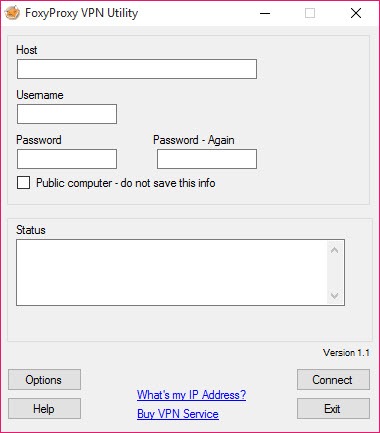
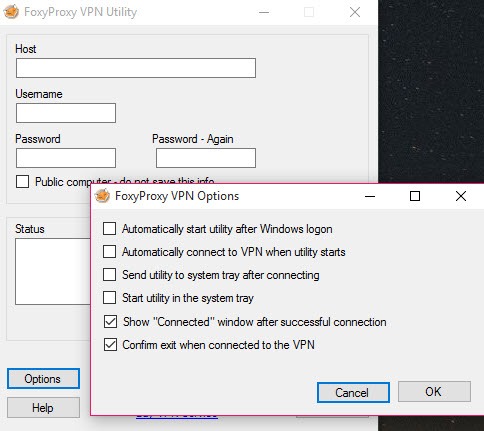
The VPN service represents a more recent addition, providing standard VPN capabilities alongside the proxy infrastructure. For users wanting both proxy and VPN access from one provider with unified billing, the FoxyProxy VPN integrates naturally with the broader product line. For users with existing VPN preferences, the extensions work fine with whatever VPN they’re already using rather than requiring the FoxyProxy VPN specifically.
Privacy and the trust considerations
Using any proxy involves trust considerations because the proxy server sees your traffic as it passes through. The application itself doesn’t introduce trust concerns beyond the proxies you configure, with the extensions essentially being a routing layer between your browser and whatever proxy servers you choose to use.
For users using their own proxies (corporate proxies, locally-running tools, self-hosted infrastructure), the trust question is the same as it would be without this application. The proxy operator sees your traffic regardless of which client routes through it.
For users using commercial proxy services (FoxyProxy’s services or others), the service provider’s privacy practices become the relevant trust question. Different providers have different policies around traffic logging, data retention, and various other privacy considerations. Users selecting commercial proxy services should evaluate the provider’s privacy positioning rather than assuming all proxies offer equivalent privacy protection.
The application’s open-source codebase (the extensions are open-source under various licenses depending on version) means the routing layer itself can be audited and verified. The trust question is therefore narrowed to the proxies being routed to rather than including questions about whether the routing layer itself is doing what it claims.
Considerations and limitations
The browser extension architecture means the application only handles browser traffic. Other applications on your computer (email clients, instant messaging, video conferencing, command-line tools, anything else with internet access) continue using your direct connection or system-level proxy settings. For users wanting comprehensive proxy management across all applications, system-level proxy tools or VPN approaches handle scenarios this software doesn’t address.
The rule complexity that makes the Standard version powerful also makes it intimidating for new users. The interface exposes substantial configuration depth that requires understanding to use productively. Users wanting plug-and-play simplicity find the Basic version more approachable, with the trade-off being reduced capability for scenarios where the rule system would actually help.
Some specific browser features interact unexpectedly with proxy routing. WebRTC connections may bypass proxy settings in certain configurations. Browser-level features like prefetching, prerendering, and various other optimizations sometimes produce traffic that doesn’t follow the configured rules. For privacy-critical scenarios, additional configuration beyond the basic proxy rules may be necessary to prevent leaks.
The browser extension ecosystem produces some constraints that aren’t present in standalone proxy clients. Browser security models limit what extensions can do, which affects features like DNS-level routing that some proxy clients support but extensions can’t fully replicate. For users wanting maximum control over routing including DNS handling, dedicated proxy clients sometimes produce better results than browser extensions.
The Basic versus Standard distinction creates some confusion for new users. The two extensions are listed separately in browser extension stores, with the differences not always being obvious from the listing pages. Users sometimes install Basic and conclude the application doesn’t support features they need, when the features exist in Standard. Verifying which version covers your needs before installation prevents this specific frustration.
Conclusion
For users with proxy management needs that go beyond what operating system-level proxy settings provide, FoxyProxy delivers serious capability through its rule-based routing engine and browser extension form factor. The combination of pattern matching for per-URL proxy decisions, multiple operation modes covering different complexity levels, support for the major proxy protocols, and active development across Firefox, Chrome, Edge, and various other browsers produces a tool that handles the actual scope of practical proxy work rather than just basic single-proxy scenarios.
The reasons to consider alternatives are mostly about specific scopes. Users wanting system-wide proxy or VPN coverage need solutions that handle traffic beyond just browser activity. Users with extremely simple proxy needs may find browser-native proxy settings sufficient without installing additional extensions. Users wanting commercial managed services with bundled support may prefer integrated VPN providers over the more flexible but less hand-held approach this software takes.
But for the specific scenario of per-URL browser proxy routing, particularly for security testing workflows where surgical traffic routing matters, this software remains essentially the standard tool that documentation, training materials, and community knowledge all reference, with the long track record producing accumulated workflow knowledge that newer alternatives haven’t matched.
Pros & Cons
- Pattern-based proxy switching routes specific URLs through specific proxies automatically
- Multiple proxy modes including per-URL routing, single-proxy operation, direct mode, and random selection
- Toolbar icon enables quick mode switching without opening configuration interfaces
- Standard version's rule system handles complex routing scenarios
- Compatible with HTTP, HTTPS, SOCKS4, and SOCKS5 proxy protocols
- Works with Burp Suite, OWASP ZAP, and other security testing tools
- Import and export functionality enables configuration sharing across browsers and teams
- Active development with regular updates maintaining browser version compatibility
- Available across Firefox, Chrome, Edge, and various other Chromium-based browsers
- Browser extension scope limits coverage to browser traffic rather than system-wide
- Standard version's complexity intimidates users wanting plug-and-play simplicity
- Some browser features (WebRTC, prefetching) may bypass configured proxy rules
- Basic versus Standard distinction confuses users who install the wrong version
- Trust considerations apply to whatever proxies you route through, regardless of the routing layer
Frequently asked questions
This software is a proxy management tool that switches between proxy servers based on URL patterns rather than applying one proxy to all browser traffic. It ships as browser extensions for Firefox, Chrome, Edge, and various other browsers, with the extensions providing toolbar-based mode switching, rule-based pattern matching for automatic proxy selection per URL, support for HTTP, HTTPS, SOCKS4, and SOCKS5 proxy protocols, and import/export capabilities for sharing configurations.
The application routes browser traffic through proxy servers based on rules you configure. Different URLs can route through different proxies automatically, with the rule engine evaluating each request against your configured patterns to determine the appropriate routing. Common use cases include security testing (routing specific targets through Burp Suite while other traffic goes direct), corporate proxy access (internal domains through corporate proxy, external traffic direct), and various other scenarios requiring per-URL proxy decisions.
The browser extension hooks into the browser's network layer and intercepts outgoing HTTP/HTTPS requests before they leave the browser. For each request, the extension evaluates your configured rules against the request URL, identifies the appropriate proxy based on the first matching rule, and routes the request through that proxy. The browser sees the responses as if it had connected to the proxy directly, with the extension transparently handling the routing decisions.
Install the extension from your browser's extension store, click the toolbar icon to open the configuration interface, and add the proxies you want to use (proxy server, port, protocol type, optional authentication). For simple use, choose a proxy from the toolbar popup to route all traffic through it. For advanced use, configure rules that match URL patterns and assign specific proxies to those patterns, then switch to rule-based mode through the toolbar to enable automatic per-URL routing.
A VPN routes all your network traffic through an encrypted tunnel to a VPN server, which handles all your internet connectivity at the system level. FoxyProxy routes only browser traffic through configured proxies, with non-browser applications continuing to use your direct connection. VPNs typically encrypt the connection between your device and the VPN server, while proxy connections may or may not be encrypted depending on the proxy type. For comprehensive system-wide protection, VPN is appropriate. For per-URL browser-specific routing scenarios, this software fits better.
FoxyProxy Standard is the full-featured version with the complete rule system, advanced pattern matching, and various other capabilities. FoxyProxy Basic provides simpler functionality focused on quick proxy switching without the rule complexity. Users with sophisticated routing needs benefit from Standard. Users who only need quick proxy switching among a few configurations find Basic more approachable. Most users wanting per-URL routing or security testing workflows end up on Standard because Basic doesn't fully support those scenarios.
Configure Burp Suite to listen on a specific port (typically 127.0.0.1:8080), which acts as a proxy server for traffic you want to intercept. In this software, configure a rule matching your testing target's URL pattern (e.g., .testtarget.com/) and route that pattern through the Burp Suite proxy at the configured port. Other traffic continues routing through your default mode (typically direct). The result is that Burp Suite captures only your testing target's traffic for analysis while your other browsing happens normally without filling Burp's logs.
Yes, the browser extensions are free without paying for FoxyProxy's commercial proxy or VPN services. Use the extensions with proxies from any source including locally-running tools, corporate proxies, free public proxies (with appropriate caution about trust), or any other proxy infrastructure you have access to. The paid FoxyProxy services provide proxy and VPN infrastructure for users who need it, but are entirely separate from the extension functionality, which works equally well with any proxy source.
Open the extension's configuration interface through the toolbar icon. Navigate to the proxies section, click add new proxy, and fill in the proxy details including server address, port number, protocol type (HTTP, HTTPS, SOCKS4, SOCKS5), and authentication credentials if the proxy requires them. Save the proxy configuration, and it becomes available for selection through toolbar mode switching or for assignment to rules in the rule-based mode. Multiple proxies can be configured simultaneously for different use cases.


