

Radmin VPN
About Radmin VPN
Search for a VPN and you get a hundred services promising to hide where you are. Radmin VPN is not one of them, and confusing the two is the single most common mistake people make with it. What it builds is a private network between machines you nominate, so a computer in one city behaves as though it is plugged into the same switch as a computer in another.
That distinction decides whether this is the right download. If you want a different country in your address bar, close the tab. If you want the machine in your office to appear in your file browser at home, or four friends to see each other in a game that only ever supported local play, this is built for exactly that.
It sits in the same category as Hamachi, which invented the pattern and which most people who need this have already tried. The differences are in the limits, the setup friction and what happens when a connection cannot be made directly.
What it does not do, stated plainly
No traffic of yours gets routed anywhere. Your address stays your address, streaming services see the same country they always saw, and nothing about your ordinary browsing changes once the client is running.
There are no exit servers to pick from, no kill switch, and no protocol menu, because none of those concepts apply to what this is doing. The encryption on offer protects traffic travelling between members of your virtual network and stops there.
If your requirement is a genuine tunnel between two sites, with routing rules and control over both ends, a tunnelling suite built for site-to-site work is a different class of software and the honest recommendation for that job.
Creating a network takes two fields
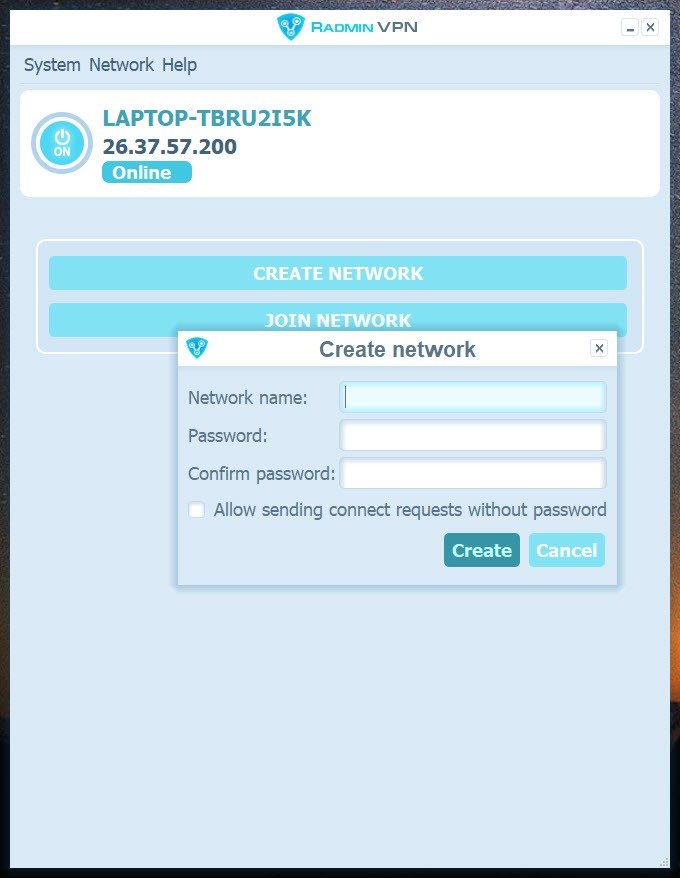
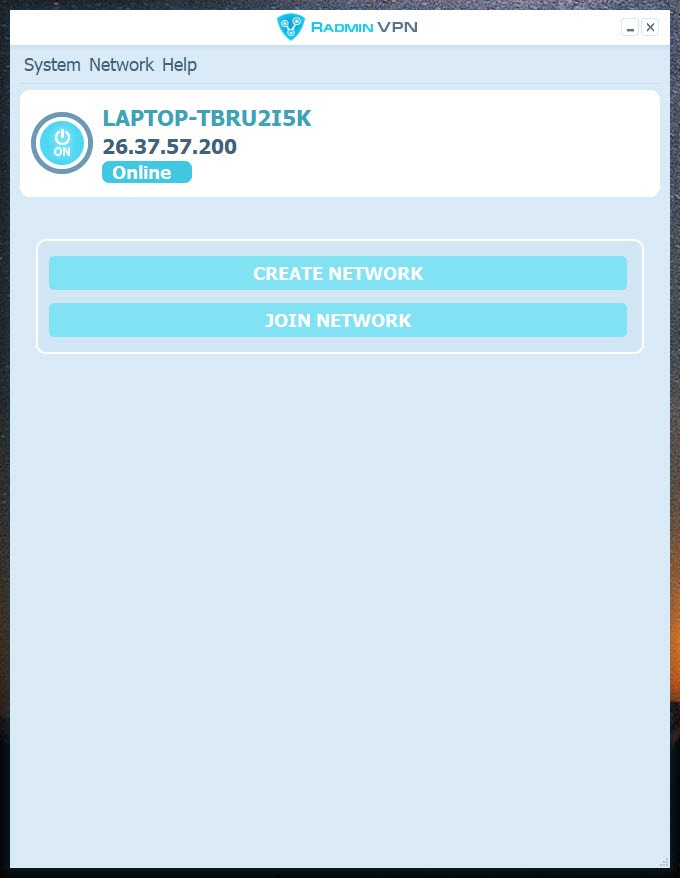
Setup in Radmin VPN is close to nothing. Click create, type a name, type a password, and the network exists. Everyone else clicks join and enters the same two things. No account, no email address, no confirmation link, no dashboard on somebody’s website.
Virtual addresses are assigned automatically to each member, so nobody has to understand subnets or pick numbers that do not collide. The machine appears in the client’s list with its name next to it, and from that point the operating system treats it like any other computer on the network.
There is no ceiling on how many machines join a single network, which matters for a large game session and matters more for a small business that would otherwise be counting licences.
Getting through firewalls you do not control
This is the part that does the real work, and it is why Radmin VPN succeeds where manual approaches fail. Connections are established peer to peer, with traversal handling routers, home firewalls and the layers of address translation that sit between most connections now.
Nothing needs forwarding. No router administration page, no static addresses, no arguing with an internet provider about whether you have a public address at all. A machine behind a hotel network and a machine behind an office firewall find each other without either network being reconfigured.
The client can also add its own firewall exceptions from the system menu, which saves the usual half hour of wondering why two machines can see each other in the list and cannot ping one another.
What the machines can then do
Once a Radmin VPN network is up, everything that works on a local network works here. Shared folders appear where shared folders appear. Network printers become reachable. A storage box at home shows up on a laptop somewhere else. A game host advertising itself to the local subnet is visible to everybody in the virtual one.
Three shapes of network are worth thinking about before you build one. A full mesh where everyone reaches everyone suits a group of friends. A single host with everyone connecting to it suits a file server or a game server. A hub arrangement, where one machine is the administrative point of contact, suits somebody supporting a set of remote workers.
The client shows who is connected and whether each peer is reachable directly, which is the first thing to check when something is not working.
LAN games over the internet
This is why most people install it. A large number of older titles only ever implemented local multiplayer, and their matchmaking services, where they existed, are long gone. Put the players on one virtual network and the game’s own local discovery does the rest, finding hosts as though everyone were in the same room.
Radmin VPN also carries a directory of open networks intended for gaming, browsable inside the client and separate from the private networks you create yourself. Join one and you are on a network with strangers, which is convenient for finding players and has consequences covered further down.
Tunngle built its whole identity around this use case, and comparing the two on the specific game you care about is more useful than comparing feature lists, since compatibility varies by title in ways nobody documents properly.
The remote control pairing, and the install surprise
The product is made by the same people behind a well-known remote control tool, and the two are designed to work together. Reaching a machine on the virtual network and then taking over its screen is a single sensible workflow, and for anyone supporting family members or remote colleagues it is the reason to choose this over alternatives.
The install behaviour deserves a complaint, though. The viewer component for that remote control product gets placed on your machine during setup without being offered as a choice. It is not malicious and it is not hidden afterwards, but software that installs a second program without asking has made a decision that was yours to make.
If remote control is what you actually want and the virtual network is incidental, AnyDesk reaches a machine directly without any of this and skips the network layer entirely.
The ceiling, the latency and the one password
Three practical limits shape the experience. The first is a throughput cap of 100 megabits per second inside the tunnel, which is invisible during gaming and very visible when moving a folder of video files.
The second is latency, and it is widely misunderstood. The cap does not cause lag. Distance does, along with whether your peers connected directly or ended up relayed, and a player on another continent will feel far away no matter what any speed figure says. For gaming, watch the ping rather than the bandwidth number.
The third is the security model, which is one password long. Traffic between members is encrypted, and that encryption is fine. What it does not do is decide who belongs. Anyone holding the network name and password is inside your virtual network with the same access a machine in your living room would have, which is why joining a public gaming network and leaving folders shared is a bad combination.
Treat those networks as public places, keep sharing switched off while you are on one, and if you want per-application control over what can talk across the virtual adapter, a firewall that filters by program gives you that.
Conclusion
Radmin VPN solves an old problem well. Reuniting a group around a game that never had online matchmaking, reaching a home machine from a hotel, or connecting a handful of computers across offices without buying networking equipment are all things it does in about two minutes with no account and no configuration.
Go in knowing what it is. It will not make you anonymous, the throughput cap is real, and a shared password is a thin wall between your file shares and whoever else happens to be on the network.
Used privately, with people you chose, and with sharing configured deliberately rather than by accident, Radmin VPN is one of the more useful things in this category. Used as a substitute for a privacy service, it does nothing at all.
Pros & Cons
- Creating or joining a network needs a name and a password, with no account of any kind
- Traversal handles routers and firewalls without port forwarding or provider cooperation
- Virtual addresses are assigned automatically, so nothing has to be planned or configured
- No limit on how many machines join a single network
- Local network discovery works normally, so older games find hosts by themselves
- A browsable directory of open gaming networks removes the need to organise anything
- Pairs directly with a remote control tool for support work
- Does not mask your address or route ordinary traffic, despite what the name suggests
- Throughput inside the tunnel is capped, which shows on large file transfers
- A second program is installed during setup without being offered as an option
- Network membership is protected by a single shared password and nothing else
- Public gaming networks put strangers on the same virtual segment as your machine
- Relayed connections add latency that no setting can remove
- Closed source, so the implementation cannot be independently reviewed
Frequently asked questions
No, and it never claimed to. It creates a private network between chosen machines rather than routing your traffic through a remote server. Websites see the same address they saw before, and geographic restrictions are unaffected.
No. Traversal handles firewalls and address translation automatically, which is the main practical advantage over trying to arrange direct connections yourself. Networks you have no administrative control over generally work fine.
There is no stated limit, so a network can hold a handful of machines or a large group of players. Practical limits come from bandwidth and latency rather than from any counter in the software.
Because throughput inside the tunnel is capped at 100 megabits per second regardless of what your connection can do. That is comfortable for gaming and noticeable when moving large amounts of data.
Yes, and it is the most common reason people install it. The game's own local discovery finds hosts on the virtual network exactly as it would on a physical one, with no patching or configuration inside the game.
Every machine on the same virtual network, since membership is the only access control. On a private network with people you know that is fine. On a public gaming network it means turning file sharing off before you connect.


