

VPN PRO
About VPN PRO
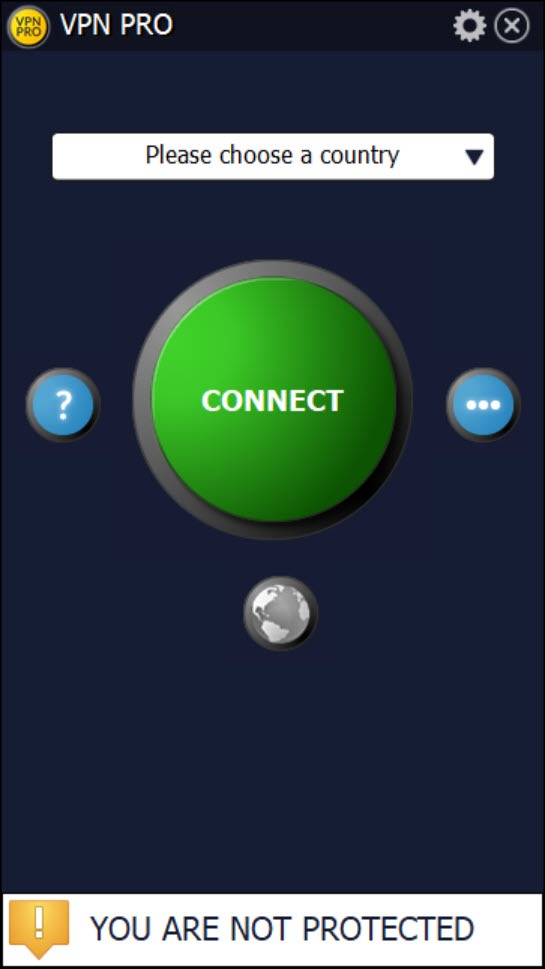
VPN PRO is a no-frills Windows VPN client built around one big idea, which is making the connect-to-a-server step as simple as it can possibly be. Open the app, see an oversized connect button, pick a country from a list, click, and you’re routed through a remote server with your IP swapped for the server’s.
No multi-page setup wizard, no protocol options to configure, no advanced settings to learn. For users who just want a hide-my-IP toggle and nothing more, this is roughly what that looks like.
The trade for that simplicity is that VPN PRO does very little beyond the basics. There’s no kill switch, no split tunneling, no protocol switcher, no system tray integration to speak of, and the encryption layer is dated compared to what other clients ship in 2026.
If you’ve used ProtonVPN or Mullvad, the missing pieces will be obvious within ten minutes. Whether that matters depends entirely on what you’re using a VPN for in the first place.
Where this fits in the VPN landscape
The VPN market in 2026 splits roughly into three tiers. At the top are the privacy-focused independent services with audited no-logs claims, modern protocols, and per-app routing. In the middle are the big commercial VPNs with thousands of servers, streaming-optimized routes, and aggressive marketing. At the bottom are the simple clients aimed at users who heard they need a VPN, want to install one, and don’t want to think about it.
VPN PRO lives firmly in that third tier. It’s not trying to compete with the privacy-first services or the marketing-heavy giants. The pitch is that you can install it, connect to a server, and your IP looks like it’s somewhere else, and that’s it.
For coffee-shop Wi-Fi safety, for occasional access to a geo-locked site, or for a non-technical user who just needs a basic privacy layer, that’s a real category of use. Just don’t confuse it with the more serious tools that compete in different price ranges.
The connect-and-go workflow
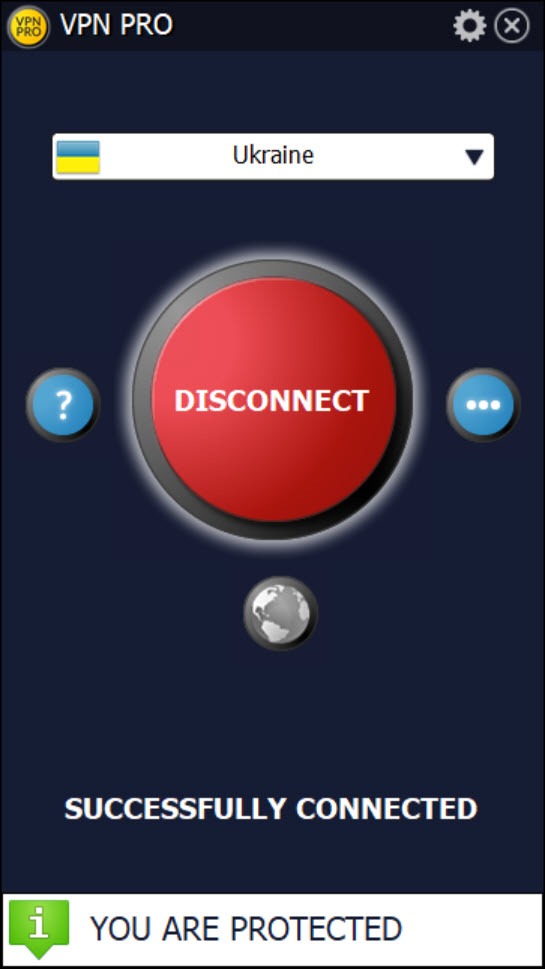
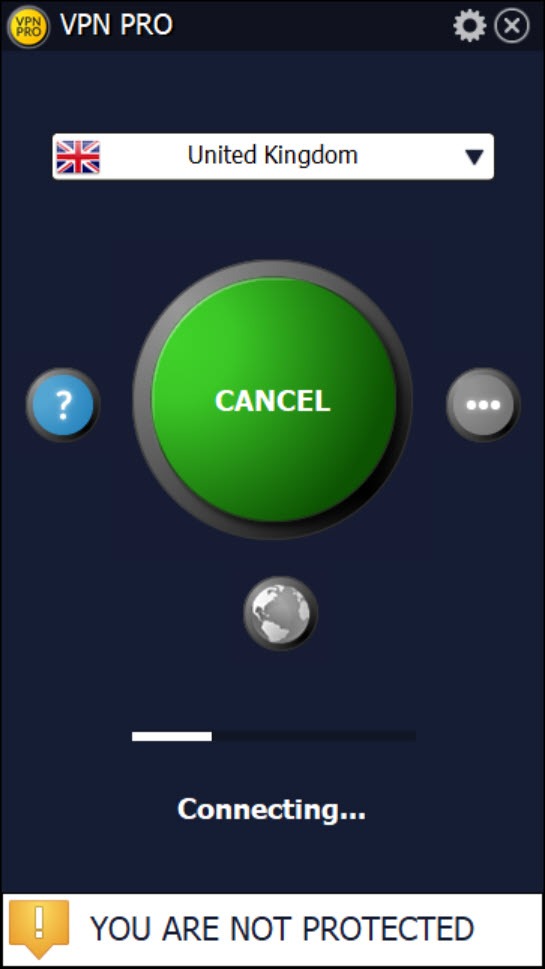
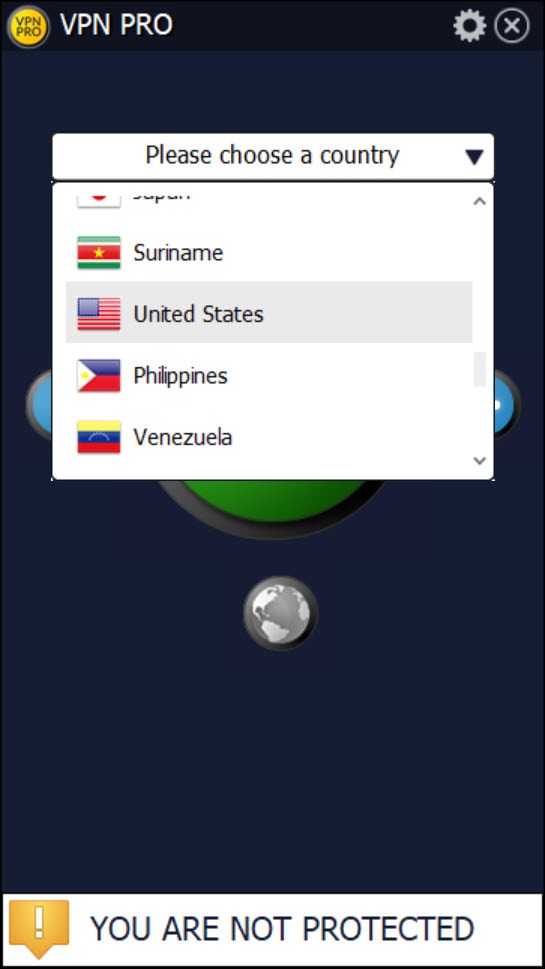
After installation, the main window shows a server selector and the connect button. The server list is organized by country with flag icons, the kind of list you scroll through visually rather than searching by name. Pick a country, click connect, wait a few seconds for the tunnel to come up, and you’re done.
The connection status is shown in the main window itself rather than in a tray icon, which is one of the practical quirks of the app. Most modern VPN clients minimize to the system tray and let you reconnect or switch servers without bringing the full app back into focus. VPN PRO doesn’t do this, so changing servers means alt-tabbing back to the application window and clicking through there. Not a deal-breaker, but it adds friction on a workflow you’d expect to be smoother.
There’s a connection timeout setting that controls how long the client waits before giving up on a server that isn’t responding. Useful for slower regions or unreliable nodes, but the default value works fine in most cases. Language settings cover several common UI languages and apply at the next launch.
Server selection and what’s actually offered
The server list is moderately sized, covering common locations in North America, Europe, and parts of Asia. You won’t find the 90-plus country coverage that commercial heavy-hitters like NordVPN advertise, but the major destinations are present. Each server shows a country flag and sometimes a city or region label. Load indicators aren’t part of the UI, so picking between two US servers is a guess rather than an informed choice.
Connection speeds depend heavily on which server you pick and your distance from it. Connecting from Europe to a US server adds the round-trip latency you’d expect, plus the encryption overhead, and the resulting speeds are noticeably slower than a direct connection. Local servers in your own region are faster but defeat the purpose if you’re using the VPN to appear elsewhere.
For users specifically routing through a specific country for content access, the practical question is whether your destination is in the server list. If it is, the connection works. If it isn’t, you need a different tool with broader geographic coverage.
Encryption and the part to think about
This is where honesty matters. VPN PRO uses 1024-bit key exchange for setting up the tunnel, which is below the standard most modern VPN clients have moved to. The current expectation in the VPN space is 2048-bit or 4096-bit RSA for key exchange paired with AES-256 for the data stream, which is what tools like OpenVPN and the major commercial services use by default.
1024-bit key exchange is not broken in any practical sense for an attacker without nation-state resources, but it falls short of current best practice. For the use cases this client targets (basic privacy from casual snooping, public Wi-Fi protection, simple geo-unblocking) it provides meaningful security improvement over no VPN at all. For threat models that involve sophisticated adversaries or for sensitive activities, the encryption layer here isn’t where you want to land.
The protocol choice is also limited. There’s no menu to switch between WireGuard, OpenVPN, IKEv2, or the other modern options that competing clients offer. You get one protocol implementation and that’s the connection you use.
What’s not in the box
A few features that are standard elsewhere are absent here. There’s no kill switch, which is the safety net that disconnects your internet entirely if the VPN drops mid-session. Without it, if the tunnel fails, your traffic falls back to your real IP and you might not notice until later. For users who care about leak prevention, this is a meaningful gap.
Split tunneling, the ability to route some apps through the VPN and others directly, is also missing. You’re either fully tunneled or fully direct, with no granular control. Same for per-app rules, custom DNS, or any traffic filtering beyond the basic on-off toggle.
The lack of system tray integration mentioned earlier compounds these limitations. Without a tray icon showing connection state at all times, it’s easy to forget whether you’re connected or to miss a disconnection event. Commercial VPNs and even free alternatives like Windscribe get this part right.
For users who want a more serious feature set without paying for the top tier, Hotspot Shield and Avira Phantom VPN cover similar use cases with more polished workflows.
Free tier versus paid
The application offers a free usage tier with limitations on server selection, bandwidth, or session length depending on which version you have installed. The paid tier removes those limits and opens the full server list. Pricing is set as a subscription rather than a one-time purchase, which is standard for the category.
The free tier is worth a look if you only need occasional VPN protection and don’t care which country your traffic exits through. For anyone using a VPN as a daily-driver tool, the limits hit fast enough that paying is essentially required, at which point the comparison against competing paid VPNs gets harder because more capable alternatives sit in the same price bracket.
Real-world fit
Where VPN PRO does work is the simple-needs use case. A user on a laptop at a coffee shop who wants their browsing wrapped in some kind of encryption before going over the local Wi-Fi. A traveler who needs a US IP for a streaming session and doesn’t care about anything else. A first-time VPN user who got pushed toward the category by a news story and wants something they can figure out in five minutes without reading documentation.
For users in any of those scenarios, this tool gets the job done. For anyone with a stricter threat model, anyone who wants modern protocols and audited privacy claims, anyone who needs split tunneling or specific country routing beyond the basics, the simpler client isn’t going to be enough and you’ll want to look at the more serious paid services or a self-configured OpenVPN setup.
Conclusion
VPN PRO fits a narrow but real audience, which is users who want a one-click VPN with minimal complexity and don’t need the features more serious clients offer. As a starter tool for someone new to VPNs, as a basic privacy layer for casual public Wi-Fi use, or as a quick geo-unblock for occasional content access, it works.
The simplicity is the entire pitch, and the application delivers on that pitch without pretending to be something more.
The honest concern is that VPN expectations have moved on. Modern users have access to free tiers from privacy-focused providers that ship modern protocols, kill switches, and stronger encryption defaults. Paying for a basic client when more capable alternatives exist at similar or lower prices is harder to justify.
If you specifically value an interface this simple and don’t need any of the missing features, the tool does what it claims. If you’re not sure what you need, taking a free tier from a more established service first will probably show you why the extra features matter.
Pros & Cons
- Interface is genuinely simple, with a single big connect button as the main interaction
- Country-based server picker is approachable for first-time VPN users
- Works as a basic privacy layer on public Wi-Fi networks
- Connection timeout and language settings provide minimal but useful configuration
- Free tier available for users who only need occasional VPN coverage
- Installation and setup take less than five minutes from download to connected
- 1024-bit key exchange is below current VPN industry standard
- No kill switch means traffic leaks back to your real IP if the tunnel drops
- No split tunneling, per-app rules, or protocol switching
- Missing system tray integration makes connection management clunky
- Server list is smaller than what competing services offer
- No audited no-logs policy or transparency reports that more serious privacy services publish
- Free tier limitations push users toward a paid subscription that competes with more capable alternatives
Frequently asked questions
The application targets users who want a simple way to hide their IP address and route traffic through a remote server, without learning advanced VPN concepts or configuring multiple protocols. The interface is built around a single connect button rather than a feature-rich control panel.
The client uses 1024-bit key exchange, which provides meaningful protection against casual interception but falls below the 2048-bit or 4096-bit standard most modern VPN clients have adopted. For basic privacy use it's adequate, for stronger threat models it's not the right tool.
No. There's no built-in kill switch to block internet traffic when the VPN connection drops. If the tunnel fails mid-session, your traffic falls back to your unprotected connection without warning.
No. Split tunneling isn't a feature here. All traffic either goes through the VPN tunnel or none of it does, with no per-app routing.
This is one of the simpler clients in the category, focused on ease of use rather than advanced features or audited privacy practices. More established services offer modern protocols, kill switches, split tunneling, and stronger encryption defaults.
The application keeps its connection active while it runs, but it doesn't minimize to the system tray. You need to keep the main window open or accept that switching servers requires bringing the app back into focus.


