

SonicWALL Global VPN
About SonicWALL Global VPN
Most VPN clients ask you to fill in a server address, a protocol, a set of credentials and a handful of options you half understand. SonicWALL Global VPN asks you for almost nothing, because the entire tunnel definition is written by an administrator on the firewall and downloaded to the client when it connects.
That single design decision explains everything about the product. It is not a general-purpose client and it will not talk to arbitrary gateways. It exists to connect staff to one family of firewalls, with less user involvement than anything built around OpenVPN and its configuration files.
The consequence cuts both ways. There is very little for a user to get wrong, and very little a user can put right when something breaks.
The configuration comes from the firewall
Policy provisioning is the mechanism. An administrator defines the tunnel parameters on the firewall and the client receives them transparently on connecting, so the person at the far end never sees an encryption algorithm or a key lifetime.
Where a connection must exist before first contact, the policy exports from the firewall as a file, optionally password protected, and can be sent to remote staff to import.
The policy attaches to a network zone on the firewall rather than to individual people, so one definition covers everybody connecting through it and adding a user becomes an account operation rather than a tunnel one.
The result is a support experience that scales. Nobody talks a salesperson through selecting a Diffie-Hellman group over the phone, and SonicWALL Global VPN installations tend to fail in a small number of documented ways rather than a hundred variations.
Authentication, and what the firewall decides about it
Three authentication mechanisms are available in SonicWALL Global VPN. A shared secret, third-party certificates, and a username and password layer that is usually checked against a directory service rather than a local list.
Credential handling is decided on the firewall rather than by the user, with three behaviours available. Credentials are never cached and are requested again at every renegotiation, held for a single session and discarded on disconnect, or remembered with the user’s agreement after the first prompt.
The shared secret behaves similarly. SonicWALL Global VPN only prompts for it when simple provisioning has been switched off at the firewall, and once entered it lives in an encrypted configuration file and is never asked for again unless the key itself changes.
For a client that speaks the same protocol without being tied to one firewall family, a third-party client built around the same standard is the alternative to consider.
The virtual adapter, addresses and failover
The client can install a virtual network adapter and take an address for it from a DHCP server, either the firewall’s own or one inside the network, along with name resolution settings. That makes the connected machine behave as though it were plugged into the office network rather than tunnelling into it.
Session reliability handles the other half. If a gateway becomes unavailable, the client redirects to an alternate one automatically rather than dropping the user and waiting for them to notice.
The virtual adapter has a downside though. It is a real network device on the machine, and machines carrying several corporate VPN clients accumulate adapters that quarrel over routing in ways that take an afternoon to unpick.
When it will not connect, which is usually the firewall
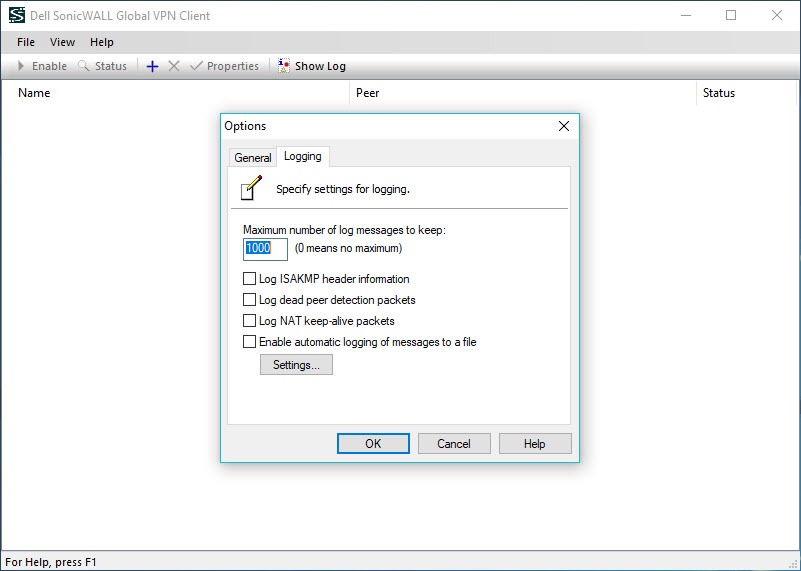
The client log in SonicWALL Global VPN is the first place to look, because it reports which phase of the negotiation failed and that narrows the cause immediately.
Three patterns recur. A gateway that never answers points at the firewall itself, a device filtering the traffic in between, or a wrong address. A connection stuck at authenticating usually means the account has no access list assigned. A second-phase error frequently requires deleting the connection and creating it again, which sounds like superstition and works.
One cause catches people repeatedly. The firewall permits a fixed number of simultaneous clients, and once that number is reached the next person to try sees a failure that looks exactly like a fault on their own machine. If the log shows the negotiation never leaving, a packet analyser that confirms what is actually being sent settles whether the problem is local or upstream.
The protocol is the real limitation
Here is what decides whether this suits your situation. The tunnel uses the classic standard, which needs its negotiation traffic and its encapsulated payload to pass unmolested. Restrictive networks routinely block one or both.
Hotel wifi, conference guest networks and some mobile carriers all produce a client that sits there failing while an ordinary web browser works perfectly. A traversal setting exists to fight some of this and does not solve all of it. Remote access built on standard web ports simply does not have this problem, which is why most new deployments went that way.
If traversing hostile networks is the requirement, SoftEther VPN was designed around exactly that and will get through places this cannot.
And if you are choosing firewalls rather than clients, FortiClient occupies the same position in a competing ecosystem, with the same arrangement of a client that does what the hardware tells it.
Conclusion
SonicWALL Global VPN is the right client if your organisation runs the firewalls it was written for and wants remote staff connected without teaching anybody what a security association is. Central policy, zone-based deployment and a client that configures itself add up to a low support burden, and the logs are informative enough that most failures resolve to a single cause quickly.
Its weakness is not the software, it is the protocol underneath. On a filtered network it will simply not connect, and users on the road hit that regularly. Keep it for staff working from fixed locations you trust, understand that every real problem lives on the firewall rather than the laptop, and plan a web-port alternative for anyone who works from hotels.
Pros & Cons
- The tunnel configuration downloads from the firewall, so users configure nothing
- Policies can be exported as a file and distributed to remote staff before first contact
- Zone-based policy means one definition covers every client on that zone
- Credential caching behaviour is decided centrally rather than left to the user
- Virtual adapter mode takes an address and name resolution from the network's own server
- Automatic redirection to an alternate gateway when one becomes unavailable
- Client logs identify which negotiation phase failed, which shortens diagnosis considerably
- The classic tunnelling standard is blocked on many hotel and guest networks
- Nothing works without matching configuration on the firewall, and users cannot fix that
- The virtual adapter can conflict with other corporate VPN clients on the same machine
- A full client count on the firewall produces a failure that looks like a local fault
- Only connects to one family of firewalls, with no general-purpose use
- Second-phase failures often need the connection deleted and rebuilt rather than repaired
Frequently asked questions
No. It is built for one family of firewalls and expects the policy provisioning they supply. A general-purpose client speaking the same standard is the option for anything else.
Because simple provisioning is enabled on the firewall, which supplies the key automatically. When it is switched off you are prompted once, and the key is then stored in an encrypted configuration file rather than requested again.
Because that network is blocking the negotiation or the encapsulated traffic the tunnel depends on. Adjusting the traversal setting sometimes helps, and remote access built on standard web ports avoids the problem entirely.
Almost nothing. You import or receive a policy, then enter credentials when prompted. Encryption settings, timeouts and routing all come from the firewall, which is deliberate rather than a limitation of the interface.
Frequently because the firewall has reached its permitted number of simultaneous clients, and the next attempt is refused. Check that before troubleshooting the machine, since the message gives no hint that somebody else is the reason.


