

ExifPro
About ExifPro
ExifPro is an image browser built around the information cameras write into their files. Open a folder and the photos appear as thumbnails, with a panel beside them listing the shutter speed, aperture, ISO, focal length, lens, flash setting and timestamp recorded by the camera for whichever image is selected.
Sort or group the folder by any of those values, and a shoot can be read as a set of decisions rather than a set of pictures, which is what the EXIF panel is for. Tags and descriptions added to images travel with them, and a search finds photos by those words or by camera settings.
Around the metadata sit the tools a browser needs. A preview window zooms and pans, a light table lays several images side by side for comparison, and basic adjustments cover rotation and cropping, resizing, and colour.
Built-in generators produce an HTML album or a slide show from a selection, images print with layouts, and an automatic renamer and transfer tool moves photos off a card into dated folders with names built from their metadata.
ExifPro is open source and no longer actively developed, which shows in its handling of newer RAW formats, and the sections below are honest about where that leaves it.
Browsing by what the camera recorded
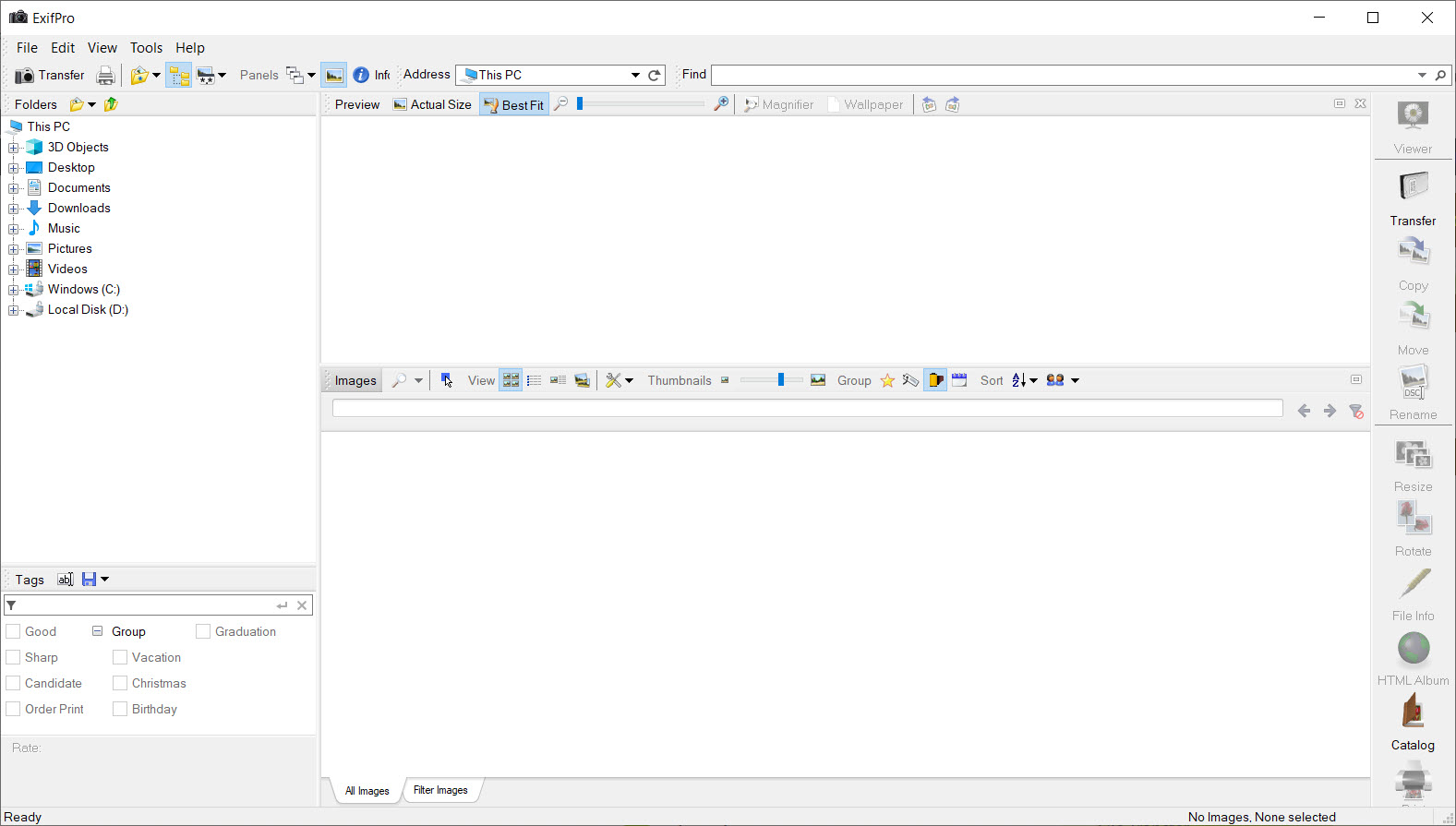
The ExifPro main window is three views in one. Thumbnails give the overview, with sizes adjustable and labels showing the fields you choose. Previews show one image large with the rest in a strip, and details lists the folder as a table of metadata columns, sortable by any of them, which is how every frame shot at a wide aperture or at a high ISO gets found in one click. Grouping by date, by camera or by lens splits a mixed folder into its parts.
The EXIF panel shows the full set of tags for the selected image, including the maker notes some cameras add, and a histogram sits alongside for judging exposure. Images can be rated and tagged, with a tag library kept across folders, and descriptions typed into a field beneath the thumbnail.
Those words are written into the file’s own metadata, so they survive a move to another program.
Importing and renaming from metadata
The ExifPro transfer tool copies photos from a card or a camera into folders it creates, with a naming pattern drawn from the capture date, the camera model, a counter or any other tag, so a card of DSC files lands as a dated, numbered set. The same renamer runs on files already on disk, which fixes a folder that arrived with meaningless names. Copies can be made at a reduced size during the transfer for sharing while the originals stay untouched.
Those two functions do the daily tidying that a photo library needs, and they rely on nothing beyond the metadata already in the files. For a deeper metadata editor that rewrites IPTC fields in bulk across many files, XnView carries one in its batch tools, and the two browsers overlap more than they compete.
A folder tidied here opens in any other program with the same names and tags, which is the point of writing them into the files.
Viewing and comparing frames
The preview window fills the screen with one image, zooms to the pixel and pans, and steps through the folder with the keyboard. A light table view places several chosen images side by side at the same magnification for picking the sharpest frame of a sequence.
Adjustments cover rotation and cropping, resizing, and brightness, contrast and colour, saving to a new file so the original remains, and lossless rotation of JPEG files avoids recompression.
None of this is editing in the retouching sense, and the program does not try. For culling a large shoot at speed with ratings that other software reads, FastPictureViewer is built for exactly that and moves faster, while this browser is better at reading what the camera did than at deciding quickly what to keep.
Albums and contact sheets
The ExifPro HTML album generator takes a selection and writes a set of web pages with thumbnails linking to full images, with a choice of layout and the metadata captions you pick, which is a quick local gallery or something to hand to a client on a disc. Slide shows run with timing and transitions, and printing offers contact sheets and multiple images per page with captions drawn from the tags.
These are conveniences from an earlier idea of how photos get shared, and they still work. The output is plain HTML that any browser opens, and the contact sheet is the quickest way to put an index of a folder on paper.
Caption fields draw from the same tags, so the exposure settings under each thumbnail take no extra work to produce.
Where it shows its age
ExifPro RAW support is limited to older formats, so files from recent cameras may show only their embedded preview or not open at all, and the program has not been updated to add them. The interface is dated and busy, with panels and toolbars that take a while to arrange.
There is no catalogue across folders, so searching covers the folder in view. For a maintained browser that reads several hundred formats including current RAW files, a general-purpose image viewer is the broader tool, and this one keeps its place for the metadata panel and the renamer.
Conclusion
ExifPro suits photographers who want to read a shoot through its camera settings, sort a folder by aperture or ISO, and tidy their files with names and tags drawn from the metadata. The EXIF panel and the renamer remain useful, and the tags it writes stay with the images in any other program.
It has fallen behind on RAW formats and its interface shows its age, so it is a companion to a current viewer rather than a replacement for one. Use it on JPEG and older RAW files for the metadata work it does well, and keep a maintained browser beside it for everything newer.
Pros & Cons
- Metadata panel showing every camera setting for the selected image
- Sort and group a folder, or search it, by shutter speed, aperture, ISO, lens or date
- Tags and ratings, and descriptions, written into the files themselves
- Automatic renaming and transfer from a card using metadata patterns
- Light table for comparing frames and lossless JPEG rotation
- HTML album, slide show and contact sheet generators
- No longer developed, with limited support for newer RAW formats
- Dated, busy interface
- No catalogue across folders
- Adjustments are basic and not a substitute for an editor
Frequently asked questions
Both. It displays every camera tag and writes your own tags and ratings, plus descriptions, into the files, with renaming driven by the metadata.
Often not. RAW support stops at older formats, so a recent body's files may show only an embedded preview or fail to open.
Yes. The renamer and the transfer tool build file names from the capture date, camera model, a counter or any other tag.
Yes. The HTML album generator writes pages with thumbnails and captions from a selection, in a choice of layouts.


