

Zortam MP3 Media Studio
About Zortam MP3 Media Studio
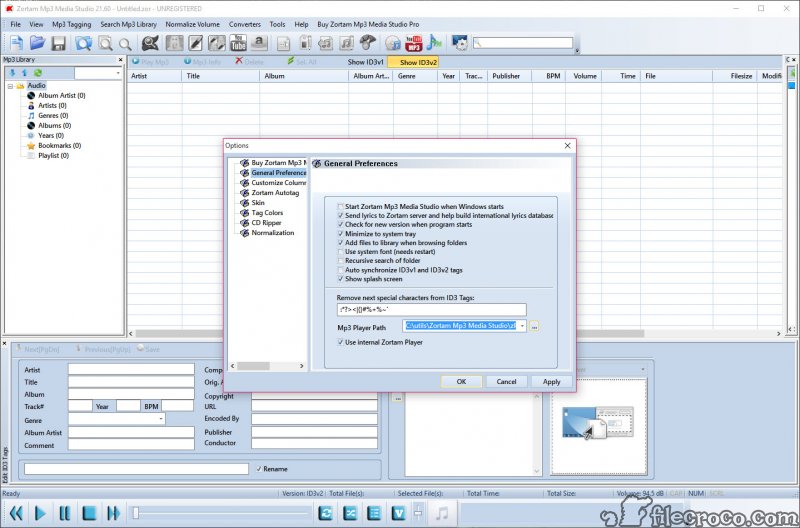
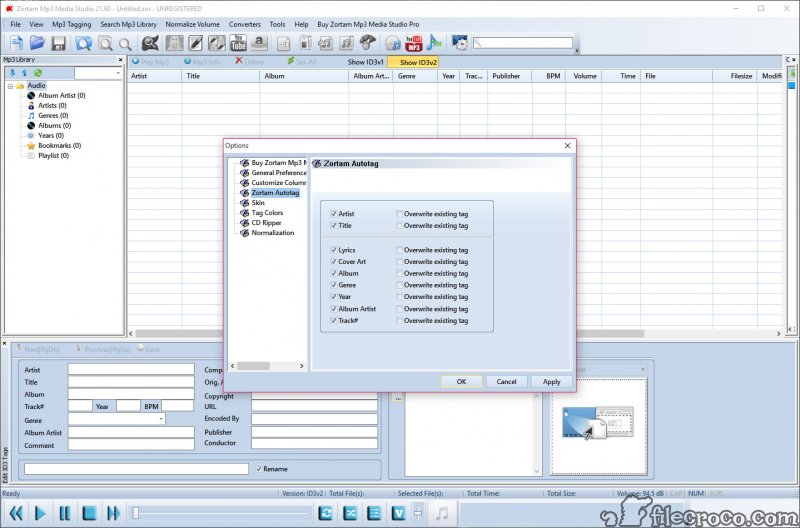
Zortam MP3 Media Studio takes a messy pile of music files and turns it into a properly labeled, browsable library. Point it at a folder of tracks with blank or wrong tags, run the auto tagger, and it identifies each song, fills in the artist, title, album, year, genre, and track number, and pulls down cover art and lyrics to match. What was a wall of “Track 01” files becomes a collection you can actually navigate.
That auto tagging is the heart of it, and it works using audio fingerprinting rather than guesswork. Zortam MP3 Media Studio listens to the actual sound of a track, matches it against a database of tens of millions of songs, and tags it from there. So even a file with no existing metadata at all, no filename clue, nothing, still gets identified correctly. That’s the difference between a tool that cleans up sloppy tags and one that can rescue a file with nothing to go on.
It’s more than a tagger, though. Bundled into the same package you get a music organizer, a manual tag editor, a file renamer, a volume normalizer, a BPM analyzer, a CD ripper, a duplicate finder, and a built-in player.
One window covers the whole job of getting a music collection into shape, which is why people with thousands of files end up leaning on it.
Why does fingerprint tagging beat the alternatives?
Most tag editors lean on the filename or whatever scraps of metadata already exist. If those are wrong, the tool just propagates the error. Fingerprinting sidesteps all of that by identifying the song from its audio signature, the way a music-recognition app does when you hold your phone up to a speaker.
The practical payoff is huge for a neglected collection. Files ripped years ago with garbled names, downloads that arrived as “audio_final_v2,” tracks where someone fat-fingered the artist field, all of them get matched to the right song and tagged cleanly. And because the database covers tens of millions of tracks, the hit rate on mainstream music is high.
Obscure or self-released material is where any fingerprint system struggles, so don’t expect miracles on a bootleg field recording, but for a normal library it does the heavy lifting.
Tagging by hand when you need to
Auto tagging handles the bulk, but sometimes you want precise control, and the manual tag editor is there for it. You can edit any field directly, fix a single stubborn track, paste in custom cover art, or embed lyrics yourself. It reads and writes the standard ID3 tag formats, so the changes stick and show up properly in whatever player you use later.
Batch editing is where this gets powerful. Select a whole album and apply the same album name, year, or genre across every track at once, instead of typing it forty times. For anyone cleaning up a large, disorganized collection, that bulk capability is the feature that turns an afternoon’s work into a few minutes.
Dedicated taggers like Mp3tag and TagScanner cover similar ground, but here it sits alongside everything else.
Organizing and renaming the files themselves
Clean tags are only half the battle. The files still sit in whatever folder chaos they arrived in, and that’s where the organizer and renamer come in. The music organizer sorts your collection by artist, album, genre, or year, giving you a tidy tree to browse rather than a flat dump of files.
The renamer is the quietly useful part. It rewrites your actual filenames based on the tag information, using templates you control. So you can turn “track3.mp3” into “Artist – Album – 03 – Title.mp3” across an entire library in one pass. It also works the other way, writing tags from a filename when your files happen to be well-named but untagged. Either direction, the goal is the same.
Get your tags and filenames telling the same consistent story. A general tool like Bulk Rename Utility renames anything, but this one understands music tags specifically.
The extras that round out the suite
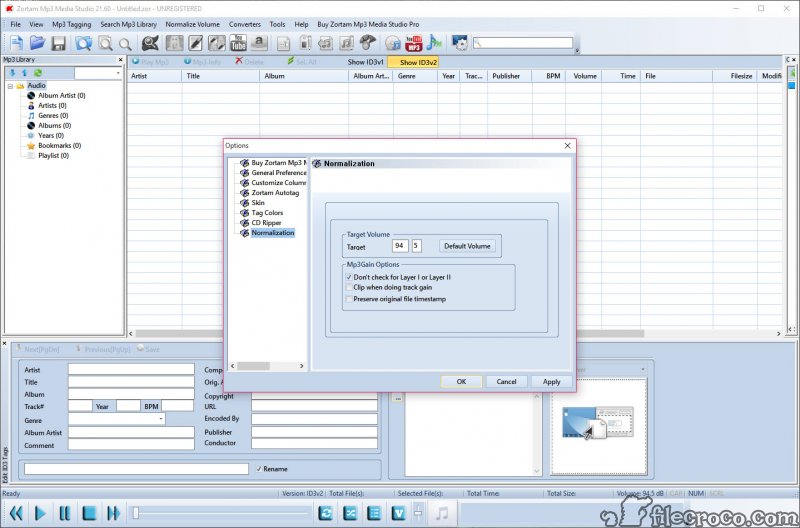
A handful of smaller tools fill in the gaps. The volume normalizer evens out loudness across tracks, so a quiet ballad and a loud rock song play back at a comparable level instead of sending you reaching for the volume knob between songs. You can set a custom target level in decibels if you want fine control.
The duplicate finder hunts down repeated tracks, matching them either by their tags or by a checksum of the file itself, which catches copies even when they’re named differently. For a library that’s grown through years of re-downloads and folder merges, that alone can reclaim a chunk of disk space. There’s also a BPM analyzer that detects the tempo of each track, handy if you’re a DJ or just like sorting workout music by pace, plus a CD ripper that pulls tracks off a disc and tags them with cover art and lyrics in the same step.
And a built-in player lets you preview a track while you’re editing its tags, so you don’t need MusicBee open just to hear what you’re working on.
Conclusion
Zortam MP3 Media Studio is built for one satisfying job, taking a chaotic music collection and making it orderly. The fingerprint-based auto tagging is the standout, rescuing files that filename-based tools would leave a mess, and the bundled organizer, renamer, and duplicate finder mean you can do the whole cleanup without juggling separate apps. For anyone sitting on years of badly labeled music, it’s a real time-saver.
It won’t suit everyone. If you only ever tweak the odd tag, a lighter single-purpose editor is less than you’d ever use here, and fingerprinting has its limits on obscure material. But for the specific mission of wrangling a large, messy library into something clean and browsable, the application earns its keep. Run it once on a neglected folder and the difference is hard to argue with.
Pros & Cons
- Audio fingerprint tagging identifies songs even with no existing metadata at all
- Pulls down cover art and lyrics automatically along with the basic tag fields
- Batch processing tags, renames, and edits thousands of files in one pass
- Manual ID3 tag editor gives precise control when auto tagging isn't enough
- Music organizer sorts your collection by artist, album, genre, and year
- File renamer rewrites filenames from tags using templates you define
- Duplicate finder catches copies by tag or by file checksum to reclaim space
- Bundles a normalizer, BPM analyzer, CD ripper, and player in one package
- Fingerprint matching is weaker on obscure, self-released, or heavily edited tracks
- The all-in-one approach packs in more modules than a simple tagger needs
- The interface leans functional rather than modern, which some find dated
- Specialized single-purpose taggers offer deeper control over edge-case tag fields
- Large first-time libraries can take a while to scan and tag fully
Frequently asked questions
It automatically tags, organizes, and cleans up your music collection. It identifies songs, fills in metadata like artist and album, downloads cover art and lyrics, renames files, and bundles tools like a normalizer, duplicate finder, and CD ripper in one suite.
It uses audio fingerprinting, identifying a track from its actual sound rather than its filename or existing tags. It matches that fingerprint against a database of tens of millions of songs, so even a completely untagged file can be recognized.
Yes. Alongside automatic tagging, it includes a full manual ID3 tag editor. You can edit any field directly, add your own cover art or lyrics, and apply changes to a single track or a whole batch at once.
It reads and writes tags for common formats including MP3, FLAC, WMA, M4A, MP4, and WAV, so it works across most of the files in a typical music collection, not just MP3s.
Yes. The renamer rewrites filenames based on tag information using templates you control, turning something like "track3.mp3" into a clear "Artist - Album - Title" format across your whole library at once.
Yes. The duplicate finder locates repeated tracks by comparing either their tags or a checksum of the file itself, which catches copies even when they have different filenames.


