

Virtual DJ
About Virtual DJ
Virtual DJ is the DJ software that’s been around longer than most of its competitors and has the install base to show for it. The application started in 1999 under the name AtomixMP3 from Atomix Productions, evolved through more than two decades of continuous development, and currently runs on roughly every major DJ controller you can buy.
The current version handles two, four, or six decks simultaneously, performs real-time stem separation that splits any track into vocals, drums, instruments, and bass on the fly, mixes video alongside audio for VJ work, supports karaoke with dedicated tools, and integrates with most major streaming catalogs including Beatport, Beatsource, SoundCloud, TIDAL, Deezer, and Qobuz.
The application is free for home and private use, with the licensing change moving to paid only when you’re actively using it for paid gigs and commercial DJ work.
The thing that genuinely differentiates the application from its competitors is the real-time stem separation that arrived years before Serato DJ Pro and Rekordbox added similar features.
Drop any track on a deck, click the Stems button, and the application separates the audio into four isolated layers (vocals, kick, hi-hat, and other instruments) using AI processing that runs locally without internet dependency. From there, you can mute the vocals from one track and lay them over the instrumental of another, drop the bass during a transition while keeping the harmonic content intact, or solo specific elements for creative remixing.
Combined with the customizable interface skins, deep effects library, comprehensive controller support, and the long track record of active development, the application covers ground from beginner home DJ practice through professional club performance with the same software running across the whole range.
Real-time stem separation
The stem separation feature is what brought serious attention to the application across its competitors. The technology analyzes audio in real time, identifies the different sound sources in the mix (vocals, drums, harmonic instruments, bass), and presents them as independently controllable layers. Each layer has its own volume control, kill switch, and effects routing, with the original track recombining seamlessly when all stems are at full volume.
The practical applications change what’s possible during mixing. Pull the vocals from one track and lay them over another track’s instrumental for instant mashups. Mute the drums from a track during a transition while keeping the harmonic and vocal content, then bring them back when the new track’s drums kick in.
Solo specific elements during breakdowns for dramatic effect. Create live remixes that wouldn’t be possible without access to the original multi-track recordings.
The quality of separation depends on the source material. Modern productions with clean stems separate cleanly with minimal artifacts. Heavily compressed older recordings produce more separation artifacts, particularly during quiet passages where the AI has less audio information to work with. Real-time processing also has computational costs, with stem separation working smoothly on modern hardware but potentially struggling on older systems.
The processing happens entirely on your local machine without sending audio to any cloud service, which matters for users who need offline operation during gigs.
Multiple deck mixing and the layout flexibility
The deck count flexibility is more useful than it sounds. Two-deck mode is what most users start with and matches how traditional DJ setups work with two turntables or CDJs. Four-deck mode opens up techniques that aren’t possible with two decks, like layering multiple loops simultaneously, blending three or four tracks during long transitions, or running parallel sets of music for genre experimentation.
Six-deck mode is overkill for most users but useful for specific scenarios like layering acapellas, instrumentals, drum loops, and sound effects all simultaneously.
Each deck has its own waveform display showing the track’s structure with frequency-color coding, beatgrid overlay aligned to detected beats, and play position. The waveforms can be displayed at different scales depending on what you need to see, with detailed close-up views for precise mixing decisions and zoomed-out views for understanding overall track structure.
The application’s interface adapts to whichever deck count you’re using, with the layout reorganizing automatically rather than forcing you to manage it manually.
Switch from two-deck to four-deck mode and the visual elements rearrange to fit, with all transitions handled cleanly without breaking your current mixing session.
Video mixing and the VJ workflow
The video mixing capabilities turn the application into a VJ tool alongside its DJ role. Load video files onto decks the same way you load audio tracks, and the application handles video alongside audio with synchronized playback. Mix between videos using the same crossfader and EQ controls that handle audio, with video transitions following the audio mixing automatically.
The video output goes to a separate display window that you can position on a secondary monitor or projector. For users running club video setups, festival visual setups, or simply wanting visual content for streaming, this video integration eliminates the need for separate VJ software running alongside DJ software. Everything happens in one application, which simplifies the technical setup substantially.
Video effects are built in alongside audio effects, with options including various distortions, color manipulations, transitions, and overlays. For users wanting more sophisticated visual effects than the built-in collection provides, the plugin architecture supports third-party video effect plugins that extend the capability further.
The video file format support covers the standard formats used in VJ work, with the application handling MP4, AVI, MOV, WMV, and various others.
For users with specific format requirements, format conversion through external tools handles cases where the source material doesn’t fit what the application accepts directly.
Karaoke support
The karaoke features handle KJ (Karaoke Jockey) work through the same application that handles regular DJ duties. Load karaoke tracks (CDG+MP3, MP4 with embedded lyrics, or other karaoke formats), and the application displays lyrics on the video output while playing the backing track on audio.
Singer rotation management, song queueing, and various other KJ-specific tasks happen through dedicated interface elements that don’t get in the way during regular DJ use.
For mobile DJs who handle both regular DJing and karaoke nights as part of their service offering, having one application that does both eliminates the need to learn separate karaoke software. The transition between karaoke segments and regular DJing happens seamlessly within the same session, with all the same effects, sampling, and other capabilities available regardless of what content is currently playing.
The karaoke library handles the metadata management that KJ work requires, including singer names, song requests, performance history, and various other information that helps run a karaoke night smoothly.
For users running regular karaoke gigs, this organization saves substantial time compared to managing the same information through separate spreadsheets or notes.
Streaming integration with major catalogs
The streaming integration lets you mix directly from online music services without maintaining local libraries. Beatport for dance music. Beatsource for cross-genre DJ-focused content.
SoundCloud Go+ for the platform’s massive catalog. TIDAL, Deezer, and Qobuz for high-fidelity streaming. Sign in with your account on any supported service, and the catalog becomes browseable directly within the application’s library panel.
Drag a track from the streaming source onto a deck, and it loads and plays just like a local file. The streaming integration handles caching for connection drops, with tracks continuing to play if your internet briefly hiccups during a mix. For DJs without massive personal music libraries, this integration provides instant access to millions of tracks without purchasing each one individually.
Spotify is notably absent from the integration list, like other DJ applications across the industry. Spotify ended its DJ app integration partnership in 2020, removing access for all major DJ software simultaneously. The change affected the entire industry rather than this software specifically.
Effects, sampler, and the creative tools
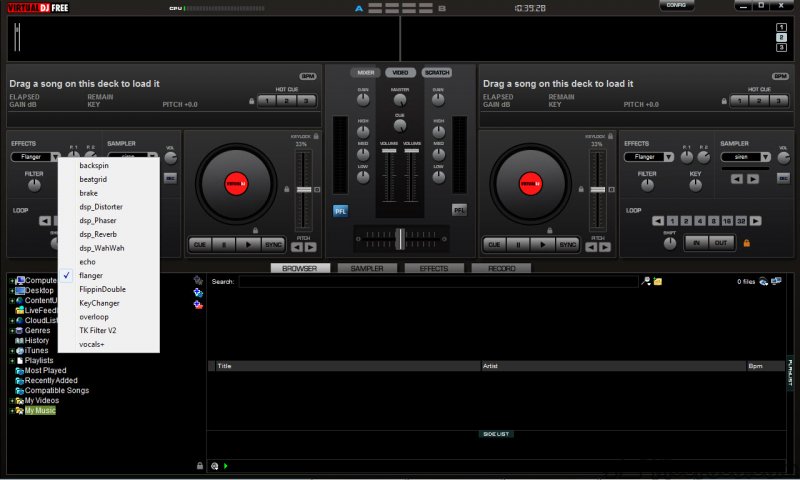
The effects library covers the standard DJ effects (filters, echoes, reverbs, flangers, phasers, beat-synchronized rhythm effects) plus a substantial collection of more specialized effects developed across the application’s history. The effects rack supports stacking multiple effects per deck, with each effect configurable through dedicated parameters and the rack as a whole controllable through assigned controller buttons.
The sampler holds short audio clips that you can trigger during a mix, with multiple sample slots accessible through dedicated buttons or controller pads. Drum hits, vocal samples, sound effects, anything you want to layer over your mixing.
The sampler supports loop playback, sync to the master tempo, and various other capabilities that turn samples into more than just one-shot trigger sounds.
Hot cues, loops, and the various other creative tools that modern DJ software provides all work through dedicated controls and respond to controller pad inputs. For users wanting to do more than just blend full tracks, the creative toolkit supports performance approaches that incorporate live remixing, mashups, and various other techniques alongside traditional mixing.
Controller compatibility
The controller compatibility list extends to roughly every major DJ controller currently sold, plus substantial historical controllers that have gone out of production. Pioneer DJ controllers from the DDJ-FLX series through the SX, RX, and various other product lines all work natively.
Numark controllers including the Mixtrack Platinum, NS6, and current models. Reloop controllers, Hercules controllers, Native Instruments Traktor Kontrol controllers (when used as MIDI controllers rather than with their proprietary software), and many others have native mapping support.
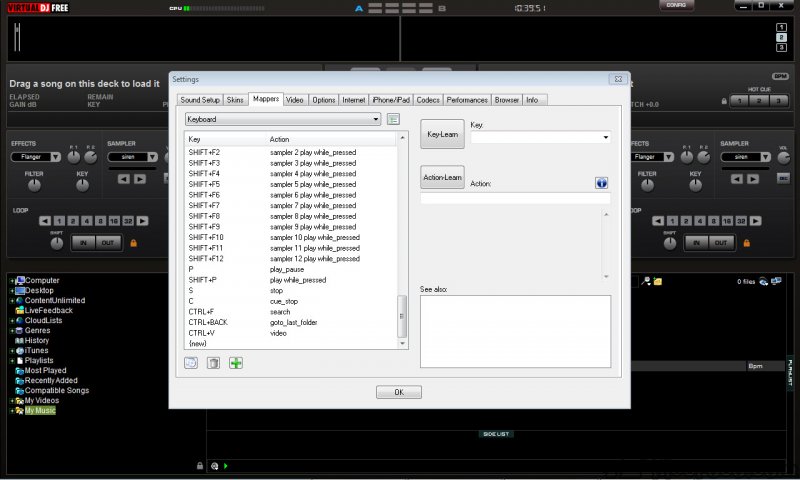
For controllers without native mapping, the MIDI mapping system lets you assign physical controls to software functions through a learn-mode interface. The mapping editor is more sophisticated than what some competitors offer, with extensive scripting capabilities for users who want behaviors more complex than direct one-to-one mappings can provide.
The application also supports timecode vinyl and timecode CDs for users who DJ with traditional turntable or CDJ setups but want the digital library access that DJ software provides.
The DVS (Digital Vinyl System) implementation works with most timecode formats and produces the responsive feel that turntablists expect from their setups.
Skins and interface customization
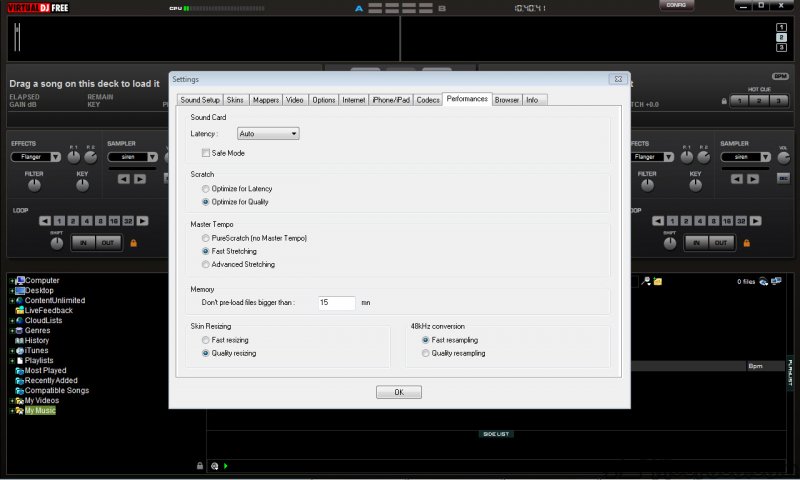
The customizable interface skins are a feature with deeper history than most competitors. Users have created hundreds of different skins across the application’s lifetime, ranging from variations on the default visual design to complete reimaginings that look like entirely different applications.
The skin system supports rearranging interface elements, hiding or showing features based on your specific workflow, and applying visual themes that fit your preferences.
For users who care about customizing their work environment, the skin system provides flexibility that other DJ software locks down. Find a skin that matches how you actually use the application, or build your own that exposes only the features you need. The trade-off is a more fragmented user experience compared to the consistent visual identity that competitors maintain, but the customization that’s possible is substantially deeper.
The skin format is documented enough that technically-inclined users can build their own from scratch. For users who don’t want to design their own, the community-shared skin library provides options covering essentially every visual approach you might want.
Considerations and limitations
The free home-use license is genuinely useful for hobbyists and learners, but the licensing transitions for commercial use can be confusing. The application detects controller usage that suggests commercial DJing and prompts for license purchase, with the line between hobbyist and commercial use being interpreted somewhat liberally by the licensing system. Users planning serious DJ work should evaluate the commercial licensing rather than assuming the free tier covers their use case.
The interface complexity is real for new users coming from simpler applications. The depth of features that make the application capable also produces a learning curve substantially steeper than what beginner-focused alternatives like djay Pro present. Default views are reasonable for new users, but unlocking the full feature set requires substantial exploration through menus and documentation.
Some specific professional DJ contexts favor specific competitors. Pioneer DJ’s professional CDJ ecosystem favors Rekordbox for tightest integration. Vinyl-control DJing in professional contexts often favors Serato DJ Pro for established ecosystem.
Virtual DJ is excellent for the broader market but specific professional contexts may have established conventions favoring other tools.
Performance varies based on hardware. Modern systems handle the application’s full feature set including stem separation, video mixing, and effects processing without issues.
Older systems may struggle with stem separation and video mixing simultaneously, with performance degradation manifesting as audio glitches or frame drops. Users with constrained hardware should evaluate which features they actually need rather than enabling everything by default.
The streaming integration limitations match the broader industry. Spotify isn’t supported (industry-wide limitation since 2020). Specific regional streaming services may not be integrated. The streaming catalogs available cover most needs but aren’t universal.
Conclusion
For DJs at any skill level who want capable software covering everything from home practice through professional gigs, Virtual DJ delivers serious functionality through more than two decades of continuous development.
The combination of real-time stem separation that arrived years before competitors added it, multi-deck mixing with adaptive interface layouts, video and karaoke integration that other applications handle through separate tools, streaming catalog integration covering most major services, and broad controller compatibility produces a tool that handles the actual scope of modern DJ work in one application.
The reasons to consider alternatives are mostly about specific contexts. Users embedded in Pioneer DJ’s professional CDJ ecosystem benefit from Rekordbox’s tighter integration. Users with established Serato workflows or vinyl-control setups often prefer staying in that ecosystem. Users wanting absolute beginner-friendly simplicity find djay Pro or DJUCED easier to start with despite covering less ground.
But for users wanting one application that handles modern DJ work across audio, video, karaoke, streaming, and creative tools through a feature set that’s evolved across more than two decades, this software remains one of the most capable options available.
Features & benefits
Pros & Cons
- Real-time stem separation works on local hardware without internet dependency
- Two, four, or six deck mixing with adaptive interface layouts
- Video mixing alongside audio for VJ and visual content work
- Karaoke support with KJ-specific tools and rotation management
- Streaming integration with Beatport, Beatsource, SoundCloud, TIDAL, Deezer, and Qobuz
- Compatible with essentially every major DJ controller currently sold
- Customizable skins offer deep interface flexibility
- Free for home and private use with paid licensing for commercial work
- Active development across more than two decades with substantial user community
- Effects library and sampler support creative performance beyond track blending
- Free home-use licensing transitions to paid for commercial use can be confusing
- Interface complexity produces a learning curve steeper than beginner-focused alternatives
- Video mixing alongside stems and effects requires capable hardware for smooth operation
- Specific professional contexts favor competitors with stronger ecosystem integration
- No Spotify integration since the 2020 industry-wide DJ app change
- Customization depth produces fragmented user experience compared to consistent competitor interfaces
Frequently asked questions
This software is a DJ application from Atomix Productions that handles two, four, or six deck mixing with real-time stem separation, video mixing, karaoke support, streaming integration with major catalogs, comprehensive controller support, and substantial creative tools including effects rack, sampler, hot cues, and loops. The application has been actively developed since 1999, with the current 2026 version representing more than two decades of continuous refinement.
Install the application and either configure it for keyboard/mouse use or connect a DJ controller for hardware-driven mixing. Load tracks onto decks by dragging from the library browser, beat-match using either Sync for automatic alignment or manual beatmatching using the pitch faders and jog wheels, and use the crossfader to transition between tracks. The creative tools (hot cues, loops, sampler, effects, stems) layer on top of basic mixing for more sophisticated performance.
The plugin architecture supports both effect plugins (which add to the effects library) and feature plugins (which extend application capabilities). Plugins install through dedicated installer files or by placing plugin files in the appropriate plugin directory within the application's installation. Once installed, effect plugins appear in the effects rack alongside built-in effects, while feature plugins integrate into the relevant interface areas. The plugin community has produced hundreds of options across the application's lifetime, covering specialized use cases the built-in features don't address.
Both applications target similar use cases as professional DJ software with overlapping capabilities. Serato DJ Pro has stronger integration with vinyl-control systems and longer-established professional DJ adoption, with subscription pricing for the Pro tier. Virtual DJ offers stem separation that arrived earlier than Serato's equivalent feature, video mixing that Serato's video features don't fully match, broader controller compatibility with strong support for non-Pioneer hardware, and free home-use licensing where Serato Pro requires payment regardless of use case. The choice often depends on specific professional context and personal preference.
Rekordbox is Pioneer DJ's official DJ software with the tightest possible integration with Pioneer's professional CDJ players and DJM mixers. For users working in professional club environments where Pioneer hardware is standard, Rekordbox is essentially required for compatibility. Virtual DJ is more flexible across hardware brands, includes capabilities like real-time stem separation and video mixing that Rekordbox doesn't match natively, and provides free home-use licensing where Rekordbox has tiered pricing.
Use the record button in the recording panel to start capturing the master output. Configure recording settings (file format, quality, output location) before starting if you want specific output parameters. Work through your mix normally, with recording continuing in the background. Click stop when you're done, and the application saves the recording to your configured location. The recorded file contains everything that came through the master output during the session.
The free home-use license covers all features for personal use, learning, practice, and home parties. The paid licensing applies when using the application for commercial DJ work, professional gigs, paid events, or other revenue-generating activities. The licensing distinction is based on usage rather than features, with the same application capabilities available regardless of which license tier you're under.
Yes, the karaoke features include support for major karaoke formats (CDG+MP3, MP4 with embedded lyrics, and others), lyrics display on the video output, singer rotation management, song queueing, and performance history tracking. For mobile DJs who run karaoke nights alongside regular DJing, the integrated karaoke functionality eliminates the need for separate karaoke software while providing the KJ-specific tools that karaoke work requires.
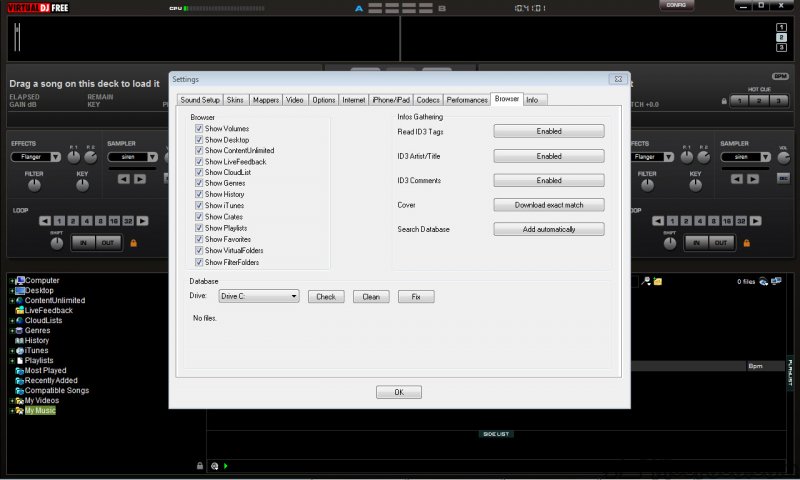
Yes, the application integrates with Beatport, Beatsource, SoundCloud Go+, TIDAL, Deezer, and Qobuz for direct streaming-to-DJ-software access. Sign in with your account on any of these services in the application settings, and their catalogs become browseable in the library panel. Tracks load and play just like local files when dragged onto decks. Spotify is not supported due to the 2020 industry-wide change in Spotify's DJ app policies that affected all major DJ software simultaneously.
The scratching depends on your specific controller's jog wheel implementation, with controllers having proper jog wheels (responsive touch sensors and appropriate friction) producing better scratching than basic flat platters. In the application, set the jog wheel mode to scratch (vinyl mode) rather than search mode, which makes the jog wheel respond like a turntable platter. Touch the top of the jog wheel to grab the audio, move it back and forth to scratch the track, and release the top to let the track continue playing normally.


