

MP3DirectCut
About MP3DirectCut
Trimming thirty seconds off an MP3 in an ordinary audio editor destroys quality across the whole file. The editor decodes the compressed audio into samples, lets you cut, then encodes the result again, and that second encode degrades everything including the parts you never touched. MP3DirectCut avoids the entire round trip by editing the compressed data where it lies.
The distinction is not marketing. Compressed audio is stored as a long sequence of frames, each holding a fragment of sound. Removing a section means removing whole frames and rejoining what remains. Nothing is decoded, nothing is re-encoded, and the sections you keep come out bit for bit identical to the original.
Everything else about the program follows from that decision, including several capabilities other editors cannot offer and several they take for granted.
Frames rather than samples
Working at frame level explains why MP3DirectCut is so fast. Cutting a two-hour recording takes moments because no audio is being processed, only copied and rejoined, and file size is the only real constraint.
It also explains the one precision limit. Each frame covers a small fixed span of time, so cuts land on frame boundaries rather than at an arbitrary sample. For speech, music and anything a human is listening to, that is imperceptible. For work needing exact sample alignment, it is the wrong tool by design.
The contrast with a conventional editor is worth stating plainly. Audacity decodes to samples, which is what lets it apply effects, remove noise and cut anywhere at all, and which is exactly why saving back to a compressed format costs you a generation of quality. Neither approach is better. They answer different questions.
The gain trick
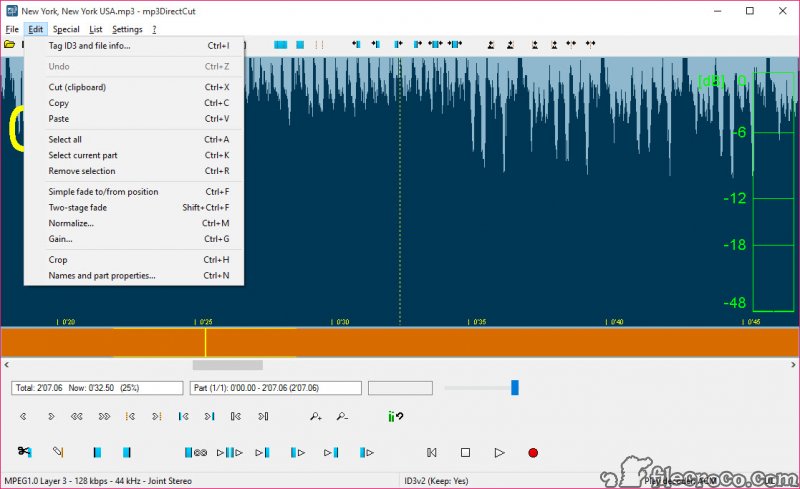
This is the cleverest thing in the program and almost nobody knows the mechanism. Every frame of compressed audio carries a field describing its overall loudness. Rewriting that number changes how loudly the frame plays without altering a single byte of the audio data underneath.
So MP3DirectCut adjusts volume losslessly, which sounds impossible until you know where the number lives. Normalisation works the same way, scanning the file and adjusting those fields so the loudest peak reaches a chosen level.
One restriction applies. That field belongs to the MP3 format specifically, so gain adjustment works there and not on the other compressed formats the program reads.
Fades, and the honest exception
MP3DirectCut offers fades in a simple form and a two-stage form, adjusted by dragging handles that control level and position independently, with cue points available for building more complex curves.
Here is the part that deserves stating rather than glossing over. A fade cannot be produced by rewriting a single number, so those sections really are re-encoded. The program limits that to the affected span and leaves the rest of the file untouched, which is the right compromise, and it does mean a heavily faded file is not entirely lossless.
Anybody who cares about that distinction should know it before working, rather than discovering it in a forum thread afterwards.
Splitting long recordings
This is where most people meet the program. A recording of a concert, a radio broadcast or a two-hour set arrives as one file and needs to become tracks.
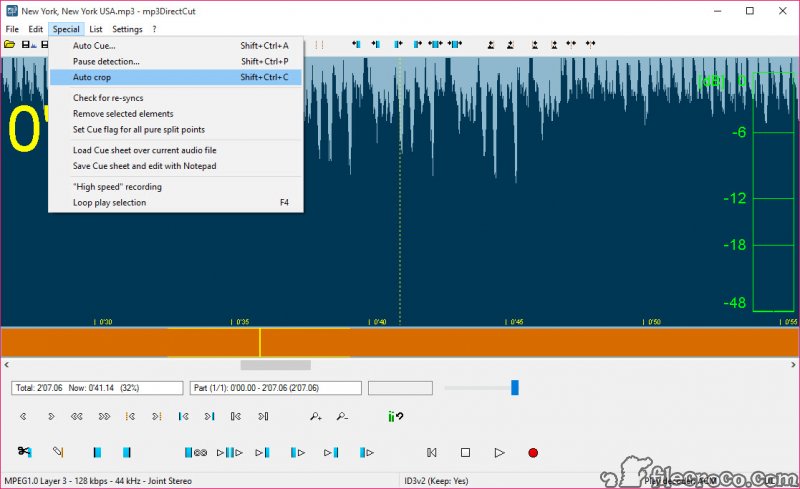
MP3DirectCut offers three mechanisms. Pause detection scans for silence and places markers at the gaps. Auto cue divides by time values when the material has no useful pauses. And cue sheets, the index files that accompany album rips, drive splitting at exactly the documented positions.
Splitting generates the output files with names and tags derived from the cue information, so a set becomes a numbered, labelled album rather than a folder of fragments. Tidying those tags afterwards is quicker in MP3Tag, which handles a whole folder at once and understands more fields than any splitter needs to.
Recording, joining, bulk work
A recorder is built into MP3DirectCut, capturing from the sound input straight to compressed audio through an encoder, with level meters so you can set the input properly before starting rather than discovering the problem afterwards.
Joining works by dropping several files onto the program, which appends them in order. One requirement catches people out and it is not a limitation so much as a consequence of the approach. The files must share the same format, sample rate, channel arrangement, because the frames are being concatenated rather than mixed. Two files encoded differently cannot simply be joined, and nothing can change that without re-encoding.
Batch processing applies operations across a folder, and command-line operation covers the same ground for anyone scripting a repeated job.
What the display is actually showing you
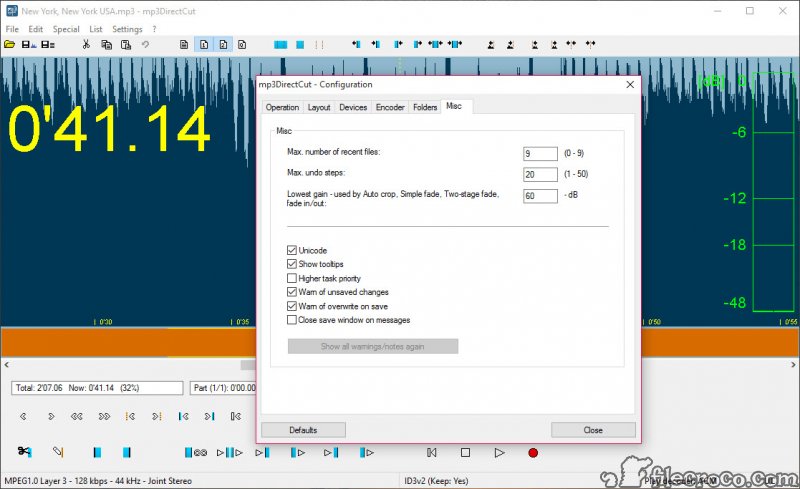
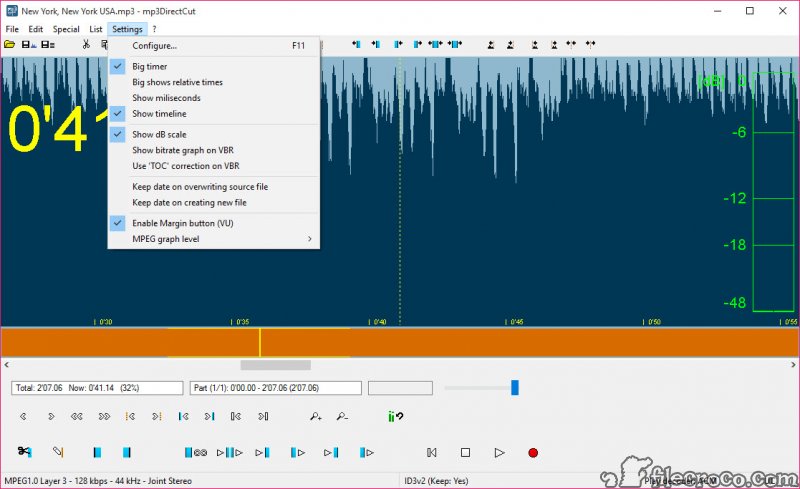
The MP3DirectCut display deserves an explanation because it confuses newcomers. What you see is derived from the frame data rather than from decoded audio, which is why it draws instantly on a large file where a waveform editor would think about it for a while.
The trade is that the picture is an approximation of the sound rather than a rendering of it, so precise visual alignment occasionally needs nudging by ear. Bitrate is displayed alongside, which is useful for spotting where a variable-bitrate file changes character.
For work that needs a true waveform and sample-level precision, a waveform editor that decodes properly is the right instrument, and using both is a perfectly sensible arrangement.
What it deliberately does not do
The absent features are absent for a structural reason rather than through neglect. Noise reduction, filtering, reverse, echo, every other effect requires the actual samples, and MP3DirectCut never has them. It cannot process what it never decodes.
Two practical rough edges accompany that. The interface is dense and unlabelled, so learning it means hovering over buttons to discover what they do, and the documentation does not cover everything. And raising volume aggressively can produce distortion, since the gain field has limits like anything else.
Format support extends past MP3 to the older broadcast layer and to AAC, though the latter needs an additional library placed alongside the program before it will play, and audio inside a video container has to be extracted first. For converting other formats into something this can edit, a converter and ripper that handles the common formats is the step before.
And for a player with its own strong cue sheet handling and conversion tools, foobar2000 covers neighbouring ground.
Conclusion
MP3DirectCut does one thing that almost nothing else does properly, which is editing compressed audio without ever decoding it. Trimming a podcast, splitting a recorded set into tracks, or lifting the volume of a quiet file all happen in seconds and leave the audio you kept exactly as it was.
Match it to the right job and it has no real competition. Ask it for anything requiring the actual samples, meaning noise removal, effects or sample-exact cuts, and it will not help, because the same decision that makes it good makes those impossible.
Keep a decoding editor installed alongside for that work, learn what the frame-based display is showing you, and this becomes the tool you reach for first and the other one you open only when you have to.
Pros & Cons
- Cuts and splits without decoding, so kept sections are bit for bit identical to the source
- Volume and normalisation change the gain field rather than the audio, entirely losslessly
- Editing a two-hour file takes moments because nothing is being processed
- Pause detection, time-based cues and cue sheets all drive automatic splitting
- Split files are generated with names and tags rather than as numbered fragments
- Built-in recorder captures straight to compressed audio with level meters
- Batch processing and command-line operation cover repeated jobs
- Runs portably with a very small footprint
- Cuts land on frame boundaries rather than at arbitrary sample positions
- Fades and volume curves do re-encode the affected sections, unlike plain cuts
- No effects of any kind, since the audio is never decoded into samples
- The visualisation approximates the sound, so exact alignment sometimes needs an ear
- Joining requires files with matching format, sample rate and channel arrangement
- The interface is unlabelled and the documentation incomplete
- AAC playback needs an extra library, and video container audio must be extracted first
Frequently asked questions
No. Cuts, splits and joins work by removing and rejoining whole frames, so the sections you keep are identical to the original. Fades and volume curves are the exception, and even those re-encode only the affected span.
Yes, by rewriting the loudness field carried inside each frame rather than touching the audio itself. Normalisation uses the same mechanism. This works on MP3 and not on the other compressed formats it can open.
Because effects need the decoded samples and the program deliberately never decodes anything. That is the same decision that makes it lossless and fast, so the two cannot be had together in one tool.
Through pause detection for material with silence between items, auto cue for dividing by time where there are no gaps, or a cue sheet where one exists. Output files are created with names and tags rather than as anonymous pieces.
Because their audio parameters differ. Frames are being concatenated rather than mixed, so format, sample rate, channel arrangement all have to match. Files encoded differently need converting first, which means re-encoding.
Because it is drawn from frame data rather than decoded audio, which is why it appears instantly. It is an approximation of the sound, accurate enough for editing and occasionally needing a small adjustment by ear.


