

Stremio


 (39 votes, average: 3.72 out of 5)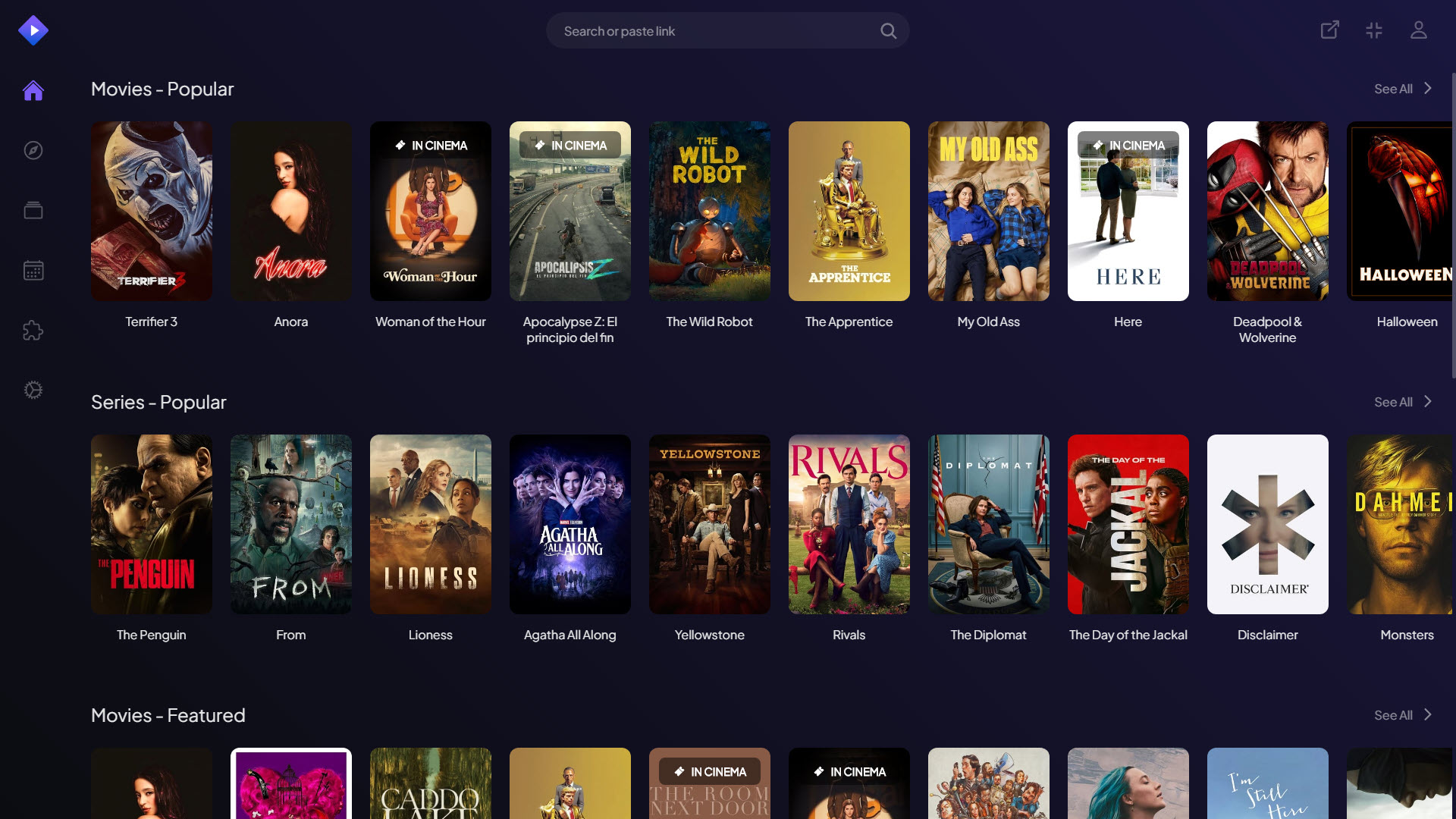
About Stremio
Stremio is a versatile media center application that brings together video streaming, content discovery, and library management into a single, well-designed interface.
Built around a modular add-on system, it lets users access content from a wide range of sources, including official streaming services, free video catalogs, podcasts, and personal media collections, all without juggling separate applications or accounts. Whether you are tracking favorite series, exploring new releases, or organizing personal video files, this tool adapts to your habits and helps you spend less time searching and more time actually watching.
Unified content discovery across sources
The defining feature of Stremio is its ability to pull content from many sources into a single browsing experience.
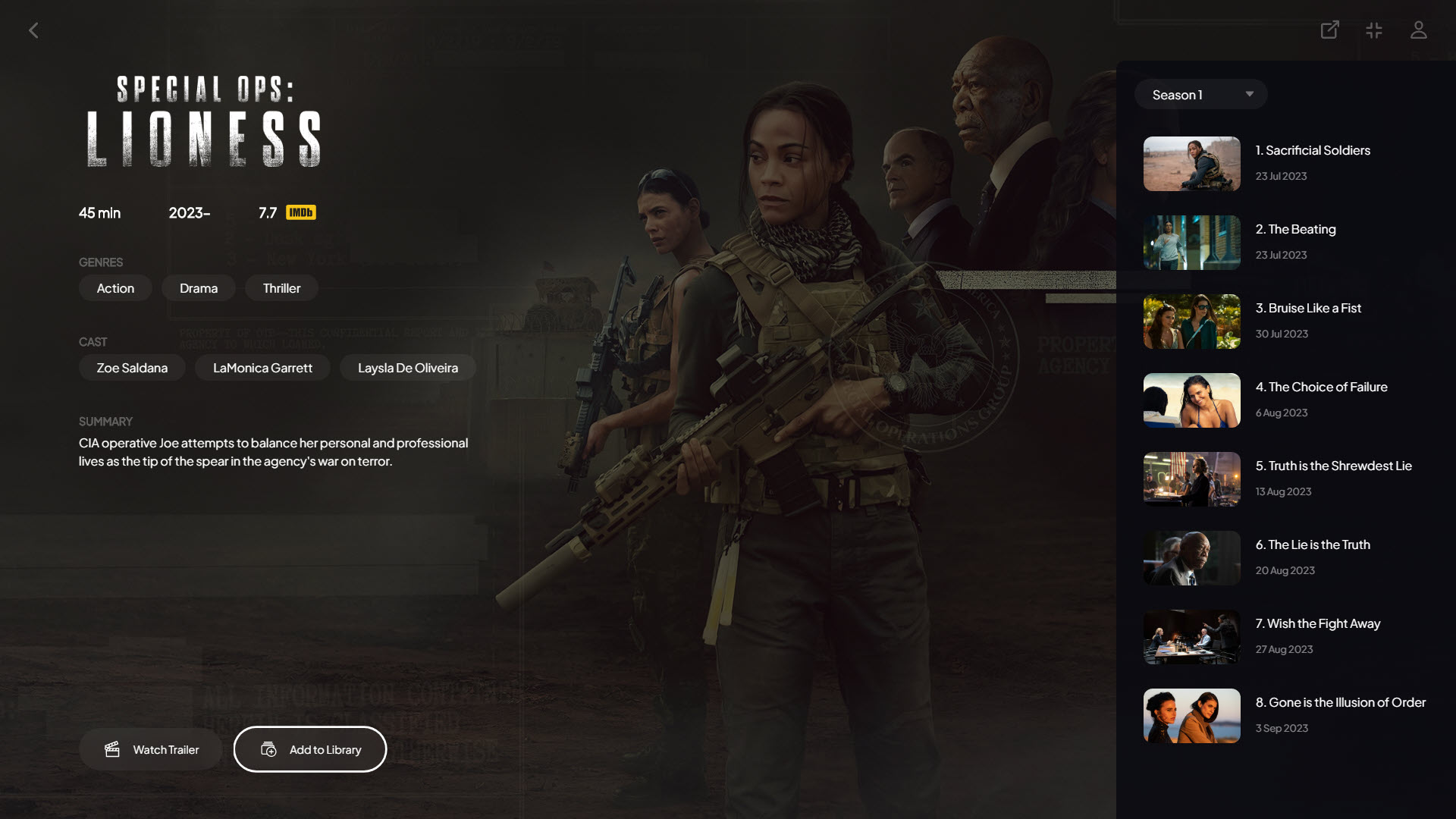
Through its add-on system, the application surfaces movies, TV shows, anime, documentaries, and live channels from various catalogs without forcing you to switch between separate platforms or apps. Browsing feels visually rich, with posters, ratings, descriptions, and trailers displayed in a layout that resembles modern streaming services, and search runs across all installed add-ons simultaneously, so a single query returns results from multiple catalogs at once.
The practical effect is simple but powerful: instead of opening five different apps to figure out where a particular movie is available, you type the title once and see every source that carries it.
Modular add-on system for flexibility
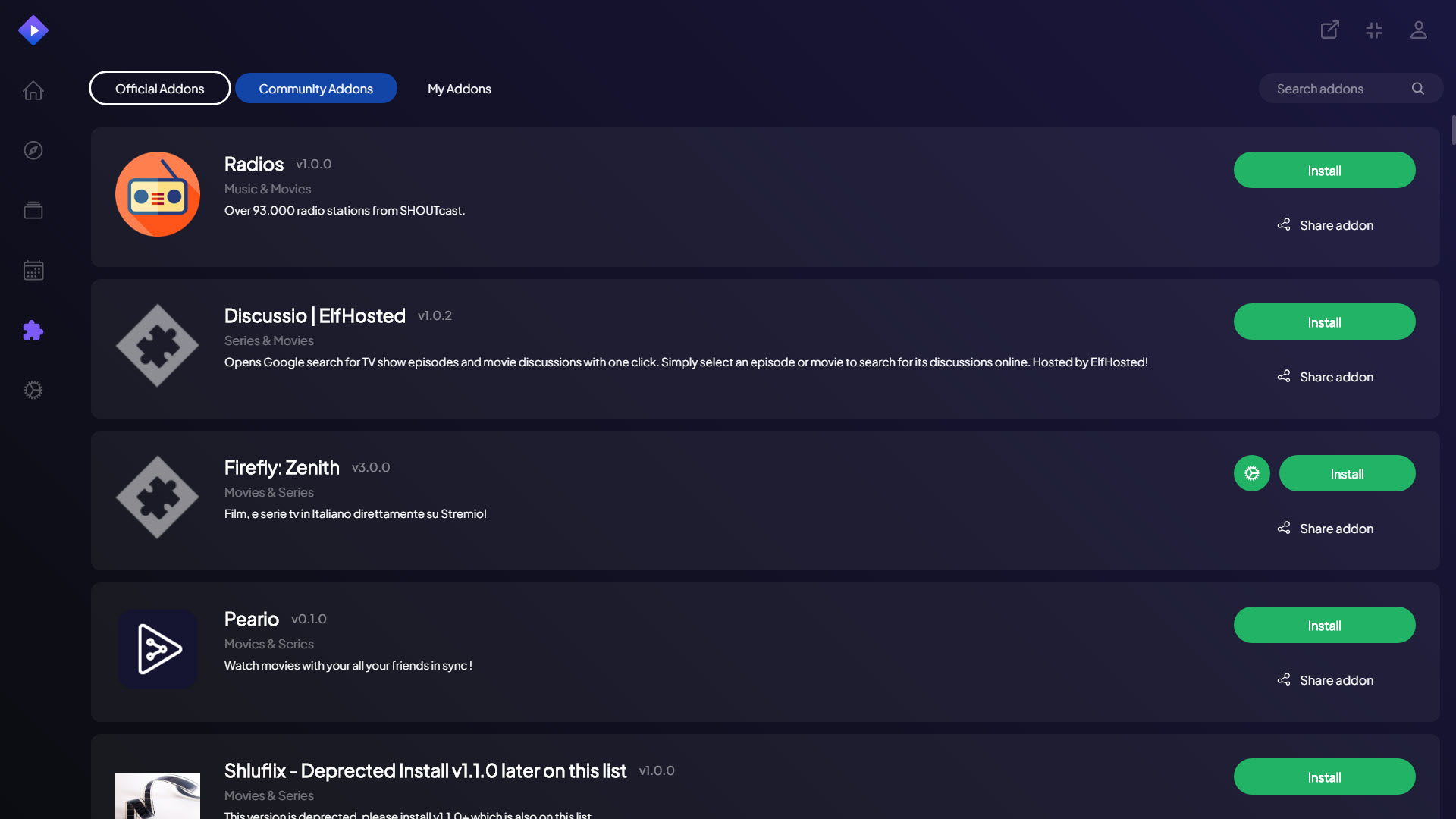
Rather than locking users into a single content provider, this software relies on installable add-ons that extend its functionality.
Official add-ons cover popular services and content libraries, while community-developed options open up additional catalogs, subtitle providers, and specialized content types like sports streams or educational material. Adding or removing add-ons takes just a few clicks, and the changes apply immediately without restarting the application.
Someone who mostly watches international cinema will end up with a very different setup than a sports fan or a documentary enthusiast, and that flexibility is exactly the point.
Personal library and watch tracking
Keeping track of what you have watched, what you are currently following, and what you want to see next becomes effortless thanks to the built-in library features. Adding titles to your library or watchlist works with a single click, and the application automatically tracks episode progress for TV series so you always know where you left off, even after weeks away from a show.
The library also syncs across devices when you sign in with a free account, so your watch history and saved content follow you between your computer, phone, tablet, and supported smart TVs without any manual effort on your part.
Calendar and release tracking
For users who follow multiple TV series, the integrated calendar shows upcoming episodes and release dates in a clear, organized view. New episodes of shows in your library appear automatically, and the calendar extends to movies as well, with upcoming releases highlighted alongside current availability information.
The whole feature proves especially useful during busy viewing seasons, when several shows are airing at once and remembering schedules becomes genuinely challenging.
Subtitle support and language options
Subtitle handling in this software is excellent.
Automatic fetching pulls files from popular subtitle databases for most content, and you can choose between multiple language options, adjust timing if subtitles are slightly out of sync, and customize appearance settings like font size, color, and background to suit your preferences.
For international viewers, this matters enormously. Rather than dealing with the hassle of finding and manually loading subtitle files, the application handles it automatically and lets you focus on actually enjoying what you are watching, even when the original audio is in a language you do not understand.
Built-in player with quality controls
The integrated video player handles smooth playback with sensible defaults that work well across various content types.
Standard controls cover everything you would expect, including playback speed adjustment, audio track selection for multi-language content, and quality controls for adapting to your connection speed. Casting to compatible devices works smoothly when you want to watch on a larger screen, and the player remembers your position automatically, so closing and reopening a movie or episode picks up exactly where you stopped.
Personal media integration
Beyond streaming sources, this tool can also handle personal video collections through dedicated add-ons.
Local files in supported formats appear alongside streaming content in the library, with metadata, posters, and descriptions automatically fetched from online databases to give your personal collection the same polished presentation as streaming content.
For anyone with an extensive home video library, this integration eliminates the need for a separate media center application entirely. Everything sits in one place with consistent navigation and visual design, regardless of whether a title comes from a streaming source, a local hard drive, or a network share.
Recommendations and trending content
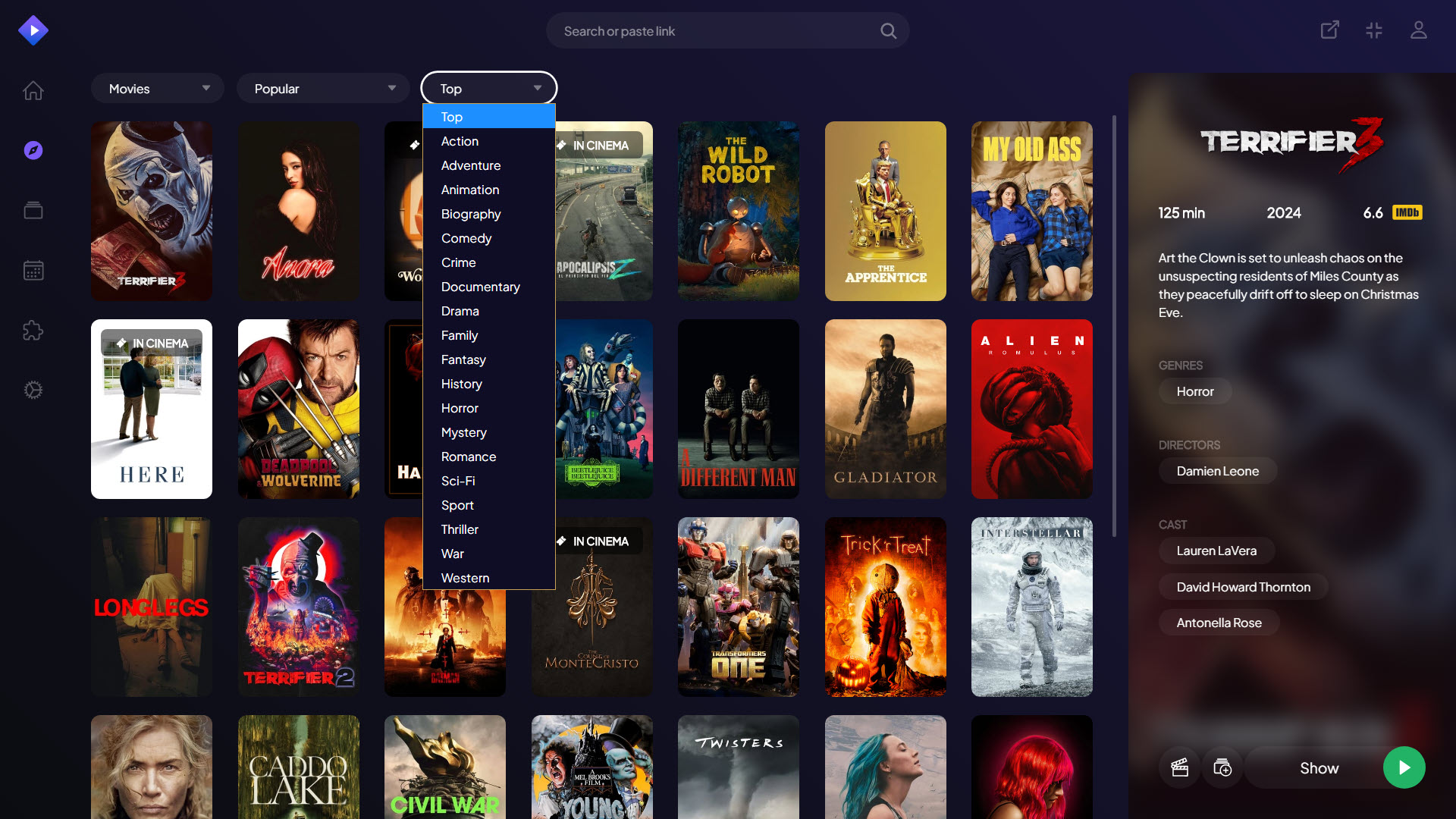
Discovering new content is easier thanks to recommendation features that suggest titles based on what you have watched and added to your library.
Trending sections highlight what is currently popular, while curated lists organized by genre, mood, or theme offer additional discovery paths beyond personalized suggestions. These tools stay useful without being pushy, presenting suggestions in a way that invites exploration without dominating the interface.
The result is real value for users who appreciate stumbling onto shows or movies they would not have searched for directly.
Cross-device synchronization
Account-based syncing keeps your library, watchlist, watch progress, and add-on configurations consistent across all your devices.
Starting an episode on your computer in the evening and finishing it on your phone during a commute the next morning works exactly as you would expect, with no manual intervention needed. This kind of seamless continuity makes the application feel like a unified service rather than a disconnected collection of separate installations across your devices.
Clean, modern interface
Visual design throughout this software feels polished and contemporary, with attention to typography, spacing, and color that makes browsing genuinely pleasant.
Navigation is intuitive even for new users, while power users will appreciate keyboard shortcuts and the ability to customize various aspects of the layout to match their preferences. The overall feel competes favorably with major commercial streaming services, despite this being a free application that aggregates content from many sources rather than producing its own.
Conclusion
Stremio delivers an impressively polished and flexible media experience that brings video streaming, library management, and content discovery into a single coherent interface.
Its modular add-on system, combined with thoughtful features like cross-device syncing, automatic subtitles, and a built-in calendar, transforms scattered viewing habits into something genuinely organized and enjoyable. For users tired of jumping between multiple apps and services to keep up with their movies and shows, Stremio offers a unified solution that respects user choice while providing the kind of polish typically associated with major commercial streaming platforms.
Pros & Cons
- Single interface unifies content from multiple streaming sources and local files
- Modular add-on system allows extensive customization based on personal interests
- Library and watchlist features keep track of viewing progress across all content
- Calendar shows upcoming episodes and releases for easy schedule planning
- Automatic subtitle fetching with extensive customization options
- Cross-device synchronization keeps everything consistent regardless of platform
- Built-in player handles various formats with smooth, responsive playback
- Recommendation engine helps discover new content without being intrusive
- Quality and availability of content depend heavily on which add-ons are installed
- Some community add-ons may have inconsistent reliability or maintenance
- New users may find the add-on concept confusing before getting comfortable
- Certain features require creating a free account to enable full functionality
- Performance can vary depending on add-on quality and connection speed
Frequently asked questions
Add-ons are small modules that connect this software to specific content sources or services. After installation, content from each add-on appears integrated into the main interface, letting you browse and search across all enabled sources from one place without managing them separately.
Yes, this software supports add-ons for several official streaming platforms and content providers. The exact services available depend on your region and which add-ons you choose to install, since availability changes based on licensing and partnerships.
Offline playback depends on the specific add-on and source. Some add-ons allow downloading content for later viewing, while others require a constant connection. Personal media files added through dedicated add-ons play offline naturally since they are already stored locally.
Yes, dedicated add-ons let this software integrate local video files into the main library. Once configured, your personal collection appears alongside streaming content with proper metadata, posters, and descriptions fetched automatically from online sources.
The application automatically tracks where you stopped watching for both movies and TV episodes, with progress saved continuously during playback. Resuming a title picks up at the correct position reliably, and the feature works across devices when you sign in to a synced account.
Yes, subtitle customization is comprehensive in this tool. You can adjust font size, color, background opacity, position, and timing to match your preferences, and automatic subtitle fetching pulls files from major subtitle databases in many languages.
Yes, this software supports casting to compatible devices like Chromecast and certain smart TVs. Once your devices are on the same network, casting works through the player interface and continues controlling playback from your phone or computer.
For streaming content, an internet connection is essential. However, locally stored content accessed through personal media add-ons can play without internet, and basic library browsing works for cached information even temporarily offline in many cases.


