

RIOT
About RIOT
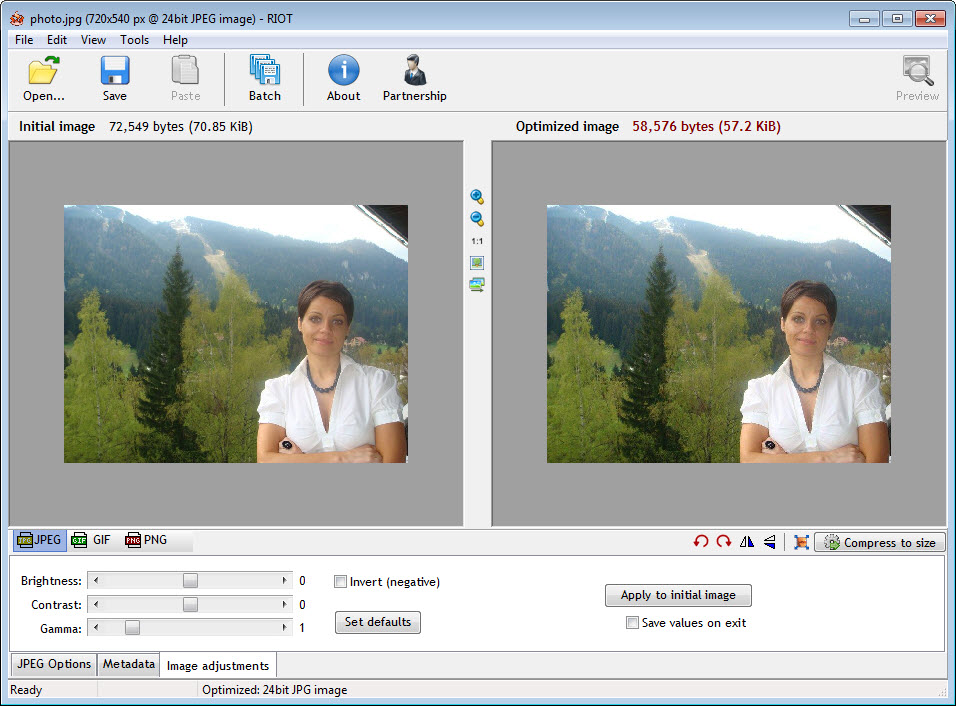
Compressing an image for the web involves a decision nobody can make in the abstract, which is how much quality to give up for how much file size. RIOT answers it by showing you both at once, with the original on one side, the compressed result on the other, and the resulting file size updating as you move the quality slider.
That side-by-side arrangement is the whole RIOT argument, and the reason to prefer it over a command line reporting a number afterwards. You watch the cost of each saving rather than guessing, and the point where an image visibly degrades becomes obvious.
The controls then go deeper than a single slider, differing by format because the formats work differently.
The settings that matter per format
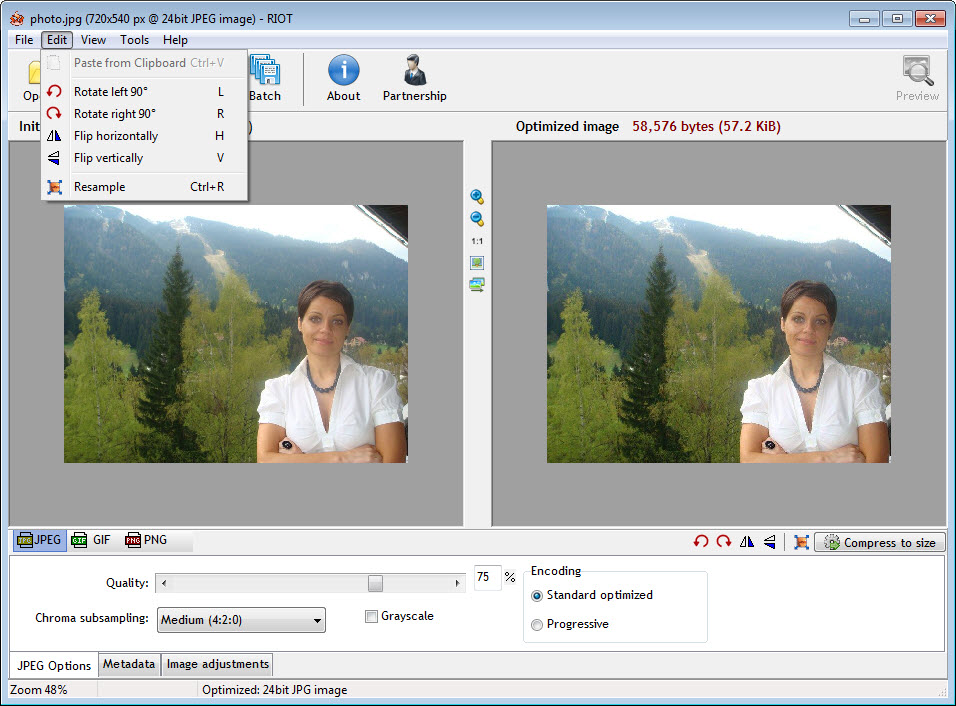
RIOT offers quality as the main control for photographs, and colour subsampling is the one people overlook. Reducing the colour resolution while keeping the brightness detail saves a surprising amount and is nearly invisible on photographic content, though it damages sharp coloured edges such as text over a background.
Progressive encoding changes how an image arrives rather than how large it is, appearing at low detail first and sharpening as the rest loads.
For images with flat colour, the approach is reducing the palette rather than the quality. Dropping to a limited number of colours, with or without dithering, can shrink a diagram or a logo dramatically while leaving it looking correct, because it never had many colours to begin with.
Knowing which category an image belongs to is most of using this well, since photographic settings on a logo produce a worse result at a larger size.
Stripping the invisible weight
RIOT metadata removal deserves its own mention, because it does two things at once.
Photographs carry a great deal alongside the picture, including camera details, the settings used, embedded thumbnails, colour profiles and often the location where it was taken. None of it is visible and all of it occupies space.
Removing it shrinks the file and removes the location, which matters for anything published publicly. People routinely upload photographs with home addresses embedded and no idea it happened.
The one caution is colour profiles. Removing a profile from an image intended for print changes how it is interpreted, so that option deserves thought rather than a default clearing.
Batches, and where it plugs in
RIOT processes a folder with the same settings, which is the practical use once you have established them on a representative image.
It also registers as a plugin, so it becomes an export step inside an image editor. Editing in IrfanView and saving through this puts the preview inside the workflow you already use.
For a dedicated tool aimed purely at the flat-colour format, with lossless optimisation and no quality decisions to make, an optimiser that strips a PNG down without altering a pixel does that single job thoroughly.
The newer formats are where the savings went
This is the honest RIOT limitation and it shapes when to use the tool at all.
The formats handled here are the established ones, and the substantial savings available on the web now come from the newer image formats, which achieve considerably smaller files at the same visible quality. Those are not part of this program’s vocabulary.
So the position is straightforward. For the established formats, and particularly for seeing what a compression setting actually costs, it remains excellent. For getting a modern site’s images as small as they can be, a converter handling the newer formats is the tool that matters, and Caesium covers that ground with batch conversion included.
Conclusion
RIOT teaches something while it works, which is unusual. Watching an image degrade beside its original as the size falls builds a sense of how much compression a picture tolerates, and that judgement transfers to every tool you use afterwards.
Its limitation is the calendar rather than the design. The formats it handles are the older ones, and the meaningful savings on the web have moved to newer formats it does not know about. Keep it for the established formats, for the metadata stripping, and for the preview that no command-line optimiser matches.
Pros & Cons
- Side-by-side preview with live file size, so quality cost is visible rather than guessed
- Format-appropriate controls, including colour subsampling and palette reduction
- Metadata stripping reduces size and removes embedded location data
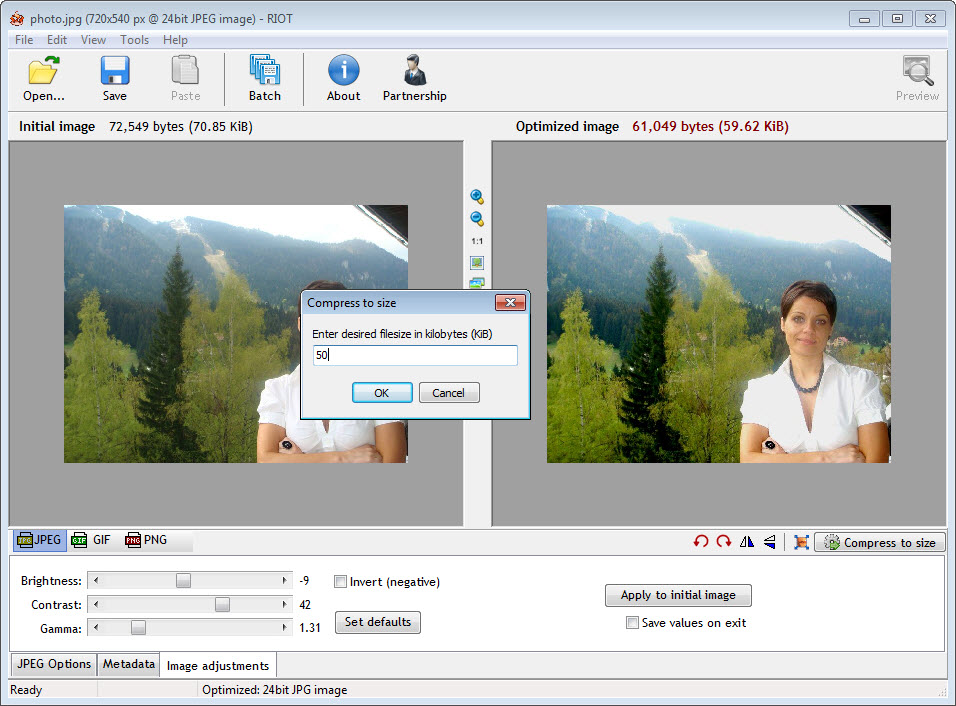
- Target size mode finds the quality setting for a size you specify
- Batch processing once settings are established on a sample image
- Registers as an export plugin inside image editors
- Handles the established formats only, where the newer ones now offer the real savings
- Palette reduction is destructive in ways that surprise people on the wrong image
- Removing colour profiles changes how an image is interpreted for print
- Development has been quiet for a considerable time
- Understanding which settings suit which image is left entirely to you
Frequently asked questions
The original and the compressed result side by side with the file size updating live. That makes the trade between quality and size a decision you watch rather than a number you receive afterwards.
It reduces the file and removes information you probably did not intend to publish, including camera details and often the location where the photograph was taken. Colour profiles are the exception, since removing those affects how the image is interpreted.
Palette reduction rather than quality reduction. A logo has few colours to begin with, so limiting the palette shrinks it dramatically while photographic settings would blur its edges and produce a larger file.
For the established formats, yes, and the preview makes it a good way to learn what compression costs. The newer image formats deliver considerably smaller files and need a tool that handles them.


