

PureRef
About PureRef
PureRef is a reference board for artists, a borderless and infinite canvas where you drop every image you need while drawing or modelling, and keep them all in view on top of your actual work. Drag pictures in from a browser, paste screenshots straight from the clipboard, then scale and crop them however the job demands, with no toolbars eating screen space.
What makes it indispensable is how it shares the screen. The window can float above your painting program at partial transparency, let mouse clicks pass straight through it, or attach itself to a single application.
Illustrators, concept artists, 3D modellers and tattoo designers keep it open all day for exactly that reason, because flipping between a browser tab and a canvas breaks concentration in a way a floating board never does.
An infinite canvas with nothing in the way
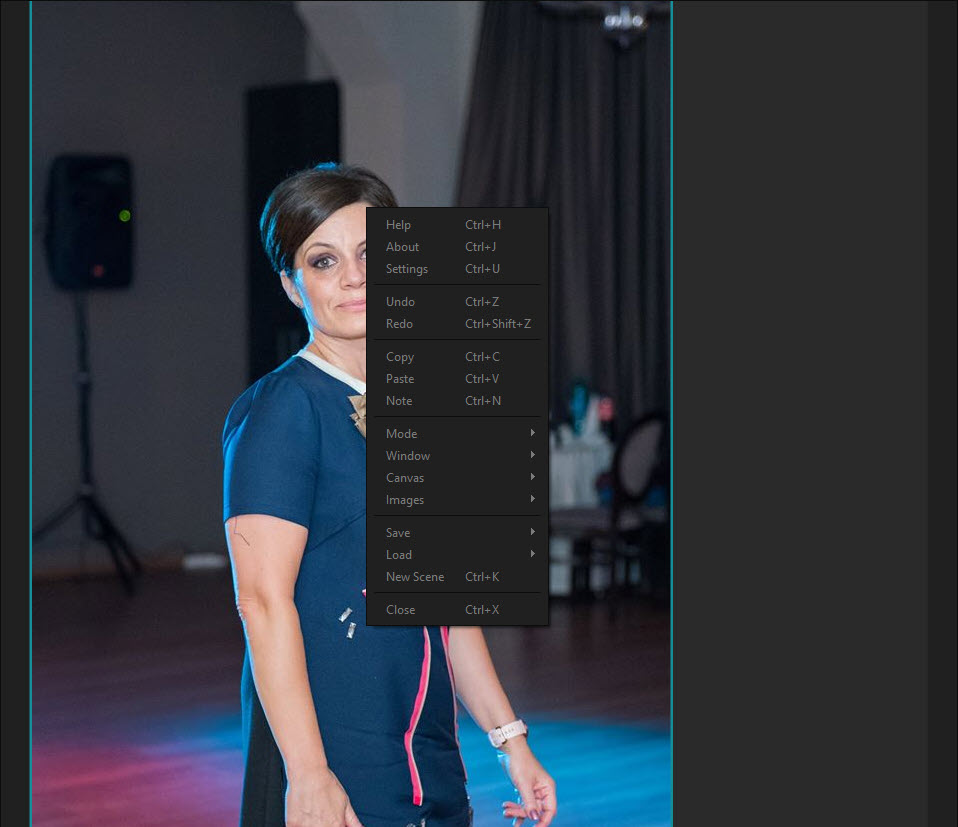
Open PureRef and you get a dark, empty window with no visible interface at all. Everything happens through the right-click menu and hotkeys, so the images occupy the entire window. Zoom and pan with the mouse, and the canvas extends as far as your references do, whether that is three pose photos or three hundred textures.
Images arrive almost any way you can think of. Drag them from a browser or the file manager, paste from the clipboard, or drop a whole folder at once. A board can hold dozens of high-resolution photos and still pan smoothly, which matters when a character sheet needs every angle visible at once.
Window modes built for working alongside other programs
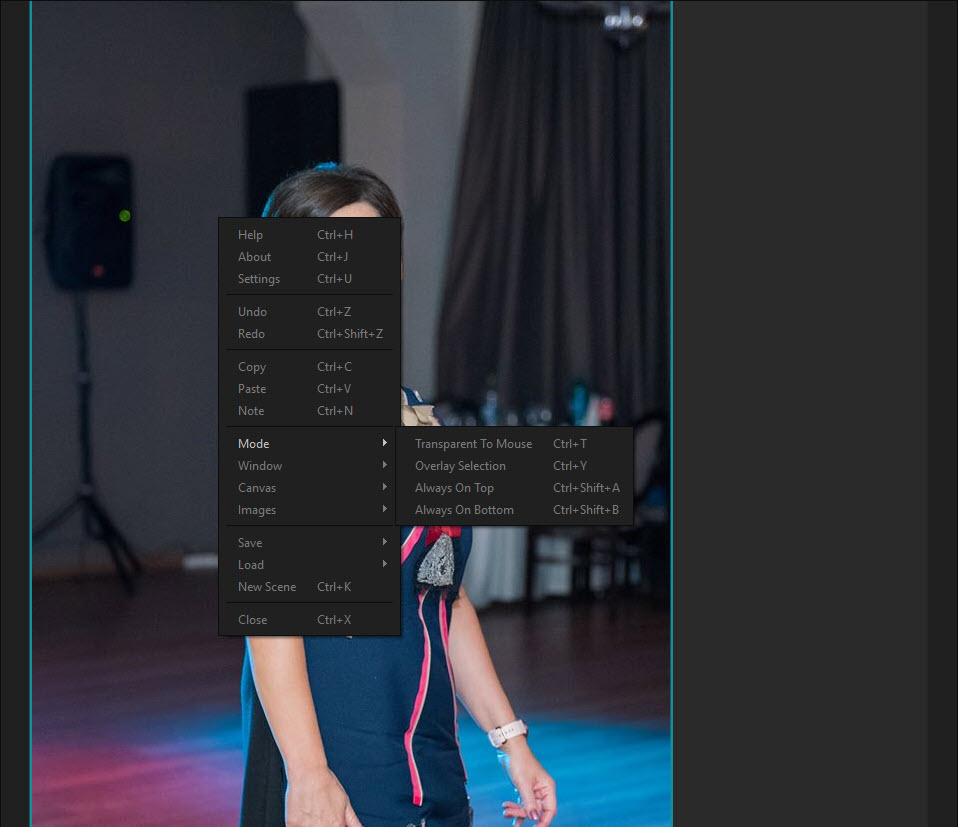
This is the feature set that separates the application from a plain image viewer. Always on Top keeps the board floating over your drawing software, and Always on Top Of attaches it to one chosen program only, so it disappears when you switch to email and reappears when you return to the canvas. Always on Bottom does the reverse and turns a maximized board into a live, interactive wallpaper.
Transparent to Mouse is the clever one. Combine it with partial window opacity and the board becomes a ghost layer, letting clicks fall through to the program underneath. Artists use it to trace proportions, match a layout pixel for pixel, or check a sketch against a photo directly on the canvas. A global shortcut toggles the mode, which is essential, since you cannot click a window that ignores clicks.
Overlay mode goes further still, popping each selected image out into its own little window that can be placed anywhere on screen, around the edges of a digital painting program like Krita or anything else you draw in.
Arrange hundreds of images in one keystroke
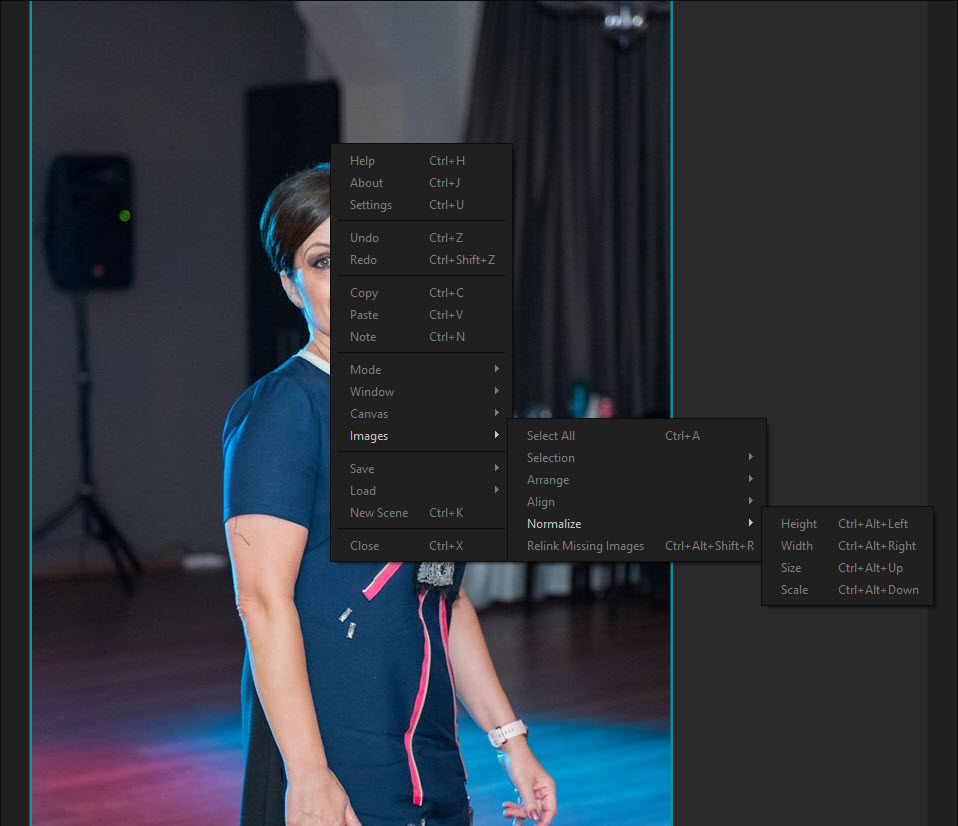
Manual dragging works, but the arrange tools are what keep large boards tidy, and they are where seasoned users spend most of their time. PureRef can pack a selection into a compact layout with no gaps, line images up in rows or a grid, and sort them by name, path or a custom order. Normalize scales a messy pile of photos to the same height, width or size, so a phone snapshot and a scanned page sit side by side as equals.
Groups and parent-child links keep related references together, so moving a pose image carries its notes and crop variations along. Locked groups protect a finished section from accidental nudges while you keep working on the rest.
Tools for studying, not just viewing
Several small features turn the board into a study aid. Flipping an image horizontally exposes proportion mistakes the same way flipping a canvas does. Grayscale, either for the whole canvas or single images, strips colour away so you can judge values, a classic painting exercise that normally requires a separate editor.
Cropping is non-destructive, so you can isolate a hand or an eye and restore the full photo later. A colour picker samples any pixel on the board, and also anywhere else on screen when started from the shortcut, then copies the value.
Notes with rich text and checklists can sit next to images, which is handy for client feedback or a list of shots still to find.
Scene files that carry everything
A board saves as a single .pur file that embeds the images themselves, not links to them. Move the file to another computer or archive it with a finished project, and every reference reopens exactly where it was, at the same scale and crop, even if the original downloads are long gone.
That self-contained format is a real advantage for freelancers, who can send a complete mood board to a client or colleague as one file. Linked .pur files inside a board even load on click, so a master board can point to separate boards for characters and environments.
Selected images can also be exported back out as ordinary picture files when needed.
Where it stops
The limits come from its focus. PureRef has no drawing or editing tools beyond the basic study functions, so any paint-over or correction belongs in GIMP or your main painting program. It also does not organize a library. There are no tags, ratings or search across past boards, so a long-term reference archive needs a separate cataloguing tool.
The interface-free design takes a session to learn as well. Almost everything sits in the right-click menu or behind shortcuts, and newcomers often wonder how to do something as simple as resizing the window. Ten minutes with the menu solves it, and after that the empty screen becomes a feature rather than a puzzle.
Conclusion
PureRef is close to essential for anyone who draws, paints, models or designs from reference. Its floating and click-through modes solve the constant tab-switching that slows creative work, the arrange tools keep huge boards manageable, and the single-file format makes sharing a mood board trivial.
It is deliberately narrow, with no editing tools and no library management, and its hidden interface needs a short learning session. Once it clicks, though, the board tends to stay open next to every project, which is the best compliment a reference tool can earn.
Pros & Cons
- Floating and click-through modes let the board sit over any program
- Images drop in from browsers or straight from the clipboard
- Pack and normalize tools organize large boards instantly
- Flipping and grayscale views support real art study
- Single .pur file embeds every image for easy sharing and archiving
- Interface stays out of the way, leaving the whole window for references
- No editing or drawing tools beyond crop, flip and grayscale
- No tags or search for managing a long-term reference library
- Hidden, menu-driven interface takes time to learn
Frequently asked questions
Yes. Always on Top keeps the board above every window, and Always on Top Of attaches it to one specific program, so it only appears while that program is active.
Lower the window opacity, enable Always on Top, then switch on Transparent to Mouse. Clicks pass through to the program underneath, and a global shortcut turns the mode off again.
Yes. A .pur file embeds the images, so the board reopens complete on any computer, with every image exactly where you left it.
Select the images and use the arrange options from the right-click menu. Pack removes gaps, Normalize makes the images the same size, and the sort options order them by name, path or custom order.


