

Picolay
About Picolay
Macro photography and microscopy share an inconvenient physics problem. At extreme close-focus distances or high magnifications, depth of field collapses to a few millimeters or less, even at small apertures. A single shot of an insect, a flower stamen, or a microscope specimen captures only a thin slice in focus. Everything in front of and behind that slice blurs. The solution photographers and scientists settled on decades ago is focus stacking. Take multiple shots at different focal distances, then combine them in software that selects the sharp regions from each frame and assembles a final image where the entire subject is in focus.
PICOLAY is one of the few free applications that handles this workflow at a level approaching commercial alternatives like Helicon Focus and Zerene Stacker. The application was written by Heribert Cypionka, a microbiologist at the ICBM in Oldenburg, Germany, originally as an internal tool for laboratory imaging.
The basic stacking workflow
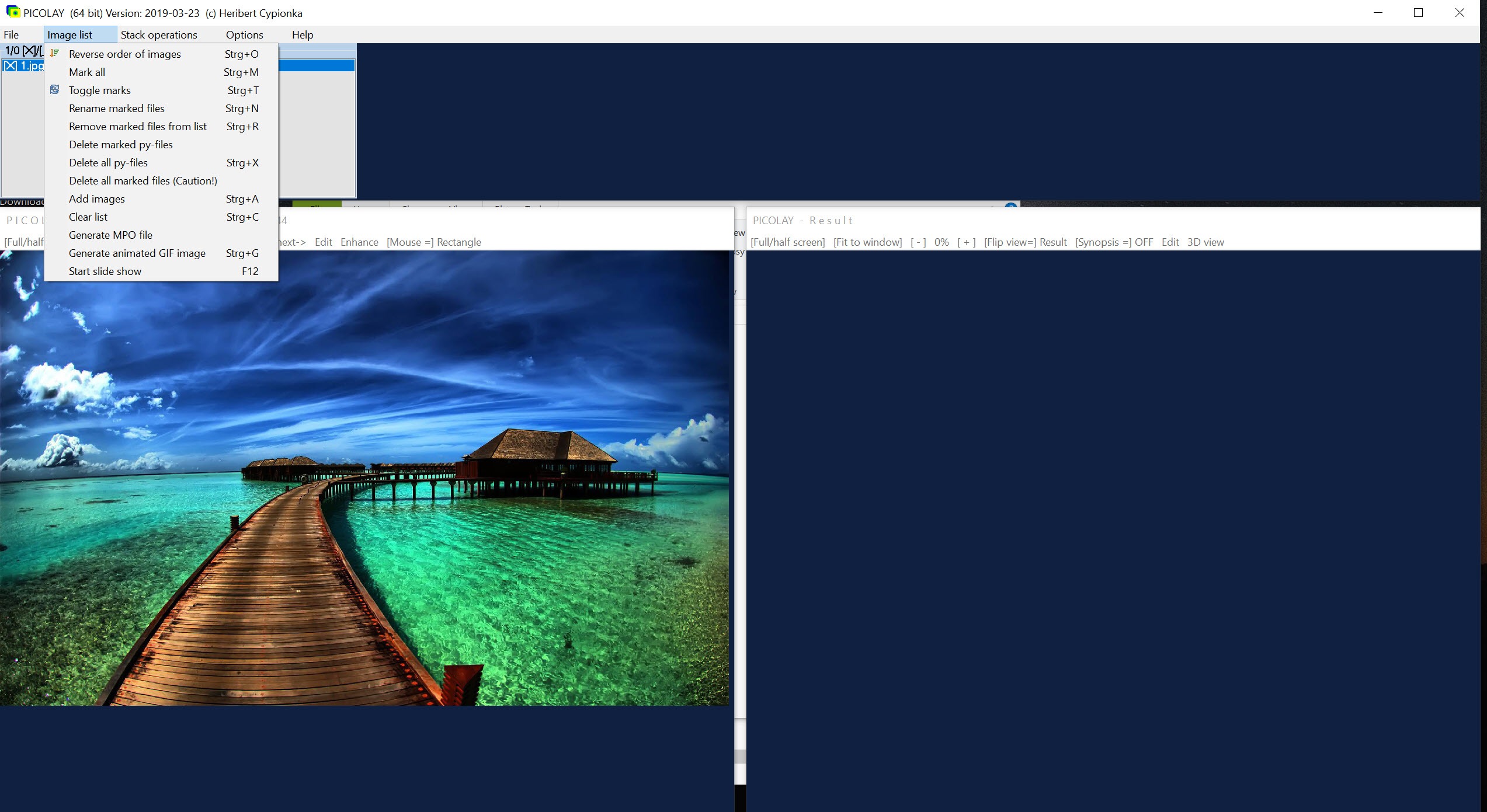
You load a sequence of images taken at different focus distances into the image list. The application assumes the first image represents the topmost layer and that filenames sort in the same alphabetical order as the focus sequence. If your camera names files sequentially as you shoot (DSC_0001, DSC_0002, etc.) this happens automatically. If naming is mixed, you reverse the order in the interface.
The application then aligns the frames, which is essential because focus stacking shifts the perceived size of the subject as the focal plane moves. Even small shifts in alignment between frames produce visible ghosting in the final stack if uncorrected. The alignment runs automatically before stacking, with options for manual adjustment when the automatic result fails on difficult subjects.
The actual stacking operation selects the sharpest regions from each frame and composes them into a single output image. The algorithm uses local contrast measurement to identify which areas of which frames carry the in-focus detail at any given pixel. For most subjects the result is dramatically more useful than any individual frame, with depth of field that no single shot could achieve at the relevant magnification.
Native input is JPEG and Bitmap. TIFF support exists but the documentation notes it may not always work reliably. For users shooting in RAW, preprocessing through a tool like RawTherapee to export aligned JPEGs is the practical first step.
The 3D reconstruction features
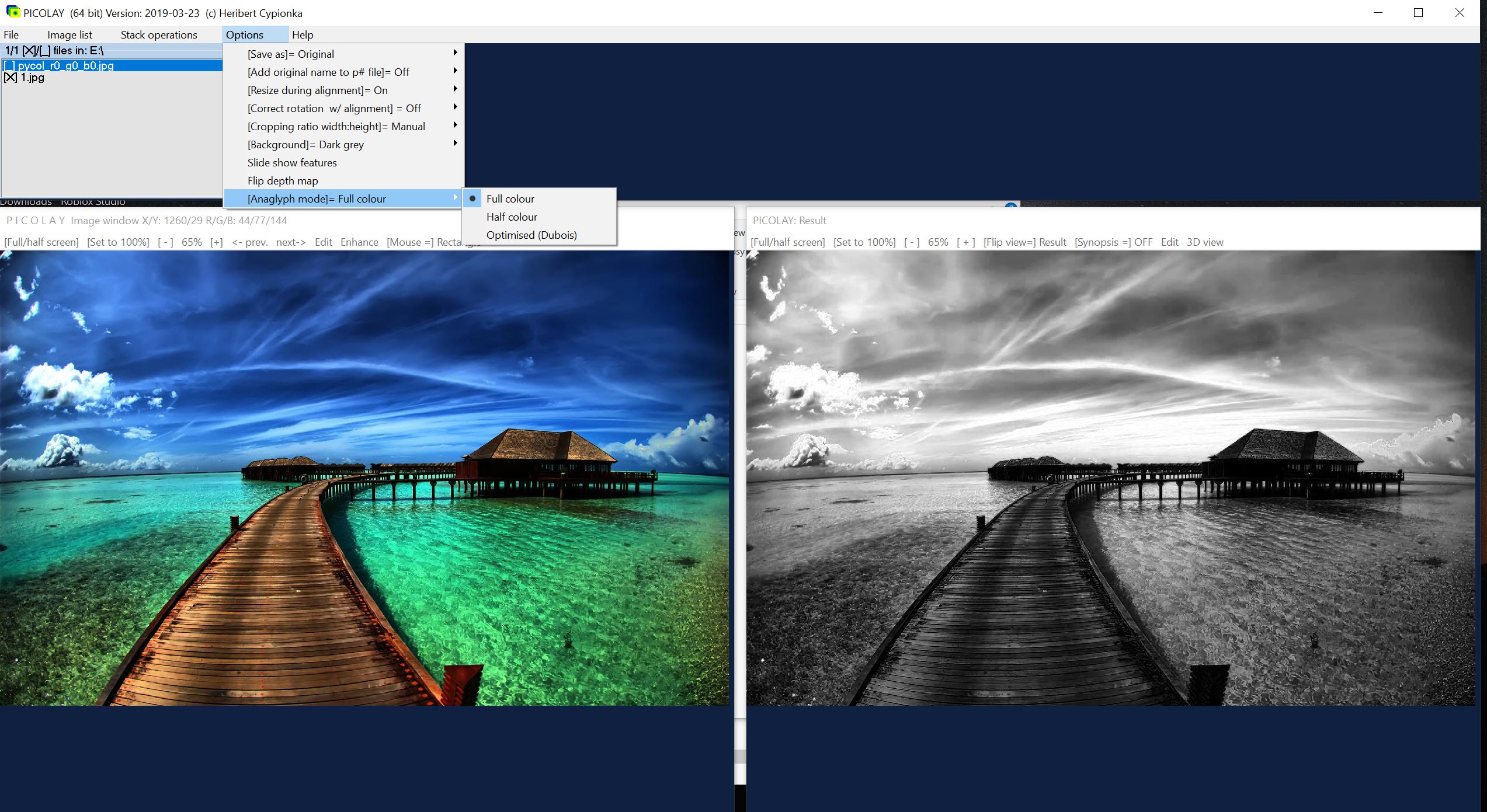
This is what separates the application from generic stacking software and reflects its scientific origins. The same focus stack that produces a single combined 2D image contains depth information. Each in-focus region exists at a specific focal distance, and the application can use that information to construct a depth map of the subject.
Several outputs follow from this capability. The application generates 2D color-coded depth maps where height in the subject corresponds to color (typical convention: red for nearest, blue for farthest, with intermediate hues for in-between depths).
It produces stereoscopic image pairs that, viewed properly, show the subject in true 3D. It creates MPO files (the standard format for stereoscopic 3D, supported by some displays and editing tools). It generates rotating animation GIFs that show the subject rocking back and forth as if viewed from slightly different angles, which produces a 3D impression through parallax even on a flat screen.
For scientific imaging, these outputs matter. A microbiologist documenting a sample wants to convey three-dimensional structure, not just a depth-of-field improvement. The depth maps and stereo outputs encode information that a single combined image discards. For amateur macro photography, the rocking GIFs are the most accessible output, providing a visually striking presentation of subjects that flatten in conventional photography.
The Information Gain framing the application uses for these features is unusual but accurate. The stacking process recovers information that exists in the source frames but is hidden by being distributed across them.
Stacking 2x to 10x faster for previews
The April 2026 update added a substantial performance improvement for preview stacking. The application can now run a fast stack at lower precision (2 to 10 times faster than the full-quality stack) for quick checks during a session. The practical workflow is to shoot a stack, run a fast preview to verify the result is acceptable, and then run the full-quality stack if you want the final output.
This addresses what was historically the application’s biggest workflow weakness. Stacking a deep set of 50 or 100 frames at full quality could take minutes per stack, which made experimentation slow.
The fast preview mode lets you iterate on shooting decisions during the session rather than waiting until processing time to discover problems.
The interface and the rough edges
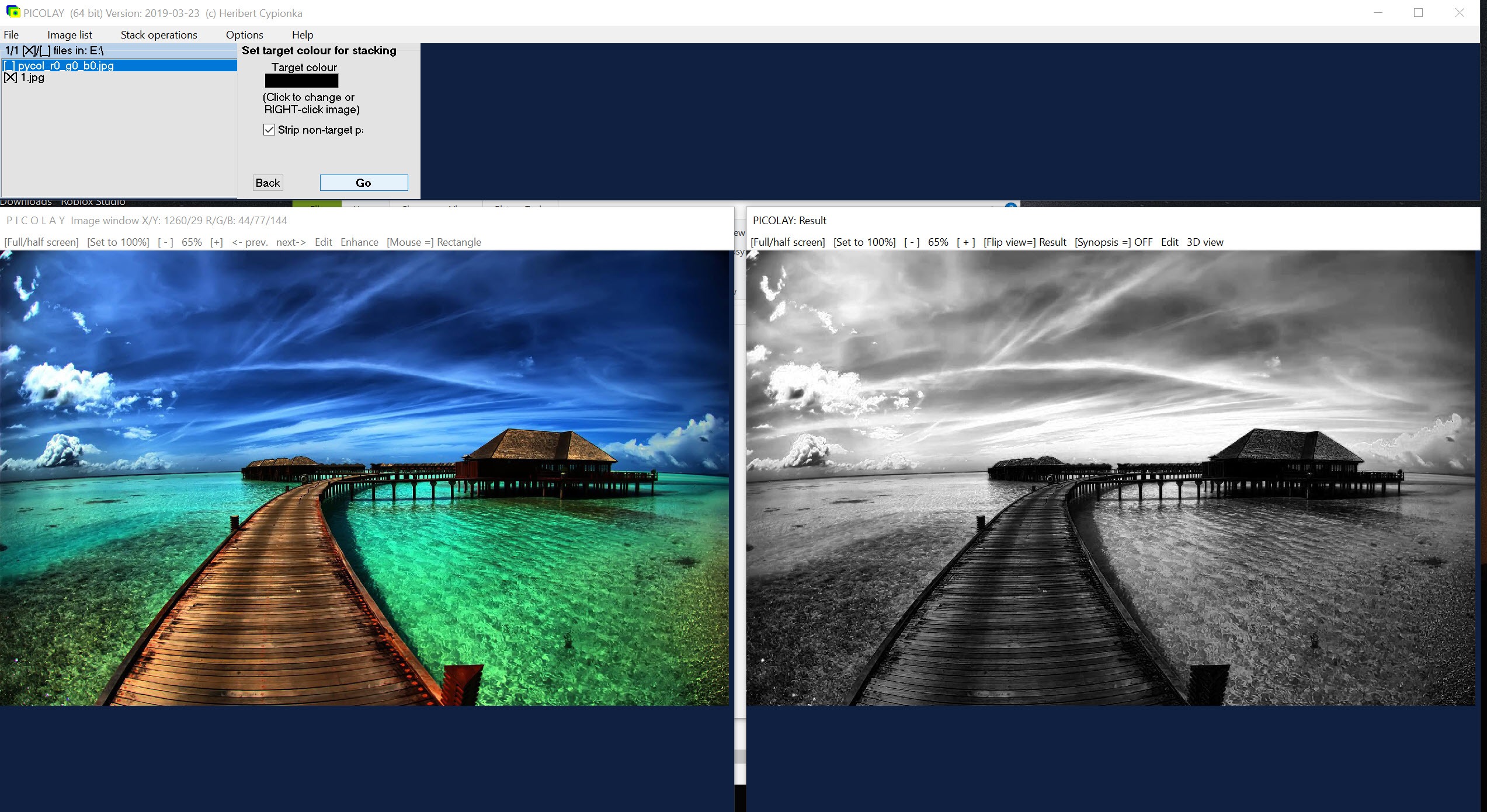
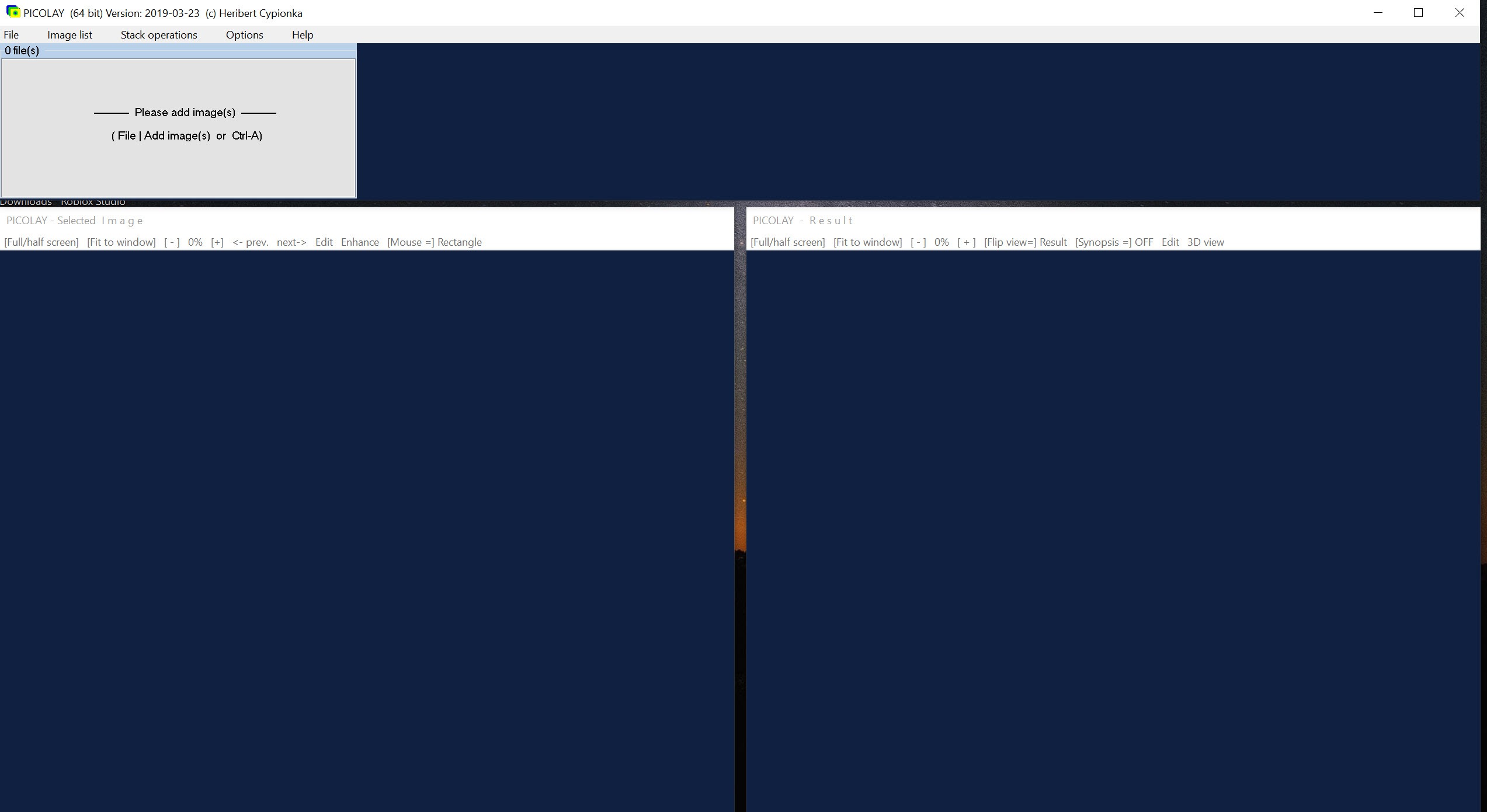
The three-window layout puts the image list, stack operations, and configuration options in one panel, the currently selected source image in a second, and the stacking result in a third. The arrangement is functional but reflects German software conventions and an older interface era. Some command dialogs (file save dialogs in particular) display in German on systems without specific localization configured, with Nein meaning No and Ja meaning Yes being the practical phrases to remember.
The icons are utilitarian, the menus dense, and the help system is essentially the application’s website rather than integrated documentation. For users coming from polished commercial software, the experience is jarring at first. For users who can work past the interface, the actual stacking capabilities are competitive with software costing hundreds of dollars.
The application includes additional features beyond stacking. Image filtering (sharpening, blur, contrast enhancement), masking tools for excluding regions from the stack, color balance adjustment, and basic editing operations. The intent is to let you produce a finished output without leaving the application, although serious post-processing benefits from a dedicated editor like GIMP or Affinity Photo for color grading and retouching the stacked result.
Output formats and what you can do with the result
Standard outputs include JPEG and Bitmap for the stacked image, animated GIF for the rocking 3D preview, and MPO for true stereoscopic pairs. The application can also produce slideshow files combining the source frames with the stacked output and the depth visualizations, useful for scientific presentations where the audience benefits from seeing the input data alongside the result.
The depth maps export as image files where color encodes Z-axis position. Tools like GIMP can read these for further manipulation, including using them as displacement maps in 3D rendering software or as height fields in scientific visualization workflows.
For users doing serious scientific documentation, this opens analysis paths that consumer stacking software does not provide.
Where the application performs well
Deep stacks with many frames (50 to several hundred) are where the application excels. The stacking algorithm handles these consistently, and the memory usage stays modest even with large stacks because the application processes images incrementally rather than holding the entire stack in memory simultaneously. For microscopy work where stacks routinely run into hundreds of frames at high magnification, this matters.
Subjects with crisscrossing fine detail (insect hairs, fungal hyphae, plant trichomes) stack acceptably, although commercial tools with more sophisticated algorithms (Zerene Stacker’s PMax algorithm in particular) sometimes resolve overlapping fine structures more cleanly. For most subjects the difference is invisible. For specialists working with overlapping textures at high magnification, the commercial tools maintain an edge.
The portable distribution (the application runs from a single executable without installation) makes it convenient for fieldwork or shared lab computers where installing software is impractical. You can carry the executable on a USB drive, run it on any Windows machine, and have your full stacking workflow available without administrator privileges.
Where it falls short
The interface keeps casual users away. Anyone expecting a modern look-and-feel will find the application uncomfortable initially. The documentation, while comprehensive, is structured as a reference rather than a tutorial, which makes learning the workflow harder than necessary.
RAW file support is essentially nonexistent. Workflows depending on direct RAW input require preprocessing through a separate tool. For users shooting modern cameras producing 14-bit or 16-bit RAW files, this means a conversion step that potentially discards highlight or shadow information unless you preprocess carefully.
The 3D outputs, while genuinely novel, produce results that are less polished than dedicated 3D reconstruction software. The rocking GIFs work as proofs of concept and presentation aids. They do not replace proper photogrammetry or structured-light scanning for serious 3D capture work.
GPU acceleration is absent. The application runs on CPU only, which is part of why the new fast preview mode matters. Modern GPU-accelerated stacking tools complete operations the application takes minutes for in seconds. For users doing high volumes of stacking work, this is a real consideration. For users doing occasional stacks, the difference is acceptable.
The licensing and sustainability question
The application is offered as freeware (not open source, distinct from being free). The source code is not published, and the long-term sustainability depends on the developer’s continued interest in maintaining it. The active 2026 updates suggest continued maintenance, but the bus factor is one. If the developer stops, the software stops.
For most users this is acceptable for free software. For users building production workflows around the application, having a backup plan involving commercial alternatives is prudent. The output formats are standard enough that switching tools later does not strand existing work.
Conclusion
PICOLAY is the right tool for users who need focus stacking with depth analysis capabilities and prefer not to pay for commercial software. Microscopists and other scientific imaging users will find the 3D reconstruction features genuinely useful for documentation work that conventional stacking software does not address. Amateur macro photographers willing to look past the interface roughness will get stacking quality competitive with commercial alternatives, plus the unusual ability to create 3D visualizations of their subjects.
What you trade for the price is polish. The interface is functional rather than welcoming, the documentation is structured for reference rather than learning, and the workflow requires more manual attention than streamlined commercial tools.
For users whose work involves regular focus stacking and who would otherwise consider Helicon Focus or Zerene Stacker, the choice depends on whether the time saved by polished commercial software justifies the cost. For users doing occasional stacking or whose budget rules out paid alternatives entirely, this application produces results that would otherwise require committing to a subscription or buying expensive software.
Pros & Cons
- Free with no paid tier, time limits, watermarks, or nag screens
- 3D reconstruction features (depth maps, stereoscopic pairs, MPO files, rotating GIF animations) are unusual in the focus stacking category
- Active maintenance with updates through 2026 including substantial performance improvements
- Portable executable runs from any folder including USB drives without installation
- Handles deep stacks (hundreds of frames) competently with modest memory usage
- Designed by a working scientist for scientific imaging, with features that support documentation and analysis workflows
- Bundles useful post-stacking operations (filtering, masking, basic editing) within the same application
- Interface and documentation lag behind commercial alternatives in polish and accessibility
- No RAW file support, requiring preprocessing through a separate tool for users shooting RAW
- CPU-only processing without GPU acceleration limits speed on modern hardware compared to commercial alternatives
- Some dialog windows still display in German depending on the local Windows configuration
- Closed-source freeware rather than open source, with sustainability tied to one developer
- PMax-style algorithms in dedicated commercial software resolve overlapping fine textures more cleanly for the most demanding macro subjects
- Help and tutorial resources require visiting the developer's website rather than being integrated into the application
Frequently asked questions
Focus stacking combines multiple images taken at different focal distances into a single image where the entire subject is in focus. The technique is necessary in macro photography and microscopy where depth of field at high magnification covers only a thin slice of the subject. The application processes a series of source images and produces the combined output along with optional 3D visualizations.
The application uses the depth information implicit in a focus stack to construct a 3D representation of the subject. It can output color-coded depth maps, stereoscopic image pairs, MPO files for 3D displays, and animated GIFs showing the subject rocking back and forth to create a 3D impression through parallax.
RAW file support is essentially absent. The application reads JPEG and Bitmap natively. TIFF support exists but is not consistently reliable. Users shooting RAW need to preprocess their files through a separate application (such as a dedicated RAW converter) to produce JPEG or TIFF inputs for the stacking workflow.
The application produces stacking results that approach commercial alternatives for most subjects, with the additional 3D output features that those tools do not offer. Commercial tools have polished interfaces, GPU acceleration, and more sophisticated algorithms (particularly for overlapping fine textures), so they retain advantages for professional work. The application is the strongest free option in the category.
The application handles stacks of hundreds of frames effectively, with memory usage that stays reasonable through incremental processing. The practical limits are time (full-quality stacks of very large sequences take minutes) and the camera's ability to capture enough frames at the required focal increments.
Yes, the application was originally written for microscopy work and remains well-suited to it. Deep stacks at high magnification, which are typical of microscope imaging, are exactly the workflow the application was built for. The 3D output features are particularly relevant for scientific documentation where conveying three-dimensional structure matters.
The fast preview mode (added in April 2026) runs the stacking algorithm at lower precision, completing 2 to 10 times faster than full-quality stacking. Use the preview mode to verify a stack will produce acceptable results, then run full quality for the final output. This is most useful during shooting sessions where you want to confirm coverage before moving on.


