

LatencyMon
About LatencyMon
Recording audio on a computer works or it does not, and when it does not the symptom is a click, a dropout or a crackle that appears at random and cannot be reproduced on demand. LatencyMon exists to find out why, by measuring how long the system spends inside individual pieces of driver code.
The problem LatencyMon measures is a timing one. Audio arrives and leaves in a continuous stream, and the machine has a small buffer to work with. If anything in the system holds the processor for longer than that buffer covers, the audio stream misses its slot and you hear the gap.
Ordinary work never notices those interruptions. A document does not care about a delay of two milliseconds, and a continuous audio stream cares enormously, which is why a machine can feel perfectly fast and still be unusable for recording.
It names the driver responsible
Here is what makes LatencyMon a diagnostic tool rather than a thermometer.
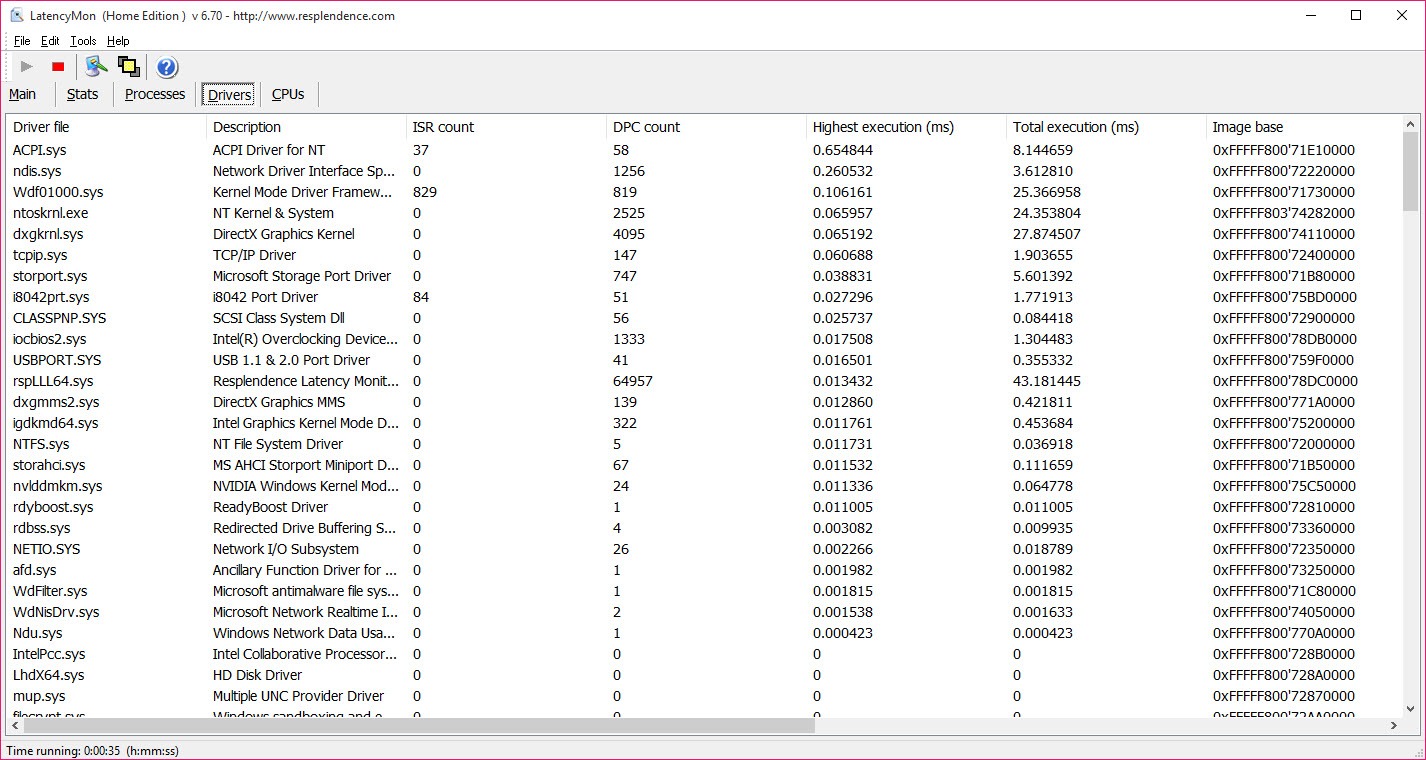
Measuring the delay is easy and knowing what caused it is the hard part. LatencyMon reports execution times per driver, so the output is not a number but a name, identifying which specific piece of code held the processor longest.
That changes the problem entirely. A machine reporting unacceptable latency is a mystery, and a machine reporting that a particular wireless adapter driver held the processor for three milliseconds is a task with an obvious next step.
Hard page faults are reported alongside, since memory being fetched from disk at the wrong moment produces the same audible result through a different mechanism.
Establishing what is running while you test is the companion exercise, and a process viewer listing every program and what it has loaded covers that side.
The usual suspects
After years of people running LatencyMon, the culprits are well established, which saves a great deal of investigation.
Wireless network drivers are the most common by a wide margin, and a machine that records cleanly with wireless disabled has answered its own question.
Storage controller drivers come next, followed by graphics drivers, and after those the power management features that park processor cores or shift clock speeds. Those last ones are a genuine trade, since the settings that reduce power consumption are frequently the ones introducing the delays.
The tool identifies and changes nothing, so the fix is yours. Updating the named driver is the first attempt, and a driver updater that matches components to what is actually installed narrows that to the parts that need it.
Where the machine is a laptop, the manufacturer’s own driver is sometimes the only one that behaves, and a generic update can make the problem worse rather than better.
The verdict is calibrated for audio, not for you
This deserves stating plainly, because it is the most common misreading of the tool.
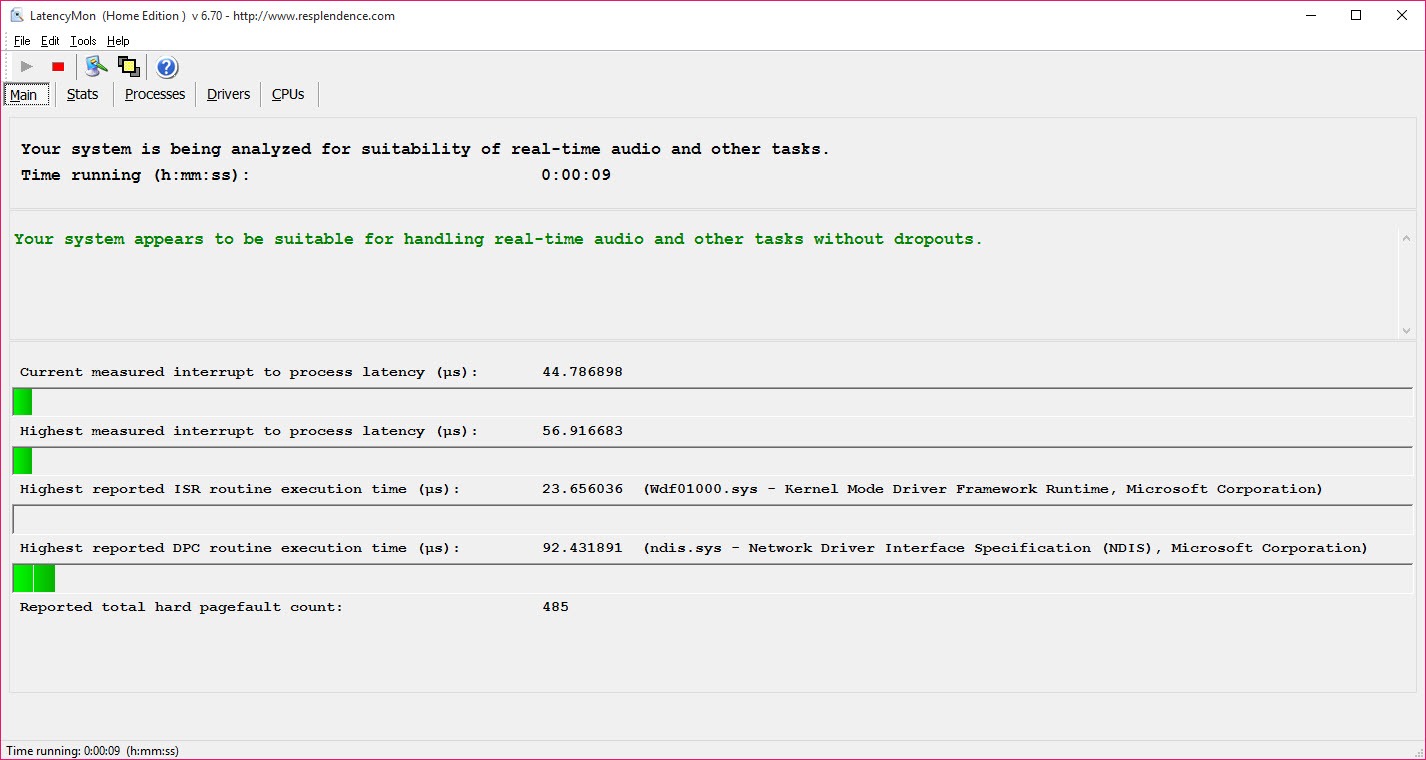
LatencyMon ends with a plain statement about whether the system appears suitable for handling real-time audio, and that verdict is alarming when it is negative.
People run it out of curiosity, see a warning in red, and conclude their machine has a serious problem. Usually it does not. The threshold is set for continuous audio streaming with a small buffer, which is a considerably stricter requirement than anything else a computer does.
A machine that fails the test will still browse, edit documents, play video and run games perfectly. If you are not recording audio, a negative verdict is information rather than a fault, and there is nothing to fix.
One exception deserves a mention, which is stutter in games, since it can share a cause. A driver holding the processor produces a dropped frame as readily as a dropped sample, so a very poor result deserves investigating if you also see irregular hitching during play. MSI Afterburner reports frame times over a running game, which is how you tell a latency problem from an ordinary performance limit.
Reading it properly
Two habits make the LatencyMon output meaningful rather than decorative.
Run it while doing nothing else first, to establish what the machine does when idle. A clean idle result with problems under load points at something you are running, and a poor idle result points at a driver or a setting.
Then run it during the activity that actually fails, for long enough to catch the intermittent event. Latency problems are frequently rare, so a thirty second test proves very little and twenty minutes while recording proves a great deal.
The maximum values matter more than the averages throughout. One spike lasting long enough is what produces the click, and an excellent average conceals it completely.
For the audio side of the problem
Where the diagnosis comes back clean and the audio still misbehaves, the buffer settings and the audio path are the next place to look.
ASIO4ALL provides a low-latency audio path for hardware that does not supply its own, which is frequently the actual fix on consumer machines rather than anything to do with drivers.
Buffer size is the other setting, and raising it trades responsiveness for stability, which is frequently the pragmatic answer on a machine that will never pass the test cleanly.
Conclusion
LatencyMon does the hard half of a difficult diagnosis, which is turning an intermittent click into the name of a driver. For anybody recording audio on a general-purpose machine, that is the difference between guessing and knowing, and the per-driver reporting is why it has stayed the standard tool for the job.
Read the verdict for what it is. It answers whether the machine could stream audio reliably, which is a stricter question than whether the machine works, and most people alarmed by a red warning have nothing to fix. Run it while the problem is happening rather than briefly out of curiosity, and pay attention to the peaks rather than the averages.
Pros & Cons
- Reports execution times per driver, so the output is a name rather than a figure
- Hard page faults reported alongside, covering a second cause of the same symptom
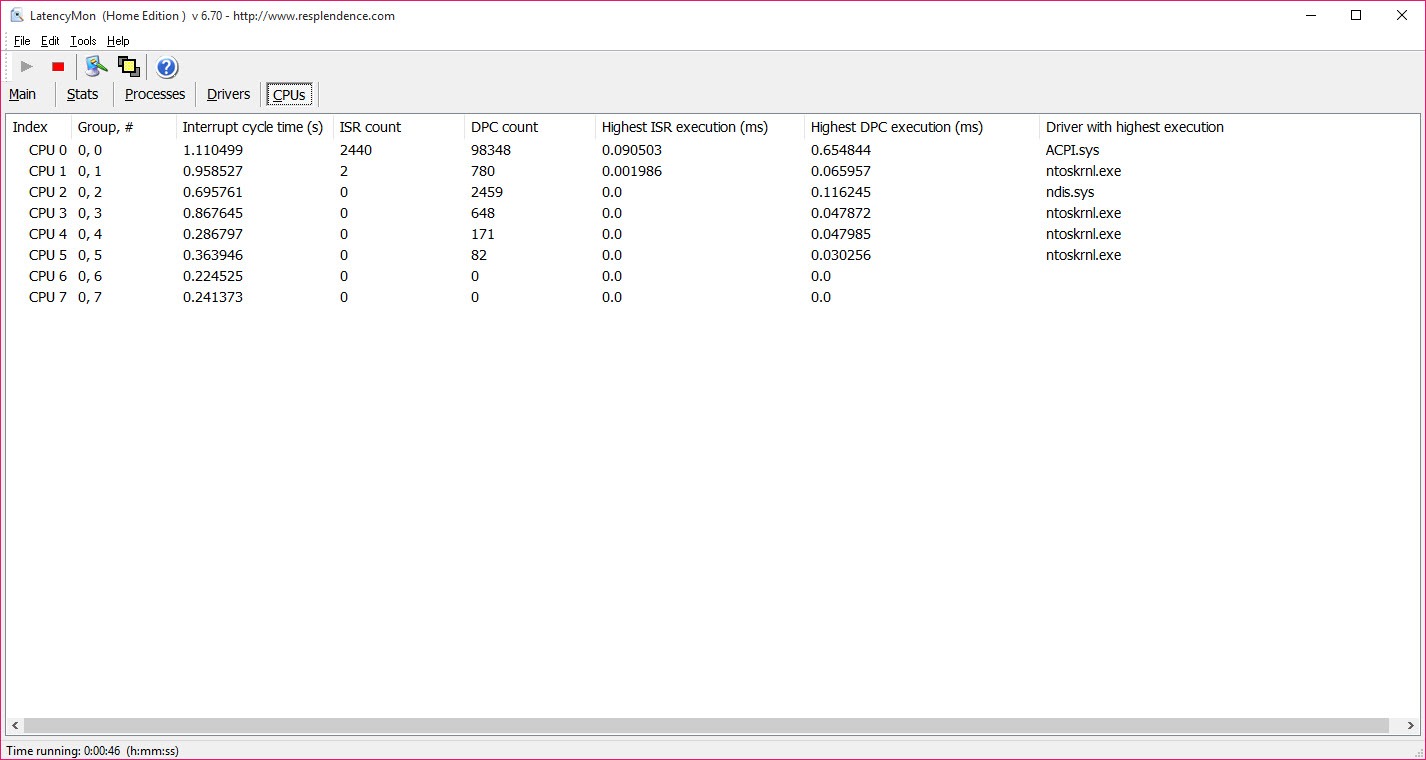
- Per-processor statistics, which matters on machines where one core is the problem
- Real-time monitoring with running maximum values
- A plain verdict on suitability for real-time audio
- Free for personal use and installs nothing permanent
- Diagnoses without changing anything, so every fix is yours to apply
- The verdict alarms people whose machines are entirely fine for their actual use
- Short tests miss the intermittent events that cause most complaints
- Interpreting per-driver results assumes some familiarity with what drivers do
- Nothing here helps if the problem is the audio path rather than the system
Frequently asked questions
How long individual pieces of driver code hold the processor. That matters for continuous audio because a delay longer than the buffer covers produces an audible gap, while ordinary work never notices the same delay.
Because the threshold is set for real-time audio streaming, which is far stricter than anything else a machine does. A negative verdict means recording would be unreliable, not that the machine has a fault.
Wireless network drivers most often, then storage controllers, graphics drivers and the power management features that park cores or change clock speeds. The tool names the specific driver rather than leaving you guessing.
No. It identifies what is responsible, and updating or disabling the named component is left entirely to you.
Long enough to catch the problem. Latency spikes are often intermittent, so a short test proves little, and running it during the recording that actually fails is what produces useful output.


