

Rylstim Screen Recorder
About Rylstim Screen Recorder
Rylstim Screen Recorder records a whole monitor to an MP4 file with the fewest decisions a screen recorder can ask of you. Pick the display, tick the microphone or the system sound or both, press record, press stop. The window then shows where the file landed, with a button to open that folder and another to trim the clip before you send it anywhere. There is no region selector, no webcam overlay, no annotation layer and no account. It records the screen, and it stops.
That restraint is the reason to choose it over the recorders with forty options. A bug report, a two-minute walkthrough for a colleague or a recording of a broken piece of software does not need a production suite. It needs a file, quickly, with the audio you meant to capture.
Rylstim Screen Recorder is aimed at exactly that person, and it stays out of the way for everybody else.
Choosing the display and what you hear
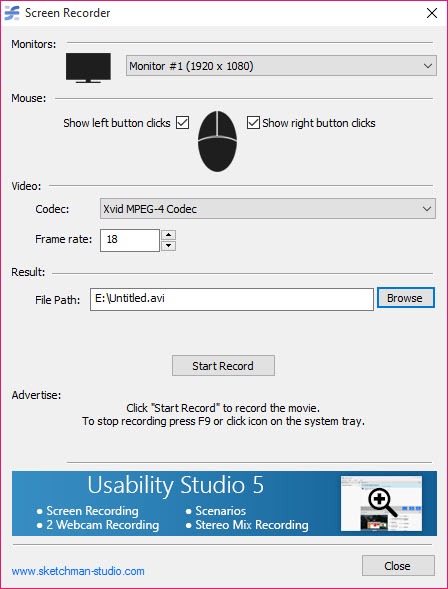
The main window lists every connected monitor with its resolution, so on a multi-screen desk you pick the one that matters rather than recording a wide panorama with the action in one corner. Recording covers the entire monitor. If you want a single window or a marked-out region, this is not the tool, and a recorder with a drag-to-select area is the better fit.
Audio comes from two independent switches. The microphone captures narration through whichever input you choose, and system sound captures whatever the computer is playing through the output device you select. Turn on both for a tutorial with commentary over application sounds, or leave both off for a silent clip.
The device pickers sit in the main window, so there is no hunting through a settings dialog to find out why the recording is mute.
Cursor and click highlighting
Rylstim Screen Recorder can show or hide the pointer, and clicks can be highlighted so viewers see which control was pressed. For a support recording that is the difference between “click here” and a viewer squinting at where the cursor went. For a clean demo where the pointer distracts, hide it.
Those two switches are the entire extent of the visual options, and there is no zoom, no keystroke display and no drawing tool.
Trimming without another program
Stop a recording and the trim button opens the clip in a preview with a timeline. Drag the start and end points, or type exact times, and save a shortened file. That covers the seconds of desktop fumbling at the start and the reach for the stop button at the end, which is most of what people trim from a screen recording. An optional precise mode re-encodes for frame-accurate cuts, while the default mode is quick.
It is a trimmer only. There is no way to cut a section out of the middle or join two recordings, so anything beyond topping and tailing needs a lossless cutter or a proper editor afterwards.
What is missing, and who will miss it
No pause button, so an interruption means a second file. No hotkeys to start and stop, which matters when the window you are recording covers the recorder. No scheduled recording, no webcam, no live streaming, and no per-application capture. Output is MP4 at the monitor’s resolution, with no choice of codec or bitrate.
Everything on that list is available in ShareX and the other full-featured recorders, in exchange for an interface with ten times as many controls. Which tool suits you comes down to whether you would rather learn a recorder or just use one.
Conclusion
Rylstim Screen Recorder suits anyone who records the screen occasionally and wants a file rather than a project. Support staff sending a reproduction of a bug, teachers capturing a quick explanation and testers documenting a fault will find the monitor picker, the two audio switches and the trimmer cover the whole job.
It is not for anyone producing content regularly. The missing pause, hotkeys and region capture will chafe within a week of daily use, and the full-featured recorders exist for that person. For a clip you need in the next five minutes, this is the faster tool.
Pros & Cons
- Records a chosen monitor to MP4 with two clicks
- Microphone and system audio switch on independently with their own device pickers
- Click highlighting for tutorials and support clips
- Built-in trimmer with precise re-encoded cuts when needed
- Shows the saved file's location as soon as recording stops
- Whole-monitor capture only, with no region or window selection
- No pause and no start or stop hotkeys
- No webcam, annotation, zoom or keystroke display
- No codec or bitrate settings
Frequently asked questions
No. It records an entire selected monitor. Choose a recorder with region selection for single-window capture.
Yes. Enable the microphone and system audio switches separately and pick a device for each before recording.
Yes. After stopping, open the trim view, set new start and end points, and save. Only the beginning and end can be cut.
No. Stopping ends the file. Record a second clip and join them in another program if needed.


