

The Ultimate PID Checker
About The Ultimate PID Checker
A Microsoft product key on a sticker, in an old email or printed on a card inside a box tells you almost nothing. Twenty-five characters with no indication of which product they unlock, which edition, or whether the key still works. The Ultimate PID Checker answers those questions before you commit to a reinstall and discover the answer the hard way.
Note the scope first. It reads Microsoft keys, meaning Windows and Office, and the older generations rather than current releases. A key from any other publisher means nothing to it, because the tool decodes the structure Microsoft uses rather than checking keys in general.
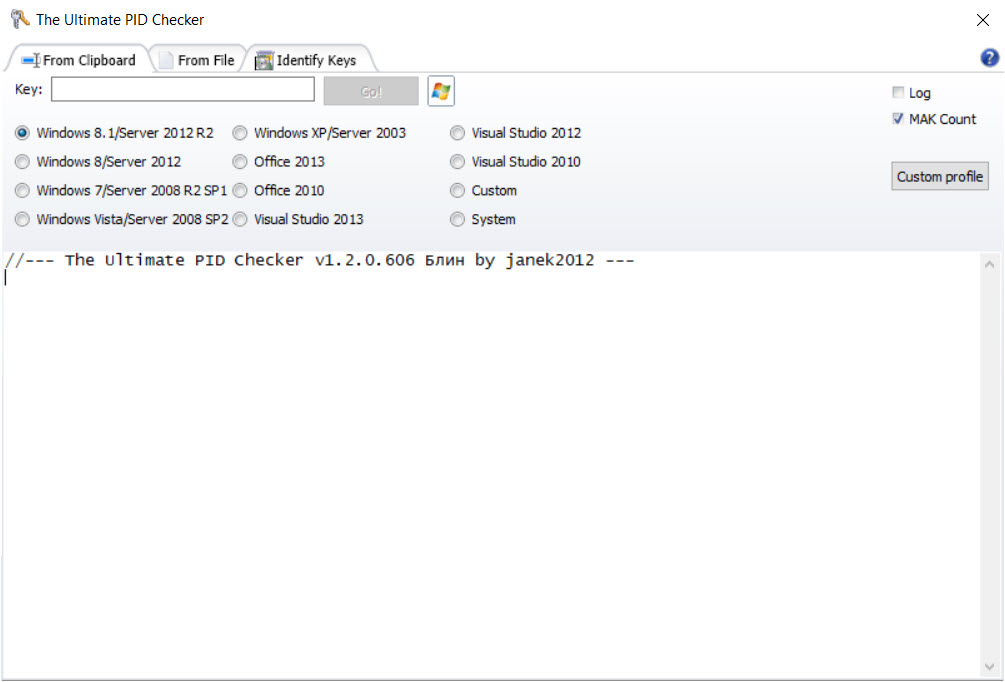
You supply the key, typed in, pasted from the clipboard or read from a text file, and select the product generation to compare it against. What comes back is the product and edition it belongs to, the internal identifiers, a description and the licence terms it was issued under.
Finding out what a key actually opens
This is what The Ultimate PID Checker is for and what most people need. A machine is being rebuilt, a drawer holds three Windows keys from various years, and nobody remembers which is which. Checking each takes seconds and removes the guesswork from an operation you cannot easily reverse.
Results save to a file or print, which matters when the point is having a record you can find next time rather than repeating the exercise.
It cannot produce a key you do not have. If the sticker has worn away and the email is gone, the key still sits inside the installation, and ProduKey reads it out of a running system. That one recovers, this one identifies.
The key type, and why a buyer should care
The most valuable single field is the type, which comes back as retail, manufacturer, multiple activation or key management.
That distinction protects people. A private buyer paying for a Windows licence should receive a retail key. If The Ultimate PID Checker reports a volume type, the key came from a bulk agreement never intended for resale to individuals, so it may already be exhausted and leaves the buyer with no recourse.
Anyone who bought a suspiciously cheap licence and wondered why activation failed months later has met that distinction. Checking first is a ten-second precaution.
Activation counts and working through several
Volume keys carry a number of permitted activations, and The Ultimate PID Checker reports how many remain. For somebody administering licences across an organisation that is the practical question, since a key with two activations left and eleven machines waiting is best discovered in advance.
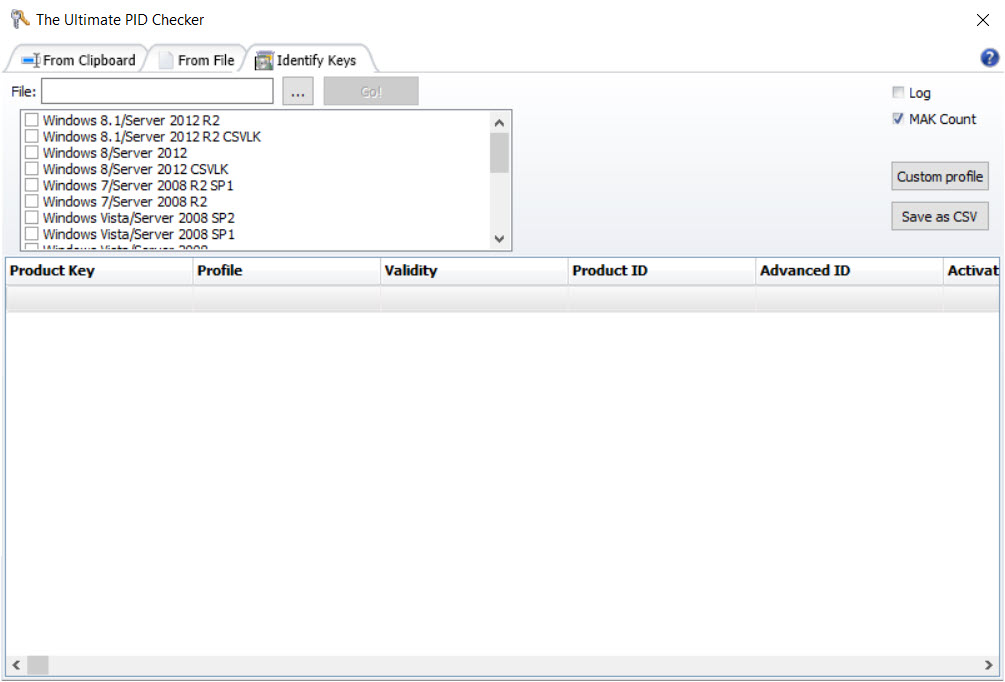
A batch mode reads a list from a text file and works through it in sequence, logging as it goes.
None of it requires installation. The program runs from wherever you put it, including removable media, and leaves nothing behind.
Where it stops
Both limitations are about scope. It reads Microsoft keys only, and within that range it handles the older generations, so a current key returns nothing helpful.
For a current installation, ShowKeyPlus reads the key with its edition and activation state, and understands newer products.
Where the question is what software a machine holds and which licences are recorded against it, a full system audit of installed software and licences produces a document covering the lot.
Conclusion
The Ultimate PID Checker does one narrow job that occasionally saves a great deal of trouble. Knowing which product a key belongs to before wiping a machine, and knowing what type of licence you were actually sold, are both worth ten seconds, and neither question has an obvious answer from looking at the characters.
Check the coverage before you rely on it, because a key for anything recent will not be recognised and you will need a different tool. Used within that boundary it is quick, portable and clear about what it found, which is all anybody wants from a utility that exists to answer a single question.
Pros & Cons
- Identifies the product and edition a key belongs to before you rely on it
- Reports the licence type, which reveals a volume key sold to a private buyer
- Shows remaining activations on volume keys, which matters when planning a rollout
- Accepts a key typed, pasted or read from a file, with batch processing for lists
- Results save to a file or print, so the answer survives past the session
- Runs portably with no installation and nothing written to the machine
- Works only on Microsoft keys, and only the older Windows and Office generations
- Requires the key, since it identifies rather than recovers
- Reports what a key is, not whether your particular installation will activate
- The interface assumes you already know why the licence type matters
Frequently asked questions
No. It identifies a key you already have. Recovering a key from an installation where the sticker or the email is long gone is a different job needing a tool that reads it out of the running system.
That it came from a bulk agreement rather than a retail purchase. A private buyer should have received a retail key, so a volume type suggests the licence was resold when it should not have been, and it may fail later.
No. It decodes the identifier structure Microsoft uses, so it reads Windows and Office keys and nothing else. A key for a game or a design suite produces no useful result, and within Microsoft's own range it covers the older generations rather than current releases.
Yes, by reading a list from a text file and working through it in sequence, logging the results. That suits somebody reconciling a set of licences rather than checking one key.


