

ProduKey
About ProduKey
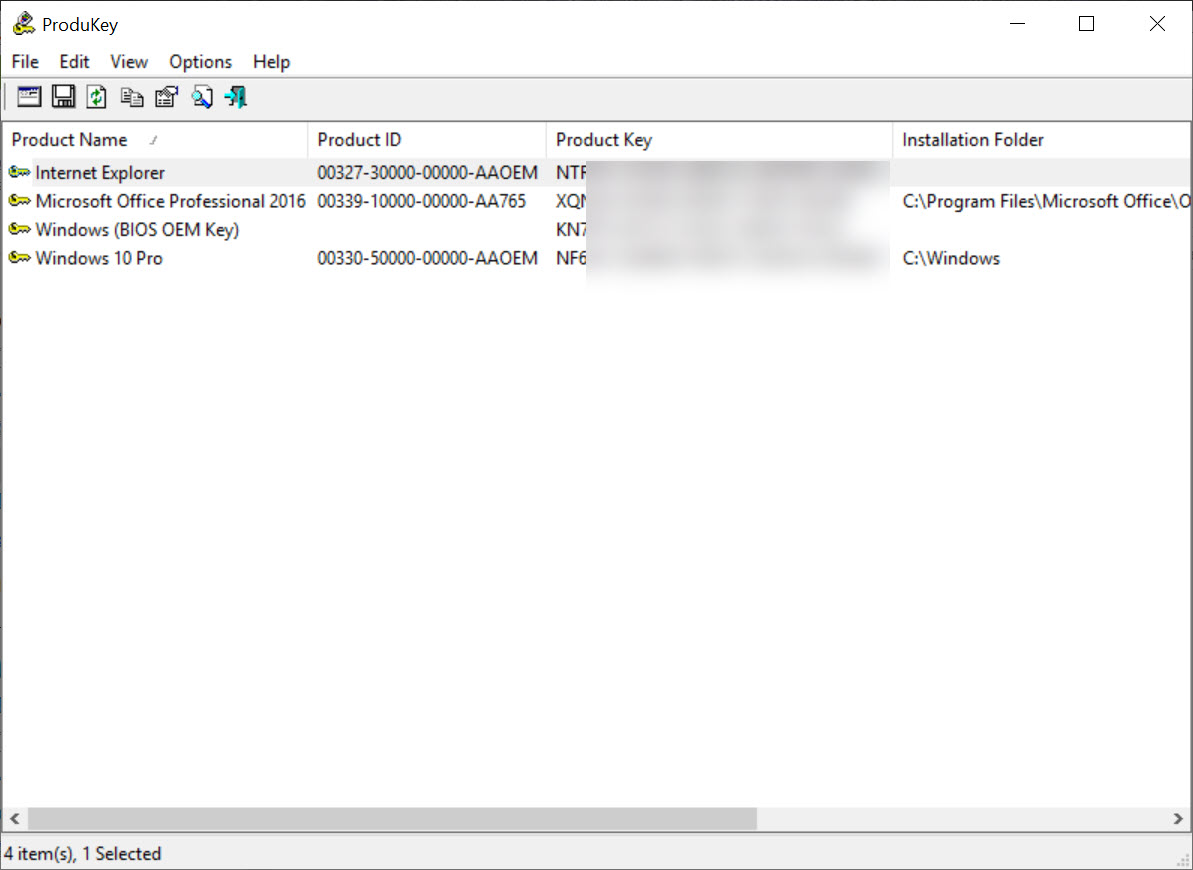
The sticker is gone, the order confirmation sits in an account you no longer use, and the reinstall is happening on Saturday. ProduKey answers that specific panic. Run the executable and it lists every product it can find a licence record for, with the product ID and the key itself in plain text, ready to copy somewhere safer than the machine you are about to wipe.
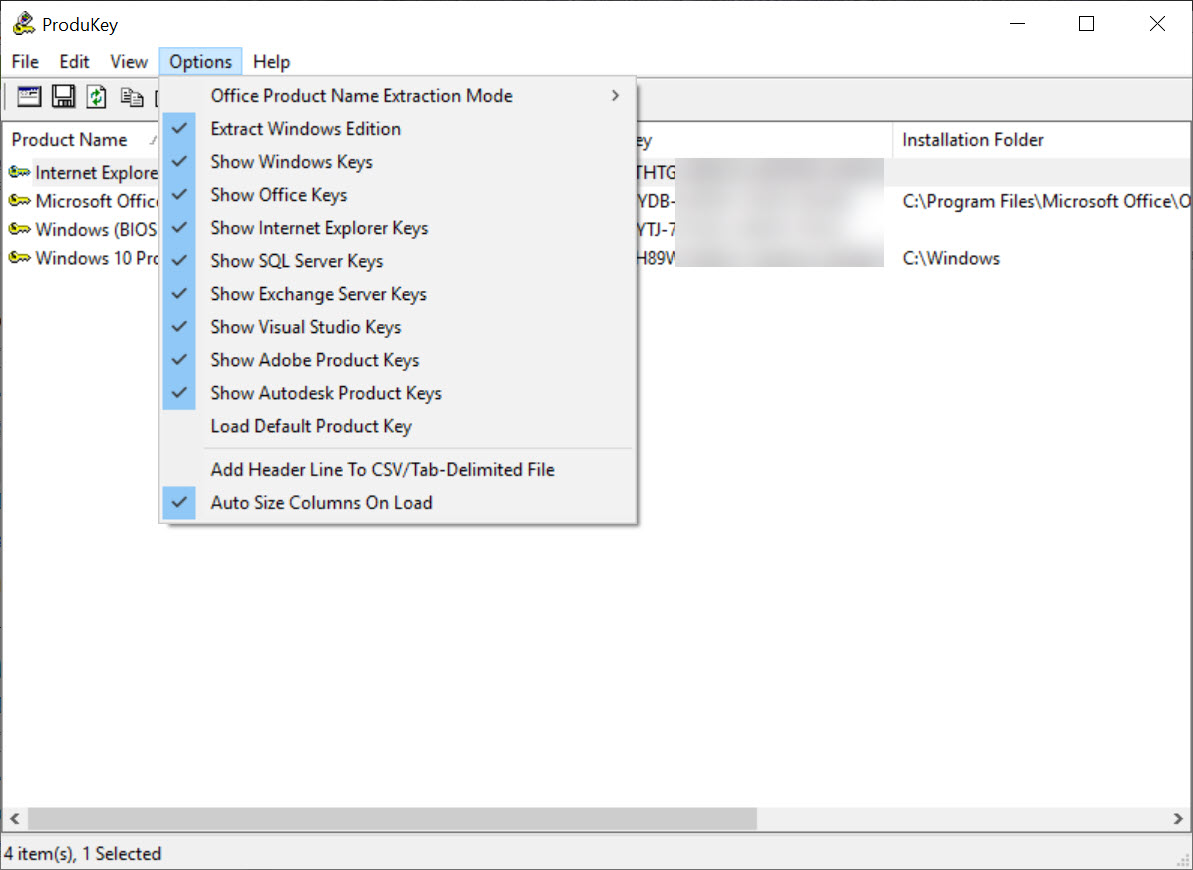
Coverage is narrower than the category name suggests. It reads the operating system, Office, SQL Server and Exchange Server, and nothing else. No third-party applications, no games, no design suites. What it does inside that boundary it does thoroughly, including reading keys out of an installation that no longer starts and pulling them from every machine in a domain.
There is one caveat large enough to belong in the first paragraph rather than buried in a limitations section, and it concerns whether the key you are looking at is real.
More on that below, because it decides whether this tool solves your problem or wastes your Saturday.
What lands in the list
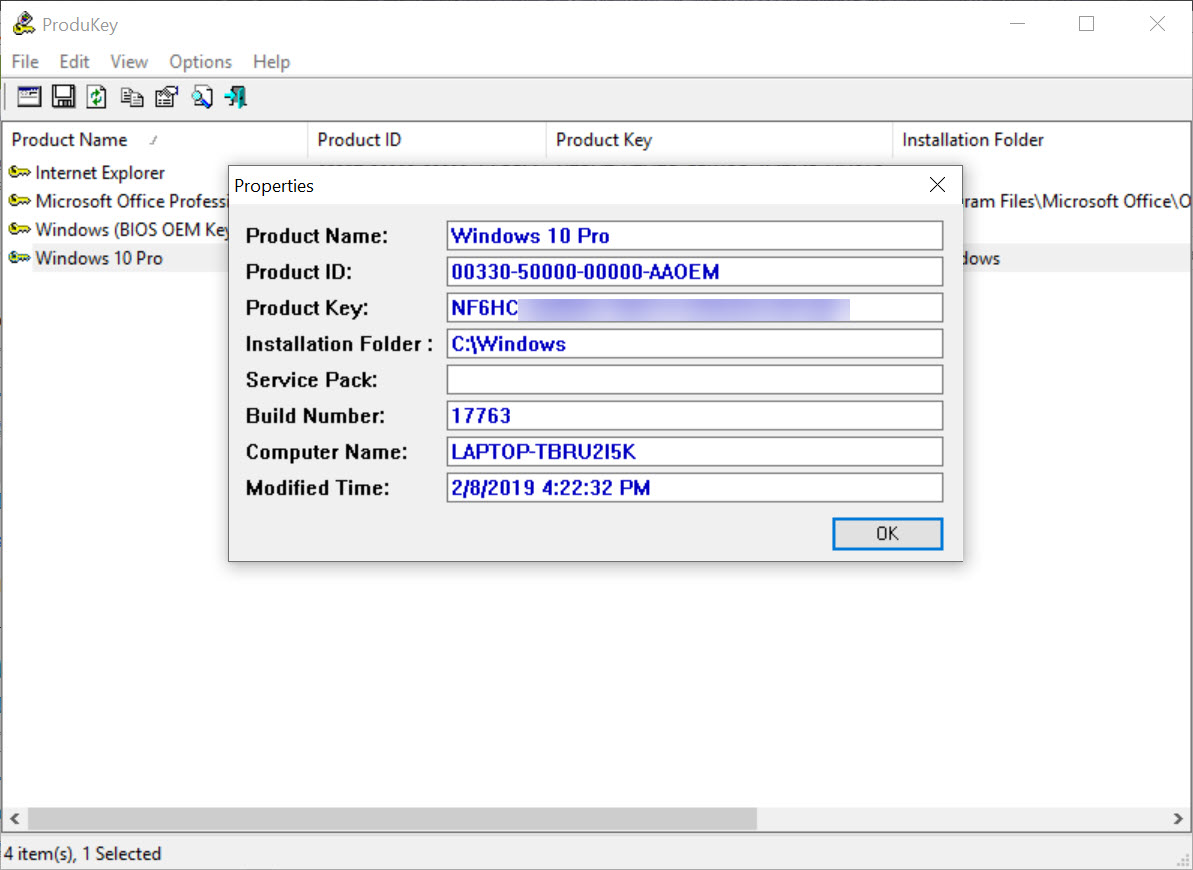
The main window is a grid. One row per detected product, with the product name, the product ID, and the key, plus filters so you can hide product types you do not care about. Selecting rows and copying is the fast path, and Save All Items writes the lot out in one action.
Export formats cover plain text, HTML, XML, comma-separated and tab-delimited, which sounds excessive for a list of four products until you are running it across dozens of machines and want something a spreadsheet will open.
ProduKey also stores its own configuration in a file next to the executable rather than in the registry, so it leaves nothing behind on a machine you were only borrowing.
The generic key problem
Here is the caveat. On older installations the retail key really was stored in the registry, and recovering it worked exactly as advertised. On current releases, activation is increasingly tied to the hardware or to an account, and what sits in the registry is a generic default key shared by every installation of that edition.
ProduKey reports that generic key without flagging it as generic. It looks like a valid result, it is formatted like a valid result, and typing it into a fresh installation achieves nothing. The tell is that the same string appears on other machines running the same edition, which is a comparison most people never think to make.
For preinstalled systems the actual entitlement often lives in firmware instead, and ShowKeyPlus reads that embedded key alongside the registry one and labels which is which. On any reasonably modern machine, that distinction is the whole ballgame.
Reading keys from a system that will not start
This is where the tool still has no real competition. A Select Source dialog on F9 lets you point at something other than the running system, and the options include an external drive and, more usefully, a registry hive file chosen directly.
That direct hive selection matters more than it sounds. Comparable tools expect you to hand them a complete system folder structure with everything in its normal place. ProduKey will take the SOFTWARE hive on its own, wherever you copied it to, which means a disk pulled out of a dead machine and hung off a USB adapter gives up its keys in about a minute.
While you have that drive mounted, it is the obvious moment to salvage the rest. Grabbing the licence keys and then leaving the hardware drivers behind is a false economy, and a tool that backs up the installed drivers turns the same session into a proper recovery.
Collecting keys across a domain
For anyone maintaining a fleet, the remote options in ProduKey are the reason to keep it in the toolkit. A single switch queries one named computer, another reads a list of computer names from a text file, and another sweeps every machine in a specified domain, with a status bar reporting progress as it works through them.
It needs what you would expect. Administrative rights on the targets, the relevant file sharing paths open through the firewall, and remote registry access, which the program can start temporarily on a target where the service is disabled.
When those conditions are not met it tends to return nothing for that machine rather than explaining why, so a sweep across a mixed network usually comes back with gaps you then chase individually.
Treat the result as a snapshot rather than an inventory. Nothing is tracked over time and nothing is reconciled against your licence records, so for an actual audit trail Belarc Advisor produces a report built for that purpose instead.
Output for scripts
Every source option combines with every save option, which is the design decision that makes the program scriptable. Query a remote machine and write the result straight to a CSV file, or read an offline hive and produce HTML, without the window ever needing attention.
The gap is aggregation. Run it across forty machines and you get forty files, because nothing merges them or deduplicates the results. A logon script that dumps one comma-separated file per host into a share works, and then you are writing your own consolidation step. Pair it with a utility that decodes what a product ID actually represents if you also need to know which channel a licence came from.
Conclusion
ProduKey remains the right tool for two jobs. Pulling a licence out of a machine that will not start is the first, and the ability to read a lone registry hive puts it ahead of everything else in that situation. Sweeping a domain for what is installed where is the second, and for a quick answer it beats opening a management console.
What it cannot do is keep up with how licensing actually works now. On a recent machine there may be no key to find, and the tool will show you something that looks like one anyway. Use it with that expectation, verify anything important against a utility that reads the firmware entitlement, and ProduKey still earns its place in a technician’s folder.
Rely on it blindly and you will discover the problem halfway through a reinstall.
Pros & Cons
- Reads keys directly from a SOFTWARE registry hive without needing the surrounding folder structure
- Recovers licences from an external drive whose installation no longer boots
- Remote options cover a single machine, a list of names, or an entire domain
- Any source can be combined with any export format, making it properly scriptable
- Configuration is stored beside the executable rather than in the registry
- Product type filters and Save All Items keep the output manageable
- Returns generic placeholder keys on current installations without indicating they are generic
- Covers only the operating system, Office, SQL Server and Exchange Server
- Remote sweeps fail quietly when permissions or firewall rules block access
- No aggregation of results across multiple machines
- Cannot see entitlements held in firmware or tied to an online account
- Interface is a bare grid with no explanation of what any field means
Frequently asked questions
Because preinstalled and digitally licensed systems keep a generic default key in the registry rather than the one you were issued. The real entitlement is either embedded in firmware or held against an account, and neither is visible to a registry reader.
Yes, and this is its strongest use. Connect the drive, open the Select Source dialog, and point it at either the installation folder or the SOFTWARE hive file directly.
No. Its scope is the operating system, Office, SQL Server and Exchange Server. Keys for other applications sit in places it does not look.
It can, given administrative rights and remote registry access on the targets. Expect gaps where a firewall or a permissions difference blocks the query, since failures are reported as empty results.
Yes. Save switches produce plain text, HTML, XML, comma-separated or tab-delimited output, and they combine with the remote and offline source options for unattended runs.


