

Altus
About Altus
Altus is a desktop client for WhatsApp Web that drops the messaging service into its own standalone window and then bolts on the things the official web version never offered. You get multiple accounts at once, custom themes, and a level of visual control that turns a fairly rigid chat app into something you can actually make your own. If you’ve ever wished you could run your personal and work WhatsApp side by side without juggling browser tabs or a second phone, this is the tool built for exactly that frustration.
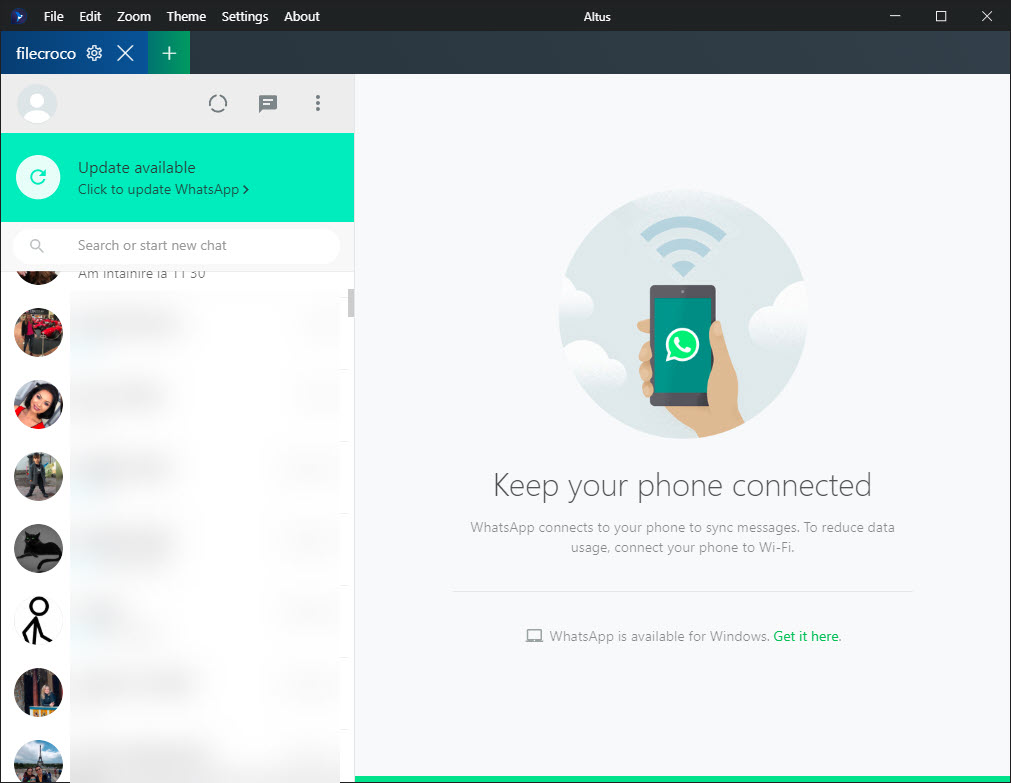
At its heart it’s a wrapper around WhatsApp Web, but calling it just a wrapper undersells what it adds. Altus gives each account its own tab in a single window, so you can keep two, three, or more numbers signed in simultaneously, each with its own name and its own look. Add proper desktop notifications, a tray icon, and a theme engine that lets you recolor nearly every part of the interface, and you’ve got a far more flexible way to use WhatsApp on a computer than the browser ever managed.
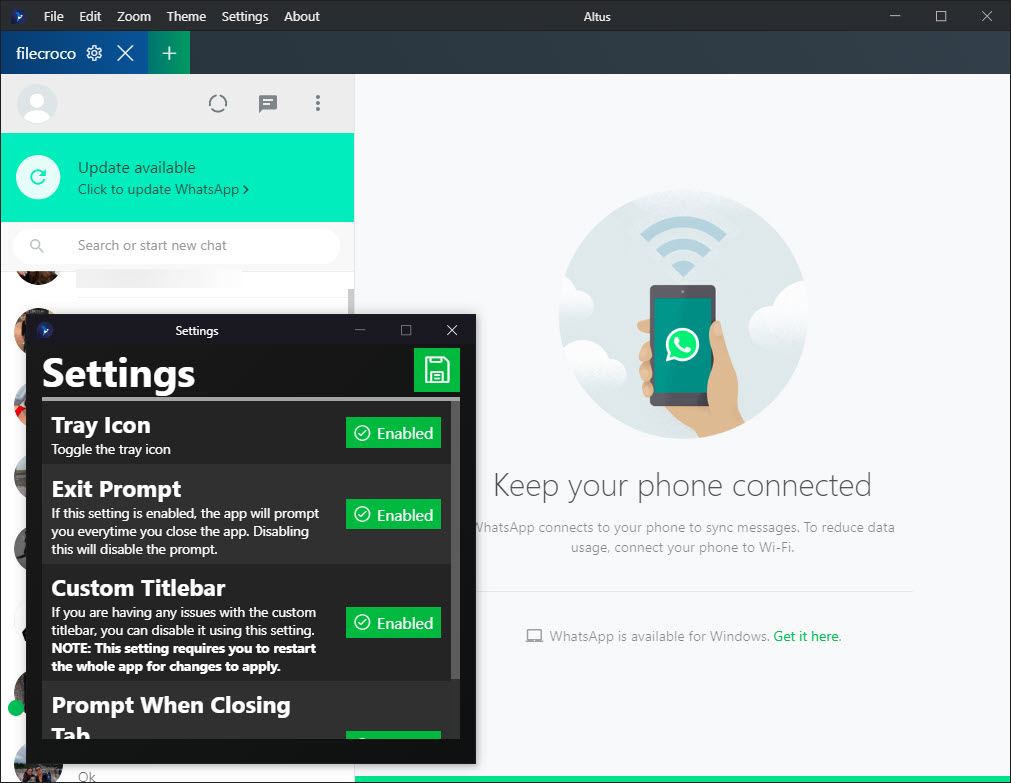
And it stays out of your way once it’s set up. There’s a tray presence so the window can hide instead of cluttering your taskbar, notification controls so you decide what pings you, and a handful of global options for the small annoyances (the exit prompt, the tray behavior) that other clients never bother to expose.
Running multiple accounts in one window
The headline feature is multiple accounts, and Altus handles it through a simple tab bar. Each tab is a fully separate instance of WhatsApp Web, linked to its own number via the usual QR code scan. Name them whatever helps you tell them apart (Work, Personal, that side project), and switching between them is a single click instead of logging out and back in.
This matters more than it sounds. The official web client ties you to one account per browser session, which means a second number forces you into a private window or a different browser entirely. Here they coexist cleanly, each remembering its own login, each firing its own notifications. For anyone running a small business off a separate WhatsApp number, that alone justifies the download.
If you’d rather corral several different messaging services (not just WhatsApp) into one hub, Franz takes the broader approach, though it won’t give you this depth of per-account theming.
Themes and the customizer
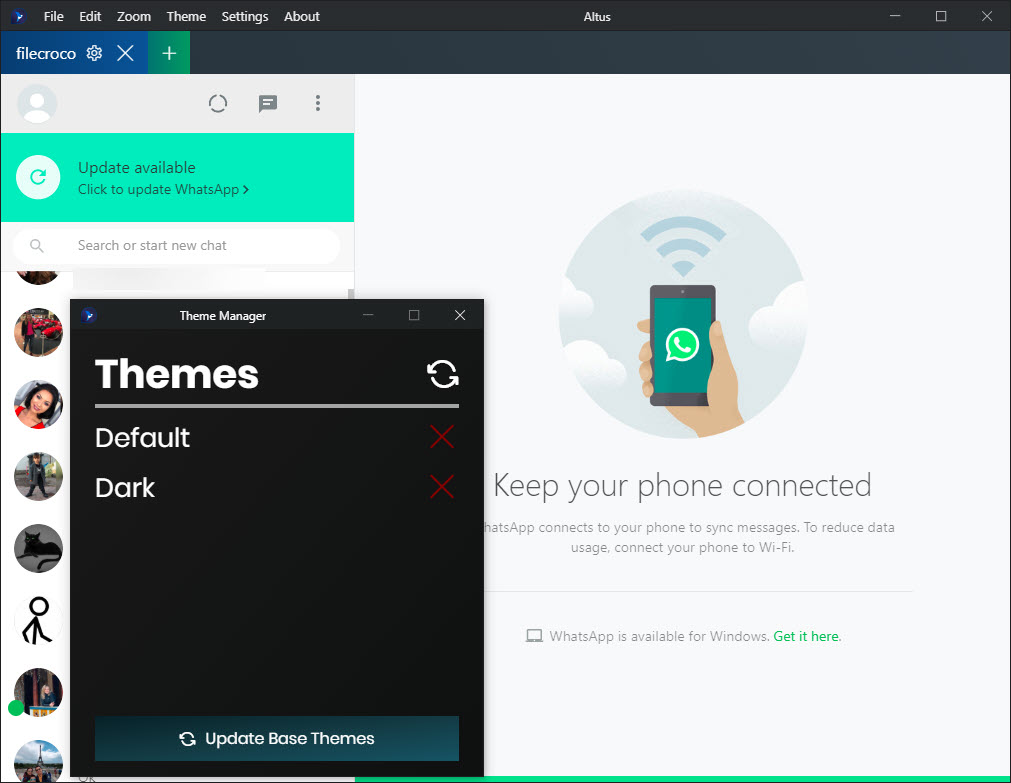
This is where the application really separates itself. Out of the box you get a couple of modes, including a genuinely dark dark mode rather than the half-hearted grey some apps pass off. But the real draw is the Theme Customizer. Open it and you can change the main and secondary background colors, the text colors, the accent color, the icon color, even the shadow color and the opacity of emoji.
If that still isn’t enough, you can write your own CSS theme from scratch and load it in. That’s an unusual amount of control for a chat client, and it’s the kind of thing that turns a tool people try once into one they keep, because they’ve shaped it around their own taste.
The same instinct drives add-ons like BetterDiscord for a different platform, and if you live in WhatsApp all day, being able to soften the contrast or match your own color scheme is a small comfort that adds up.
Why use a wrapper at all?
It’s a fair question. WhatsApp Web works in any browser, so why install a dedicated client? The honest answer is that a browser tab is fragile. It gets lost among twenty others, it doesn’t notify reliably when minimized, and it certainly won’t run two accounts together. A standalone window fixes all of that. Altus behaves like a real application. It lives in your tray, it surfaces notifications properly, and it doesn’t vanish when you accidentally close the wrong tab.
There’s a trade-off worth naming. Because the app is built on a web-wrapper framework, it carries the memory footprint that comes with that approach, so it’s heavier than a tiny native messenger would be.
If you’re squeezing performance out of an older machine, that’s a real consideration. For most people, though, the convenience easily outweighs the overhead.
Notifications, tray, and the small touches
Beyond the big features, Altus sweats the details that make daily use pleasant. Notifications can be toggled per account, so your work tab can stay loud while your personal one goes quiet during the day. The tray icon can be hidden or shown depending on whether you want the app visible at a glance. And the exit prompt (that little “are you sure?” dialog) can be switched off once you’re tired of confirming.
None of these are revolutionary on their own. Together they’re the difference between a rough hack and something that feels finished. A lot of unofficial clients nail one feature and ignore the ergonomics around it. This one mostly gets the ergonomics right, which is harder than it looks.
For a more general desktop messenger experience around community chat rather than WhatsApp, Discord covers different ground entirely, but the appeal (a proper app instead of a browser tab) is the same.
Conclusion
If you juggle more than one WhatsApp number, or you simply want the messaging service to live in a real window you can style to your liking, Altus is an easy recommendation. It nails the two things people actually want from an unofficial client, multiple accounts and genuine customization, and it surrounds them with notification and tray controls that make it comfortable to leave running all day.
The reservations are minor and predictable. It’s heavier than a bare-bones app, and it can only do what WhatsApp Web allows underneath. But for the user who wants a flexible, good-looking, multi-account desktop home for their chats, this delivers more polish and control than you’d expect from a free tool, and far more than the plain browser version offers.
Pros & Cons
- Runs multiple WhatsApp accounts at once, each in its own named tab
- Deep theme customizer covering background, text, accent, icon, and shadow colors
- Supports fully custom CSS themes for users who want total control
- Reliable desktop notifications that work better than a minimized browser tab
- Tray integration and global options for a cleaner, less intrusive experience
- Built on a web-wrapper framework, so it uses more memory than a native app
- It mirrors WhatsApp Web, so anything the web version can't do, it can't either
- The theme customizer can overwhelm users who just want a quick dark mode
- Relies on the same QR code linking, so your phone still has to stay connected
Frequently asked questions
There's no strict limit imposed by the app. You add a new tab for each account, link it with its own QR code, and they all run side by side in one window, each keeping its own login and notifications.
Yes. The Theme Customizer lets you adjust individual colors for backgrounds, text, accents, icons, and shadows, and if you want to go further you can write a complete CSS theme of your own and load it into the application.
It adds multiple-account tabs, full theming, proper desktop notifications, and tray integration. It can't add features to the underlying chat itself, since it mirrors WhatsApp Web, but it wraps that service in a far more flexible desktop shell.
Yes. Because it works through WhatsApp Web, each account links by scanning a QR code, and the service depends on that same connection model. The app is a desktop front end, not a replacement for your phone's session.
It's built on a framework that essentially runs a stripped-down browser engine behind each window. That gives it cross-account flexibility and theming, but it also means a larger memory footprint than a small native messenger would have.


