

Hard Disk Sentinel
About Hard Disk Sentinel
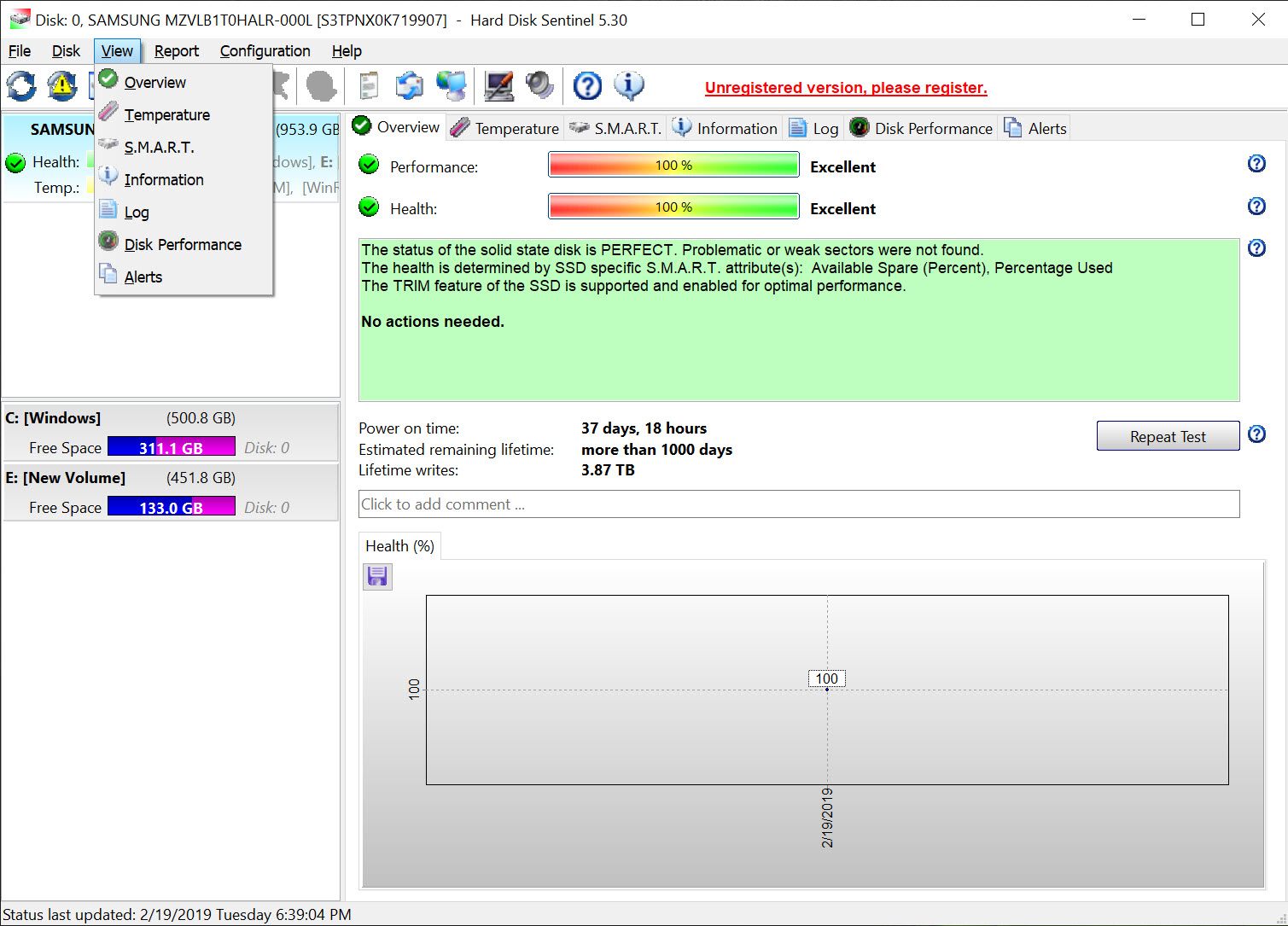
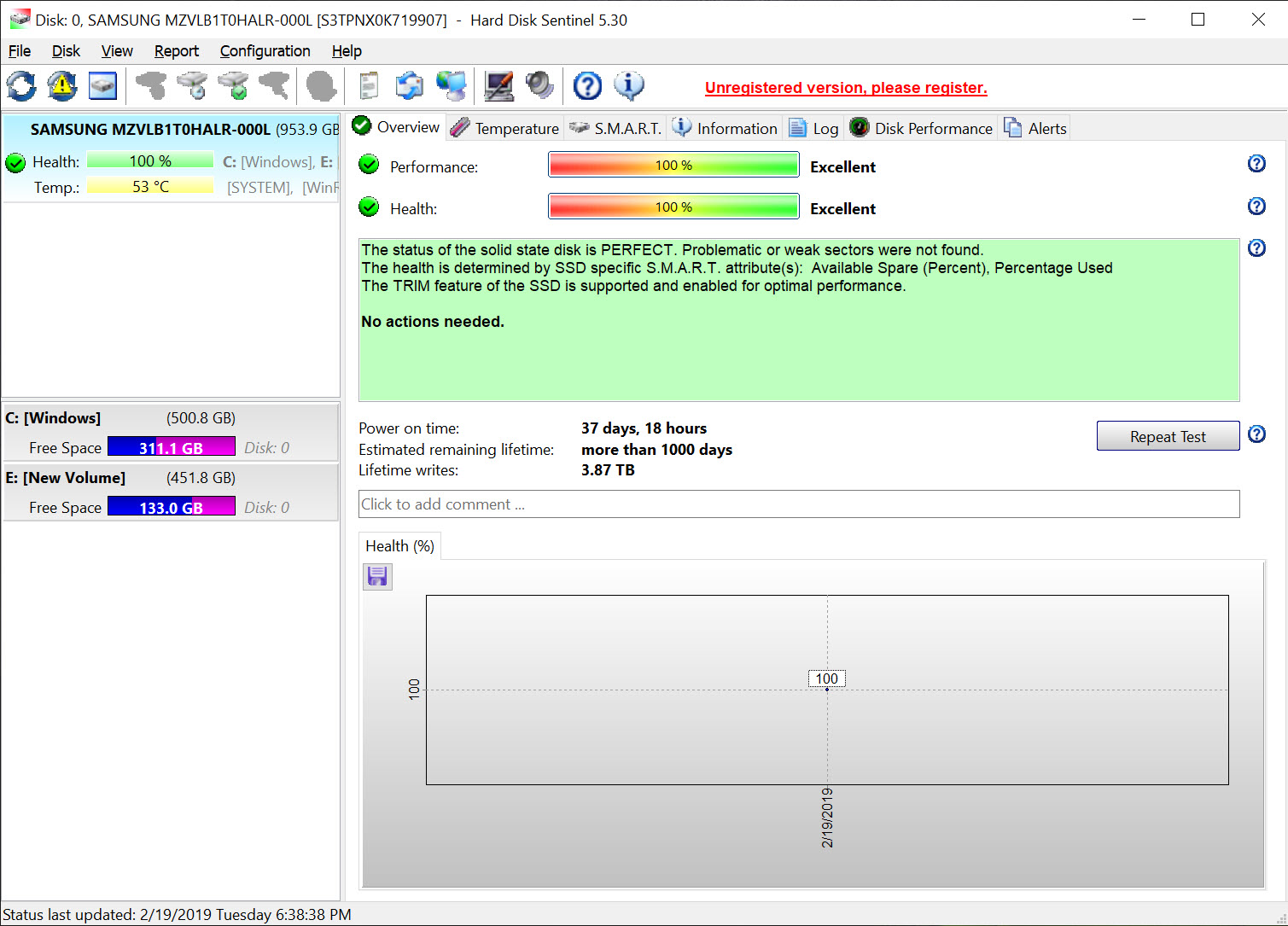
Hard Disk Sentinel watches your drives so you find out they’re dying before your files do. Every hard drive and SSD keeps an internal diary of its own condition, reallocated sectors, spin-up trouble, wear levels, temperatures, and this tool reads that diary constantly, translates it into a plain health percentage, and tells you in actual sentences what’s wrong and how urgently to care.
Where most disk tools show you a wall of raw attribute numbers and wish you luck, this one says the drive has weak sectors, explains what that means, and suggests you back up now. That translation, from hexadecimal gibberish to a verdict a human can act on, is the heart of the product.
The monitoring never stops. Hard Disk Sentinel sits in the tray from startup, polling every drive it can see, internal disks, SSDs, external USB drives, and keeps a running history of each one. Health and performance get their own percentages per drive, temperatures are tracked with configurable warning levels, and the moment anything degrades, the change is logged and you’re told.
For a failure that develops over weeks, and many do, that history is the early warning system that turns a catastrophe into an errand.
Estimated remaining lifetime is the feature people remember. Based on wear trends and health decline, the tool projects how long a drive plausibly has left, and for SSDs, whose lifespan is genuinely countable in written data, that estimate carries real information.
Treat it as a weather forecast rather than a prophecy and it’s one of the most useful numbers a machine can show you.
Health percentages and plain-language verdicts
The self-reported condition data drives everything, but interpretation is where this tool separates itself. Raw attributes are cryptic by design, and a viewer like CrystalDiskInfo shows them honestly and freely, which is plenty for people who already know that a rising reallocated sector count spells trouble.
Hard Disk Sentinel does that reading for you, weighs the attributes the way a technician would, and produces the two percentages plus a text description of the specific problem in ordinary language.
The difference matters most at the edges. A drive can pass a naive check while quietly deteriorating, and the weighted analysis catches patterns a single glance misses. Just as importantly, the tool resists false comfort in the other direction.
Its documentation and its verdicts are honest that a clean bill of health reduces risk rather than eliminating it, because drives do occasionally die without warning, electronics first, and no monitoring reads the future. The percentages are the best available estimate, not a warranty.
Alerts that act, not just nag
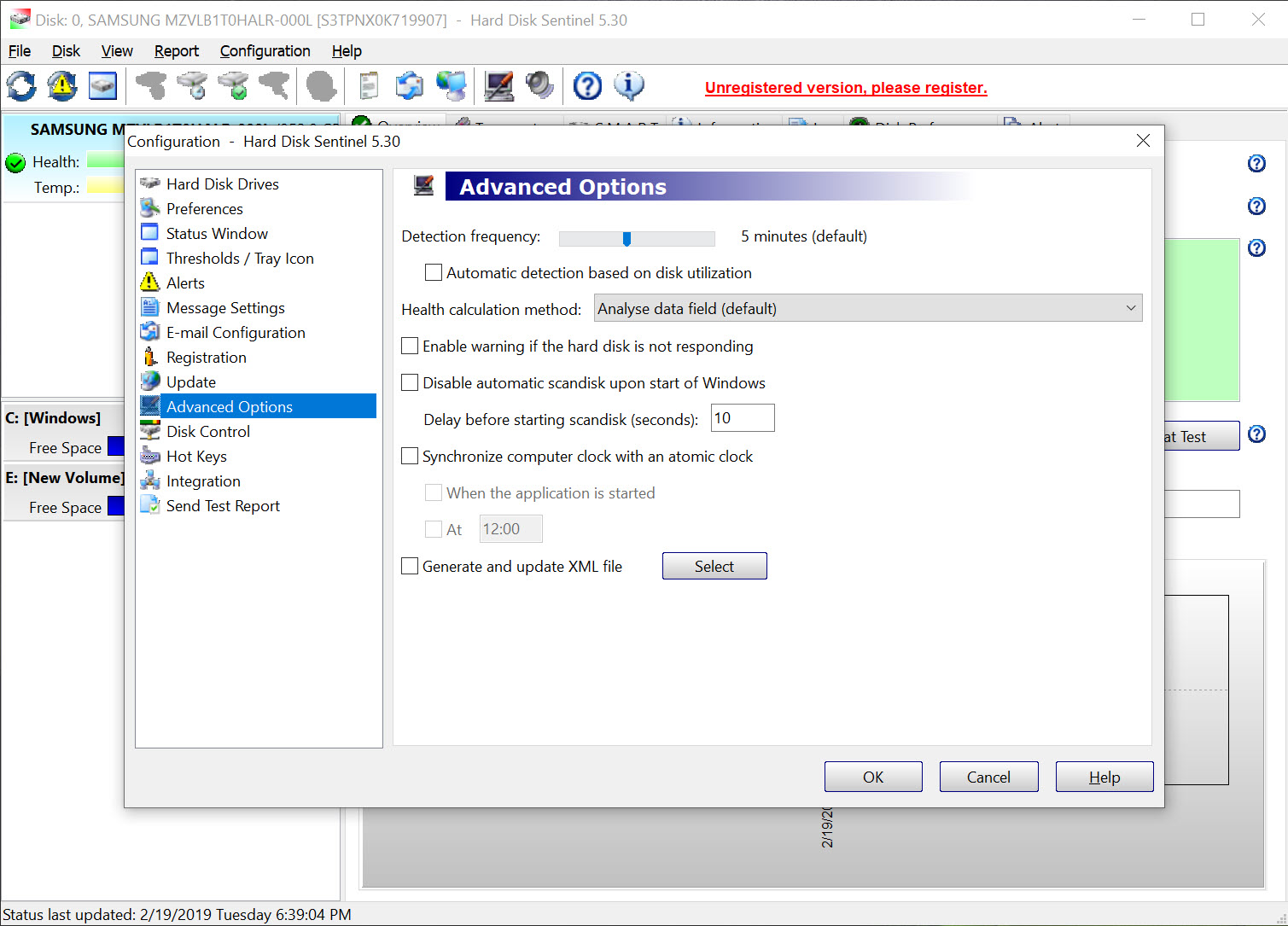
Detection without response is half a product, so the alert system goes further than a popup. Hard Disk Sentinel can warn by message and sound, send email when a drive crosses a threshold, and, critically, trigger actions. On detected degradation it can launch a backup job automatically, and on overheating it can shut the machine down before the hardware cooks. For a computer that runs unattended, a home server, a machine at a relative’s house you maintain remotely, an office box nobody watches, this is the difference between monitoring and protection.
Temperature deserves its own mention because it quietly kills drives. The tool tracks every disk’s temperature continuously, graphs the history, and flags drives that run hot, which is often the first sign of a failing fan or a case choking on dust.
Fixing a thirty-degree problem costs a screwdriver and ten minutes. Ignoring it costs a drive.
Testing when you suspect trouble
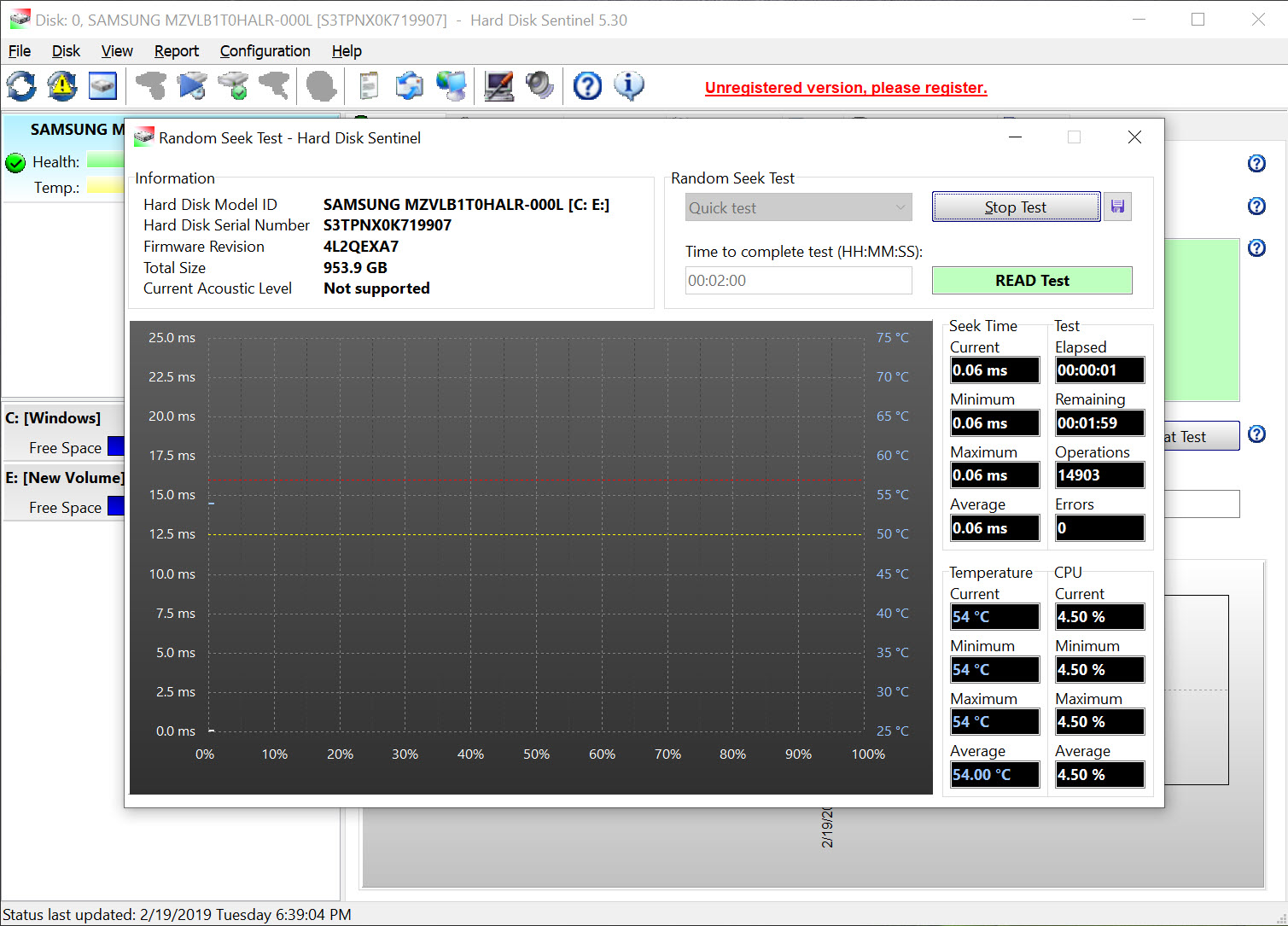
Beyond passive listening, the tool interrogates. Built-in self-tests ask the drive to check itself, short ones in minutes, extended ones in hours, and surface tests read across the entire disk hunting for weak and unreadable areas, with more intensive write-based tests available for drives whose contents no longer matter. When a drive starts clicking, hesitating, or throwing errors, this is how you move from suspicion to diagnosis, and the results feed back into the health assessment.
Set expectations on time. A full surface scan of a large drive is an hours-long affair by physical necessity, and the intensive tests are destructive to data by design, clearly labeled as such. For a second opinion or specialized scanning patterns, the free HDDScan covers similar diagnostic ground, and disagreement between tools on a marginal drive usually means the same thing agreement does. Stop trusting the drive.
What the verdicts should trigger
A monitoring tool is only as valuable as what you do with its warnings, so the honest advice writes itself. The moment Hard Disk Sentinel reports declining health, the correct response is a current backup, and the tool’s own automation can start one, with a proper imaging program like AOMEI Backupper handling the full-system copies that make a dying drive a non-event.
Files already lost to a failing disk are a job for recovery software like Recuva, and the standing rule is to recover first and test the hardware after, never the reverse, because every test spins a dying drive closer to the end.
On editions, the essential monitoring is available to try freely, while the complete feature set, the full alert actions, some test types, sits in the paid tiers. For a tool whose job is protecting years of files, the split is worth knowing rather than resenting, and plenty of users find the trial’s verdict on their drives decides the question for them.
Conclusion
Hard Disk Sentinel is the drive-health tool for people who want a verdict, not homework. It reads what your disks say about themselves, explains it in sentences, tracks the trend over months, and can act on trouble automatically, which together turn most drive failures from disasters into scheduled replacements. Anyone with irreplaceable files, aging hardware, or machines that run unattended is the audience, which is to say nearly everyone who’d read this far.
It costs money for the full experience, and no software repeals the physics of sudden failure, so backups remain non-negotiable regardless. Within those honest limits, it’s the most articulate early-warning system a drive can have, and drives, sooner or later, all give you something to be warned about.
Pros & Cons
- Translates raw drive health data into percentages and plain-language explanations
- Continuous monitoring with full history shows degradation as a trend, not a surprise
- Estimated remaining lifetime is genuinely informative for SSD wear
- Alerts can trigger automatic backups or shutdown, not just warnings
- Built-in self-tests and surface scans turn suspicion into diagnosis
- The complete feature set requires a paid edition
- Health estimates cannot catch the sudden failures no software predicts
- Full surface scans of large drives take many hours
- The information-dense interface can overwhelm a first-time user
Frequently asked questions
It's a weighted interpretation of the drive's self-reported condition data, where problems like reallocated and weak sectors pull the score down according to severity. It's the best available estimate of the drive's state, valuable as a trend, but not a guarantee against sudden failure.
Trust the noise. Health data reflects what the drive reports about itself, and mechanical problems sometimes outrun the reporting. Back up immediately, then run the tool's self-tests and a surface scan, which examine the drive more directly than passive monitoring can.
Yes, in most cases. It reads health data from external drives whose enclosures pass the information through, which the majority do, and monitors their temperature and status alongside internal disks.
For SSDs it's grounded in measurable wear and quite meaningful. For mechanical drives it's a projection from the health trend, useful as an order-of-magnitude signal rather than a countdown. Either way, a shrinking estimate is a message about backups.
Back up first, before any testing, because tests work a weakening drive harder. With your data safe, run the diagnostics to gauge severity, and treat a drive with growing bad sectors as one you're migrating away from, not one you're nursing back.


