

Mullvad
About Mullvad
Signing up for a privacy service usually begins by handing over an email address, which is a strange way to start. Mullvad does not ask for one. There is no username, no password and no account in the ordinary sense. You press a button, receive a randomly generated number, and that number is your entire identity to the service.
Everything else about the product follows from that decision, and it is the reason this one gets recommended by people who take the subject seriously rather than by people comparing feature tables.
The number is all there is. Write it down, because losing it means losing access with no recovery process, since there is no email address to send a reset link to and nothing else tying the account to you.
Paying without identifying yourself
A Mullvad account number achieves little if the payment carries your name, and the arrangement is consistent about this. Cards are accepted for convenience, and so are cryptocurrency and cash sent through the post with the account number written on a slip of paper.
That last option sounds eccentric and is the logical endpoint of the design. Somebody who needs no link between their identity and the service can generate a number offline, post an envelope, and never provide a single piece of identifying information.
Most people will use a card and benefit from the account model anyway, because the service still holds no email address, no name and no password for them. For the alternative of running your own tunnel to a server you control instead of trusting anybody, OpenVPN is the software and the entire arrangement is your responsibility.
The servers themselves
Infrastructure is where a service either matches its promises or quietly does not, and this is one of the areas the design is unusually deliberate about.
Servers run without writing to disk, holding the operating system in memory alone, so a machine that loses power retains nothing and a machine physically seized reveals nothing. That is the technical expression of a no-logging policy rather than a statement about intentions.
A growing share of the network is owned rather than rented, which removes a data centre operator as a party with physical access. Five devices are covered per account, which is the industry norm and considerably less generous than services that stopped counting, IPVanish being the notable example of the opposite approach.
What the client actually protects
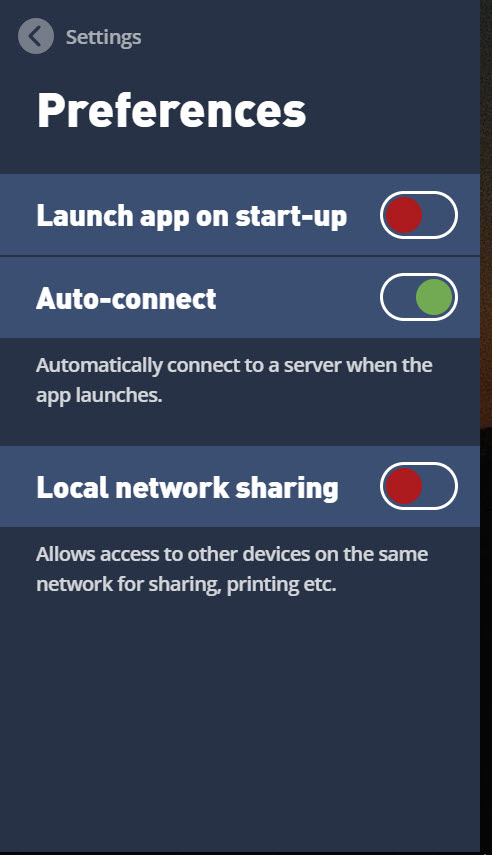
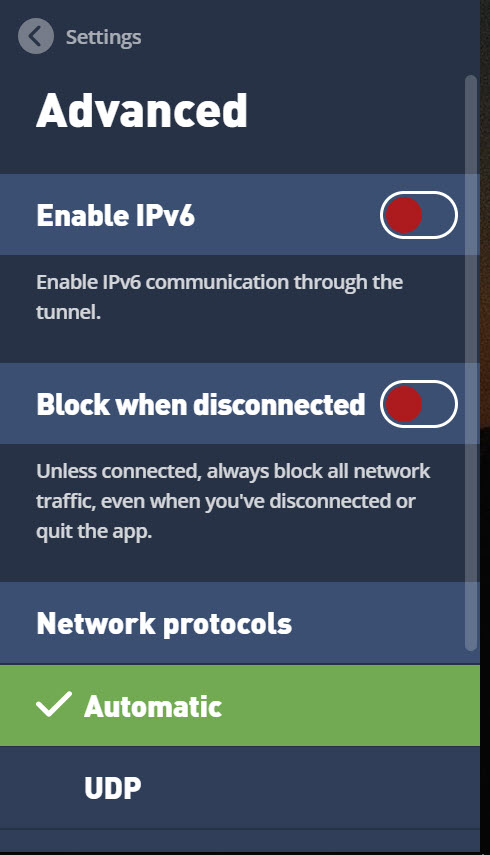
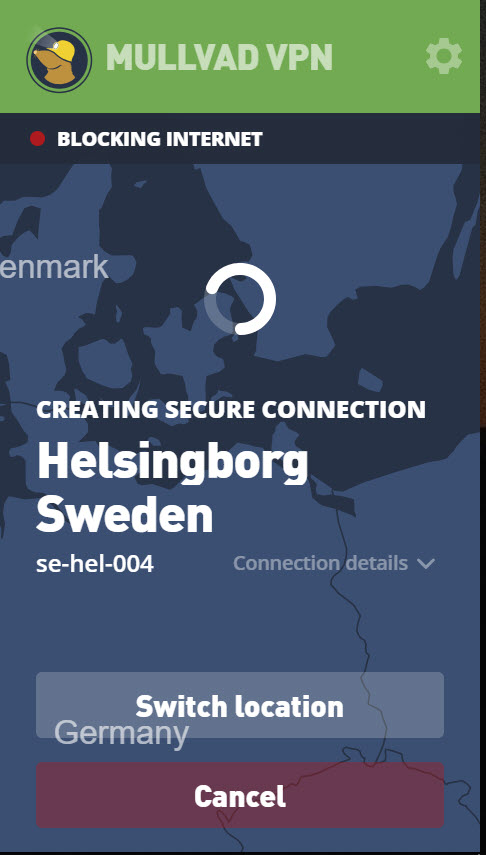
The Mullvad protections are the expected set implemented properly. A kill switch blocks traffic entirely when the tunnel drops rather than letting it revert silently. Leak protection covers name lookups and the newer addressing protocol, both of which escape unprotected on badly configured setups.
Split tunnelling excludes chosen applications, which solves the banking application that objects to foreign addresses and the local device you cannot otherwise reach. Custom name servers are configurable, with options that block advertising, trackers and malware at the lookup stage.
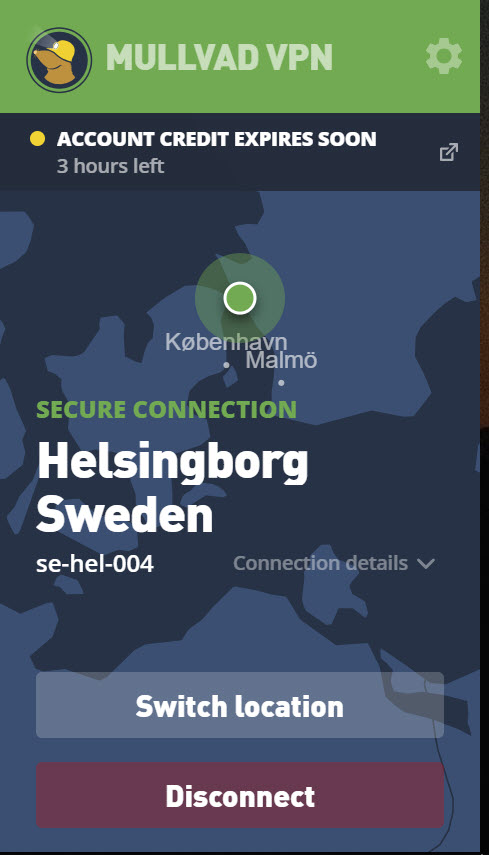
Multihop routes through two servers rather than one, making traffic correlation harder at a cost in speed. For enforcing the same outcome from outside the application, so that a client failure cannot leak anything, a firewall that blocks chosen programs from the network entirely is the belt to the client’s braces.
Defending against traffic analysis
Here is the Mullvad feature nothing else in this category offers, and it addresses a threat most services ignore because addressing it costs performance.
Encryption hides what you are sending and not the shape of it. The sizes of packets and the timing between them form a pattern, and those patterns can identify which website somebody is visiting even when every byte is encrypted. Analysis of that kind has become considerably more effective.
The defence adds padding and noise, sending packets of uniform size and injecting traffic that carries nothing, so the shape reveals less. It consumes bandwidth deliberately in exchange for that, which is why it is optional and why nobody offering the fastest speeds wants to talk about it.
Whether you need it depends entirely on who you think might be watching. For most people it is unnecessary, and for the people it is aimed at nothing else provides it.
Open, audited, and demonstrated
Claims about logging are worth what verifies them, and Mullvad provides rather more than most. The clients here are published openly so anybody can read what they do, builds are reproducible so the published source can be shown to match the distributed program, and independent auditors have examined both the applications and the infrastructure.
There is also a practical demonstration of the sort no marketing department can arrange. Authorities have arrived with a warrant and left with nothing usable, because there was nothing stored to take. A no-logging policy tested that way carries more weight than one described on a web page.
ProtonVPN publishes its own audits and open clients, and is the usual comparison for anybody weighing these questions rather than comparing server counts.
What it deliberately does not do
This is where a Mullvad review turns unusual, because the honest limitation is one the provider states themselves rather than one a reviewer uncovers.
It is not built for reaching streaming catalogues from other countries. That works sometimes and fails often, and no effort goes into the continuous game of evading detection that services marketing themselves on it play daily.
Anybody whose reason for subscribing is watching a catalogue from elsewhere should choose accordingly, and be aware that this is the one requirement this product will disappoint. Windscribe puts considerably more effort into that particular problem.
Server coverage is the related limitation. The network is smaller than the giants offer, weighted towards countries where the legal environment suits the purpose, so somebody needing a specific unusual country should check before committing.
What no service in this category can do
The structural point applies to Mullvad as to everything else here, and it deserves stating even in a positive review.
A tunnel does not remove an observer from your traffic. It changes which observer sees it, so your connection provider loses visibility and the tunnel operator gains it. Everything above is about making that operator worth trusting, through having nothing to hand over, publishing the code, submitting to audits and knowing as little about you as possible.
That is a considerably better answer than most, and it is not anonymity. Anonymity is a harder problem requiring different tools, and any service claiming to provide it with one button is overselling.
Conclusion
Mullvad is what a privacy service looks like when the privacy is the product rather than the marketing. No email, no password, payment that need not carry your name, servers holding nothing on disk, open clients, real audits, and a no-logging claim that has survived contact with a warrant.
The trade is deliberate and clearly stated. Streaming catalogues frequently will not open and the network is smaller than the giants offer. If your reason for wanting one of these is watching something from another country, this is the wrong choice and honestly so. If your reason is that you would rather whoever protects your traffic knew nothing about you at all, nothing else comes close.
Pros & Cons
- No email address, username or password, only a generated account number
- Anonymous payment routes including cash through the post
- Servers run without disks, so a seized machine holds nothing to reveal
- Kill switch, leak protection and split tunnelling all properly implemented
- Traffic analysis defence that pads and shapes traffic, which nothing else offers
- Clients published openly with reproducible builds
- Independent audits of both applications and infrastructure
- A no-logging claim demonstrated under a warrant rather than merely asserted
- Losing the account number means losing access, with no recovery process
- Streaming catalogues from other countries frequently do not work
- Server network is smaller than the largest competitors offer
- Five devices, where some services have stopped counting entirely
- No trial period, so evaluation means committing to a stretch of time first
- The traffic analysis defence consumes bandwidth and slows the connection
Frequently asked questions
No. Signing up produces a randomly generated account number and nothing else. There is no username, no password and no email, which means there is also nothing linking the account to you.
Access is lost with no recovery. Nothing else identifies the account, so no reset process can exist. Writing the number down somewhere safe is the whole of account security here.
Often not, and the provider does not claim otherwise. No effort goes into evading the detection those services apply, so anybody subscribing chiefly for that will be disappointed.
Adds padding and artificial traffic so packet sizes and timing reveal less about what you are doing. Encryption hides content while the shape of traffic can still identify a destination, and this obscures that shape at a cost in bandwidth.
Five, which matches most of the industry. Services that have stopped counting devices entirely are more generous, and that is a genuine point of comparison if a household is what you are covering.
No, and it does not claim to. It changes who observes your traffic and works hard at knowing nothing about you, which is privacy rather than anonymity. The latter needs different tools and considerably more care.


