

balenaEtcher
About balenaEtcher
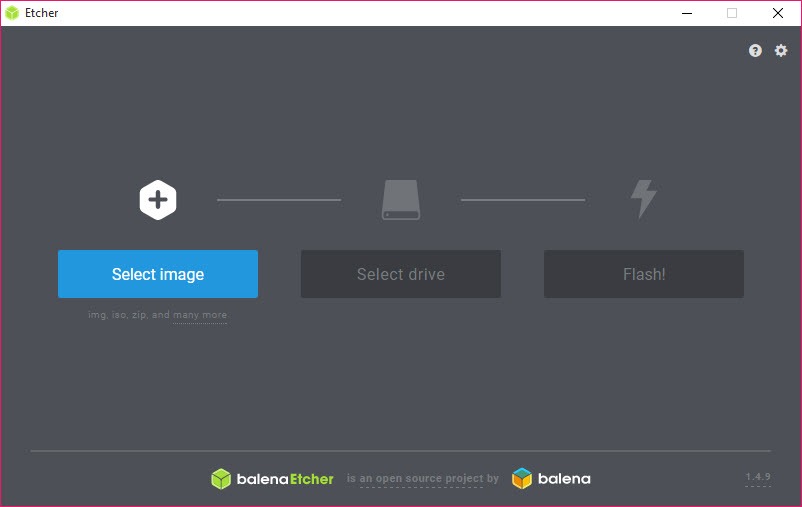
balenaEtcher writes disk images to USB sticks and SD cards, and it does it in three clicks with almost no decisions to make. Pick an image, pick a drive, press Flash. There are no partition scheme options, no filesystem menus, no cluster size dropdowns. That reduction is the whole product, and it is either exactly what you want or infuriating, depending on what you came to do.
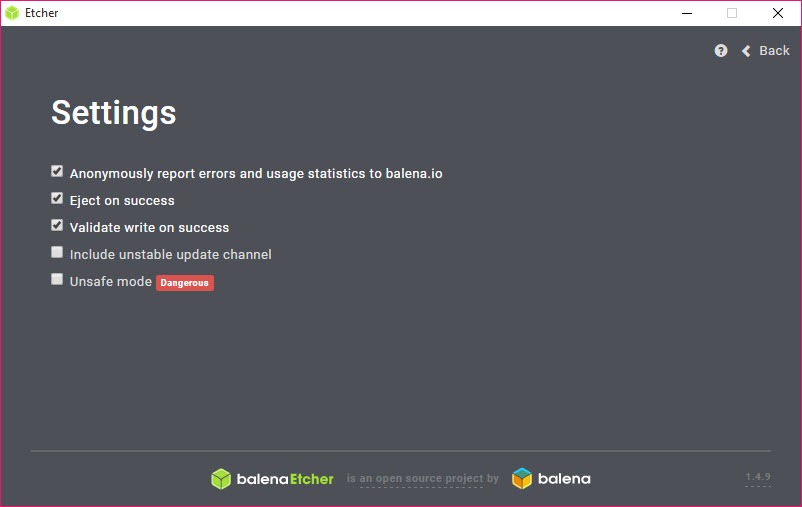
The thing that separates it from a dozen similar utilities is that it checks its own work. After writing, balenaEtcher reads the drive back and compares it against the source, which catches the failure mode that ruins afternoons, a write that reported success on a card that was quietly dying.
Anyone who has stared at a Raspberry Pi refusing to boot with no explanation understands why that matters.
Raw writing, and what it does to your drive
This is not copying files onto a formatted stick. balenaEtcher writes the image byte for byte from sector zero, which means the partition table, the filesystem and the boot code all come from the image rather than from anything you chose. Whatever was on the drive is gone, including its partition layout.
That has a consequence people find alarming. Flash a small system image to a 128 GB stick and afterwards the drive reports a few hundred megabytes, because the drive now carries the image’s partition table and the rest of the capacity is unallocated. Nothing is broken. You reformat when you want the space back, and that is the only way to get it.
Raw writing is also why it does not care what is inside the image. A disk image for an obscure single-board computer works exactly the same as a desktop installer, since neither is being interpreted. If you want the same behaviour without the interface, a bare-bones raw image writer does the identical job in about a megabyte.
The verification pass is the reason to use it
After the write finishes, a second pass reads the whole drive back and compares it against the source. On a slow stick that roughly doubles the total time, and the first instinct is to look for the setting that turns it off.
Resist that instinct. Flash media fails in the least helpful way possible, accepting writes and returning garbage, and cheap cards bought in multipacks do it more often than anyone admits. A tool that skips verification hands you a stick that looks finished, and you find out three reboots later. balenaEtcher is slower than the alternatives specifically because it refuses to lie to you about the result.
Formats, and the archives it unpacks on the way
ISO and IMG are the obvious ones. Compressed archives also go in directly, and balenaEtcher decompresses them during the write rather than making you extract first, which saves a full copy of a multi-gigabyte file on your drive.
There is a restriction on archives that catches people. The archive has to contain exactly one image. A ZIP with an image plus a readme plus a checksum file, which is how a lot of projects distribute their releases, gets refused and you have to unpack it yourself.
Slightly maddening, given how common that packaging is.
Flashing from a URL, and cloning one drive to another
Two options sit alongside the file picker and both are quietly useful. Flash from URL takes a link to an image and streams it straight to the drive, so on a machine with little free space you never store the download at all. It is the right tool when you are writing a 6 GB image to a laptop with 8 GB free.
Clone drive copies one removable drive to another sector by sector. That makes duplicating a working card trivial, which is what you need when a project has been configured by hand and you want a spare before you break it.
It also copies the free space as zeroes, so cloning a 64 GB card takes 64 GB of time regardless of how full it was.
Writing several drives in one go
Select more than one target and they all get written together, each with its own progress bar and its own verification. For anyone preparing a classroom set or a batch of identical devices this turns an hour of babysitting into one operation.
Do temper the expectation. The drives share bandwidth, so eight sticks on one hub do not finish in the time one takes, and a single slow card holds up nothing but its own bar. In practice four decent drives on a powered hub is where the returns start flattening out.
How it keeps you from wiping your own disk
Internal drives are hidden from the list by default, which is the single most valuable safety decision in the application. The classic way to destroy a working system is to pick the wrong device in a raw writing tool, and here your system disk is simply not offered.
Drives that are too small for the selected image are greyed out with the reason shown, and a confirmation appears before anything destructive starts. None of this is clever, and all of it is the correct default.
It is worth remembering that removable is not the same as unimportant, though, so an external backup drive plugged in at the wrong moment is still fair game.
What it deliberately will not do
Here is where the simplicity turns into a wall. There is no choice of partition scheme, no target firmware selection, no filesystem or cluster size, no bad-block scan, no persistent storage on a live drive. All of that comes from the image or does not exist. If you need any of it, Rufus exposes every one of those controls and does it in a fraction of the disk space.
The specific case that trips people up is a desktop installer image whose payload includes a single file larger than 4 GB. A raw write reproduces the image faithfully, but a tool that builds the stick itself can split that file across a FAT32 partition so older firmware can still read it. balenaEtcher cannot, because building is not what it does.
Nor does it do multiboot. One image, one drive, and if you want a stick that holds a dozen images you can pick from at boot, Ventoy works on a completely different principle and is the better answer.
Running a full desktop system from the stick rather than installing from it is also outside the remit, and a purpose-built tool handles that instead.
The size problem
The installer runs to roughly 190 MB and the application idles at a few hundred megabytes of RAM, because it is a web application in a desktop wrapper. For something whose entire job is a sector-by-sector copy, that is hard to defend on any technical grounds.
What you get in exchange is an interface that is actually pleasant and identical everywhere, and a codebase that a large contributor base can work on. Whether that trade is acceptable depends on whether you flash a drive twice a year or twice a day. Twice a year, you will not care. Twice a day, the startup time starts to grate.
Conclusion
The people who should install this are the ones writing images to cards and sticks for single-board computers, or anyone who wants a live drive made correctly without learning what a partition scheme is. The verification pass is the reason, and it is a good enough reason on its own, because a corrupted card that reports success wastes far more time than the extra few minutes ever will.
Anyone who needs to configure how the drive is built should look elsewhere without hesitating. balenaEtcher has no opinion about your drive beyond copying an image onto it accurately, and it will not grow one. Take it for what it is, a careful copier with a good conscience and an unreasonable appetite for disk space.
Pros & Cons
- Post-write verification catches silent failures on failing flash media.
- Compressed archives are decompressed during the write, with no temporary extraction.
- Flash from URL streams an image to the drive without storing the download.
- Internal drives hidden by default, undersized drives greyed out with a reason.
- Multi-drive writing with independent progress and verification per target.
- Drive cloning duplicates a configured card sector by sector.
- Roughly 190 MB installed and heavy on memory for a byte-copying utility.
- Archives must contain exactly one image, so common release bundles get refused.
- No partition scheme, filesystem or persistence options of any kind.
- Cannot split oversized payload files for FAT32 targets.
- No multiboot support, one image per drive.
- Verification roughly doubles the time, and skipping it defeats the point.
Frequently asked questions
Because the write replaced the drive's partition table with the one inside the image, and the remaining space is unallocated rather than lost. Reformat the drive when you want the full capacity back and everything returns to normal.
Usually, since it reproduces the image exactly. The exception is an image containing a single payload file over 4 GB, which needs a tool that constructs the stick and splits that file, because a faithful raw copy cannot fit it on a FAT32 partition.
No. The partition scheme comes from the image itself and there is no option to override it. Tools that build the drive rather than copy an image are the ones that offer that choice.
The second stage reads the entire drive back and compares it against the source image. That verification is the main reason to use this tool rather than a faster writer, so the extra time is the feature working.
Yes, select multiple targets and each gets its own progress and verification. They compete for bus bandwidth though, so throughput per drive drops as you add more.
No. Persistence has to be built into the drive layout, and this writes whatever layout the image specifies, so anything not already in the image is not available.


