

SeaTools
About SeaTools
SeaTools is the diagnostic utility for Seagate hard drives and SSDs. It lists every drive in the machine, reads its SMART health data, runs the self-test built into the drive’s own firmware and, when the drive is a Seagate, goes further, reallocating bad sectors, checking for firmware updates, wiping the disk and producing the test code the warranty desk asks for before it will issue a replacement. For drives from other makers it runs the read-only generic tests and stops there.
That split is the thing to understand before installing it. Alongside CrystalDiskInfo or a surface scanner, SeaTools is a second opinion on any disk. On a Seagate it is the first opinion, and the only one the manufacturer will accept in a return claim.
What the drive list and drive information tell you
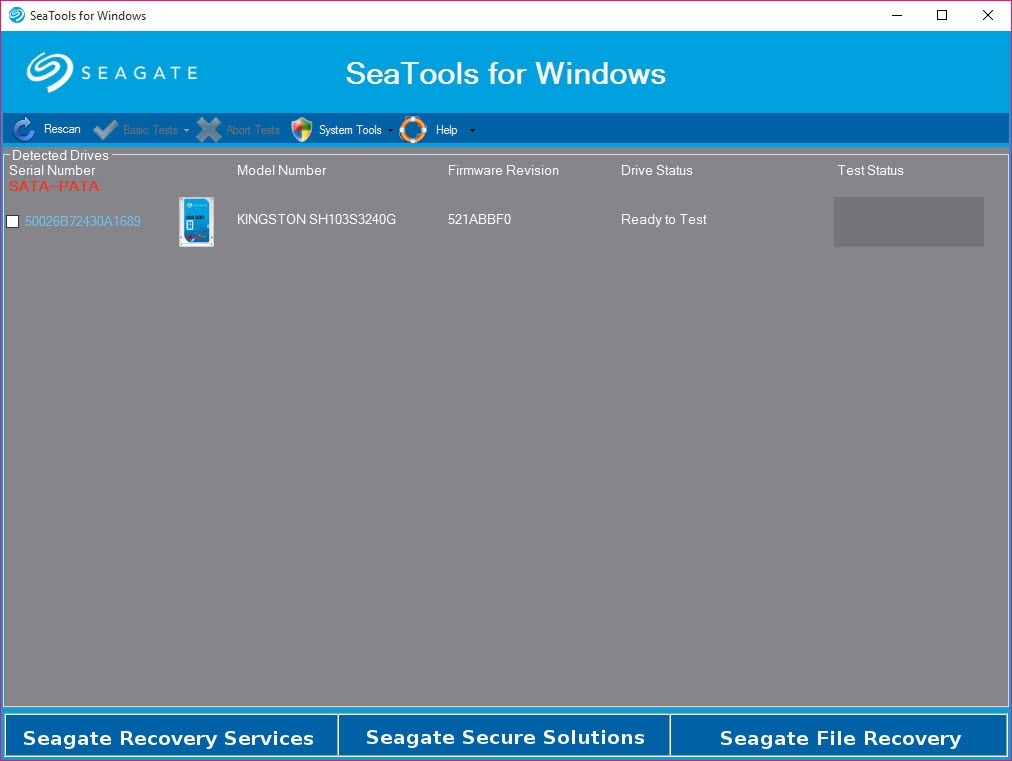
The main window shows each detected drive with model, serial number, firmware revision and a status column, and internal SATA, external USB and NVMe devices all appear. Drive Information opens the SMART attribute table with power-on hours, temperature, reallocated sector count and, for solid-state drives, the percentage of rated endurance used. That last figure is the one to watch on an SSD, since a drive at 95 percent is not broken but is on notice.
Selecting a drive enables the tests that apply to it. On a Seagate you get the full menu. On anything else the repair and erase entries and the firmware check stay grey, which is not a bug but the product’s boundary.
Short self-test, generic reads and the long scan
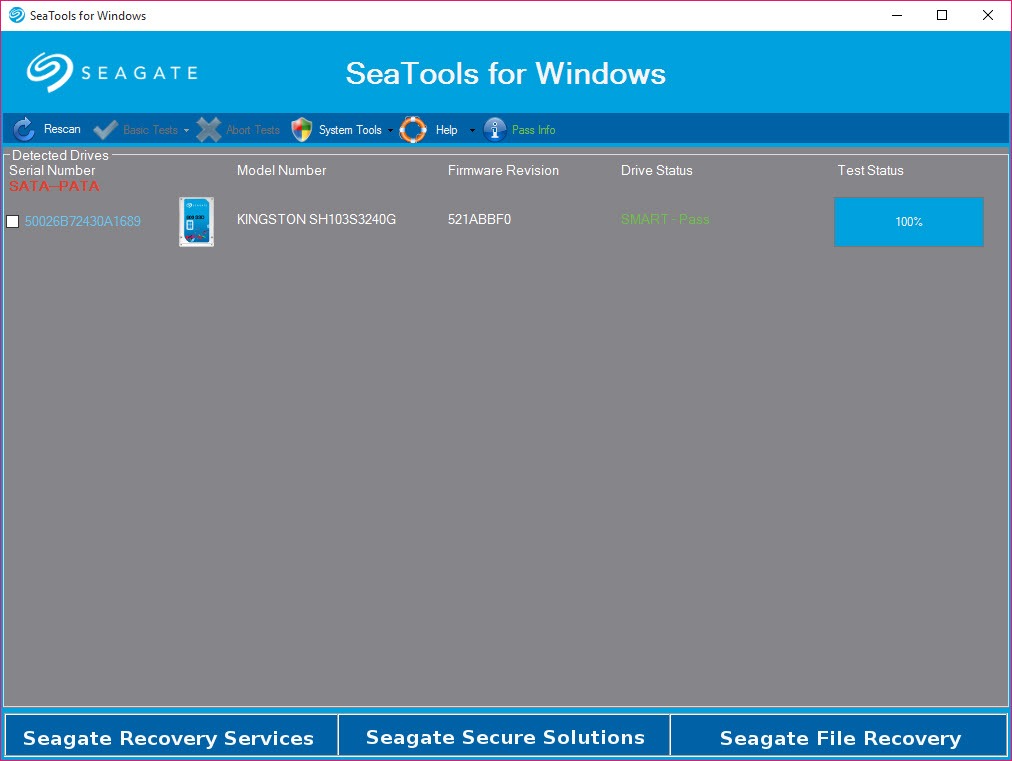
SMART Check simply asks the drive whether its own thresholds have tripped, and takes a second. Short Drive Self Test hands control to the routine inside the drive’s firmware for a minute or two and is safe for data. Short Generic reads a sample of the surface from the host side.
All three are the sensible first pass when a machine has started clicking, freezing or throwing file errors, and a pass on all of them with a still-misbehaving system points the finger at cables, the controller or the file system rather than the platters.
Long Generic reads every sector. On a large modern drive that means several hours, and the screen shows so little activity that people assume it has hung and kill it. It has not. Let it run overnight, and read the log afterwards, because a handful of slow sectors that the test reports without failing is the early warning that a full failure will not give you.
For a visual map of where those slow sectors sit, a scanner that plots the response time of every block is the better tool. This one gives you a verdict and a count.
Fix All, and what repairing a sector actually means
Fix All Fast and Fix All Long are the reason to run SeaTools rather than a generic scanner on a Seagate disk. They read the drive, and when they hit a sector that cannot be read, they instruct the drive to retire it and map a spare into its place.
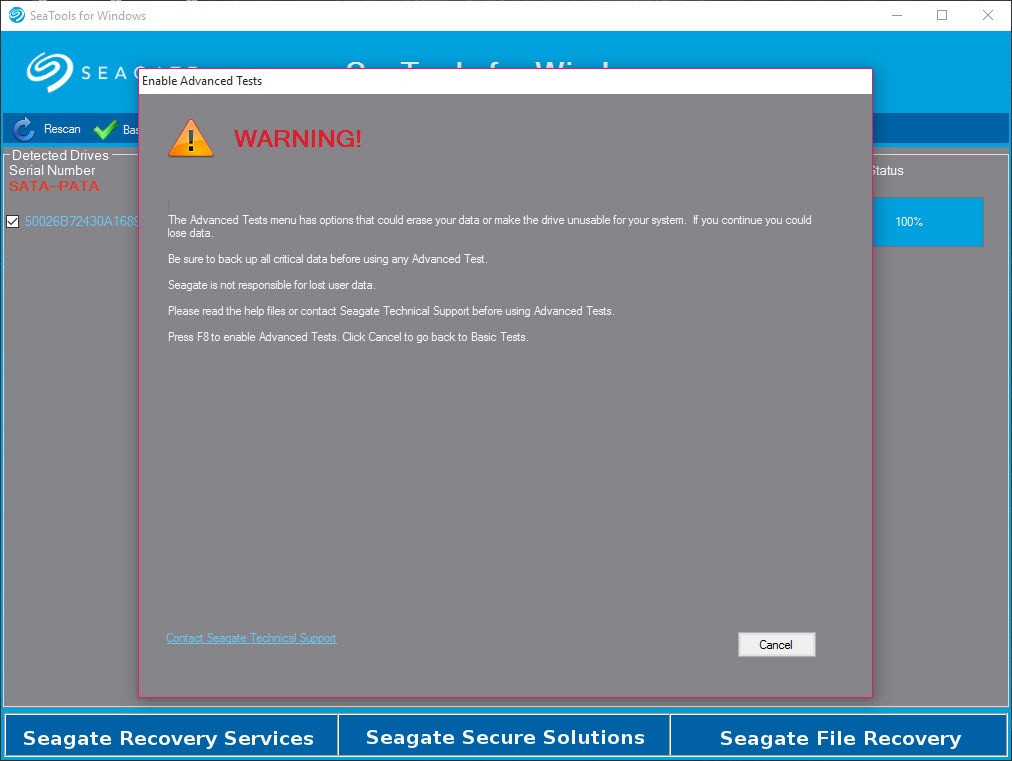
Both require pressing F8 to acknowledge what is about to happen, and the acknowledgement matters, because the data in an unreadable sector is already gone and the repair makes that permanent rather than theoretical. Back up first, every time.
Two limits. The boot drive cannot be repaired from inside a running system, which is what the separate bootable edition of the same tool exists for. And the repair only works on Seagate drives, including Seagate and LaCie externals over USB. A non-Seagate disk with bad sectors will be diagnosed here and mended elsewhere.
Erasing a drive
The erase options depend on interface and make. Zero Fill overwrites a non-boot SATA drive with zeros, quickly or fully. USB Full Erase does the same over an external bridge. Sanitize Erase is available for Seagate SATA SSDs and Instant Secure Erase for self-encrypting Seagate drives, which throws away the key instead of writing anything and takes seconds.
None of these touch individual files, so cleaning up a drive you are keeping is a job for a file shredder instead.
Firmware check and the warranty Test Code
The firmware checker compares a Seagate drive’s revision with what the maker currently ships and offers the update. And when a Seagate drive fails a test, SeaTools prints a Test Code, a short string that encodes the model, the failure and the test that caught it.
The warranty process asks for that code rather than a description, and running the test here is the quickest way to get one.
Conclusion
SeaTools is for anyone with a Seagate or LaCie drive that has started behaving oddly, and for technicians who need a manufacturer-sanctioned verdict before a return. The self-tests are quick, Fix All is the one tool that will actually retire a bad sector on these drives from a desktop, and the Test Code turns a vague complaint into a claim.
Owners of other brands should still keep it around for the generic tests, but they will want a monitor with a proper SMART history and a surface scanner with a sector map for anything deeper, since this program’s ambitions end at the Seagate label.
Pros & Cons
- Runs the drive's own firmware self-test plus host-side short and long reads
- Reallocates bad sectors on Seagate drives with Fix All Fast and Fix All Long
- Zero Fill, Sanitize and Instant Secure Erase options by drive type
- Firmware update check for Seagate drives
- Produces the Test Code required for a Seagate warranty claim
- Generic read-only tests work on drives from any maker
- Repair and erase functions plus firmware updates are Seagate-only
- Boot drive cannot be repaired or erased without the bootable edition
- Long Generic shows almost no progress and looks frozen for hours
- No sector map or response-time chart, only pass or fail and a count
Frequently asked questions
Partly. The SMART check, the Short Drive Self Test and the Short and Long Generic read tests run on any drive. Fix All plus the erase and firmware options are disabled for other makes.
Either the selected drive is not a Seagate, or it is the drive the system booted from. Repair and erase on the boot drive require the bootable edition run from a USB stick.
Almost certainly not. It reads every sector and on a multi-terabyte drive takes several hours with very little visible activity. Leave it running and check the log when it finishes.
It is generated when a Seagate drive fails a test and identifies the model and the failure. Seagate's warranty claim form asks for it in place of a written description.


