

Autopsy
About Autopsy
When a disk image lands on an investigator’s desk, the question is usually some version of “what was this device used for, and what’s still recoverable from it.” Answering that is a multi-day exercise in file system structures, deleted file carving, timeline reconstruction, web history extraction, and a dozen other specialized analyses, each of which would otherwise require its own tool.
Autopsy is the open source digital forensics platform that pulls all of that into a single case-based workflow, built on top of The Sleuth Kit and extended with a deep plugin architecture for everything the core engine doesn’t handle directly.
The application is used across the field, from law enforcement digital forensics units processing seized devices, to corporate incident response teams investigating insider threats, to academic researchers teaching digital forensics courses, to security professionals examining their own systems after a compromise.
Despite being free, it sits in the same conversation as commercial alternatives that cost tens of thousands per seat, which is unusual for an open source tool in any specialized domain.
The case-based workflow
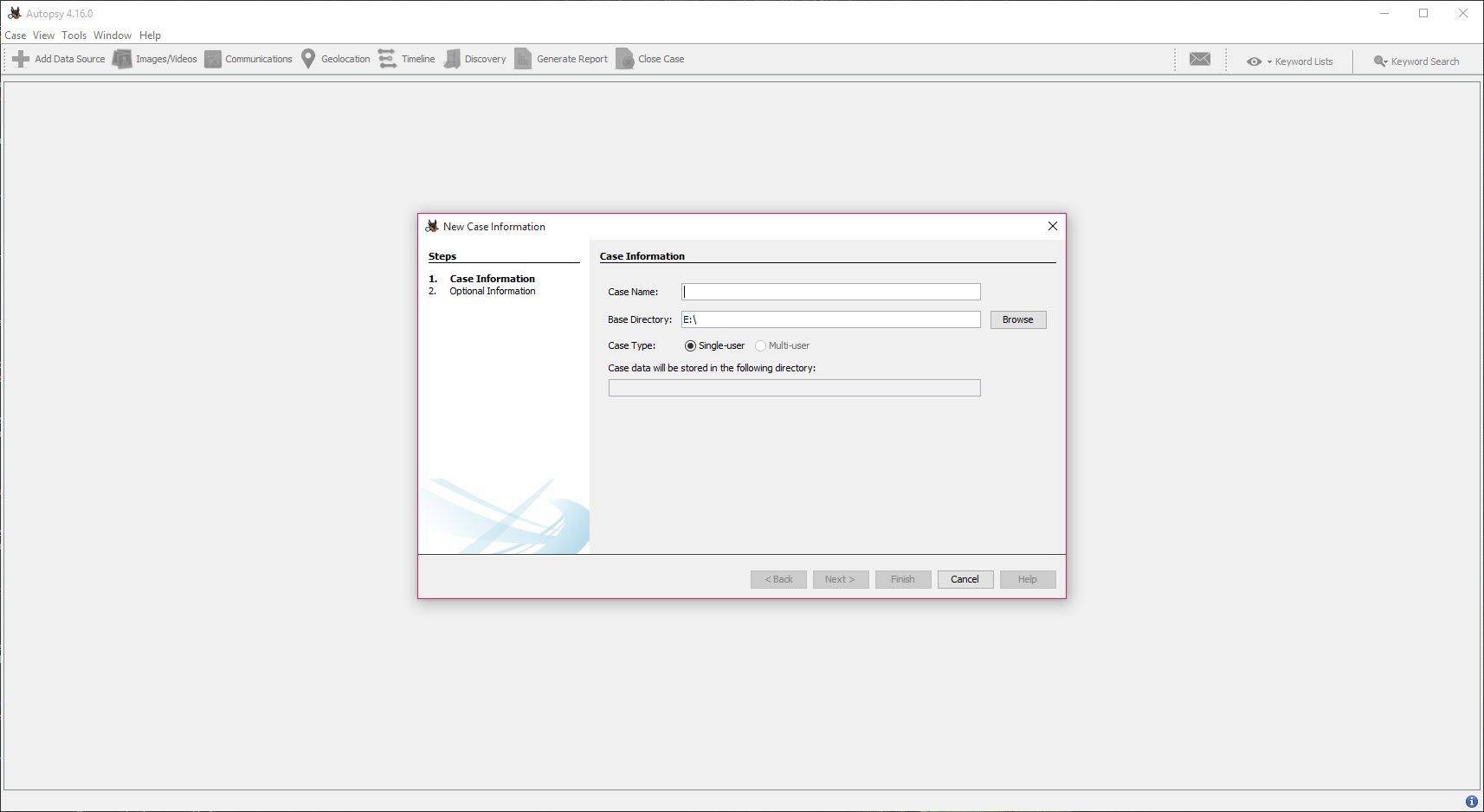
Everything in the application is organized around cases. A case is a container for one or more data sources (disk images, local drives, individual files, or memory dumps), the analysis ingest results, your findings, tags, notes, and the eventual report. Creating a new case captures the basic metadata (case name, number, examiner, organization) that ends up in every export.
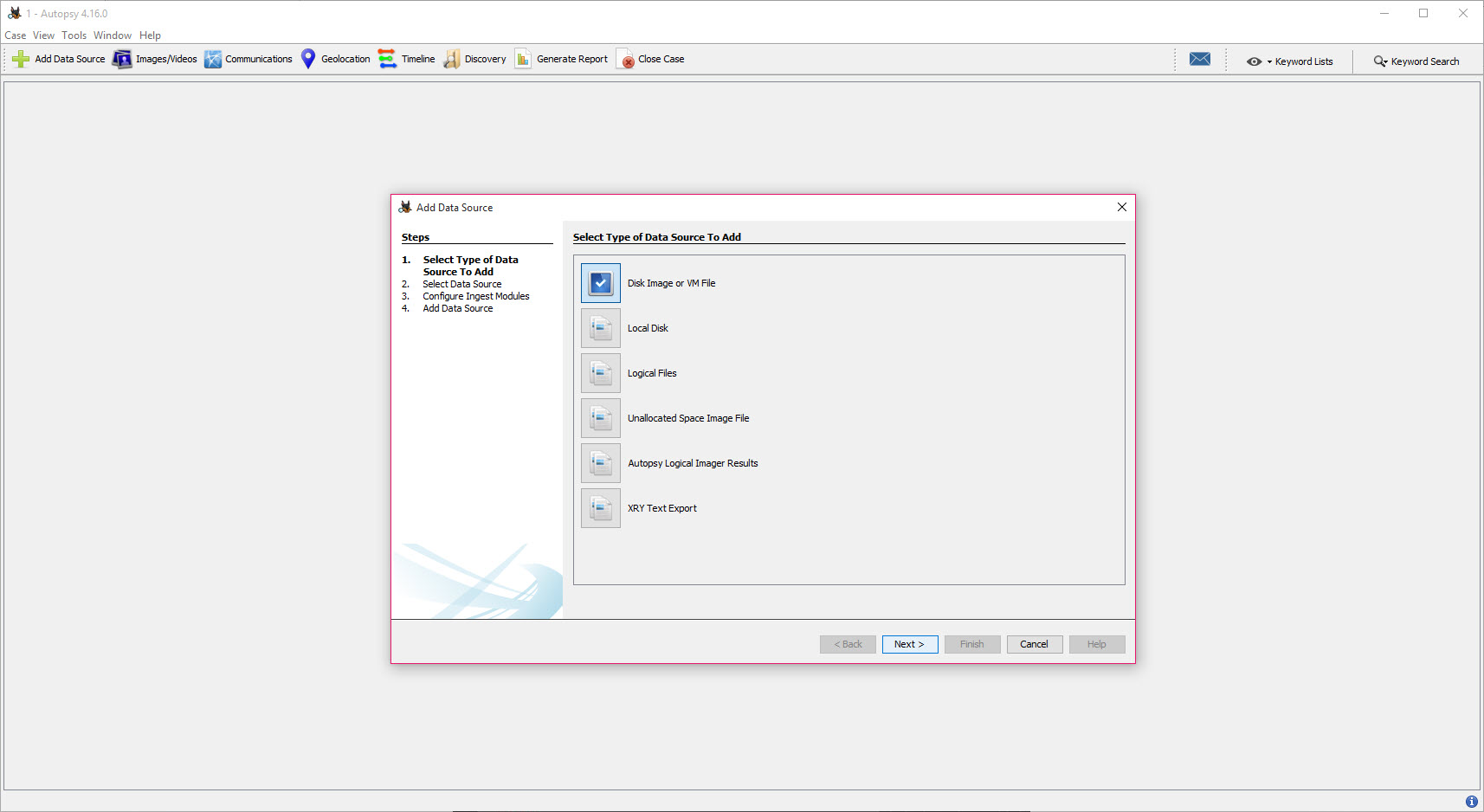
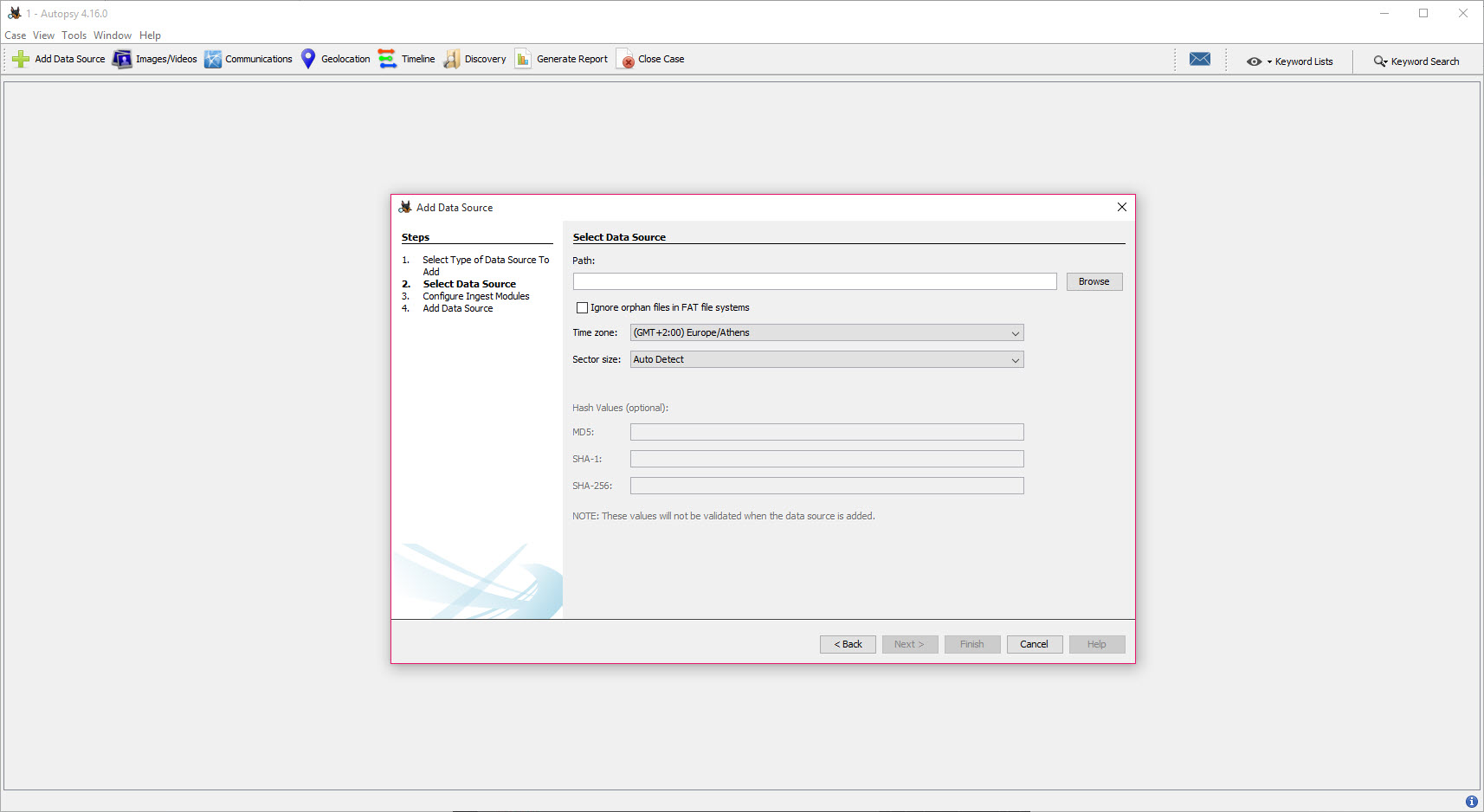
Data sources can be raw disk images (dd, raw), expert witness format images (E01, EX01, L01), virtual machine disks (VMDK, VHD), and logical files or folders extracted from a target system. The application can also acquire from a connected drive directly if you’re working on a write-blocked live system. Multiple data sources per case is the norm for multi-device investigations.
After adding a data source, the application runs through configurable ingest modules. Each module handles one analysis dimension: file type identification, hash lookup, keyword search, EXIF extraction, web artifact parsing, email parsing, registry analysis, encryption detection, and so on.
The ingest takes time (often hours on a multi-terabyte drive) but produces a complete picture of what’s in the image once it finishes.
File system analysis through The Sleuth Kit
The underlying engine is The Sleuth Kit, which is what gives the application its file system depth. NTFS, FAT12/16/32, ExFAT, HFS+, APFS, Ext2/3/4, ISO 9660, YAFFS2, and UFS are all parsed natively. The parser reads file system structures directly rather than through the operating system’s file APIs, which means it sees deleted entries that the OS would normally hide and recovers metadata the OS has already discarded.
Deleted files are surfaced in the file tree with strike-through markers and the original name reconstructed from the file system’s residual records. For files whose metadata has been overwritten but whose content is still on disk, the application’s file carving engine identifies file types from their signatures and extracts them as orphan files. Carved files end up in a separate view since they don’t have associated metadata, but they’re often the most interesting evidence in an investigation.
For deep examination of specific file system structures or unallocated space the application’s main views don’t expose conveniently, HxD gives you raw hex-level inspection of disk image contents. Pairing the two tools is standard practice in detailed examinations.
Hash lookup and known-file filtering
Every file’s MD5 and SHA-1 hashes are computed during ingest and looked up against configured hash databases. The NSRL (National Software Reference Library) hash set is the standard “known good” baseline, marking operating system and standard application files as uninteresting so the investigator doesn’t waste time examining them. Custom hash sets identify specific known-bad files (malware samples, known CSAM hashes for law enforcement use, intellectual property markers, etc.).
The hash database lookup runs at ingest time, and the results show up as flags on file entries throughout the case. Filtering the file tree to “files not in NSRL” cuts a multi-million-file image down to the user-modified content that’s actually worth examining.
That single feature saves more time than most other analyses combined on a routine examination.
Timeline analysis
The Timeline view aggregates every timestamp the application can extract from the data source: file system MAC times (created, modified, accessed), EXIF dates, browser history timestamps, email send/receive times, log entries, registry key write times. Each event becomes an entry on a unified timeline you can filter, search, and visualize.
That unified view is the practical answer to “what was happening on this device during a specific time window.” Instead of correlating across browser history, file modifications, and email separately, you see all of them in one chronological feed.
The filtering supports time-range, event-type, file-path, and keyword constraints, and the visualization can collapse to monthly or daily summaries for orientation before zooming in.
Web and communication artifacts
The web artifact extractors parse browser data from major browsers. History, bookmarks, downloads, cookies, autofill data, and search terms come out as structured records you can review and search across. For investigations where browsing behavior is central, this saves the work of reading raw SQLite databases by hand.
Communication artifacts cover email and messaging. MBOX, PST, and OST email containers parse into individual messages with attachments. Skype, WhatsApp, and several other messaging apps have dedicated extractors for their local databases. Phone contact and call log data extracts from Android backups and iOS backups (when not encrypted with a passcode the application doesn’t have).
Communication accounts are surfaced through a dedicated panel that correlates email addresses, phone numbers, and account identifiers across all the data sources in the case. The view answers “who was this person communicating with” without requiring you to manually piece together fragments from different artifact types.
Multi-user case mode
For team investigations, the application supports multi-user cases backed by PostgreSQL and Solr. Multiple investigators connect to the same case database from their own workstations, with locks preventing simultaneous edits to the same artifact. The Solr backend handles keyword indexing across the entire case content, making full-text search across multi-terabyte cases practically usable.
Setting up a multi-user case environment is more involved than the single-user mode. PostgreSQL, Solr, and ActiveMQ need to be configured on a server, and each investigator’s workstation needs network access to those services.
Once set up, the workflow is genuinely collaborative in a way single-user forensic tools can’t match.
Keyword search and regular expressions
Keyword search is a separate ingest module that indexes all extracted text content (file contents, slack space text fragments, metadata strings, communication content) and makes it searchable through the application’s search interface. Both literal-string and regex searches work, and the index supports stemmed matching for English content.
Predefined keyword lists cover common investigation targets: credit card numbers, social security numbers, phone numbers, email addresses, IP addresses, URLs. Custom keyword lists for specific investigations are easy to add.
Hits across the case appear in a unified view with context and source attribution, so you can see exactly which file in which data source contains the match.
Plugin and extension ecosystem
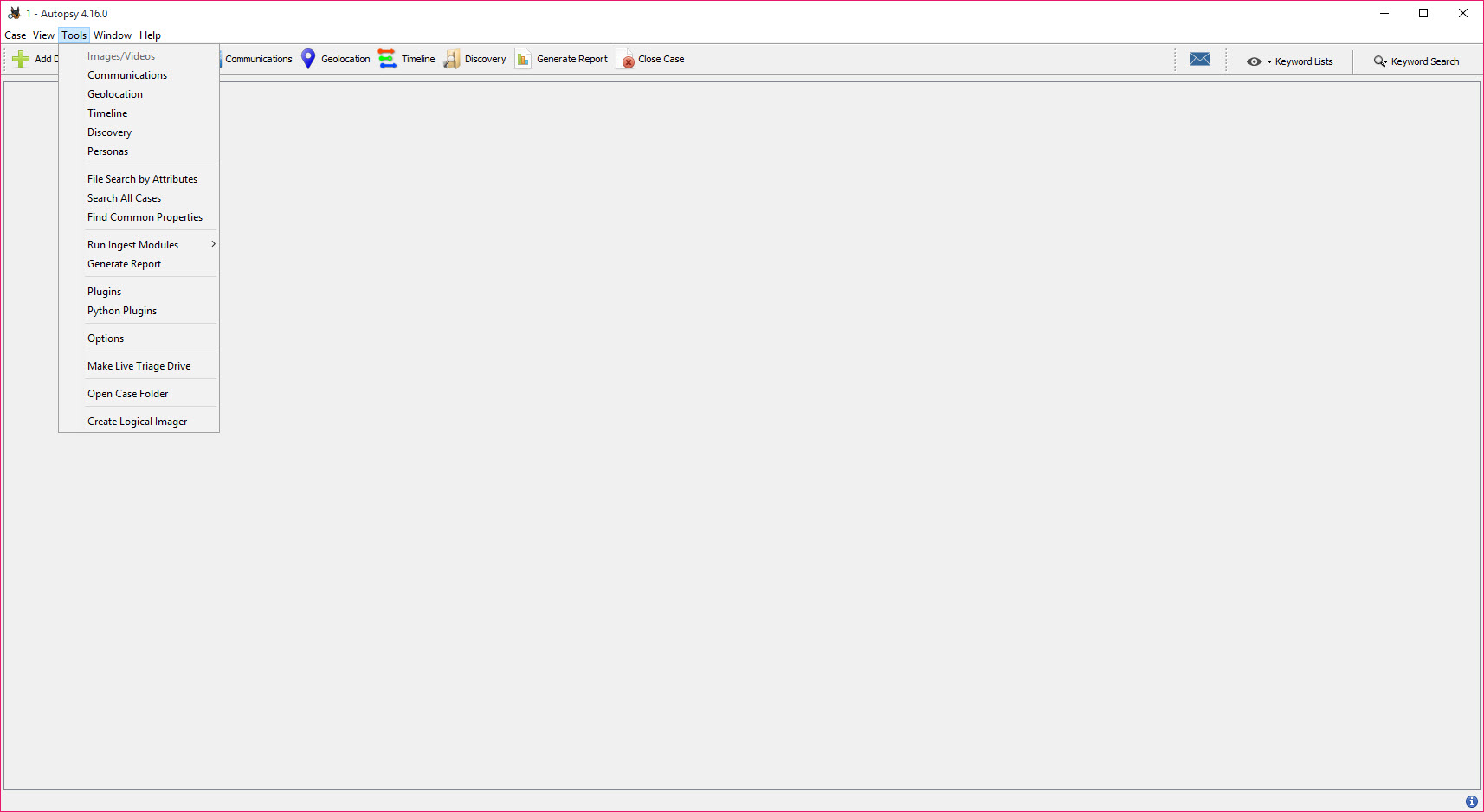
Beyond the bundled modules, the application supports Python and Java plugins that extend the analysis capabilities. The community has produced plugins for ransomware family identification, cryptocurrency artifact extraction, iOS app data parsing, Android malware indicators, and a long tail of niche analyses that specific investigations need.
The plugin marketplace, while not as polished as some other open source ecosystems, gives investigators a path to extend the platform when the core modules don’t cover their use case. For organizations with internal forensic engineers, writing custom Python modules to handle proprietary file formats or specific investigative workflows is a documented and supported path.
Reporting
After analysis, the application produces structured reports in HTML, Excel, KML, and Portable Case formats. The HTML report is the standard exhibit format, with linked artifacts and exportable evidence in a self-contained directory you can hand to a legal team or external party.
Portable Case is more interesting. It produces a self-contained case file with all evidence references and tags, optimized for sharing analysis findings with someone who doesn’t have access to the original data sources. Tags and notes you’ve added during the investigation travel with the portable case, which keeps the analytical chain of custody intact.
Where the application falls short
Resource consumption is the obvious one. The application running a full ingest on a large disk image will hammer your CPU, RAM, and disk for hours. Java-based memory management produces occasional pauses and the heap settings sometimes need tuning for large cases. Investigators routinely allocate dedicated workstations for processing, since trying to run other work in parallel produces slow ingests and frustrated users.
The learning curve is steep. The interface assumes you know what you’re looking at and why. New investigators tend to bounce off the sheer number of views, panels, and configuration options before they figure out how to interpret what each one is showing. The training materials are decent, but the application is built for people who already understand digital forensics, not as an introduction to the field.
Some commercial alternatives have polished features (mobile device forensics, deep cloud account analysis, automated narrative generation) that the application either doesn’t have or has at a less complete level. Plugin coverage helps, but the gap exists. Tools like TestDisk and Recuva cover specific recovery use cases that a casual user might prefer when full forensic analysis would be overkill.
The Java foundation also produces occasional stability issues. The application can crash mid-ingest on edge-case data sources, and recovery requires either resuming from the last completed module or restarting the ingest entirely. Backing up case files regularly is recommended.
Conclusion
Autopsy is one of the few open source projects that genuinely competes with commercial alternatives in its category, and digital forensics is a category where commercial alternatives are very expensive. The combination of broad file system support, the integrated artifact extractors, the timeline analysis, the multi-user case mode, and the plugin architecture produces a platform that can handle most investigative workflows without needing supplementary tools.
The audience that gets the most out of the application is professional digital forensics practitioners (in law enforcement, corporate IR, military, and academic settings), security researchers analyzing compromise indicators, and students learning the field. The learning curve is real, and the application is the wrong tool for casual data recovery where consumer-friendly alternatives exist for that specific use case.
For users who need actual forensic analysis rather than just file recovery, the application is the realistic open source choice and a credible one against commercial competitors.
Pros & Cons
- Full-featured forensic platform with file system parsing across all major formats
- Case-based workflow supports single-investigator and multi-user team investigations
- Timeline view aggregates events across file system, browser, email, and other artifacts
- Hash database integration filters known-good files to focus attention on user-generated content
- Web, email, and messaging artifact extractors cover most common evidence types
- Multi-user mode with PostgreSQL and Solr backends scales to team-based casework
- Plugin architecture allows extending the platform for specific investigative needs
- Open source, free, and capable enough to displace commercial tools costing tens of thousands
- Resource-intensive on large data sources, requiring dedicated workstations
- Steep learning curve assumes prior digital forensics knowledge
- Java foundation produces occasional pauses and stability issues on edge-case data
- Multi-user setup involves PostgreSQL, Solr, and ActiveMQ configuration
- Some commercial alternatives have more polished mobile and cloud-specific features
- Plugin ecosystem covers a long tail but quality varies between modules
Frequently asked questions
It's a digital forensics platform for analyzing disk images, drives, and individual files to recover evidence, parse file system structures, extract artifacts from browsers and communication apps, build timelines of activity, and produce structured reports. The application is built on The Sleuth Kit and used across law enforcement, corporate incident response, and academic research.
NTFS, FAT12/16/32, ExFAT, HFS+, APFS, Ext2, Ext3, Ext4, ISO 9660, YAFFS2, and UFS are all parsed natively through the underlying Sleuth Kit engine. Disk image formats include raw dd, E01/EX01/L01 expert witness format, VMDK, VHD, and logical evidence containers.
Yes, through two mechanisms. File system parsing surfaces deleted entries that still have intact metadata. File carving identifies files by their signatures in unallocated space when metadata has been overwritten. Recovered files appear in the file tree with appropriate markers.
Partially. Android and iOS backups can be analyzed when accessible, with extractors for common app data formats. Direct physical acquisition from phones requires additional tools, since the application focuses on analysis of acquired images rather than the acquisition itself.
Yes through the multi-user case mode, which uses PostgreSQL for the case database, Solr for keyword indexing, and ActiveMQ for synchronization between investigators. Setup is more complex than the single-user mode but enables genuine team-based investigation.
The application covers most of what mainstream commercial alternatives offer, particularly for disk image analysis and file system forensics. Areas where commercial tools sometimes have an edge include mobile device acquisition, cloud account analysis, and more polished automated reporting. For typical disk image work, the gap is narrow.
Hours to days, depending on the size of the data source, the modules enabled, and the hardware running the application. A 2TB drive with all modules enabled typically takes overnight on a midrange workstation. Limiting modules to what's relevant for the specific investigation reduces the time significantly.
Those files were marked as deleted in the file system metadata but the entry is still recoverable. The strikethrough visual cue indicates the file's deletion status. The file contents may or may not still be on disk depending on whether the space has been overwritten by subsequent writes.


