

Miranda NG
About Miranda NG
The instant messaging landscape has fragmented dramatically over the past two decades. What used to be a few major networks where everyone you knew had accounts has become dozens of competing services, each with their own ecosystem and walled garden. Most users solve this by installing separate clients for Discord, WhatsApp, Telegram, Slack, and whatever else their friends and colleagues use, accumulating a taskbar full of messaging applications.
Miranda NG takes the older approach that used to be the dominant one back when multi-protocol clients ruled the messaging world: one application, plugins for every protocol you care about, and all your conversations consolidated in a single interface.
Originally built as the successor to Miranda IM (one of the most popular multi-protocol clients of the early 2000s), this software has evolved through years of community development into a serious tool for users who want consolidated messaging without resigning themselves to running half a dozen separate clients.
The current versions support a wide range of protocols through the plugin system, with active community maintenance keeping things working as the underlying services change.
The plugin-based architecture as the foundation
The defining feature of Miranda NG is its plugin architecture. The base application is genuinely minimal, providing just the core messaging framework, contact list, and chat interface. Everything else (specific protocol support, custom themes, advanced features, integrations) comes through plugins that you install based on what you actually need.
This modular approach has practical implications worth understanding. The base installation is small and fast, since you’re not loading code for protocols you don’t use. The application stays lightweight even when you have many plugins installed, since plugins only activate when their functionality is actually being used. And the architecture has accommodated dramatic changes in the messaging landscape over the years, as plugins for dead services get retired and new ones get added.
For users coming from monolithic messaging applications, the plugin approach can feel unusual initially. You’re not just installing a client and using it; you’re assembling your own messaging environment from the available pieces.
Once you’ve gone through the setup, though, the result is a tool tuned exactly to your specific protocol mix rather than a one-size-fits-all client.
Protocol support across the messaging landscape
The protocol coverage is genuinely broad, with plugins available for XMPP/Jabber, ICQ, IRC, Skype, TOX, Facebook, Discord, Telegram, and various other services. Some plugins maintain active compatibility with current versions of their target services, while others target legacy protocols that some users still maintain for personal or community reasons.
For users with friends or colleagues spread across different services, having one client handle multiple protocols simultaneously is significantly more practical than running separate applications.
You see all your contacts in one list, switch between conversations without changing applications, and apply consistent settings (notification rules, status messages, history management) across everything at once.
The flip side is that protocol support depends on community-maintained plugins keeping pace with changes the service providers make. When a major service revamps their API or adds new authentication requirements, the relevant plugin needs updates to keep working.
Most popular protocols stay current, but coverage isn’t always immediate when services change.
Genuinely lightweight on system resources
In an era when even simple chat applications routinely consume hundreds of megabytes of RAM, this software is unusually efficient. The application typically uses a fraction of the memory that mainstream messaging clients require, which matters for users running older hardware, virtual machines, or systems where memory is at a premium.
The efficiency comes from the architectural decisions: a small core, optional plugins that only load when needed, native code rather than web-based interfaces, and decades of refinement focused on staying lean. For users who notice and care about resource usage, this efficiency is a meaningful differentiator from the bloated alternatives that have come to dominate the modern messaging space.
It also runs well on older systems that struggle with current applications. Users keeping older hardware in service for specific purposes can run a serious messaging client without those resource demands competing with whatever else the system is doing.
Customization that goes far beyond surface-level
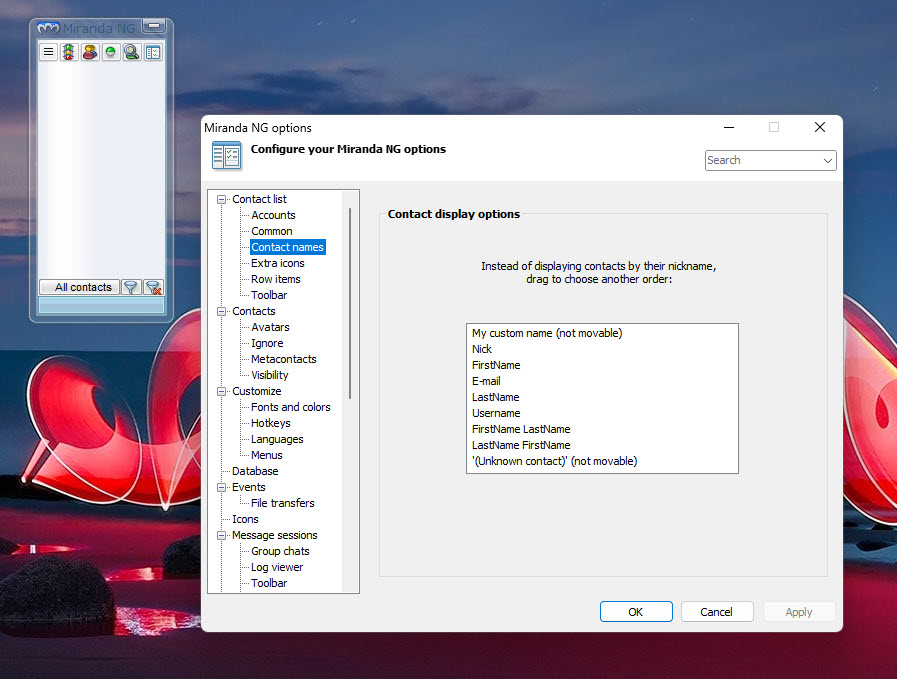
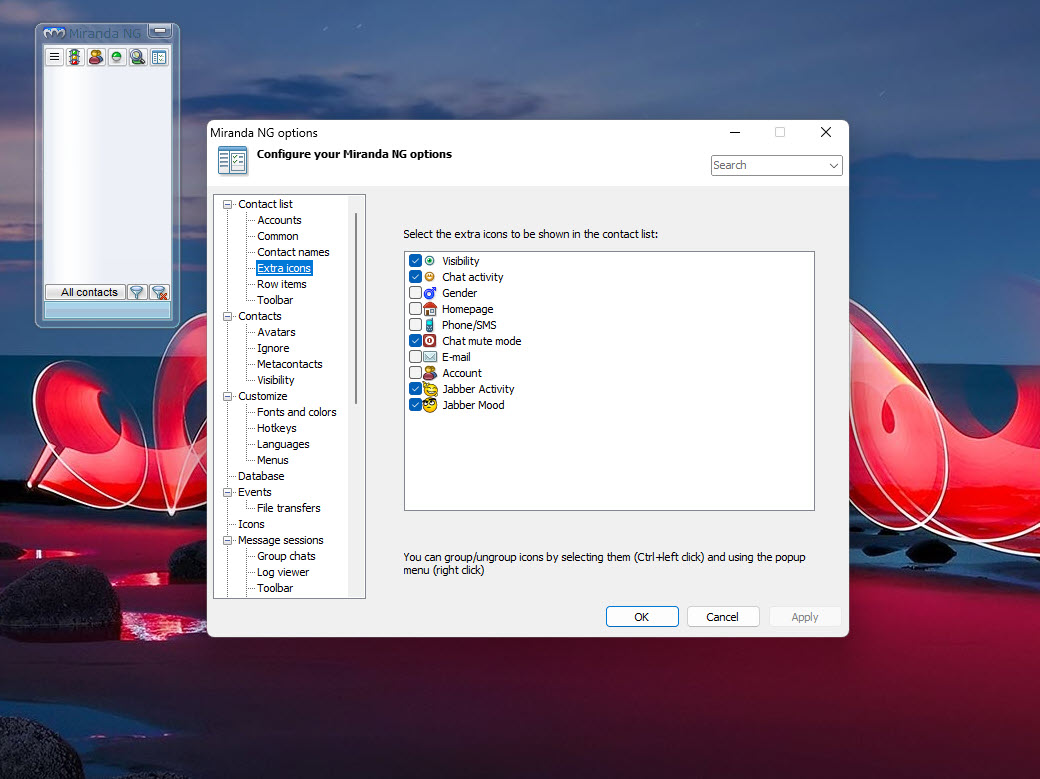
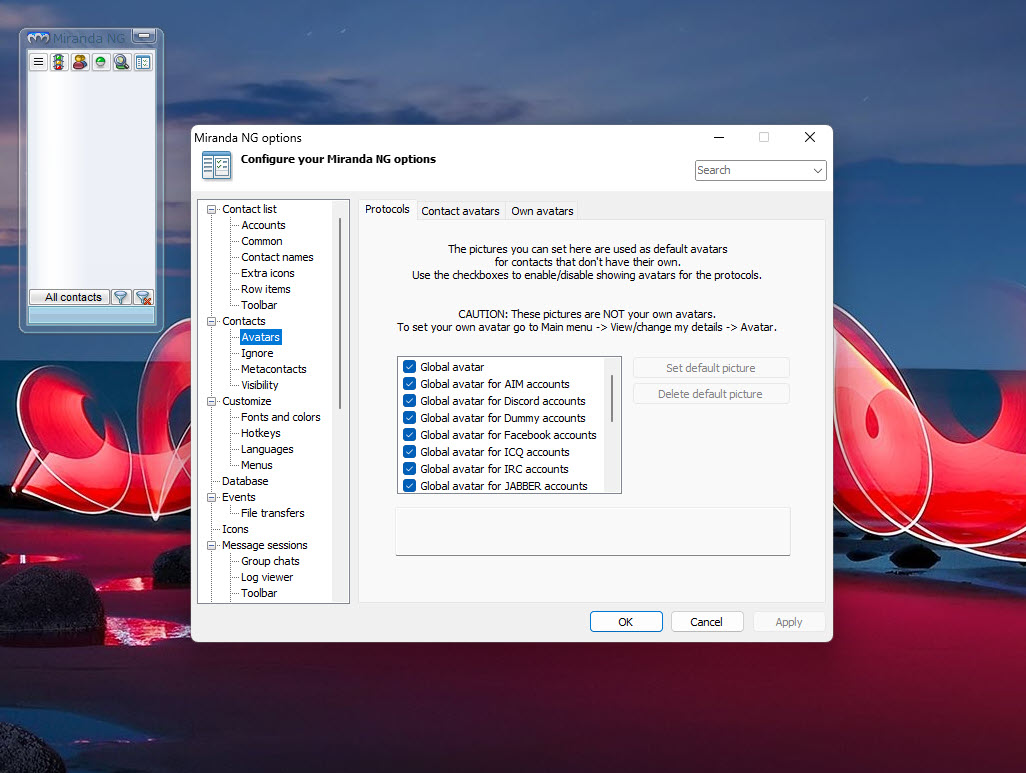
The customization options extend much deeper than typical applications allow. Beyond the standard appearance tweaks (skins, fonts, colors), the configuration covers behavior across essentially every aspect of how the client operates. Notification rules, message handling, contact list organization, status management, automatic responses, history storage, and many other behaviors can be tuned to match your specific preferences.
This depth is one of the things that distinguishes the application from simpler messaging tools. Users who want their messaging client to behave exactly the way they want (rather than how the developers thought users should want it) get the kind of control that’s increasingly rare in modern software. The configuration learning curve is real, but the resulting tailored experience pays back the investment.
For users coming from heavily customized setups in other applications, the available depth here typically meets or exceeds what’s possible elsewhere. The settings can be initially overwhelming, but the documentation and community resources help navigate the options.
The contact list as the central interface
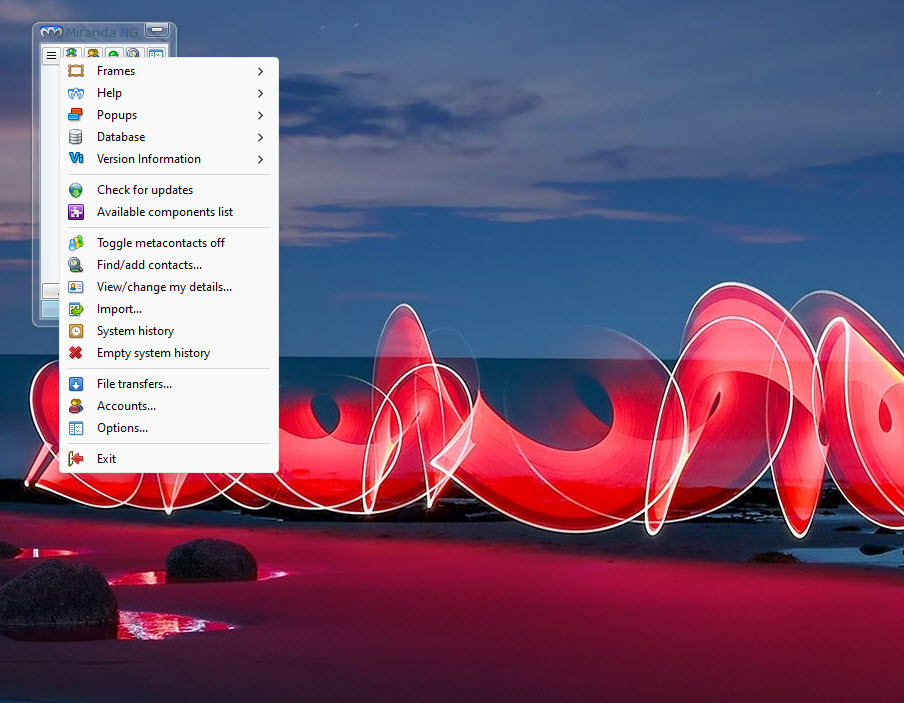
The contact list is the central interface element, displaying your contacts across all configured protocols in unified groups. You can organize contacts by category, by protocol, by status, or by various other criteria, with custom group structures that match how you actually think about your contacts.
Visual distinctions help identify which protocol each contact uses, while the unified presentation means you don’t need to switch contexts when conversations span multiple services. Right-click context menus expose the available actions for each contact based on their protocol and current status.
For users with hundreds of contacts across various services, having them all in one organized list is dramatically more practical than the per-application contact lists that fragmented messaging produces. Searching for someone happens once across everything rather than separately in each client until you find them.
Message history and archiving
The message history system stores conversations across all your protocols in a unified format, making it possible to search across all conversations regardless of which service they happened on. Need to find that link someone sent you last month, but can’t remember whether it was on Telegram or Discord? Search the unified history rather than checking each client separately.
History management options cover automatic archiving, retention policies, encryption for sensitive conversations, and various other concerns. For users who care about maintaining searchable conversation records, the system provides genuine archival capability rather than the limited recent-history that some services offer through their own clients.
Active community maintenance
The project is open source and actively maintained by a community of contributors, with the codebase hosted on GitHub. Regular updates address compatibility issues as services change, fix bugs, and add improvements based on user feedback. The maintenance pace varies based on volunteer availability, but the core project has remained consistently active for many years.
For users wanting messaging software they can actually depend on long-term, this open-source community-maintained model provides protection against the abandonment that affects commercial messaging tools when their developers move on to other things. The codebase is open, the development is public, and the project’s continuation depends on community interest rather than commercial viability.
Suitable for power users, not casual ones
It’s worth being clear that this software is genuinely aimed at power users who want a consolidated messaging environment they can configure precisely. The plugin-based setup, deep configuration options, and somewhat dated visual design make it less accessible than the polished modern messaging clients that target casual users.
For users wanting a single messaging service with a simple interface, the dedicated client for whichever specific service they use is typically a better fit.
For users running multiple protocols across various services who value efficiency, customization, and consolidation, this application provides capabilities that the modern dedicated clients simply don’t offer.
Conclusion
Miranda NG has earned its place among multi-protocol messaging clients through years of refinement and active community maintenance. The combination of broad protocol support, genuinely lightweight resource usage, deep customization, and unified message handling delivers a consolidated messaging environment that mainstream alternatives don’t really attempt to provide.
It’s not for everyone, and the dated visual design and configuration depth genuinely deter casual users who would be better served by individual service clients.
But for power users who actually use multiple messaging protocols, value efficiency and customization, and want a tool they can configure precisely to their workflow, this application offers exactly that, with the additional benefit of being open source and community-maintained rather than dependent on any single commercial entity’s continued interest.
Features & benefits
Pros & Cons
- Multi-protocol support consolidates messaging across many services into one client
- Plugin architecture keeps the base lightweight while supporting expansion
- Genuinely efficient resource usage compared to modern messaging clients
- Deep customization options for tuning behavior and appearance precisely
- Unified contact list across all configured protocols
- Cross-protocol message history and searchable archives
- Open-source with active community maintenance
- Works well on older hardware where modern alternatives struggle
- Long history with proven reliability across decades
- Initial setup requires configuring plugins for each protocol you want
- Visual design feels dated compared to modern messaging clients
- Configuration depth can be overwhelming for users wanting simple defaults
- Plugin compatibility depends on community keeping protocols updated
- Not all current popular services have well-maintained plugins
- Documentation varies in quality across different plugins and features
Frequently asked questions
This software is a multi-protocol instant messaging client that consolidates conversations across various messaging services into a single interface. Through its plugin architecture, it supports protocols including XMPP, IRC, ICQ, Skype, TOX, Facebook, Telegram, Discord, and others, letting you handle all your messaging from one application rather than running separate clients.
This is the active successor to the original Miranda IM, with significantly modernized code, improved Unicode support, plugin architecture refinements, and ongoing maintenance. Miranda IM is no longer actively developed, while this newer version receives continuing updates and improvements from the community.
Yes, the resource usage is genuinely lower than mainstream messaging clients. The lightweight architecture, native code implementation, and modular plugin system result in memory and CPU usage substantially below what applications like Discord, Slack, or web-based messaging clients consume during typical use.
The protocol coverage depends on which plugins you install, with options available for XMPP/Jabber, IRC, ICQ, Skype, TOX, Facebook Messenger, Telegram, Discord, and many other services. The wiki maintains a current list of available protocol plugins along with their development status and capabilities.
Each protocol comes as a separate plugin that you install through the application's plugin management interface. Browse the available plugins, install the ones for protocols you want to use, configure your account credentials for each, and the contacts and conversations appear in the unified interface.
The depth of customization is genuinely substantial, but you don't need to use it all. The default settings work reasonably for typical use, while the deep configuration options are available when you want to fine-tune specific behaviors. Most users start with defaults and gradually customize as they identify what they want to change.
Plugin availability and quality varies by service. Some services have well-maintained plugins, while others lack good integration due to API restrictions or lack of community development effort. Checking the plugin list for your specific services tells you what's currently supported and how active each plugin's maintenance is.
Conversations from all configured protocols store in a unified history system that supports searching across everything together. This is one of the genuinely useful capabilities for users handling multiple services, since finding past conversations doesn't require remembering which service each conversation happened on.
Security depends largely on which protocols you use and how those services handle encryption. The application supports end-to-end encrypted protocols like XMPP with OMEMO and TOX, while protocols like IRC remain unencrypted by their nature. Various plugins add encryption capabilities to protocols that don't include it natively.
Probably not. The strengths of this application lie in consolidating multiple protocols, and users who only use one service typically get a better experience from that service's dedicated client. The application makes most sense for users who actually use multiple protocols and want them combined into a unified interface.


