

WiFi Manager
About WiFi Manager
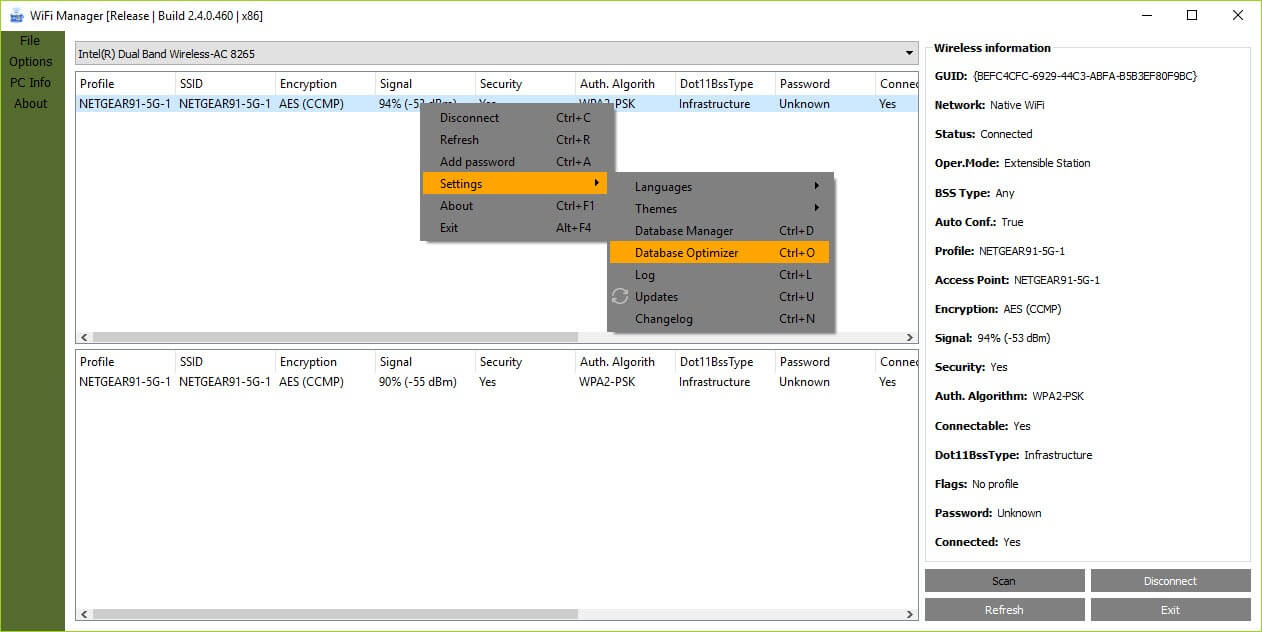
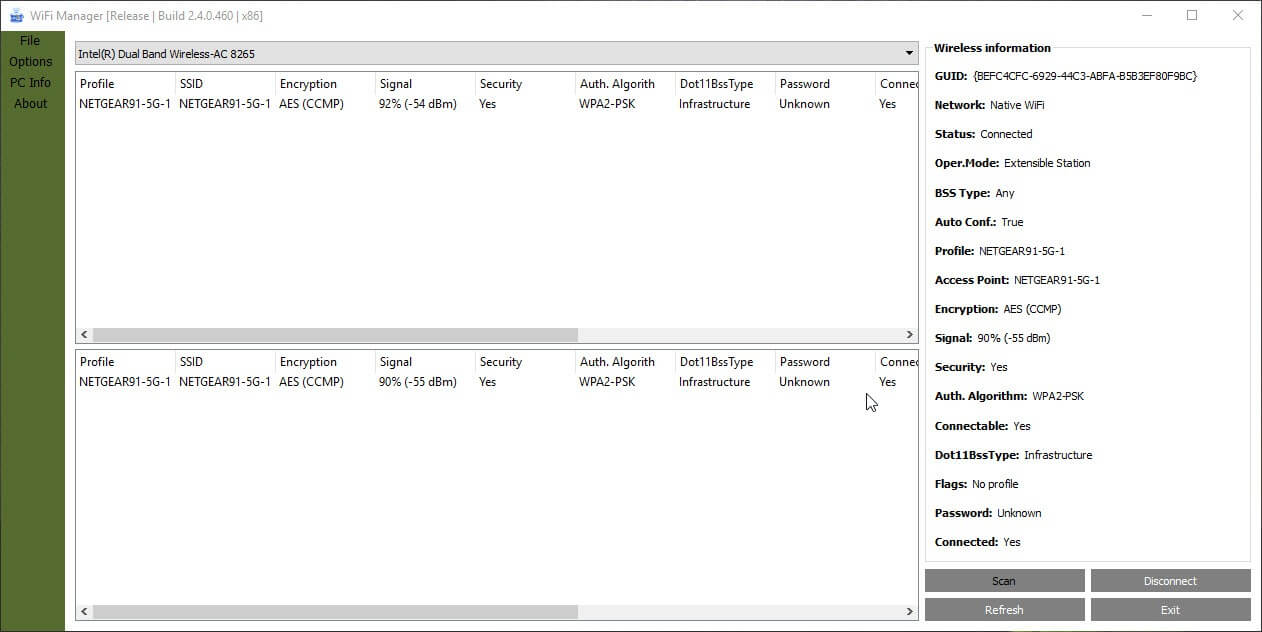
Wireless networks are managed from a small panel that shows what is in range and lets you connect. WiFi Manager replaces that with a proper window listing networks and profiles side by side, with the detail the panel leaves out and columns you can arrange as you prefer.
WiFi Manager shows networks in range with their characteristics, and separately the saved profiles corresponding to what is actually visible, which matters when a machine holds forty profiles and three are relevant right now.
There is one limitation to state before anything else, because it decides whether the program suits you at all.
It connects to open networks only
The unrestricted version connects to open networks and to those using the newer encryption arrangement for open access. It does not connect to ordinary password-protected networks, which requires moving to one of the paid tiers.
That is a narrower boundary than most people would assume from the name. As supplied, this is a viewer with a specific connection capability rather than a general replacement for the system’s own wireless handling.
Understanding that early avoids the obvious disappointment. If the intention was managing your home network connection from a nicer window, this particular version does not do that.
The encryption on open networks is the interesting part
Here is the capability that justifies the download, and very few people are aware it exists.
An ordinary open network, in a café or a hotel, carries traffic with no encryption between your machine and the access point. Anybody within range can observe it, which is why open networks have always been treated as untrustworthy.
The newer arrangement fixes that specific problem. It establishes an encrypted connection without requiring a password, so an open network stops being open in the eavesdropping sense while remaining open in the joining sense. Nothing is typed and the traffic to the access point is nonetheless protected.
WiFi Manager connects to those networks and will notify you when an open network is available, which turns the feature from something in a specification into something you actually use. The catch is availability, since both the access point and your wireless hardware have to support it, and adoption remains patchy.
That protection covers the link to the access point and not the journey beyond it, so a tunnel service is still the answer for anything sensitive on a network you do not control. Mullvad covers that side.
The interface, and what it remembers
WiFi Manager offers light and dark themes, a selectable font, three interface languages, plus column arrangements that persist between sessions.
That last one matters more than the rest, since a table is only pleasant if the columns you care about stay where you put them.
It starts with the system if you want, and settings reset to defaults in one action when an experiment goes wrong.
Where it sits among the alternatives
For switching between complete network configurations rather than watching what is in range, a profile switcher that stores addresses, gateways and adapter settings together is the tool for a machine that moves between home and office with different requirements.
For analysing the airspace rather than connecting to it, meaning signal strength over time, channel congestion and which access points are competing, inSSIDer goes considerably deeper than any connection manager.
And for retrieving the password of a network your machine already knows, a tool that reads the stored wireless profiles answers that specific question.
Conclusion
WiFi Manager is a clear window onto what your wireless adapter can see, and its most interesting capability is connecting to open networks that carry encryption without a password. That arrangement is the best answer anybody has produced to the café network problem, and a tool that finds those networks turns it into something you use.
Judge it on the connection limit though. As supplied it joins open networks and nothing else, so anybody wanting to manage their ordinary connections from a better window is looking at the wrong tier. As a viewer, and as a way to take advantage of encrypted open access where it exists, it does something no other tool on the machine offers.
Pros & Cons
- Lists networks in range and the relevant saved profiles in one window
- Connects to open networks using the newer encrypted arrangement, not just plain open ones
- Notifies when an open network becomes available
- Column layout persists between sessions rather than resetting
- Light and dark themes, selectable font and three interface languages
- Works on server editions once the wireless service is enabled
- Connects to open networks only, with password-protected networks requiring a paid tier
- The encrypted open connection needs support at both the access point and the adapter
- Does not analyse signal quality over time or channel congestion
- Nothing here manages addresses, gateways or adapter configuration
- The system's own panel covers ordinary connecting adequately for most people
Frequently asked questions
Not in the unrestricted version, which handles open networks and the newer encrypted open arrangement only. Connecting to a password-protected network requires one of the paid tiers.
A newer method that establishes an encrypted link without a password, so traffic between your machine and the access point is protected on a network anybody may join. Both the access point and your wireless hardware must support it.
Networks in range and the saved profiles corresponding to them, together, with more detail and arrangeable columns that stay as you set them.
Yes, once the wireless service is enabled, which is not switched on by default on server editions and is the usual reason it appears to find no adapter.


