

NetSetMan


 (7 votes, average: 3.86 out of 5)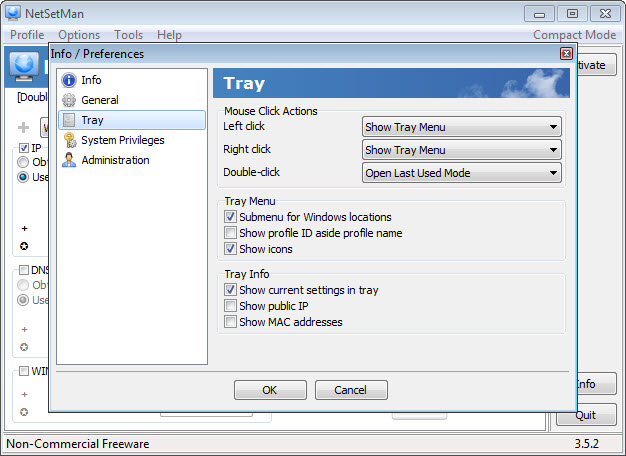
About NetSetMan
NetSetMan is a powerful network configuration utility designed for users who frequently switch between different network environments and need a fast, reliable way to manage their settings.
Whether you move regularly between home, office, client sites, or public networks, this tool eliminates the tedious process of manually changing IP addresses, DNS servers, proxy settings, and other network parameters by letting you save complete configurations as profiles and switch between them with a single click.
For laptop users, IT professionals, system administrators, and anyone whose work involves multiple network setups, this software transforms what would otherwise be repetitive manual configuration into a streamlined process that saves time and prevents the small errors that often creep in during manual settings changes.
Profile-based network configuration
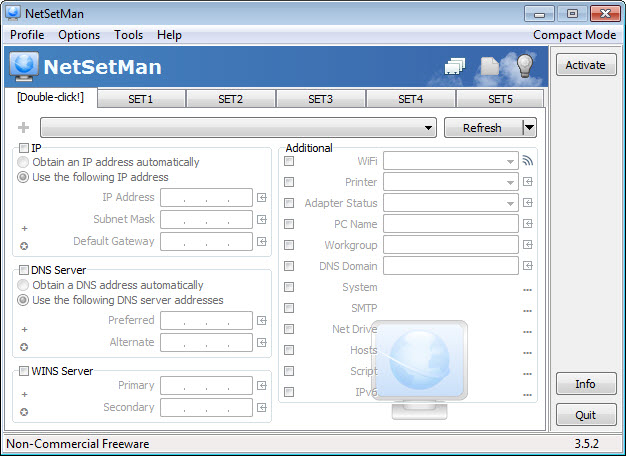
The defining feature of NetSetMan is its profile system, which lets users save complete sets of network settings under named profiles that can be activated instantly when needed.
Each profile can include IP address configuration, subnet mask, gateway, DNS servers, WINS settings, computer name, workgroup, default printer, network drives, browser homepage, proxy settings, and even custom scripts to run when the profile activates. Switching to a different profile applies all these changes simultaneously, taking your computer from one network environment to another in seconds rather than minutes of manual configuration through various Windows dialogs.
This breadth of coverage matters enormously for users who actually need it. A laptop being carried between a home network with DHCP, an office with static IP requirements, and a client site with specific proxy and DNS settings can be reconfigured for each environment with one click rather than requiring careful manual adjustment of multiple settings each time.
Quick switching for frequent users
The interface is designed around the assumption that switching profiles will happen often, with prominent profile selection and activation controls that make the process as fast as possible.
A small status indicator can be displayed in the system tray for users who want to switch profiles without even opening the main application window. This kind of attention to workflow detail reflects the fact that this tool was built by someone who clearly understood the actual frustration of manual network reconfiguration and designed accordingly.
For users who switch networks multiple times per day, the time savings from this streamlined approach add up significantly over weeks and months of regular use.
Comprehensive coverage of network settings
Beyond basic IP configuration, this software handles a remarkable range of network-related settings that many users do not realize can be automated.
Proxy configurations for different browsers, including auto-detection scripts, can be set per profile. Network drive mappings can be established or removed when switching environments, ensuring that work files are accessible at the office but not pointlessly attempting to connect to inaccessible servers when working from a coffee shop. Default printer settings can change automatically so the right printer is selected for each location, which prevents the common annoyance of accidentally sending print jobs to a printer that is currently unreachable.
This depth of integration reflects a thoughtful understanding of what actually changes when users move between different network environments, rather than just covering the most obvious settings.
Wi-Fi management integration
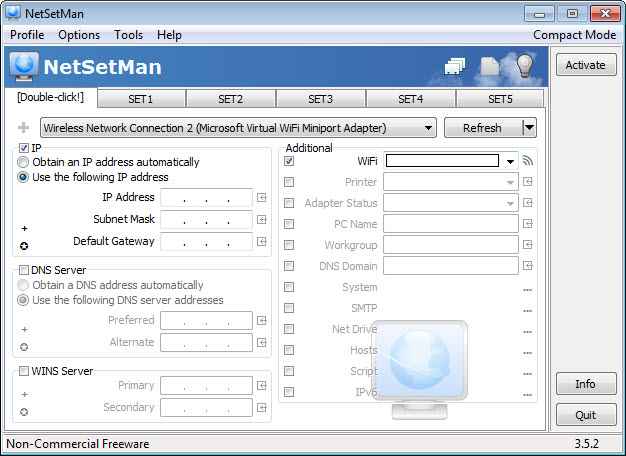
For users on laptops and other wireless devices, this tool integrates with Wi-Fi management to automatically activate the appropriate profile when connecting to specific networks.
You can associate profiles with particular wireless networks, so connecting to your office Wi-Fi automatically applies the office profile while connecting to your home network triggers the home profile. This automation removes even the small step of manually selecting profiles when changing locations, making the entire experience feel seamless rather than requiring active management each time you move between locations during your typical day.
Custom scripts and commands
Each profile can include custom scripts or commands that run when the profile activates, opening up advanced automation possibilities for users with specific needs.
System administrators can use this capability to mount specific network resources, launch required applications, configure VPN connections, or perform any other tasks that should accompany a network change. For technical users, this scripting flexibility transforms the tool from a network configuration utility into a more general environment switcher that handles whatever combination of changes accompany moving between different work contexts.
Detailed network information display
Beyond just configuring networks, this software provides detailed information about your current network state.
Current IP address, gateway, DNS servers, MAC address, network interface details, and connection statistics are all readily available without needing to dig through Windows command line tools or system settings dialogs. For troubleshooting connection issues or verifying that profile changes applied correctly, this informational display proves genuinely useful as a diagnostic resource that complements the configuration features.
Multiple network adapter support
For systems with multiple network adapters, including ethernet, Wi-Fi, and virtual interfaces, this tool handles configurations for each adapter independently.
You can have a profile that configures wired and wireless adapters differently for the same logical environment, or profiles that specifically target one adapter while leaving others unchanged. This flexibility matters for users with complex hardware setups, including those running virtualization software or VPN clients that create additional virtual network interfaces alongside the physical ones.
Free and Pro editions
This software is available in both free and Pro editions, with the free version covering essential profile management for personal use.
The Pro edition adds features useful for businesses and power users, including unlimited profiles, additional command-line and scripting options, command-line interface for automation, and licensing terms appropriate for commercial environments. For most home users, the free edition provides enough functionality to handle typical multi-network scenarios, while professional users can upgrade when their needs justify the additional features.
Lightweight design and reliability
Despite its capabilities, this tool maintains a small installation footprint and modest resource usage that does not interfere with system performance.
The application can run in the background or be launched only when needed, depending on user preferences. Profile activation happens reliably and quickly, applying changes through proper system APIs rather than questionable workarounds, which means the configuration changes integrate cleanly with Windows and other applications rather than causing the conflicts that some less carefully designed tools introduce.
User-friendly interface
The interface organizes network settings logically, presenting them in a way that is approachable even for users who would not normally consider themselves comfortable with network configuration.
Helpful default values, clear labels, and tooltip explanations guide users through profile creation without requiring deep technical expertise. While advanced users can dive into more complex configurations, beginners can create useful profiles with minimal learning curve, making this software accessible to a wider audience than its technical capabilities might initially suggest.
Conclusion
NetSetMan stands out as a genuinely useful tool that solves a real and common problem for anyone who works across multiple network environments.
Its profile-based approach to network configuration, combined with comprehensive coverage of related settings and thoughtful integration features like Wi-Fi-based automatic switching, transforms a tedious manual task into something that happens almost invisibly in the background.
For laptop users, IT professionals, system administrators, and anyone tired of repeatedly reconfiguring network settings throughout the day, NetSetMan offers exactly the kind of focused, well-designed utility that makes daily computing meaningfully more efficient and less frustrating.
Features & benefits
Pros & Cons
- Profile system makes switching between network environments fast and reliable
- Comprehensive coverage handles IP, DNS, proxy, drives, printers, and more in one place
- Wi-Fi integration automatically activates profiles based on the network you connect to
- Custom scripts extend functionality to support advanced automation scenarios
- Detailed network information display aids in troubleshooting connection issues
- Multiple adapter support handles complex hardware configurations gracefully
- Lightweight design uses minimal system resources during normal operation
- User-friendly interface makes the tool accessible to non-technical users
- Free edition has some limitations that may push power users toward the paid Pro version
- Setup of complex profiles requires understanding of network concepts that not all users have
- Interface design, while functional, looks somewhat dated compared to modern utilities
- Documentation could be more thorough for advanced features and scripting capabilities
- Profile imports between different computers may require manual adjustments to match local hardware
Frequently asked questions
This tool stores complete network configurations as profiles that can be activated with one click. Instead of manually changing IP addresses, DNS servers, proxies, and other settings each time you move between networks, switching profiles applies all changes simultaneously in seconds.
Yes, this software covers a remarkably broad range of network-related settings including proxy configurations, network drive mappings, default printer selection, computer name, workgroup, browser homepage, and even custom scripts that run on profile activation.
Yes, profiles can be associated with specific Wi-Fi networks, allowing this tool to activate the appropriate profile automatically when you connect to a recognized network. This removes the need to manually select profiles when moving between locations during your day.
This tool works alongside VPN clients without conflicts in most cases, and profiles can include scripts that automatically launch or configure VPN connections when activated. This makes it easy to combine network configuration changes with VPN setup as part of a single workflow.
Yes, this software handles multiple network adapters independently, allowing different settings for ethernet and Wi-Fi connections within the same profile. This flexibility is particularly valuable for laptops that use both wired and wireless connections in different environments.
Yes, each profile can include custom commands or scripts that execute when the profile is applied. This opens up advanced automation possibilities like mounting network resources, launching applications, or configuring additional services as part of the network change.
The free edition covers basic profile management for personal use, while the Pro edition adds features like unlimited profiles, command-line interface, additional scripting options, and licensing for commercial use. Most home users find the free edition sufficient for their typical needs.
This tool works through standard system interfaces to apply network changes, which means it integrates cleanly with Windows rather than replacing built-in functionality. Settings configured through this software appear correctly in standard Windows network dialogs as well.
Profiles can be exported and imported between computers, though some manual adjustment may be needed since hardware-specific identifiers like adapter names may differ between machines. For organizations deploying standardized configurations, this capability supports consistent setup across multiple devices.
Yes, modifying network settings requires administrator rights as required by Windows itself. This software requests appropriate elevation when needed and uses standard system APIs to apply changes, ensuring proper integration with system security mechanisms.


