

Simple DNSCrypt
About Simple DNSCrypt
Every time you visit a website, your computer first asks a DNS server to translate the name into an IP address, and by default that question travels in plain text. Your internet provider can read it, log it, and in some cases redirect it. Simple DNSCrypt closes that gap. It is a control panel that encrypts your DNS lookups so the domains you visit stop leaking to anyone sitting on the network between you and the resolver.
Under the hood, Simple DNSCrypt is a graphical front-end for dnscrypt-proxy, the engine that does the actual encryption work. That engine is powerful but is normally configured by hand-editing a long TOML file full of cryptic toggles.
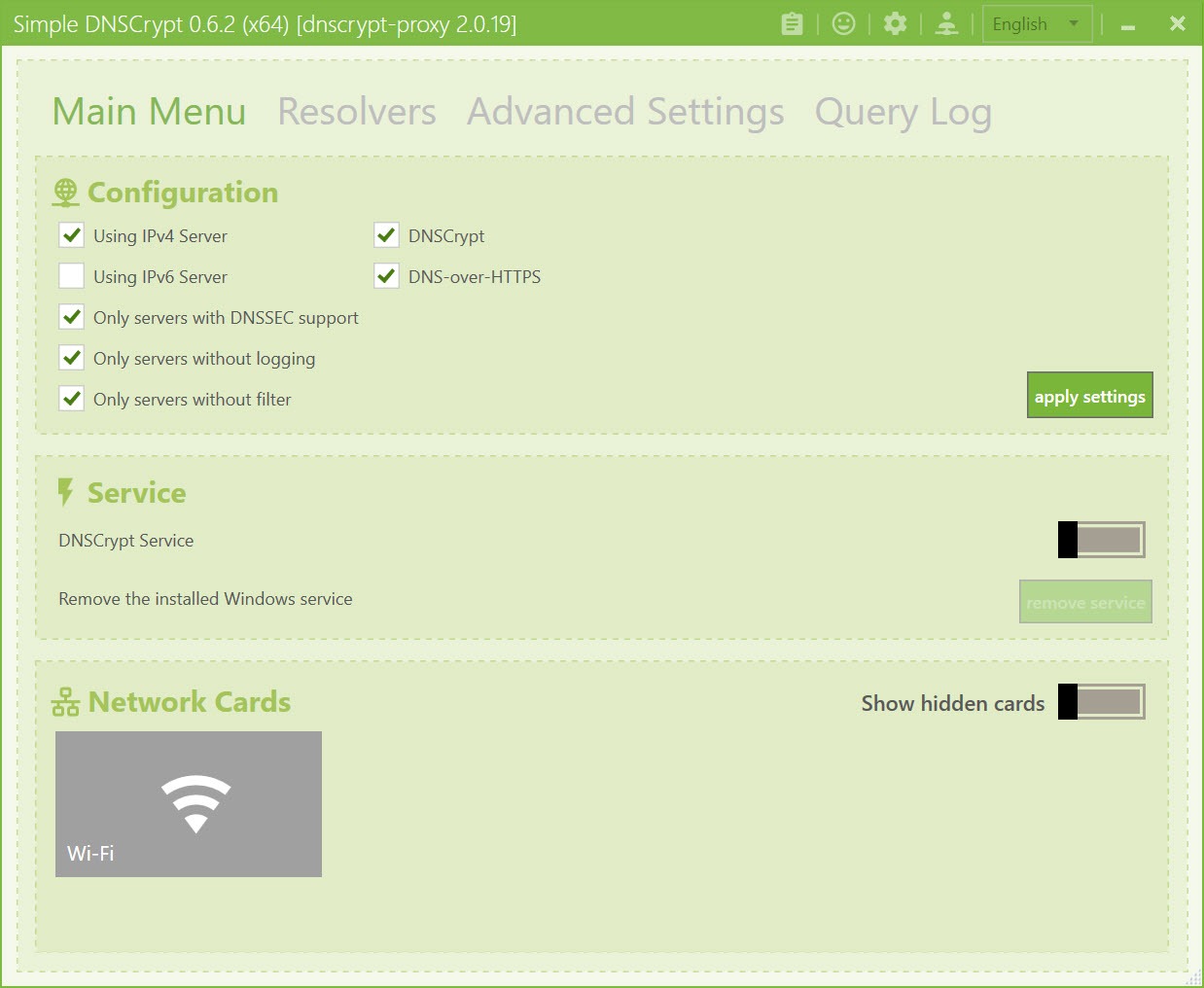
Simple DNSCrypt replaces that text-file wrangling with a tabbed window of checkboxes and dropdowns, which is the entire point of it. You get the full capability of an encrypted DNS proxy without ever opening a config file or touching a command line.
What encrypting DNS actually buys you
It helps to be clear about the scope, because DNS encryption is often confused with a VPN. This software does not hide your traffic or change your IP for general browsing. What it does is stop your DNS queries, the lookups that reveal which sites you are about to visit, from being read or altered in transit. That blocks your ISP from building a profile of your browsing through DNS logs, and it defends against DNS spoofing and on-path attacks where someone intercepts a lookup and sends you to a malicious copy of a site.
For people who want broader system-wide ad and tracker blocking on top of this, a tool like AdGuard covers a different layer of the same privacy goal. And if all you want is to quickly swap which DNS server your machine uses without encryption, DNS Jumper does that one job in two clicks.
Simple DNSCrypt sits a step beyond both, encrypting the channel itself rather than just choosing or filtering at the destination.
The protocols it speaks
This is where the tool earns its place over simpler DNS switchers. Through the underlying proxy, Simple DNSCrypt supports several encrypted DNS protocols, and the difference between them matters. There is the DNSCrypt protocol itself, DNS-over-HTTPS (DoH) running over modern TLS, and Anonymized DNS, which is the interesting one. Standard encrypted DNS hides what you are asking but the resolver still sees your IP address. Anonymized DNS routes your query through a relay first, so the resolver answering your lookup never learns who asked. It is the closest DNS gets to genuine anonymity.
The DNSCrypt protocol has a quiet advantage worth knowing. Unlike DoH, it has no fixed port and no recognizable HTTPS signature, which makes it much harder for a network to detect and block. DoH, by contrast, is concentrated among a handful of large providers.
If your goal is resisting censorship or traffic analysis rather than just encryption, that distinction shapes which protocol you lean on, and the tool lets you toggle between them freely.
Picking resolvers without reading a spec sheet
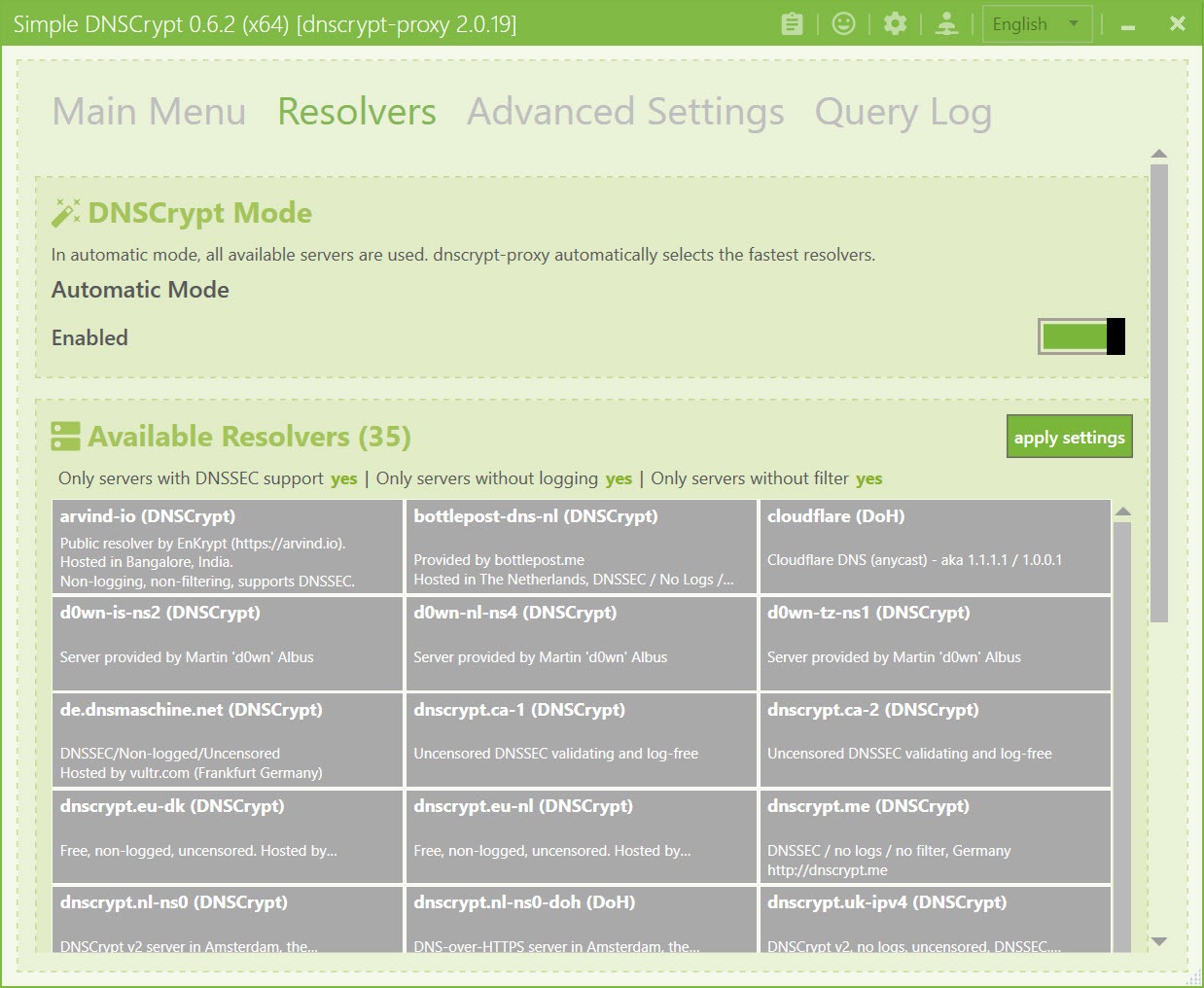
The resolvers tab is where Simple DNSCrypt shows a list of available encrypted DNS servers and lets you choose which ones to use. Rather than forcing you to research each one, it exposes filter toggles that do the vetting for you. You can require that a server keeps no logs, require that it validates DNSSEC, or require that it applies no filtering of its own, and the list narrows to only the resolvers meeting those conditions.
Better still, you do not have to pick just one. The proxy load-balances across the resolvers you select, continuously measuring their response speed and routing queries to the fastest available ones. So you get redundancy if a server goes down and lower latency in normal use, all without manual tuning.
It is the kind of behavior that would take real effort to configure by hand and comes essentially free here.
Blocking and cloaking from the same window
Beyond encryption, Simple DNSCrypt carries two filtering features that piggyback on the DNS layer. The block list works like a HOSTS file with far more reach, letting you feed in lists of domains, ad servers, trackers, malware hosts, telemetry endpoints, and have the proxy refuse to resolve them. Because it happens at the DNS level, the blocking applies across every application on the machine, not just a browser.
Cloaking is the inverse trick. It lets you force specific domain names to resolve to addresses you choose, which is useful for pinning a service to a particular server or redirecting a domain locally. There is also a query log tab so you can watch in real time which domains your system is actually contacting, with suspicious lookups separated out.
It is a genuinely revealing window into how chatty modern software is, and it pairs naturally with a firewall blocker like Firewall App Blocker if you want to then cut off the apps phoning home.
Where the simplicity ends
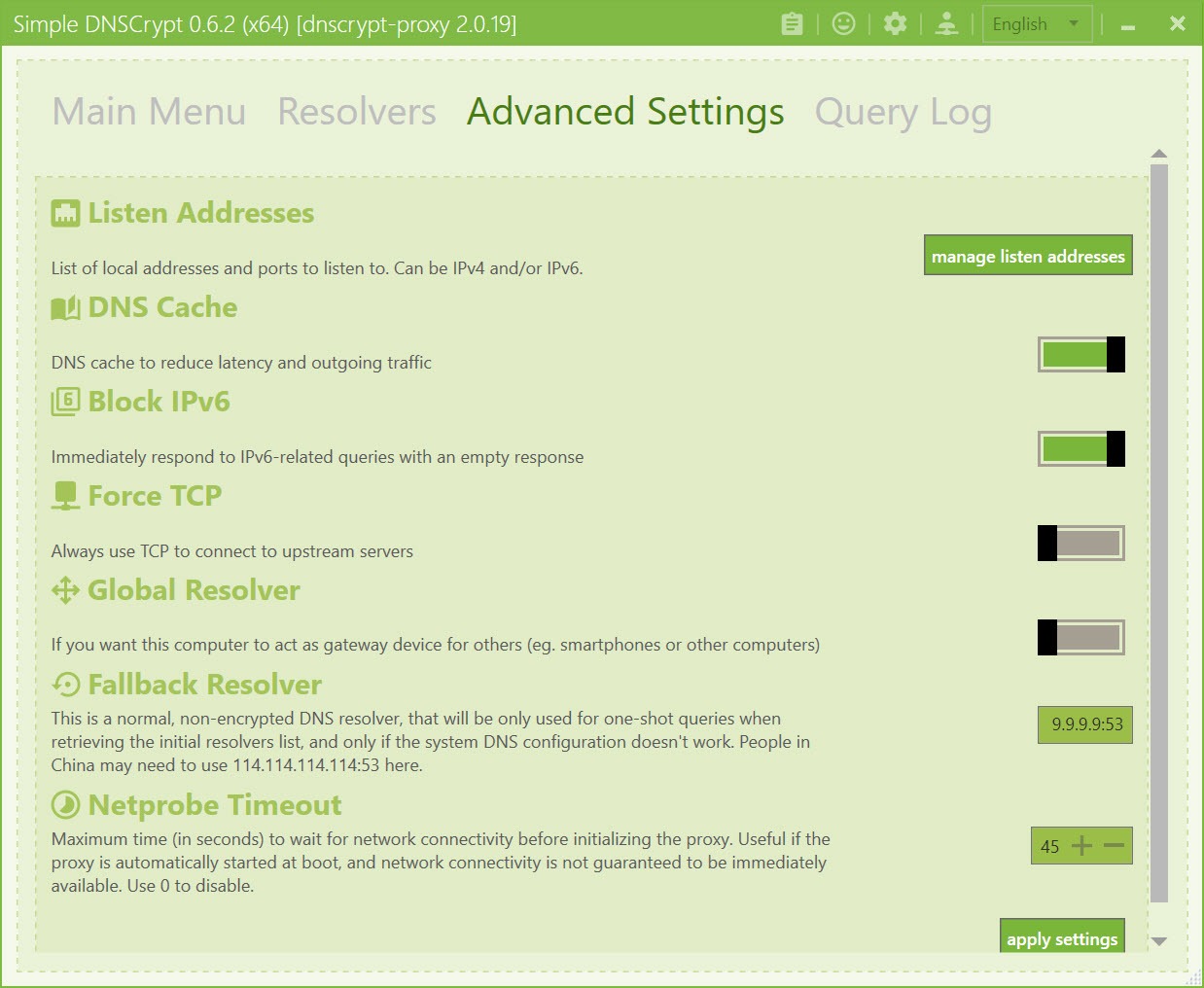
We should be honest about the limits of the “simple” promise. The GUI covers the common settings well, but the underlying proxy has depth the interface does not fully expose. Power users chasing a specific relay configuration or an exotic option still end up in the TOML file eventually, at which point the graphical layer becomes a partial helper rather than a complete replacement.
There is also the matter of conflicts. Because the application redirects your system DNS to a local address, it can clash with a VPN, another DNS utility, or anything else trying to manage resolution at the same time. Running it alongside a VPN that handles its own DNS often means one of the two has to yield.
None of this is a flaw exactly, it is the nature of sitting in the middle of the DNS path, but it does mean the setup is occasionally less plug-and-play than the name suggests.
Conclusion
Simple DNSCrypt is for the privacy-minded user who has heard that DNS leaks reveal browsing habits and wants to plug that hole without learning to edit configuration files. Home users hardening a personal machine, and tinkerers who want encrypted resolution with system-wide ad blocking layered on top, are the people who will get the most from it. It turns a genuinely capable but intimidating proxy into something you can set up in a few minutes of clicking.
It will not satisfy everyone. Those needing full traffic anonymity should reach for a VPN, and the deepest configurations still demand the text file the GUI was meant to spare you.
But as an accessible on-ramp to encrypted DNS, with real protocol choice and filtering thrown in, it occupies a useful spot that pure DNS switchers and heavyweight privacy suites both leave open.
Pros & Cons
- Encrypts DNS queries so your ISP and on-path attackers cannot read or tamper with your lookups
- Graphical front-end removes the need to hand-edit the dnscrypt-proxy configuration file
- Supports DNSCrypt, DoH, and Anonymized DNS, the last of which hides your IP from the resolver
- Resolver filters let you require no-logging, DNSSEC validation, or no third-party filtering
- Load-balances across multiple resolvers automatically, favoring the fastest responders
- Built-in block list and cloaking apply system-wide, plus a live query log for monitoring
- Not a VPN, so it protects DNS only and does not hide general traffic or change your IP
- Advanced configurations still require dropping into the underlying TOML file
- Redirecting system DNS can conflict with VPNs or other DNS management tools
- The resolver list assumes some understanding of what DNSSEC and no-log actually mean
- Encrypted DNS does not help if your destination connection is otherwise compromised
Frequently asked questions
It encrypts your computer's DNS lookups so the websites you visit are not exposed in plain text to your internet provider or anyone on the network. It acts as a control panel for the dnscrypt-proxy engine, handling resolver selection, encryption, and filtering.
Both encrypt your DNS queries, but the DNSCrypt protocol has no fixed port or recognizable signature, making it harder to detect and block, while DoH looks like normal HTTPS traffic and is concentrated among a few large providers. The application lets you use either.
No. It encrypts only DNS traffic, not your entire connection. It stops your lookups from leaking and prevents DNS tampering, but it does not mask your IP for general browsing the way a VPN does.
Yes. Its block list feature works at the DNS level, refusing to resolve domains you add from ad, tracker, malware, or telemetry lists. Because it operates system-wide, the blocking covers every application, not just your browser.
The tool redirects your system DNS to a local address, and many VPNs manage DNS themselves. When both try to control resolution at once, they can interfere, so you often need to configure one of them to step aside.
It routes your encrypted query through a relay before it reaches the resolver, so the server answering your lookup never sees your real IP address. This adds a layer of anonymity that standard encrypted DNS, which still exposes your IP to the resolver, does not provide.


