

VUPlayer
About VUPlayer
Audio player software has consolidated remarkably over the past two decades. The wild ecosystem of the early 2000s, with dozens of competing applications each pursuing different design philosophies, has narrowed to a handful of dominant options plus the streaming services that have mostly replaced local playback for casual listeners.
The users who still maintain serious local music collections, those who care about audio quality, format flexibility, and proper library management, increasingly pick from a small set of well-known options like foobar2000, MusicBee, and a handful of others.
VUPlayer is the quietly excellent alternative that doesn’t get nearly enough attention given what it actually offers.
For users who want serious audio playback features without the visual minimalism of foobar2000 or the bulk of larger alternatives, this software occupies a niche worth knowing about.
Format support that goes deep into the unusual
The headline format support covers all the standard audio types you’d expect: MP3, FLAC, WAV, OGG Vorbis, AAC, M4A, WMA, ALAC, Opus, and various other modern formats.
Lossless playback works through the same interface as lossy formats, with proper handling of metadata, embedded artwork, and the various edge cases that come up across different encoders and tagging schemes.
Where the software starts to differentiate itself is in the support for tracker module formats: MOD, S3M, XM, IT, and MTM files that originated in the demo scene and early game music traditions. These formats store music as patterns of notes and instrument samples rather than recorded waveforms, producing characteristic chiptune-adjacent sounds that retain a substantial dedicated audience.
Most modern audio players don’t support these formats at all, requiring users to maintain separate applications for module music. VUPlayer handles them natively alongside everything else, eliminating that fragmentation.
For users with collections spanning both modern lossless audio and historical tracker music, having one player for both kinds of content matters substantially. The same playlists can mix FLAC rips of CD albums with module files from old computer demos, and the player handles the transitions transparently.
This breadth alone justifies the software for users who care about that particular combination of content.
Gapless playback that actually works
Gapless playback (the ability to play tracks back-to-back without inserting silence between them) matters enormously for albums designed to play as continuous experiences. Live recordings, DJ mixes, classical works with movements that flow into each other, and any concept album recorded with intentional crossfades all suffer when the player inserts gaps between tracks.
The implementation in VUPlayer handles gapless playback properly, with seamless transitions between tracks regardless of format. The cross-format gapless support matters specifically because some players handle it correctly within MP3 collections but fail when transitioning between MP3 and FLAC, or between FLAC and OGG.
This software handles all the combinations cleanly, which becomes apparent with collections that span multiple encoding choices.
For users coming from players that don’t handle gapless properly, the difference is immediately audible. Albums you’ve listened to for years suddenly sound the way they were intended, with the artificial pauses removed and the actual transitions revealed for the first time.
CD ripping with proper accuracy
The included CD ripping functionality lets you extract audio from CDs into your preferred format, with proper handling of the technical complications that come up with damaged or marginal discs.
The ripper supports CDDB/Gracenote-style metadata lookup, populating track titles, artist names, album information, and other details automatically rather than requiring manual entry.
For users digitizing CD collections, having a capable ripper integrated with the player they’ll use afterward simplifies the workflow substantially. The same metadata system handles both ripping and playback, which means tracks ripped through the application appear in the library with consistent tagging rather than requiring separate metadata cleanup work.
The ripping process supports various output formats, with FLAC being the natural choice for users wanting lossless archives. Bit-perfect extraction with proper error handling produces the kind of archival-quality rips that justify the time spent on the process, particularly for users with large CD collections that they want to preserve digitally before the physical media degrades.
ReplayGain and proper loudness handling
Different recordings have wildly different loudness levels, and shuffling between tracks from different sources without level normalization produces an inconsistent listening experience where you’re constantly adjusting volume. ReplayGain is the standard for solving this through metadata that tells the player how much to adjust each track to match a reference loudness level.
VUPlayer supports ReplayGain both for reading existing tags (so tracks tagged by other tools play at proper levels) and for analyzing and writing tags itself (so you can apply ReplayGain to your own collection).
Track gain and album gain are both supported, with album gain being preferred for situations where you’re playing through entire albums and want intra-album dynamics preserved.
For users with mixed collections from various sources, applying ReplayGain transforms the listening experience. Quiet acoustic tracks no longer get drowned out by loud productions, classical music plays at sensible levels alongside metal, and the overall coherence of a mixed playlist improves substantially. The application handles both the analysis and playback sides of this without requiring separate tools.
Visualizations including the VU meter that gives the software its name
The application includes various audio visualizations, with the eponymous VU meter being the signature element. Real-time level metering with proper ballistics matches the response of analog VU meters, providing the satisfying needle movement that audio enthusiasts associate with proper level monitoring. Spectrum analyzers, oscilloscopes, and various other visualizations are also available for users who want different kinds of visual feedback.
For users who actually pay attention to visualizations during playback (which admittedly isn’t everyone), the variety covers different aesthetic preferences and informational needs.
The VU meter specifically appeals to users coming from analog audio backgrounds who want familiar visual feedback in their digital playback environment. The visualizations run efficiently enough that they don’t compete with audio playback for system resources.
Tag editing and library management
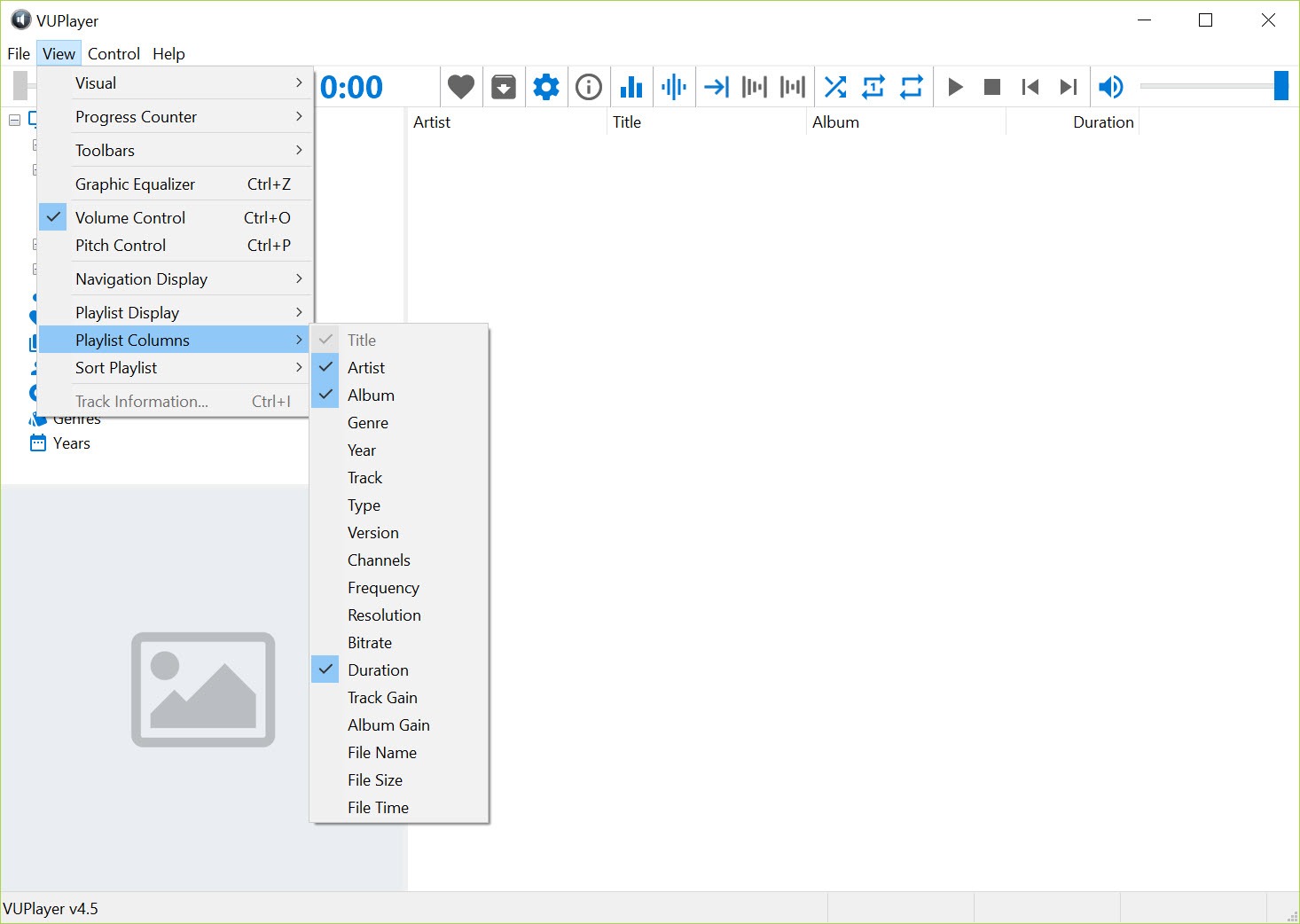
Beyond playback, the application includes integrated tag editing that lets you correct, supplement, or completely overhaul the metadata embedded in your audio files. Bulk editing across multiple files handles the common scenario of fixing systematic tagging errors across an entire album or artist catalog.
The library system organizes your music collection through database-driven views by artist, album, genre, year, and various other dimensions. Smart playlists based on metadata criteria let you create dynamic lists that update automatically as your library grows, which becomes useful for organizing collections too large to manage as static playlists.
For users who care about properly tagged collections (which is most users with serious local music libraries), having tag editing integrated with the player avoids the need for separate metadata tools.
Updating tags happens through the same interface used for playback, with changes reflected immediately in library views and playback behavior.
Format conversion built into the same workflow
The application includes format conversion that lets you re-encode files between different codecs and formats. This handles practical scenarios like producing MP3 versions of FLAC archives for portable players that don’t support FLAC, or transcoding lossless masters into different lossless formats for compatibility with specific applications.
The conversion uses appropriate underlying libraries (LAME for MP3, FLAC reference encoder for FLAC, and so on) to produce quality output rather than relying on quick-and-dirty conversion approaches that compromise audio quality.
For users who occasionally need format conversion but don’t want a separate dedicated tool, this integration saves the work of maintaining a conversion application alongside the player.
Considerations and limitations
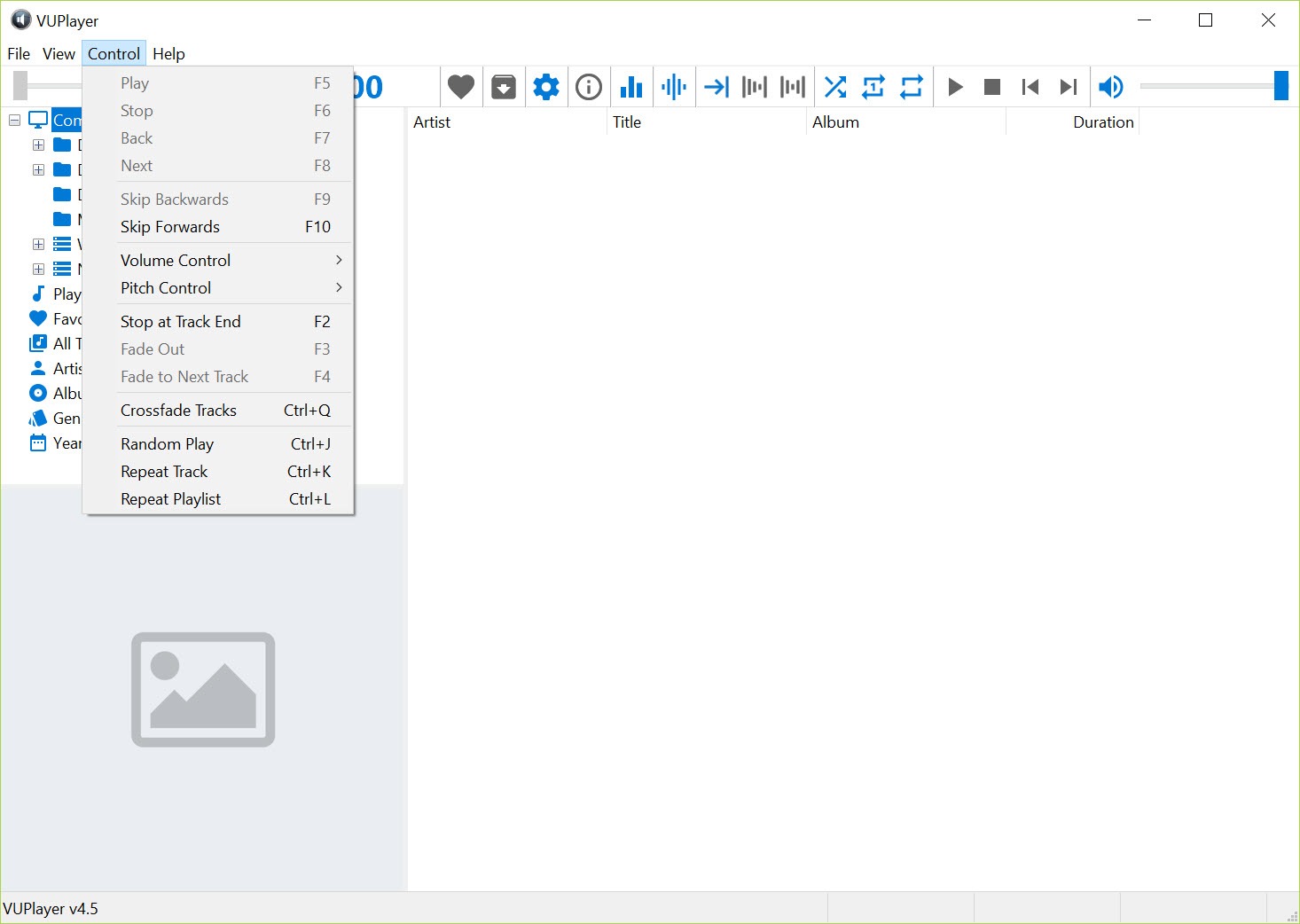
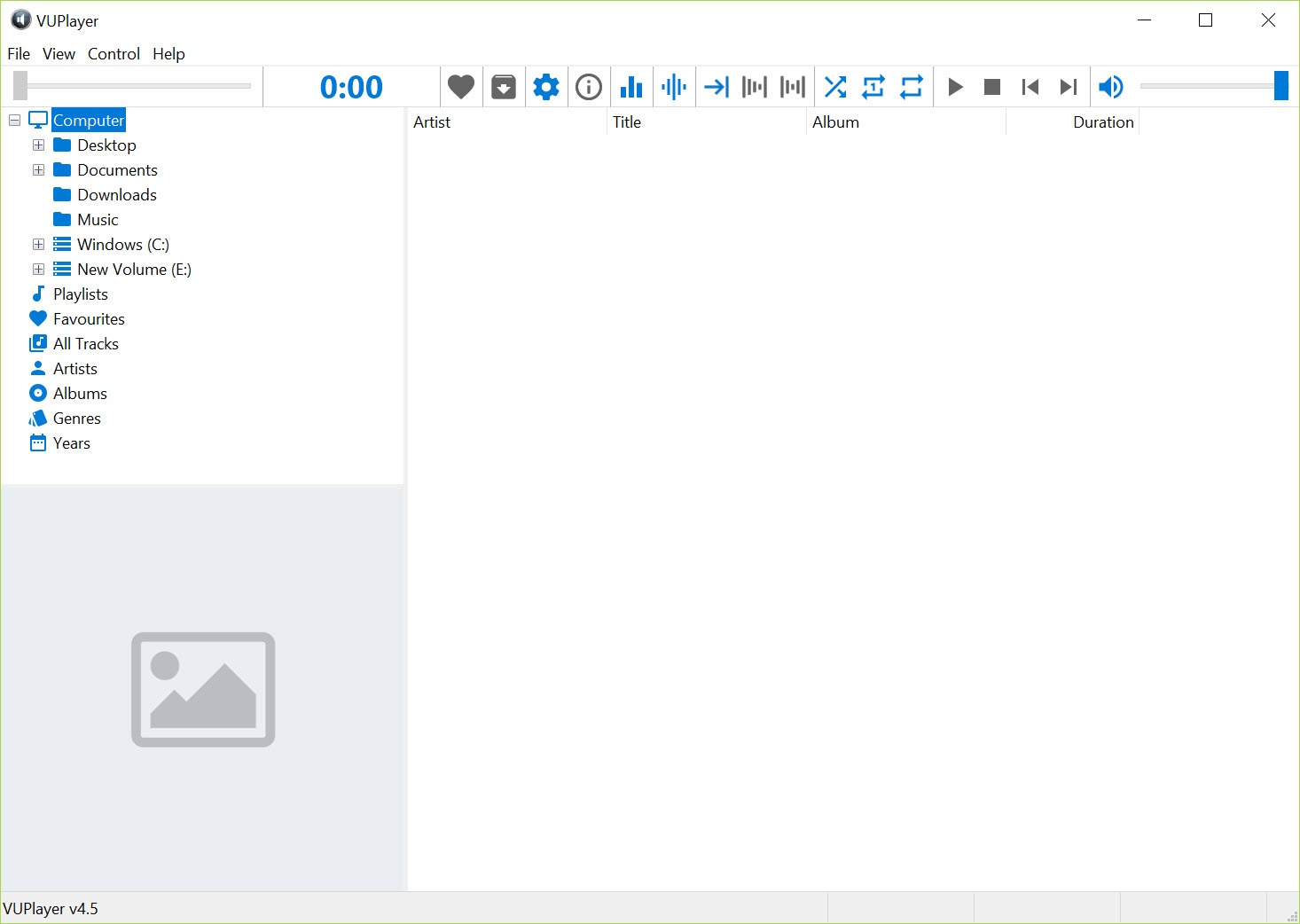
The interface design is functional but visibly dated compared to modern audio player aesthetics. Users accustomed to the polished design of commercial alternatives or the deliberate minimalism of foobar2000 may find this software’s appearance less appealing. The design prioritizes information density and capability access over visual polish, which is a deliberate choice but won’t appeal to everyone.
Documentation is sparse, with the application assuming users will figure out the interface largely through exploration. The basic operation is straightforward enough that this works for most scenarios, but advanced features sometimes require trial and error to fully understand. Community resources exist but are smaller than what mainstream alternatives have built up.
The user base is small enough that troubleshooting unusual issues sometimes lacks community resources. Common problems have answers available, but edge cases may require working through issues independently rather than finding existing discussions of the same problem.
Conclusion
VUPlayer has earned its place in the small ecosystem of serious local audio players by combining genuine capability breadth with active maintenance and a generous open-source license.
For users who want comprehensive format support, proper handling of audio quality concerns through ReplayGain and gapless playback, and integrated tools for ripping and converting alongside playback, this software delivers what’s needed without the complications that more bloated alternatives sometimes introduce.
It’s not for everyone. Casual listeners happy with streaming services have no reason to seek out specialized local players, and users who specifically want the polished aesthetics of modern commercial software will find this dated in appearance.
But for the audience that maintains serious local music collections and cares about doing playback properly, VUPlayer delivers exactly what it promises, with the kind of focused capability and ongoing development that justifies its quiet but devoted following.
Pros & Cons
- Comprehensive format support including tracker module formats most players ignore
- Proper gapless playback across different audio formats
- CD ripping integrated with the same player handling library management
- ReplayGain support for both reading and writing loudness normalization tags
- Variety of visualizations including the signature VU meter
- Tag editing with bulk operations across multiple files
- Format conversion for transcoding between different audio formats
- Lightweight resource usage suitable for older or constrained hardware
- Free and open-source with active ongoing development
- Interface design feels dated compared to modern audio player aesthetics
- Sparse documentation requires exploration to discover all features
- Smaller user base means fewer community resources for troubleshooting
- Library management less polished than dedicated music management applications
- Niche product unlikely to receive mainstream coverage despite genuine capability
Frequently asked questions
This software is a multi-format audio player that handles essentially every common audio format along with tracker module formats (MOD, S3M, XM, IT) that most players don't support. Beyond playback, it includes CD ripping, format conversion, tag editing, ReplayGain support, library management, and various audio visualizations including the VU meter that gives the software its name.
Both target similar audiences with overlapping core capabilities, but they prioritize different design philosophies. foobar2000 emphasizes minimal interface with extensive customization through configuration and components, appealing to users who want to assemble their ideal player from modular pieces. This software offers a more complete out-of-the-box experience with capabilities like CD ripping, conversion, and visualizations integrated rather than requiring separate components. The right choice depends on whether you prefer assembly or completeness.
Yes, FLAC playback works perfectly along with WAV, ALAC, and other lossless formats. The application produces bit-perfect output without unnecessary processing, which matters for users with high-quality audio equipment that benefits from clean signal paths. ReplayGain processing happens at appropriate stages to provide loudness normalization without compromising audio quality.
Absolutely. Native support for MOD, S3M, XM, IT, and MTM formats handles tracker music alongside standard audio formats. This breadth makes the software particularly valuable for users with collections spanning both modern audio and historical tracker music, since most other players require separate applications for these format families.
The CD ripper extracts audio from CDs into your chosen output format (FLAC for lossless archives, MP3 or others for compressed copies, depending on your preference). Metadata lookup populates track information automatically through standard CDDB-style services. The ripping process produces accurate output with proper error handling, suitable for archival-quality digitization of CD collections.
Niche audio players generally don't get mainstream tech press attention regardless of quality, with coverage instead going to large commercial products and a handful of well-established free alternatives. This software has been steadily developed for years without ever quite breaking into broad awareness, which is a common pattern for genuinely good but specialized software. The capability speaks for itself once users find it; the problem is just finding it in the first place.


