

SyncFolders
About SyncFolders
SyncFolders is a practical utility designed to help you keep folders in sync or create reliable backups. Ideal for anyone who manages multiple devices, external drives, or shared folders, this tool ensures that your files are consistent and safe without unnecessary complexity or steep learning curves.
With both one-way and two-way syncing available, it adapts to various needs, whether backing up photos or ensuring team files stay updated.
Easy setup for syncing tasks
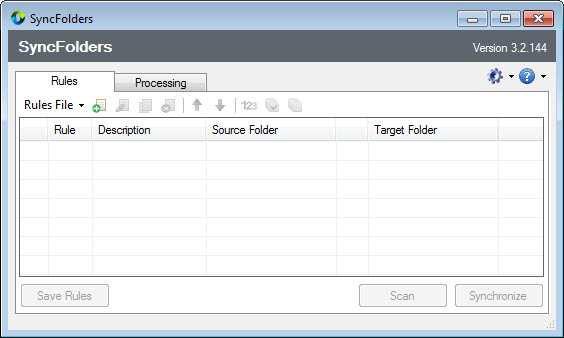
SyncFolders lets you define pairs of folders – source and destination – and choose the syncing mode. One-way syncing updates the destination to match the source, useful for backups. Two-way syncing ensures changes in either folder are mirrored in the other, making it great for shared workspaces or devices.
Once configured, you can save sync profiles and run them with a single click or schedule them via Windows Task Scheduler.
Clear synchronization reports
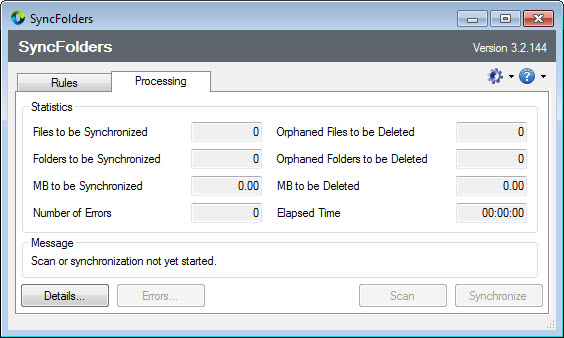
Before any operation begins, SyncFolders provides a detailed preview of actions. You’ll see file comparisons, including additions, updates, or deletions. This transparency helps you avoid accidentally overwriting or removing important data and gives you control over the process.
After syncing, a summary report tells you how many files were processed, skipped, or deleted-helping you track the operation’s outcome.
Automation and scheduling support
You can set up unattended syncing with the built-in scheduler or by using Task Scheduler. This is helpful for regular backups of folders like Documents or Media. Profiles can be assigned specific run intervals: daily, weekly, or custom triggers, so you never forget a backup.
For USB drives, you can configure profiles to sync automatically when the drive is connected, streamlining your workflow.
Portable and resource-efficient
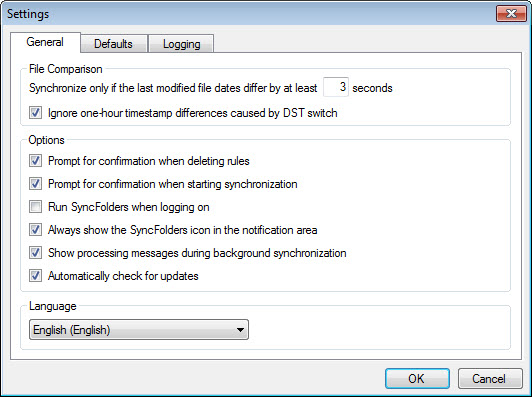
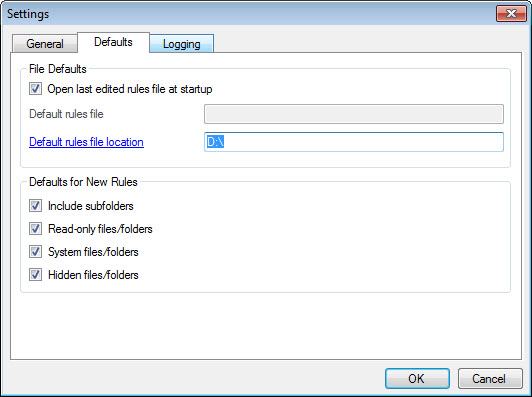
SyncFolders is small, portable, and doesn’t require installation. You can run it from a USB stick or shared folder, and it operates with minimal impact on your system. The interface is straightforward and clutter-free, focusing on essential options without overwhelming settings.
Conclusion
SyncFolders is an effective and user-friendly tool for anyone needing reliable folder syncing or backups. Its simplicity, scheduling abilities, and transparent reporting make it a strong choice for everyday use, whether backing up important files or sharing data between systems.
If you’re looking for a dependable folder synchronization tool with minimal interference and smart automation, SyncFolders delivers precisely that.
Features & benefits
Pros & Cons
- Supports both one-way and two-way synchronization
- Detailed preview and confirmation of changes before execution
- Summary reports help you verify results
- Scheduling options automate regular backupS
- Syncing large file sets may take time without progress bars
- No built-in conflict resolution. Manual review may be needed for simultaneous changes
- Lacks advanced filtering by file type or date in free version
- No integration with cloud services


