

Karen's Replicator
About Karen's Replicator
Karen’s Replicator copies folders from one place to another on a schedule, and that is the whole idea. Make a job, point it at a source folder and a destination, choose whether to copy everything or only what changed, and set a time. Every Monday at one in the morning, or every night, or every hour, the job runs and the destination catches up with the source. The copies are ordinary files in ordinary folders. No archive, no proprietary format, no program needed to read them back. Open the destination folder and the files are simply there.
That plainness is why people who dislike backup software like this one. Karen’s Replicator does not image a disk, compress anything or keep a history of versions. It replicates, which means a mistake in the source can be replicated too, and the sections below say how to guard against that.
The program has not seen a release in a long time, and its interface looks it, but a file copier has little to go out of date. What follows covers jobs and filters, the deletion options, the schedule and where a copier stops being enough.
Jobs, and what each one copies
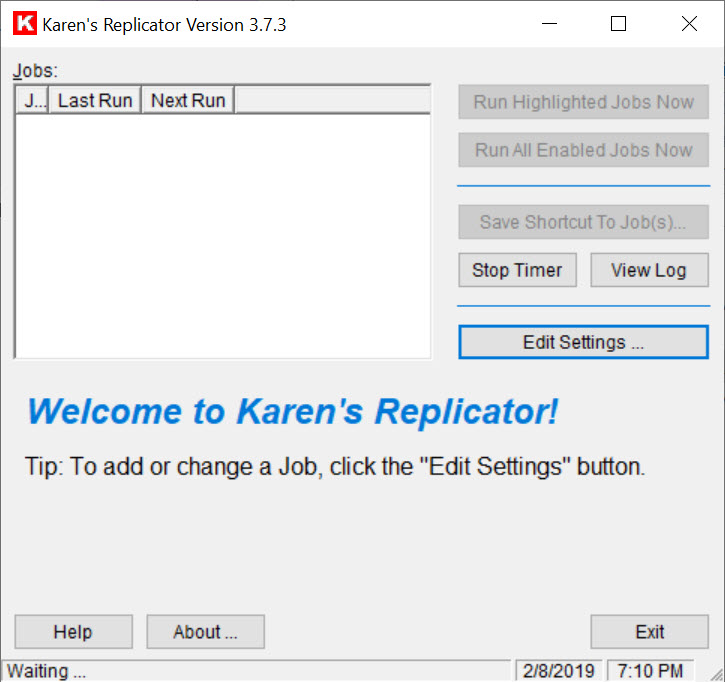
The main Karen’s Replicator window is a list of jobs, each with the time it last ran and a count of the files it copied. A job names a source folder, with or without its subfolders, and a destination, which can be another folder, another drive, a stick or a share on another machine on the network. Run a job from the list, or let the schedule do it. A shortcut to any job can sit on the desktop, so a backup becomes a double-click before you leave.
Several copy operations can live inside one job, which keeps the list short when one backup covers a documents folder, a photos folder and a project folder together. The copy itself is a plain file copy, with the dates preserved, so the destination matches the source folder for folder. It is a copy of files, not of the system, and a disk imaging tool covers that other half.
The job list, the filters and the exclusions are stored as plain text files, which anyone can read and back up in turn.
Filters and exclusions
Karen’s Replicator file filters say what to include, by pattern, so a job can copy only documents or only pictures. Exclusions say what to leave out, which is how a cache folder or a set of temporary files stays home. Both are lists you edit, and both apply per job. Together they turn a blunt folder copy into something closer to a backup plan.
The default for a job is to copy only files that are new or changed since the last run, which makes a nightly job quick once the first full copy has gone across. A comparison by size and date decides what has changed. Very large files are handled.
A file that is locked by a program at the moment of copying is skipped with an entry in the log rather than crashing the job, which is why closing your work before a scheduled run is good practice.
Replicating deletions, and the tag trick
Two Karen’s Replicator options turn a copy into an exact replica. One replicates deletions, so a file removed from the source is removed from the destination, and the two stay identical. The other deletes the old copy before writing the new one. Both are useful and both are dangerous in the same way. Delete a folder by mistake, let the job run, and the mistake is faithfully copied to the backup.
The guard is a tag. The destination folder’s name can include tags that expand to the current date or time, so each run writes to a fresh folder and the previous ones are untouched. That gives a simple version history by date, using more disk space, and it is the setting to use for the folders that matter.
For an exact replica with a proper versioning folder and conflict handling, FreeFileSync does the same job with more safety nets.
The schedule and the log
The Karen’s Replicator scheduler runs a job once or on a recurring pattern, on chosen days and at a chosen time, starting from a date you set. The program must be running for the schedule to fire, so it belongs in the startup list on a machine used for backups. Timers can be paused for a trip or a busy week and resumed afterwards.
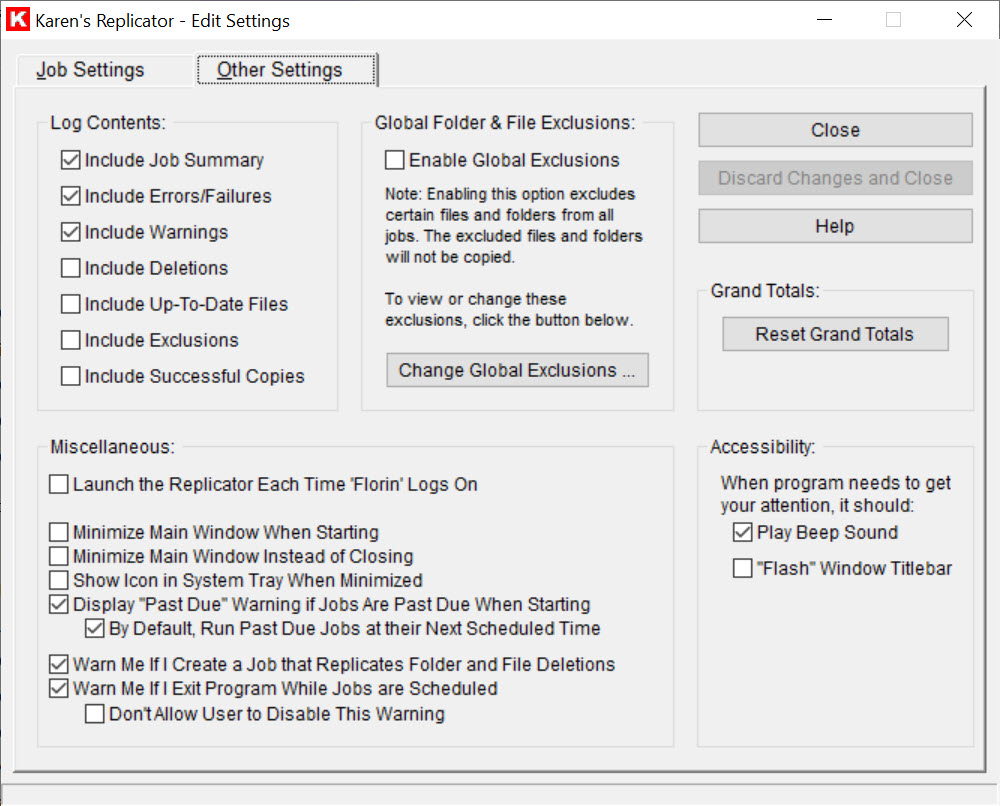
Every run writes to a log, with the files copied and the files that failed, so a morning check tells you whether the night’s job did its work. Statistics in the main window show the totals per job and across all of them. The log is a plain text file, like everything else the program writes.
Where a copier stops being enough
Karen’s Replicator copies files and nothing more. There is no disk image, so a dead system drive means reinstalling and copying back rather than restoring a snapshot. There is no compression and no encryption, so a backup on a stick is readable by anyone who finds the stick. Open files are skipped rather than captured. And the interface, while clear, looks like software from a much earlier time.
For scheduled backups with versioning and compression, and encryption, in a program of the same spirit, SyncBack is the next step up. This program’s place is the plain replica of your folders on a second drive, readable without it, running every night without a thought.
Conclusion
Karen’s Replicator suits anyone who wants their folders copied to a second drive every night, as plain files they can open without a program. It is for people who prefer a copier they understand to a backup suite they do not. The jobs, the filters and the date tags cover the ordinary household and small office case.
It does not image, compress or encrypt, and its deletion options need the tag trick to stay safe. Set the date tag on the folders that matter, close your work before the run, and read the log in the morning.
Pros & Cons
- Copies folders to another drive, stick or network share on a schedule
- Copies only new and changed files after the first full run
- Filters and exclusions by pattern, per job
- Options that replicate deletions, with date tags for a version history
- Backups are plain files readable without the program
- Plain-text job lists and logs, with statistics
- No disk image, compression or encryption
- Deletion options copy mistakes as faithfully as files
- Open files are skipped
- Dated interface and no release in a long time
Frequently asked questions
No. It copies files and folders. A system drive needs a disk imaging tool for a bootable image.
Put a date or time tag in the destination folder name so each run writes to a new folder, leaving the previous runs untouched.
The file was open in another program at the time of the run. Skipped files are listed in the log, and closing your work before a scheduled run avoids it.
Yes. The destination can be a shared folder on another machine on the local network, as well as another drive or a stick.


