

ASUS WebStorage
About ASUS WebStorage
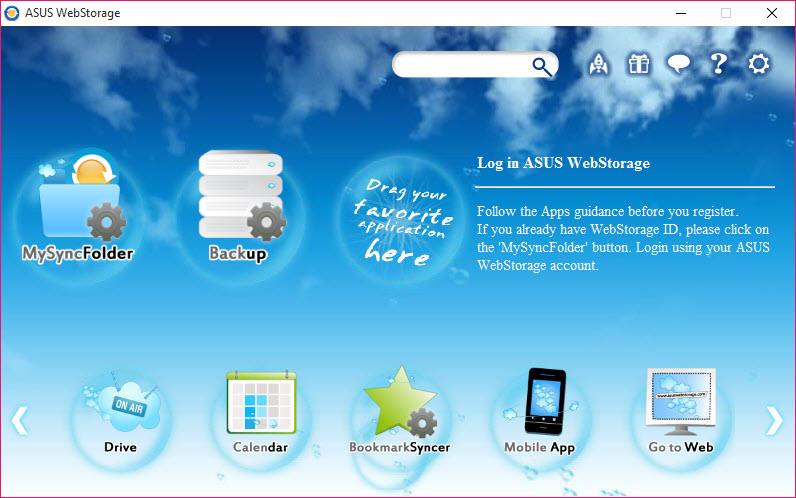
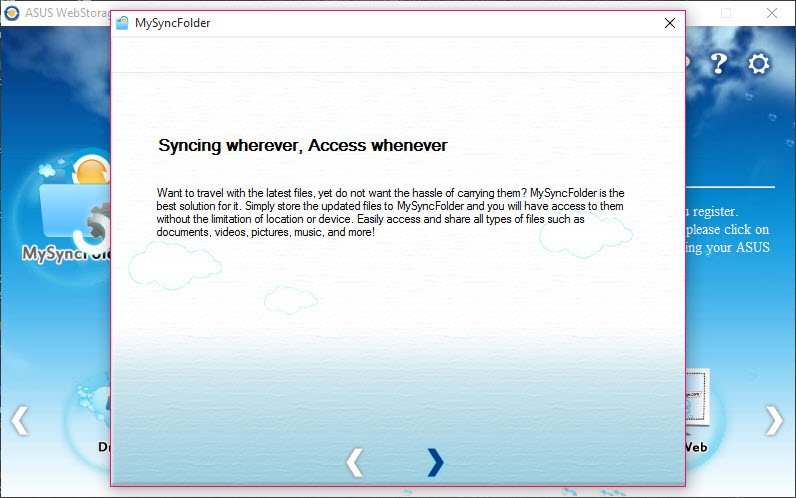
ASUS WebStorage is a cloud storage service with a desktop client that keeps a folder on your computer and a folder in the cloud identical. Drop a file into the local folder and it uploads. Edit it on a phone and the change comes back down. Share a file or a folder with a link, protect the link with a password, and the person at the other end needs no account to open it.
The service arrived bundled on ASUS laptops, with an allowance of space included, which is how most of its users met it, and it runs on any desktop with an account.
The desktop side is now three separate programs rather than one, and knowing which to install matters. ASUS WebStorage Sync is the classic two-way folder sync, keeping a full copy on the disk and in the cloud. xDrive is a cloud drive that shows everything in the file manager but downloads a file only when you open it, for machines with small disks.
Secure Auto-Backup copies chosen folders up to the cloud continuously without syncing anything back down. The service has also been trimming its edges, retiring an Outlook add-in and a remote drive feature. The sections below cover the three clients, sharing, the web and mobile side, and where the service feels smaller than its rivals.
Sync, the classic client
The ASUS WebStorage Sync client is the one to install on a machine with room to spare. Pick the folders to sync, and every file in them is copied to the cloud and to every other computer signed into the account, with changes travelling in both directions in real time. A file edited at work is current at home before you get there. Conflicts, where two machines edit the same file while offline, are kept as separate copies rather than silently overwritten, so nothing is lost even when the sync cannot decide.
Selective sync chooses which cloud folders land on which computer, so a laptop skips the archive folder that lives on the desktop. Uploads resume after a dropped connection rather than starting again.
For a plain two-way sync between machines without any cloud in the middle, a peer-to-peer sync tool does the same job over your own network.
xDrive, the cloud drive
xDrive, the ASUS WebStorage client that used to be called WebStorage Drive, takes the opposite approach. The whole cloud appears as a drive in the file manager, with every folder and file visible, and nothing downloads until a file is opened. The downloaded copy is kept as a cache and cleared when space runs short, so a laptop with a small solid state drive shows a cloud ten times its size.
That suits a second machine or a travel laptop, and it is the better choice for a large library of photos or documents that you open occasionally. The trade is that a file opened with no connection is not there, which the Sync client never suffers from. Mark folders to keep offline when a trip is coming, and the two approaches combine.
Secure Auto-Backup
The third ASUS WebStorage client is a backup rather than a sync. Choose folders and it copies them to the cloud as they change, continuously, and does not bring anything back down to other machines. That is the right tool for the documents and photos that must survive a dead disk, since a sync client faithfully syncs a deletion too, while a backup keeps the file.
Versions of changed files are kept, so a document overwritten by mistake can be pulled back as it was, and deleted files sit in a recycle area for a period before they go.
Restoring happens from the client or from the web. For a backup that is encrypted on your machine before it leaves, to any storage you choose, Arq is the stricter approach, and the two can coexist.
Sharing, the web and the phone
Any file or folder in ASUS WebStorage shares with a link, and the link can carry a password and an expiry date, so a client sees a folder for a week and then does not. Shared folders can be opened to other account holders for two-way collaboration. The web interface shows everything, previews documents and photos, plays media and manages the sharing, and the mobile apps upload the phone’s camera roll automatically and open any file in the account.
That camera upload is the quiet reason the service stays installed on a phone. Photos arrive in the cloud as they are taken and appear on the desktop in the Sync folder a minute later, without a cable and without thinking about it.
Where it feels smaller
ASUS WebStorage is small beside the giants. Fewer third-party apps connect to it, the desktop clients are plainer, and the file size limits on uploads are tighter than people expect, which trips up anyone moving video. Reviewers mention sync that slows at times. The product line has been shedding features, with the Outlook add-in and the remote drive retired, which is a sign of a service concentrating on its core. And the storage allowance that came with a laptop runs for a fixed period, after which the account continues only on its own terms.
For the widest compatibility with other apps and the most mature sync engine, Dropbox remains the yardstick. This service’s case is the bundle it came with, the three-client split that fits different machines, and the camera roll that just appears.
Conclusion
ASUS WebStorage suits anyone who got the service with a laptop and wants a sync folder, a cloud drive for a small disk and a continuous backup from the same account. Phone photos arriving on their own is the bonus. The three-client split is the service’s real strength once you know which one you want.
It is smaller and plainer than the leading services, its upload limits are tight and its bundled allowance ends. Pick the client that matches each machine, put the irreplaceable folders in the backup rather than the sync, and it does its quiet job.
Pros & Cons
- Two-way folder sync in real time, with conflict copies instead of silent overwrites
- xDrive shows the whole cloud in the file manager and downloads files on demand
- Secure Auto-Backup keeps continuous backups with file versions and a recycle area
- Share links with passwords and expiry dates, no account needed to open them
- Mobile apps upload the camera roll automatically
- Resumable uploads and selective sync per computer
- Three separate desktop clients to choose between
- Tighter upload size limits than rivals
- Fewer third-party apps connect to it
- Retiring features at the edges, and the bundled allowance is time-limited
Frequently asked questions
Sync for a full two-way copy on a machine with disk space. xDrive for a cloud drive that downloads on demand on a small disk. Secure Auto-Backup for one-way backup of important folders.
Yes. Secure Auto-Backup keeps versions of changed files, and deleted files stay in a recycle area for a period before removal.
Yes. Share links open without an account, and they can carry a password and an expiry date.
Yes. The mobile apps upload the camera roll automatically, and the photos appear on the desktop through the Sync client.


