

Reason Core Security
About Reason Core Security
Reason Core Security hunts the software your antivirus lets through on purpose. Adware, toolbars, search hijackers, bundled offers and the whole category of potentially unwanted programs sit in a grey zone that traditional engines treat cautiously, because the programs were technically installed with consent. This tool treats them as the nuisance they are.
It scans the machine against a cloud database rather than a local signature file, flags the unwanted, and removes it. It is built to run beside an antivirus rather than replace one, and it says so plainly.
Two pieces do most of the work. Real-time protection watches from startup and alerts when something on the unwanted list tries to run. Bundle protection watches installers, and when a setup wizard offers a browser toolbar or a search change through a pre-ticked box, it unticks the box for you. That second part is the feature people install it for, since bundled offers are how most adware arrives, and it stops the problem before there is anything to clean.
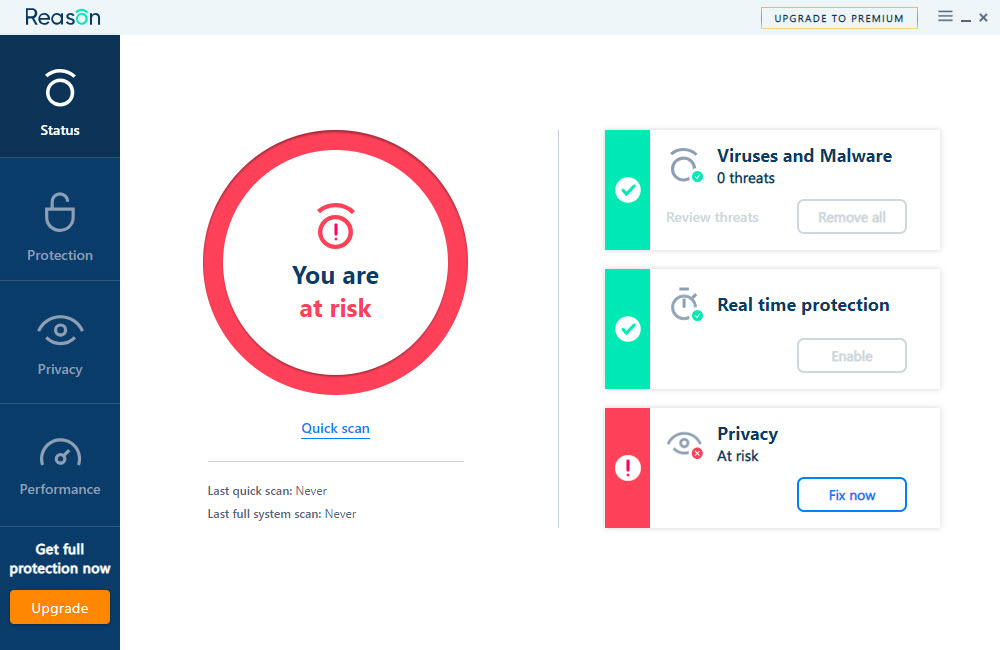
Reason Core Security wraps both in a window that reports a Protection Score, a single number that rises as you fix what it found.
Cloud scanning without a signature download
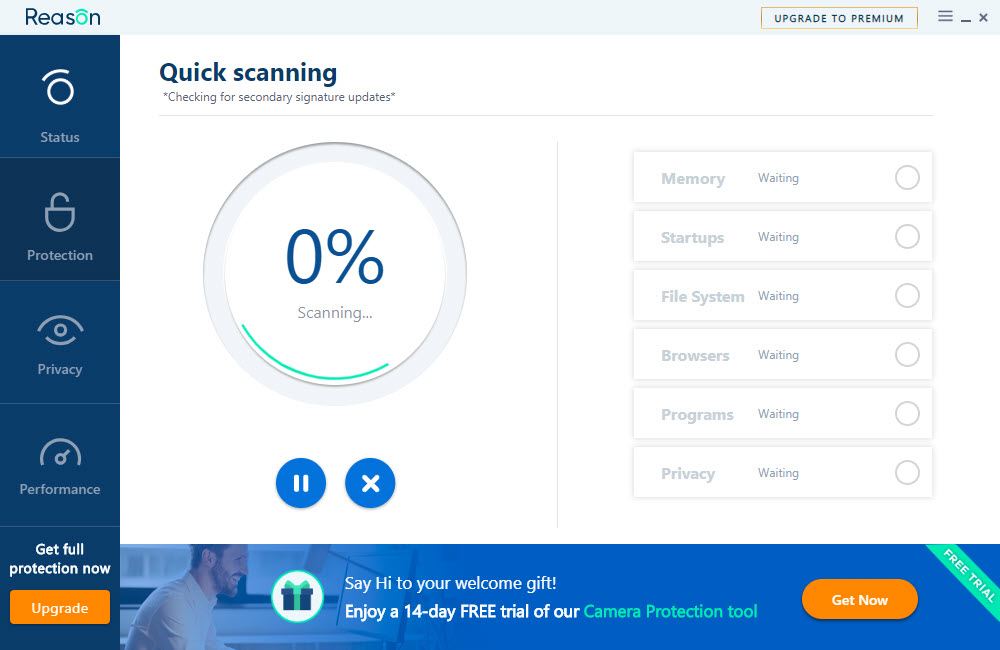
Scans check files against a cloud service rather than a signature database stored locally, so there is no daily update to wait for and the definitions are as current as the last minute. A quick scan covers the places unwanted programs live, running processes, startup entries and browser add-ons, and finishes in a few minutes. A full scan walks the whole disk. Scheduled scans run on a timer in the paid tier.
The trade is that scanning needs an internet connection and that anything unusual is evaluated remotely, which some people will not want. The engine is tuned for adware and unwanted programs, and it catches ordinary trojans and worms along the way, but it does not target file-infecting viruses, memory-resident threats or rootkits. That is the honest boundary.
For those, the antivirus stays on and a second-opinion scanner that does target rootkits is the companion for a suspected deep infection.
Bundle protection, or an installer that stops lying to you
Run an installer with bundle protection active and every offer for extra software appears already declined, with a small notification saying what was unticked. It works on the majority of installers because most use a handful of common frameworks whose offer screens follow patterns, and it fails on the custom ones, so watching the screens still matters.
The same idea exists as a standalone tool in a dedicated installer offer unticker, and the implementation here is the same technology, so anyone running that already gains nothing new from this part.
The uninstaller, startup manager and browser tools
The Reason Core Security Tools tab is where the cleanup lives. The uninstaller lists installed programs with a risk rating beside each, drawn from what the cloud knows about the program’s reputation, so a browser extension nobody chose and a system update tool nobody needs both stand out. Removal sweeps leftovers, and the ratings are the same ones that power a companion tool that rates installed programs from the same maker.
The startup manager lists everything that runs at login, though it lists system entries alongside third-party ones without much to distinguish them, which makes it noisier than a dedicated tool. The browser add-on manager shows extensions, toolbars, search hooks and context menu entries across the installed browsers, and search hooks are the entry most people have never seen and most often hold a hijacker.
A remediation tool resets browser settings, the hosts file and proxy entries that adware has changed.
Where it fits, and where it does not
Reason Core Security is a companion, and running it beside an antivirus is the intended arrangement. As a sole defence it is the wrong shape, since the threats it deliberately skips are the ones that do the most damage. The paid tier holds the real-time shield and scheduled scans, with the unregistered build limited to on-demand scanning and removal after a trial period, so anyone who wants the always-on part needs to register.
The interface is clear and the prompts to register are present but not aggressive.
Conclusion
Reason Core Security suits anyone whose machine keeps sprouting toolbars, search changes and programs they never chose, and who wants those gone without giving up their existing antivirus. The bundle protection stops the next one arriving, and the uninstaller with its reputation ratings makes clearing the current crop quick.
It is not protection on its own, and its most useful piece, the installer unticking, is available as a standalone tool for those who want only that. Keep the antivirus, add this for the grey zone it covers, and treat the Protection Score as a to-do list rather than a verdict.
Pros & Cons
- Cloud scanning with no signature downloads to wait for
- Bundle protection unticks bundled offers during installations
- Uninstaller rates installed programs by reputation
- Browser add-on manager exposes search hooks and hidden toolbars
- Runs beside an antivirus without conflict
- Does not target file-infecting viruses, memory-resident threats or rootkits
- Real-time protection and scheduling need the registered tier
- Scanning requires an internet connection
- Startup manager mixes system entries with third-party ones
Frequently asked questions
No. It targets adware and unwanted programs and does not cover file-infecting viruses or rootkits. Run it alongside an antivirus.
It watches installers and unticks pre-selected offers for extra software, so toolbars and search changes are declined before they install.
Files are checked against a cloud database rather than local signatures, which keeps definitions current but means offline scanning is not possible.
A single number summarising the machine's state. It rises as flagged programs are removed and protections are enabled.


