

Norton Security
About Norton Security
The antivirus market split into two camps a long time ago. On one side, lightweight scanners that do one job and stay out of the way. On the other, full security suites that bundle malware protection with VPN, password management, cloud backup, identity monitoring, and parental controls in a single subscription. Norton Security sits firmly in the second camp, and has been one of the defining products of that category for so long that the brand itself is shorthand for “the big antivirus package your computer came preloaded with.”
That history cuts both ways. The brand carries decades of bloatware reputation from earlier suites that did genuinely slow machines down. The current product is a different animal in technical terms, with a much lighter footprint and a feature set built around the idea that malware is no longer the main threat for most home users.
Identity exposure, phishing, and account compromise are. Whether that bundle is worth what the subscription asks depends on which parts you actually use, and a clear-eyed look at that is overdue.
The malware engine itself
The core protection layer is built around SONAR, the behavioral analysis engine, plus signature-based scanning against a regularly updated definition set, plus an IPS layer that inspects network traffic at the packet level for exploit patterns. The combination tests well in independent labs like AV-TEST and AV-Comparatives, where it routinely scores at or near the top of protection and zero-day blocking metrics. The detection ceiling is high.
What independent tests do not capture is everyday performance impact. The application installs deep system hooks across file I/O, browser traffic, and network interfaces, which historically was the source of the slowdown reputation. The current build is dramatically lighter. Scans run with low priority in the background, real-time monitoring on modern hardware is barely noticeable, and the scheduled deep scan can complete on a typical drive in a reasonable window. If you are coming from years of disabled antivirus or relying on Defender, you will probably not notice the daily overhead. People with older laptops on spinning disks still might.
If your only requirement is detection quality and you do not want anything else, Bitdefender and ESET NOD32 Antivirus cover the same lab-test territory at lighter weight.
Norton Security earns its keep when the rest of the bundle is also part of your reason to buy.
The smart firewall
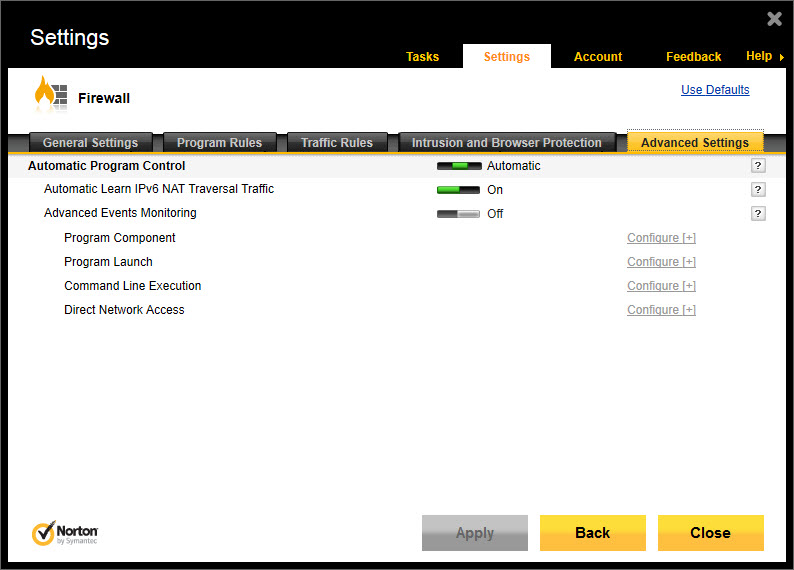
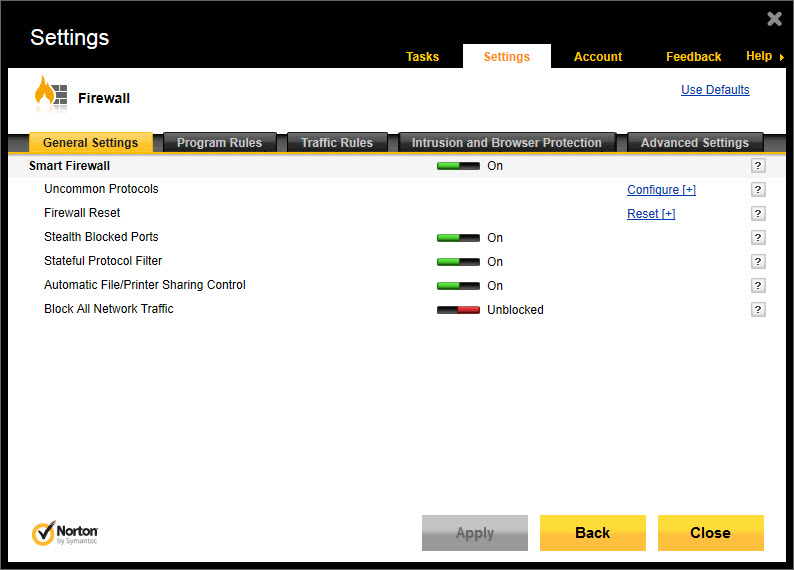
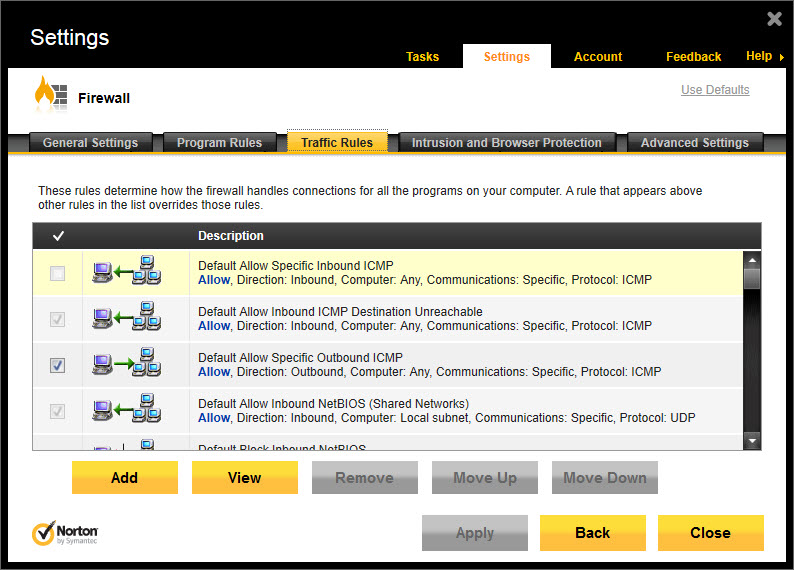
The included firewall is one of the more genuinely useful pieces. It does the basic Windows firewall job of allowing or blocking traffic per application, but with a reputation database backing the decisions. New executables that try to make outbound connections get evaluated against the Norton Insight reputation network, and the firewall can auto-approve or auto-block based on community prevalence and trust ratings. Manual rule editing is also exposed for users who want it.
For most home setups, the smart-decision model is genuinely better than the Windows default of “ask the user about every prompt until they click yes by reflex.” For users who want richer visibility into which application is doing what on the network, pairing it with a tool like GlassWire for the monitoring side gives you both automatic protection and human-readable traffic logs.
The firewall in Norton Security does not give you that level of visibility natively.
The browser layer and Safe Web
The Safe Web extension installs into the supported browsers and adds link reputation indicators to search results, blocks known phishing pages before they load, and warns on certificate problems and content-injection patterns. The phishing detection in particular is one of the underrated pieces of the product. Search-result intercept catches a meaningful percentage of typosquats and credential harvesters that the browser’s built-in safe browsing misses.
There is also a banking protection mode that opens financial sites in a hardened context with reduced extension exposure and clipboard isolation, on the theory that a compromised browser extension is the most likely vector for credential theft on a personal device. It works, with the trade-off of slightly slower page load on banking sessions and occasional friction with browser autofill.
Password manager, VPN, and the bundle question
Norton Password Manager is included with the suite at no extra cost, and it is a reasonable basic password manager. Cross-device sync through the Norton account, browser autofill, password generation, breach monitoring against known credential dumps. It is not as polished as the dedicated commercial alternatives in the space, and the import/export workflows are awkward, but if you do not already have a manager, having one bundled removes a friction point.
Norton Secure VPN ships with the suite under most tiers. Speeds are middling, the server network is smaller than the dedicated VPN providers, and there is no kill switch on some platforms. As a “I want my hotel WiFi traffic encrypted occasionally” VPN, it is fine.
As a tool for streaming geo-bypass or serious privacy work, it is not the choice. The bundle value depends on whether you would otherwise pay separately for any of these services, or whether they are duplicating tools you already have.
For users coming off a different product, Comodo Internet Security bundles antivirus plus firewall plus sandbox at a lower price point but with less polish. The trade is real on both sides.
Identity monitoring and the LifeLock angle
The identity protection layer is where Norton Security in its higher tiers tries to differentiate from pure antivirus suites. Dark Web Monitoring scans known credential dump locations for your email addresses and other personal identifiers, alerting you when they appear. Higher tiers include LifeLock branded services with credit monitoring, identity restoration support, and varying degrees of fraud reimbursement insurance.
The value here is genuinely subjective. Dark Web Monitoring is largely overlapping with free services like Have I Been Pwned, which checks the same kinds of breach data without a subscription. The added value of the paid tier is the human element of identity restoration, which is genuine if you ever actually need it, and worth nothing if you never do.
The LifeLock side carries its own history baggage that anyone considering the higher tiers should research independently.
Cloud backup
The suite includes a Norton-hosted cloud backup quota that scales by tier, typically starting around 10 GB and going up significantly at higher subscription levels. It is not a full backup solution. There is no system imaging, no incremental block-level deduplication, no NAS support. It is file-level backup of selected folders to Norton storage. For documents and photos on a single machine, it is fine and the integration with the rest of the suite is clean.
For real backup work you still want a dedicated backup tool. The included quota functions as insurance against ransomware, on the theory that even if your local copies are encrypted, the off-machine copies are intact.
Performance optimization tools
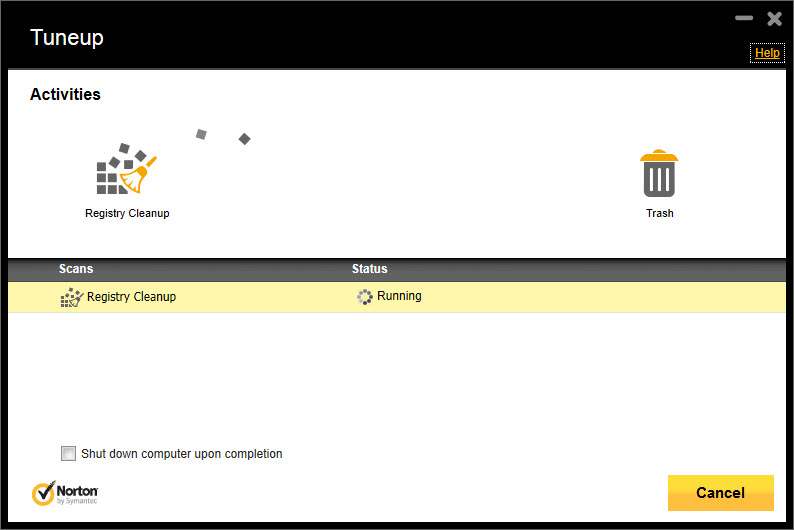
There is a set of optimization features bundled in: startup application manager, file cleanup that targets temp files and browser caches, and a duplicate file finder. These are mediocre versions of features that free utilities do well. The bundled startup manager is less informative than the resident scanner in AdwCleaner for catching browser hijackers and unwanted programs. The file cleanup is less granular than what a dedicated cleaner offers. They are competent enough to be useful if you do not have anything else, and not good enough to be the reason you buy the suite.
The renewal and notification problem
Two things consistently annoy long-term users. First, the subscription auto-renews at full MSRP rather than the promotional first-year price, and the renewal notice is easy to miss. People who signed up at a discount routinely get charged double or triple the original rate at year-end unless they actively cancel auto-renewal in the account dashboard. This is industry-standard practice now, but the magnitude of the price increase still surprises people every year.
Second, the user interface pushes upsells. Buy the higher tier. Add this feature. Try this product. Norton 360 with LifeLock Ultimate Plus is mentioned often. The notifications are dismissable but persistent, and tuning them out requires diving into settings that change names between major versions. Compared to a pay-once, get-out-of-the-way product like Malwarebytes on its Premium tier, the Norton Security UI has substantially more in-product marketing.
Uninstall is its own project
Uninstalling the suite cleanly is harder than uninstalling almost any other consumer software. The deep system hooks, the kernel driver components, the browser extensions, the account integration. Standard Windows Apps and Features removal leaves residue. There is a dedicated Norton Remove and Reinstall utility for a reason, and it exists precisely because the standard path is incomplete. Plan to use it if you ever decide to switch products.
For deep cleanup of stubborn infections on a system that already has Norton Security installed, Norton Power Eraser is a more aggressive scanner that runs alongside the main product without conflict.
Conclusion
Norton Security is a bundle product, and the right way to evaluate it is as a bundle, not as a pure antivirus. The malware engine is genuinely capable and tests well, the smart firewall is one of the better consumer firewalls available, and the browser protection layer adds value that Defender alone does not match. Where the suite shines is for users who would otherwise be paying for multiple separate services, and who appreciate having one subscription and one vendor for the security stack.
Where it falls down is the subscription model itself. The auto-renewal pricing, the in-product upsells, and the messy uninstall path are real friction that thin out the value proposition over multi-year ownership. For users who want straightforward, set-and-forget protection without the marketing layer, lighter products from competing antivirus vendors deliver the protection without the bundle baggage.
For users who want one product covering antivirus, VPN, password management, backup, and identity monitoring in a single dashboard, this is exactly what the category looks like, and the execution is among the more polished in that segment.
Features & benefits
Pros & Cons
- High independent-lab detection scores across protection and zero-day testing
- Smart firewall with reputation-based automatic rule decisions
- Effective phishing and link-reputation protection in supported browsers
- Banking protection mode with clipboard and extension isolation
- Bundled password manager, VPN, and cloud backup at no per-feature add-on cost
- Identity monitoring with dark web breach alerts on higher tiers
- Subscription auto-renewal at significantly higher than promotional first-year pricing
- In-product upsell notifications are persistent and hard to fully silence
- Bundled VPN and password manager are weaker than the standalone leaders
- Identity monitoring overlaps with free public-breach-check tools
- Uninstall is messy and typically needs the dedicated removal utility
- Higher tiers carry significant pricing complexity across regional markets
Frequently asked questions
Detection rates in independent labs are close on signature-based threats. Where the paid product pulls ahead is the additional layers, like the smart firewall, Safe Web phishing protection, banking mode, and the bundled services. If your protection model is single-machine, single-user, and Defender plus careful browsing has been sufficient, the upgrade case is weaker.
The honest answer depends on what else is in the bundle that you would otherwise pay for. If you are already buying a separate VPN, password manager, and identity monitoring service, the bundle math works out. If you are buying it primarily for malware protection, cheaper options match the detection scores.
Less than its reputation suggests. The current build is much lighter than the suites from earlier years. On a modern machine with an SSD, the impact is generally not noticeable in everyday use. On older laptops with spinning disks, scheduled scans can still produce visible slowdown during active scanning, though real-time monitoring overhead is low.
Norton subscriptions typically auto-renew at the standard list price rather than the promotional rate from year one. The renewal notice arrives by email and is easy to miss. Check your Norton account dashboard for the renewal terms, and contact support to discuss adjustments if the price has jumped substantially.
Generally no. Running two real-time antivirus engines simultaneously causes conflicts, file lock contention, and false positives where each engine flags the other's quarantine files. Use dedicated second-opinion scanners like Norton Power Eraser or portable scanners that do not install resident protection.
Standard uninstall through Apps and Features leaves driver residue and registry entries. Use the dedicated Norton Remove and Reinstall utility to perform a clean removal that takes the kernel components and browser extensions with it. Plan for a reboot in the middle of the process.
The higher tiers include Norton Family for parental controls, with web filtering, screen time limits, search supervision, and location tracking on mobile companion apps. The base tier does not include it. Check which subscription level you have before assuming the feature is active.


