

QuickTime
About QuickTime
QuickTime is the player that taught computers what a .mov file was, and for a long stretch of desktop history, installing it was simply part of setting up a machine. The software still downloads, still installs, and still plays its home format with the quiet competence it always had.
But this is a review of a program frozen in time, and pretending otherwise would fail every reader, so the full picture comes with it, what it still does, what it will never do again, and who has a real reason to install it today.
The short version for the impatient. If a specific legacy workflow demands QuickTime, it remains the only key to that lock. For everyone who just wants to watch a .mov file someone sent them, modern players handle the format natively, and the section on alternatives below will save you an installation.
What it still does well
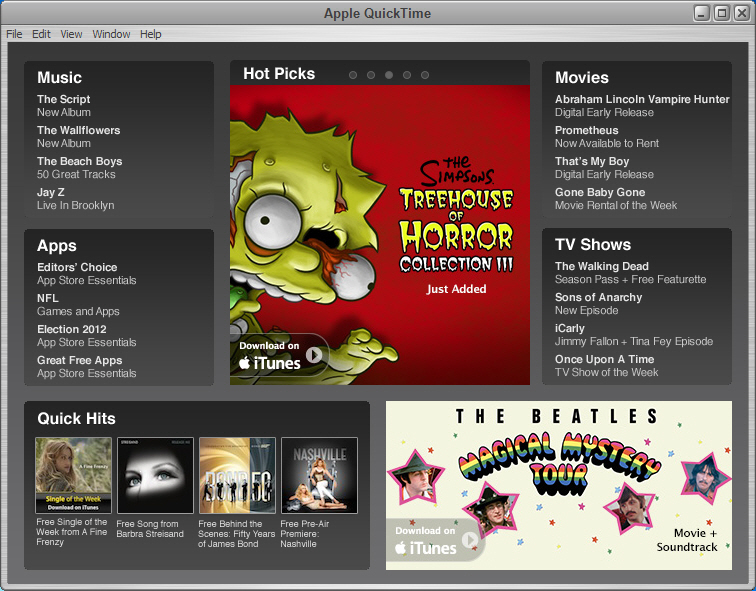
The player itself was always a lesson in restraint. A clean window, transport controls, precise frame stepping, and adjustable playback for audio balance, pitch, and speed, with none of the toolbar clutter of its era’s rivals. MOV files and the H.264 video inside most of them play exactly as intended, older codecs from the format’s deep catalog decode correctly, and files from vintage cameras or old project archives that confuse modern software often open here without complaint.
That last point is the genuine surviving strength. The format’s obscure corners, ancient compression schemes and container quirks from decades of accumulated video, are territory this player knows natively because it defined them.
An archive of family videos from an early digital camcorder is precisely the cargo it still carries better than almost anything.
The Pro tier’s editing tricks
The registered Pro tier turned the player into a pocket editor, and those functions still operate. Clips trim from either end, segments cut, copy, and paste between files like text, tracks layer over one another, and the export dialog converts between the formats of its era with detailed control over codecs and quality. Simple recording from attached cameras and microphones rounds it out.
For quick surgery on old MOV material inside old projects, these tools remain serviceable. For any new work, current editors and converters outclass them completely, which is less a criticism than a statement about the passage of time.
Frozen in time, and what that means
Here is the paragraph this review exists for. Development and support for QuickTime on desktop ended long ago, and it ended with two publicly documented security vulnerabilities that will never receive patches.
Security authorities at the time explicitly recommended uninstalling it, and that guidance has never been withdrawn. The risk is concrete rather than theoretical, since the flaws involve how the player processes media, meaning a maliciously crafted video file is the attack vehicle.
The practical translation is straightforward. Playing your own trusted archive of old files is one risk profile. Using an unpatched player to open files downloaded from strangers is another entirely, and the second scenario is exactly the one to avoid.
Anyone who installs it should treat it as a specialist instrument for known material, not a daily player for the open internet, and should uninstall it when the job ends.
Who actually still needs it
Honest inventory of the remaining audience. Certain legacy professional applications and workflows, old editing suites, laboratory and scientific software of a certain vintage, and archived projects built around its codecs, truly require this player’s components and accept no substitute. People maintaining such systems know exactly who they are, and for them the installer remains a necessity.
Everyone else has been released. Modern players ship MOV and H.264 support natively, with VLC as the universal answer that opens the format on any machine with zero configuration.
For the archive itself, the wiser move is conversion. A batch transcode through HandBrake turns an old MOV collection into modern, future-proof formats in one evening, exactly what irreplaceable family footage sitting in an aging container deserves.
Even the ecosystem that birthed this player moved on, with iTunes long since free of any dependency on it.
Conclusion
QuickTime deserves the respect owed to software that shaped an entire medium, and it deserves the honesty owed to readers in the present. For maintainers of legacy professional systems and archivists coaxing vintage files open, it remains irreplaceable, best treated as a careful, temporary instrument. That audience is real, and this download exists for them.
Everyone else should let it rest. The format it championed now plays everywhere, the editing tricks have modern heirs, and an unpatched player is a poor daily companion. Install it for a reason, or not at all.
Pros & Cons
- Plays MOV files and the format's obscure legacy codecs natively
- Clean, minimal player with precise frame stepping and playback controls
- Pro tier still performs simple trims, edits, and era-appropriate conversions
- Opens vintage camera and archive files that confuse modern software
- The only option for legacy workflows built around its components
- Development ended permanently, with known vulnerabilities that will never be patched
- Official security guidance recommended uninstalling it
- No support for modern formats and codecs that postdate its era
- Every general playback need is better served by current players
Frequently asked questions
No, development and support ended permanently. The final release is the final release, including two publicly documented security flaws that will never be fixed.
Not anymore. Modern media players support MOV and H.264 natively, and the format opens everywhere without this player installed. Only legacy software dependencies still require it.
It trims clips, cuts and pastes video segments like text, layers tracks, records from cameras, and converts between the formats of its era with detailed codec control.
As a specialist tool for trusted, known files, especially vintage archives, installed for the task and removed afterward. Opening untrusted downloads with an unpatched player is the scenario to avoid.
Convert it. A batch transcode into modern formats preserves the footage in containers every future device will read, and retires the dependency on aging software entirely.


