

AppleWin
About AppleWin
AppleWin recreates the Apple II family of computers in a window, from the original machine through the II Plus to the IIe and the Enhanced IIe, with the foreign variants and the clones alongside. Insert a disk image, press the power button, and the familiar prompt appears. Two 5.25 inch drives sit on the toolbar with activity lights, a hard disk controller can hold a large image for software that outgrew floppies, and the machine runs at the original speed or as fast as the host allows. It is the standard Apple II emulator for the desktop because it models the cards that went into the slots as well as the computer.
That slot modelling is where the depth lives. A Mockingboard and a Phasor supply the music and speech that only a few games used and that transform the ones that did. A Super Serial Card, a parallel printer card, a mouse interface, memory expansions, a Z80 card for running CP/M, two generations of Ethernet card, joystick cards for multiple controllers and the RGB video cards that gave the IIe its colour modes all install into numbered slots from a configuration dialog. AppleWin also carries a symbolic debugger that programmers of the original machine would have envied, and save states that freeze the whole machine mid-game.
Choosing a machine and filling its slots
The AppleWin configuration dialog picks the model, and with it the ROM, the keyboard behaviour and the video modes the real hardware had. Slots are configured one at a time from a list of cards, and the choice shapes what software runs. A game expecting a Mockingboard in slot 4 finds one there, and a CP/M disk boots when the Z80 card is present. Memory cards expand the machine to 8MB for the handful of programs that could use it.
Changing a card means a reboot of the emulated machine rather than the host, so experimenting is quick. The defaults match a typical Enhanced IIe with two drives and a hard disk controller, which runs the great majority of software without any slot work at all, and the slot dialog is for the rest.
Disks, hard disk images and formats
AppleWin loads disk images from DSK, DO, PO, NIB and WOZ files, with BIN for raw and zip or gzip archives read directly, so a downloaded collection mounts without unpacking. WOZ images carry the low-level flux details that copy-protected originals depended on, and the drive emulation honours them, including quarter tracks and timing, so protected games that failed on simpler emulators boot here. Images can be mounted read-only to protect an original, and a status readout shows the track and sector under the head.
Hard disk images in the HDV and 2MG family attach to the hard disk controller, and the Enhanced IIe uses a SmartPort firmware for them, which is how a large ProDOS volume holding dozens of programs gets booted. Swapping and ejecting images, and creating blank ones, happen from the drive buttons’ menu.
Moving files between the host and an image needs a separate utility, and the emulator integrates with the standard Apple II disk tool for that, since the emulated machine cannot see the host’s folders directly.
Video and sound, and the feel of the original
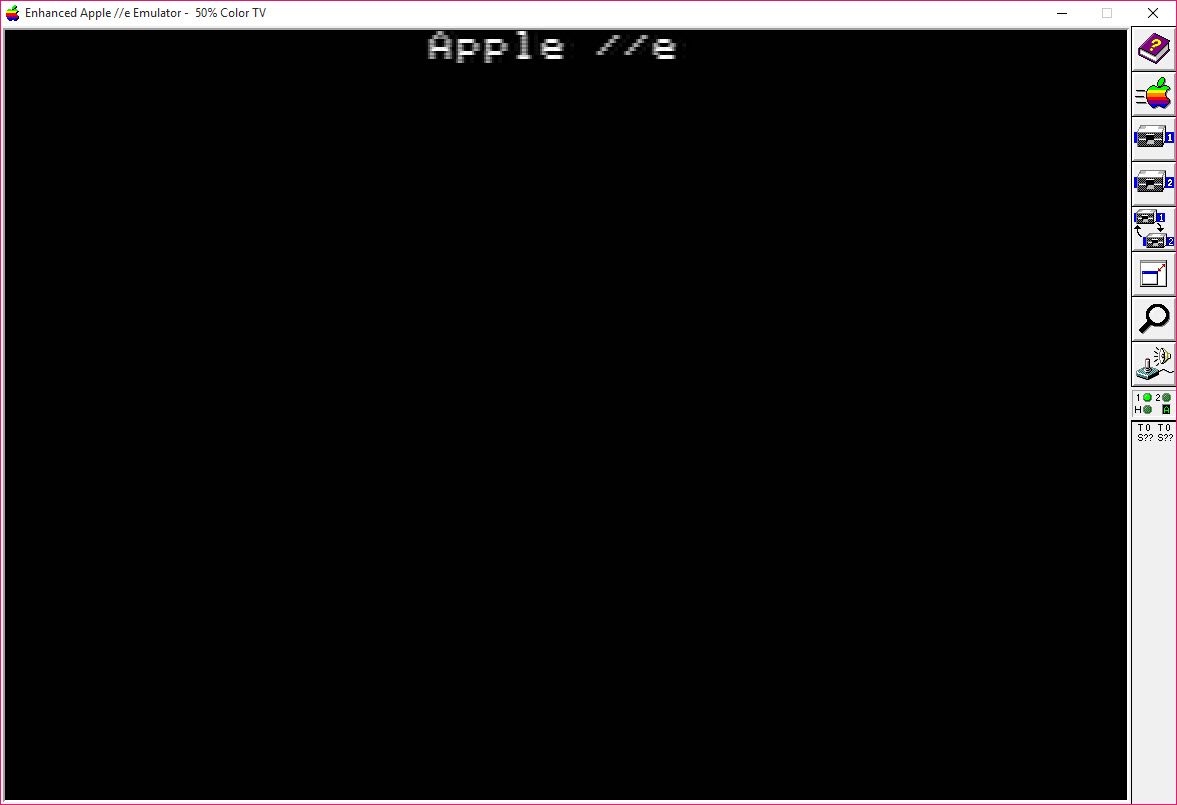
The AppleWin display offers the colour and monochrome monitors of the time and a composite television mode that reproduces the fringing and blur that many games were designed around. Lo-res, hi-res and double hi-res modes all render correctly, 40 and 80 column text is supported, and the RGB cards add the modes that only those cards produced. Full screen runs through the graphics card, and a windowed mode doubles the pixels for modern displays.
Sound includes the built-in speaker, with its clicks and tones, and the Mockingboard and Phasor synthesis plus the speech chip that a few titles used for voices. A joystick maps to a gamepad or to the mouse as paddles, and the keyboard can stand in for a joystick, with a controller-to-keyboard mapper covering any pad the emulator does not see natively.
The debugger
The built-in AppleWin debugger is a reason programmers keep this emulator around even when they play elsewhere. It disassembles with symbols, steps through code and traces it, sets breakpoints on addresses, on memory reads and writes and on hard disk transfers, watches memory, inspects the state of the slot cards including the Mockingboard’s chips, and shows the video memory as the screen would draw it. Commands cover the disk drives too, reporting the mounted image and the head position of any drive in any slot.
For anyone writing new software for the old machine, or picking apart how a classic worked, that debugger does what a hardware logic analyser once did, at a desk, and the same cycle-exact ethos that Hoxs64 brings to the Commodore 64 is at work here. It is also entirely ignorable for anyone who only wants to play, since it opens on demand.
Save states and networking
AppleWin save states capture the complete machine, memory, cards, disk positions and all, and restore it later, with the paths to the disk images stored so a state reloads from a different folder. The Ethernet cards connect the emulated machine to a real network, so period networking software and the modern homebrew that uses it reach the internet, with the host handling name lookups.
A screenshot command saves the display, and a command line mounts images and boots directly, which is how a front end for emulators launches a library of games straight into play.
Where it stops
AppleWin does not emulate the IIgs, so the 16-bit software and the Super Hi-Res graphics of that machine need a different emulator, with the exception of a video card mode that shows those graphics modes without the machine behind them. The configuration dialog assumes you know what the cards are, and a newcomer faces a list of hardware names with little explanation.
Moving files in and out of disk images needs an external tool. And the interface is plain, with toolbar buttons and dialogs rather than a library of cover art, so a front end is the way to browse a large collection.
Conclusion
AppleWin suits anyone who wants an Apple II that behaves like the real thing, from a player revisiting the games of a childhood to a programmer writing or dissecting software for the machine. The slot cards, the WOZ disk handling and the composite video mode make the old software look and sound right, and the debugger turns the emulator into a development tool.
It is not for the IIgs, and its configuration speaks the language of the original hardware. Start with the default Enhanced IIe, mount a WOZ image, and add cards only when a program asks for one, and the machine behind the window will be as faithful as any that still runs.
Pros & Cons
- Emulates the Apple II, II Plus, IIe and Enhanced IIe with foreign variants and clones
- Slot cards including Mockingboard, Phasor, Z80, Ethernet, memory and RGB video
- WOZ disk images with quarter-track timing boot copy-protected originals
- Symbolic debugger with breakpoints on memory and disk access, plus card state inspection
- Save states capturing the full machine, and hard disk images for large volumes
- Composite television mode reproducing the colour fringing games relied on
- No IIgs emulation beyond one video card's graphics modes
- Slot configuration assumes knowledge of the original hardware
- File transfer to and from disk images needs a separate utility
- Plain interface with no built-in game library
Frequently asked questions
The Apple II, II Plus, IIe and Enhanced IIe, plus foreign variants and clones. The IIgs is not included.
Yes, from WOZ images, which carry the low-level disk details the protection depended on. The drive emulation honours quarter tracks and timing.
Through a separate disk image utility. The emulated machine cannot see the host's folders directly, and the emulator integrates with the standard tool for that job.
Yes, a symbolic one with disassembly, breakpoints on memory and disk access, memory watches and card state inspection, opened on demand.


