

Sonma Typing Expert
About Sonma Typing Expert
Typing tutors mostly teach English and stop there. Sonma Typing Expert teaches English and Hindi, and the Hindi half is not an afterthought translation of the English lessons. It accounts for the fact that Hindi typing uses a different keyboard mapping, a different font and, most surprisingly to newcomers, a different resting position for your fingers.
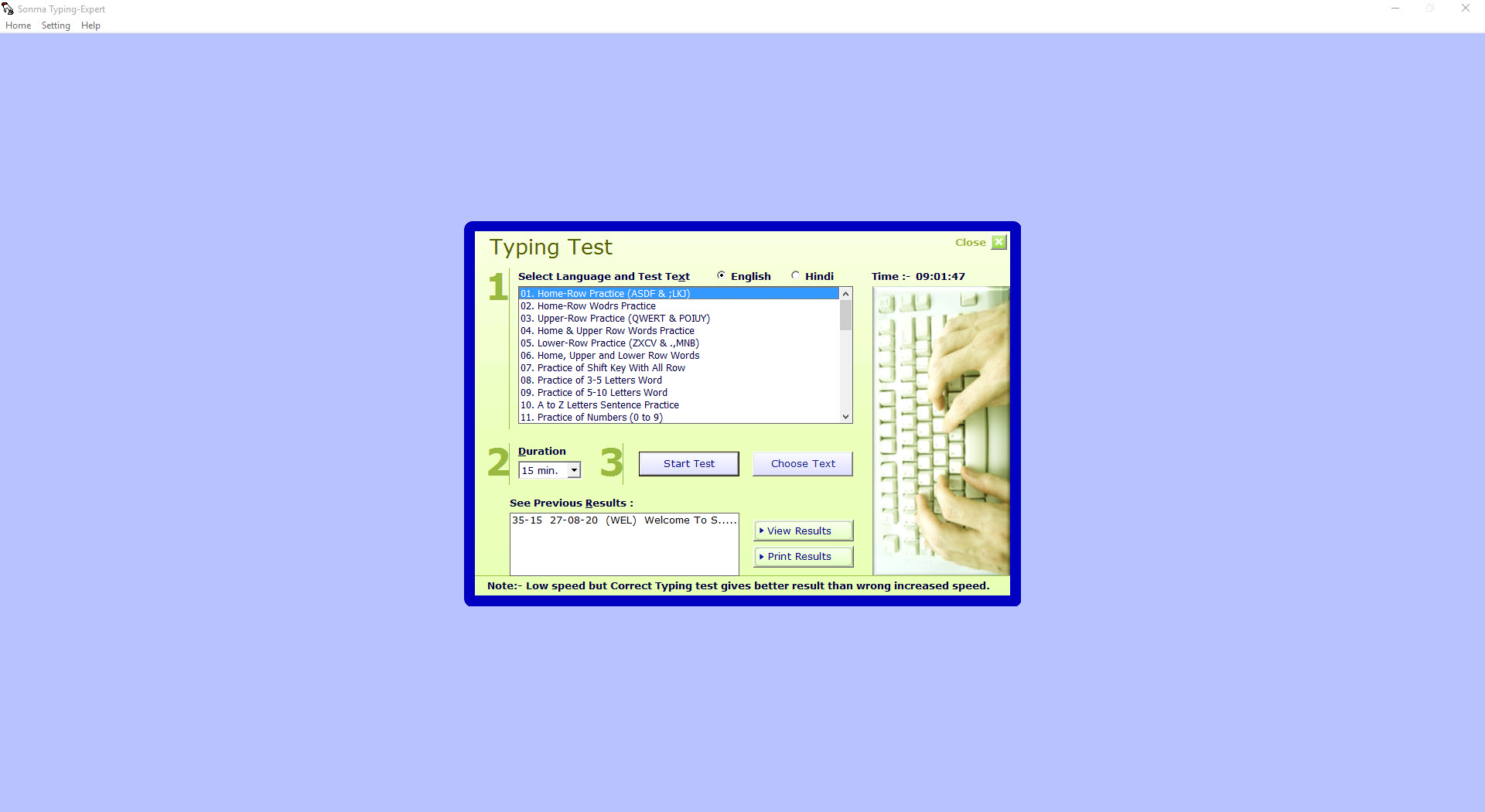
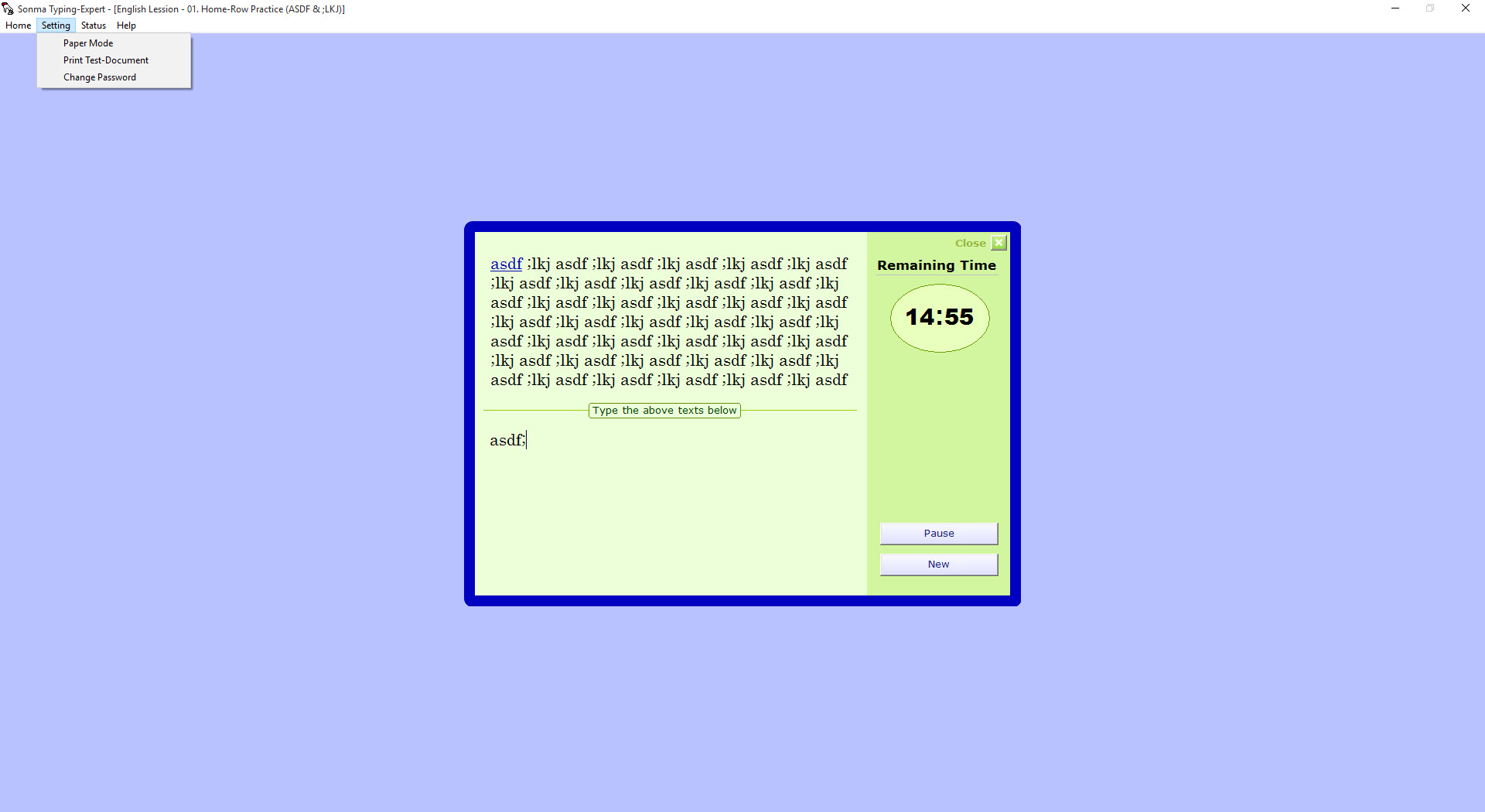
The program itself is plain. A window, a passage of text, a timer and a set of function keys, with no animation and nothing gamified. What it does have is the specific machinery somebody preparing for a typing examination needs, including a settable clock, the ability to type a passage you supplied yourself, and results you can print.
It shares the field with Soni Typing Tutor and a handful of similar bilingual tutors. Where it pulls ahead is in the small practical decisions, and where it falls behind is in the font technology it was built around.
Two languages, and the font that makes Hindi work
English typing uses a standard serif face and needs nothing installed. Hindi is where it gets interesting, because the Hindi lessons are built on a legacy eight-bit font, Devlys 010, with Kruti Dev 010 being close enough to interchangeable that either serves.
Language selection is automatic. Choose a passage and Sonma Typing Expert sets the language to match it, so there is no mode to remember to switch.
The font is also the most common thing to go wrong. Setup is supposed to install it, and when that step does not complete properly the Hindi passages render as a mess of unrelated Latin characters rather than Devanagari.
It looks like a broken program and it is a missing font, fixed by installing that font by hand. A viewer that lists what is actually installed settles the question in seconds rather than after an hour of reinstalling.
The Hindi home position is not the English one
This is what separates a tutor written by somebody who types Hindi from one that translated its lesson text and left everything else alone.
For English you rest on A, S, D, F and J, K, L, semicolon, which everybody knows. For Hindi on this layout the home position shifts one key to the right, onto S, D, F, G and K, L, semicolon, apostrophe. Start from the English position and every drill fights you, because the characters are not where your muscle memory expects.
A keyboard reference chart comes with the program, and the sensible companion to it is a set of physical stickers on the keys while you are learning. Reading a chart on screen while watching the passage is a poor arrangement, and nobody memorises a Devanagari layout in an evening.
Bring your own text, and set your own clock
Test duration in Sonma Typing Expert is anything from one minute to thirty, chosen freely rather than from three presets. That matters for endurance, because a two-minute burst and a fifteen-minute passage are different skills.
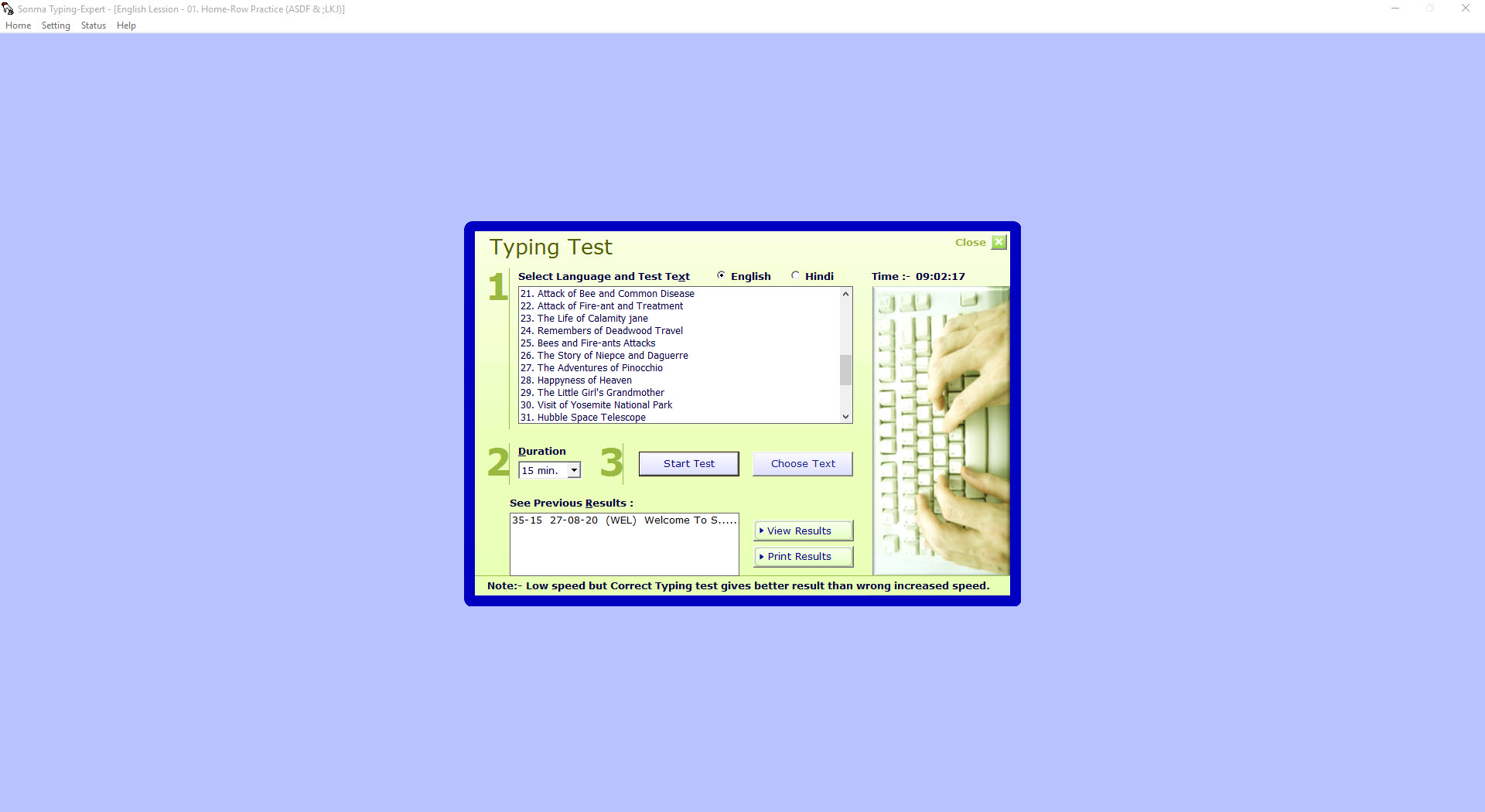
More useful still, the passage does not have to be one of the supplied lessons. You can point the program at a text file on your machine, add it to the list of available texts, then select it and start. Anyone with a past examination paper can practise on the real thing rather than a generic paragraph about the importance of hard work.
That combination, your own passage and your own clock, is what makes Sonma Typing Expert a rehearsal tool rather than only a teaching tool.
Pause and resume, which sounds trivial and is not
Two function keys suspend a test and continue it. F5 stops the clock, F6 starts it again.
The program treats this as its headline feature, which looks like an odd choice next to speed measurement and error analysis until you have practised at home. The doorbell goes, somebody needs something, the phone rings. Without a pause, every interruption destroys the attempt and the fifteen minutes you had committed to it. With one, you stop the clock and come back.
It is not how a real examination works, obviously. It is how practice actually happens, and building the software around that reality rather than around exam purity was the right call.
How the speed is actually calculated
Two figures are reported. Words per minute treats a word as five characters, the standard convention, and keystrokes per minute counts what your fingers did regardless of word boundaries.
The net speed formula is published, and it is harsher than most people expect. Total characters typed, including spaces, is the starting figure. Every incorrectly typed word then removes five characters from that total. What remains is divided by five to give words, then divided by the minutes elapsed. One wrong word therefore removes a whole word from the result, not a fraction of one.
That arithmetic changes how you should practise. Racing at forty words a minute with six errors scores worse than a careful thirty with one, and Sonma Typing Expert puts that trade-off in front of you every time. The remark bands run from poor below fifteen, through fair, good and very good, to excellent at thirty-five and above, which are generous thresholds by current standards and best treated as encouragement rather than as a target.
Results you can keep, and lessons you can rewrite
Every completed test in Sonma Typing Expert is saved, and a saved result is not just a number. Opening it shows the whole passage as you typed it, with the errors highlighted in place, which is the only way to notice that you consistently miss one particular character rather than making random mistakes.
Results print, which sounds quaint until you remember that typing certificates get submitted with job applications, and a printed run of thirty attempts persuades more than a screenshot of your best one.
Lessons can be edited too, and printed. Printing a lesson lets you practise from paper on the desk beside the keyboard, which is how examinations are usually conducted, and looking at paper rather than at a screen is a different skill worth rehearsing separately. For a tutor built more explicitly around examination formats, Kiran’s Typing Tutor covers similar ground with a different lesson structure.
The limits, including one that matters for exams
What is absent from Sonma Typing Expert is any adaptive teaching. There is no engine watching which keys you miss and generating drills to address them, no progression that unlocks as you improve, and no attempt to make repetition entertaining. You choose a passage, you type it, you read the result. For a structured beginner course with lesson progression, RapidTyping is built for that.
And if boredom is what defeats you, a game that hides the drills inside arcade shooting keeps people practising who would otherwise give up.
The limitation to check before relying on this is the font itself. Devlys and Kruti Dev are legacy encodings, and some typing examinations now require Unicode-based Hindi input with a different layout entirely. The finger movements overlap but they are not identical, so confirm which arrangement your test uses before spending three months building muscle memory for the wrong one.
Conclusion
Sonma Typing Expert is aimed squarely at somebody preparing for a Hindi or English typing test, and the design shows it. Loading your own passage, setting the clock to the exact duration the test uses, pausing when life interrupts, then printing a run of results is a rehearsal workflow rather than a teaching gimmick, and very few tutors bother with any of it.
Go in with two expectations set correctly. The Hindi font will probably need installing by hand, and the encoding it teaches may not be the one your examination requires, which is a question to settle before you start rather than after. Handle those two things and the rest is a plain, honest, unusually practical tutor that asks nothing of the machine and gets on with the job.
Pros & Cons
- Hindi lessons account for the shifted home position rather than reusing the English one
- Test duration is freely settable between one and thirty minutes
- Your own text file can be loaded as the test passage, so past papers can be rehearsed
- Pause and resume keep an interrupted practice session from being wasted
- Both words per minute and keystrokes per minute are reported
- Saved results show the full typed passage with every error highlighted in place
- Results and lessons both print, which suits paper-based practice and applications
- Works entirely offline once installed
- Hindi depends on a legacy font that setup sometimes fails to install, producing garbled text
- Legacy encoding may not match examinations that now require Unicode input
- No adaptive drills, no progression system and nothing that responds to your weak keys
- Only two languages, with no scope for adding others
- The interface is bare and driven largely by function keys
- Nothing about the presentation makes repetitive practice any more bearable
Frequently asked questions
Because the Devanagari font the Hindi lessons depend on did not install properly. The program itself is working. Installing that font manually restores the passages, and checking your installed font list confirms whether it is present before you try anything else.
Yes, and it is one of the better reasons to use it. Point it at a text file on your machine, add it to the list of test texts, select it, then start. A past examination passage works exactly as well as a supplied lesson.
A word counts as five characters. Every wrongly typed word removes five characters from your total before the division, so one error removes a full word from the net result. Keystrokes per minute is reported alongside as a raw figure.
Yes, with F5 to pause and F6 to resume. The clock stops, so an interruption at home does not void the attempt, which is the feature the program is arguably built around.
One key to the right of the English position, on S, D, F, G and K, L, semicolon, apostrophe rather than A, S, D, F and J, K, L, semicolon. Starting from the English position makes every Hindi drill harder than it needs to be.
No. The lessons are built on legacy Devlys and Kruti Dev encodings. If the examination you are preparing for specifies a Unicode font and its associated layout, check how closely the two match before committing to months of practice here.


