

Universal Media Server
About Universal Media Server
Universal Media Server shares the video, music and photos on your computer over DLNA, UPnP and HTTP/S, so a television, a games console or a phone on the same network finds the library by itself and plays from it. No client software on the other end, no account, no cloud in the middle. The device already speaks the protocol and this answers.
What makes it different from the tidier alternatives is that it bundles a whole toolchain and then lets you referee it. FFmpeg, MEncoder, tsMuxeR, AviSynth and VLC all sit inside, each capable of handling overlapping sets of formats, and you decide the order in which they get a turn.
That is either exactly the control you wanted or a settings tab you will regret opening.
What it serves, and how the device sees it
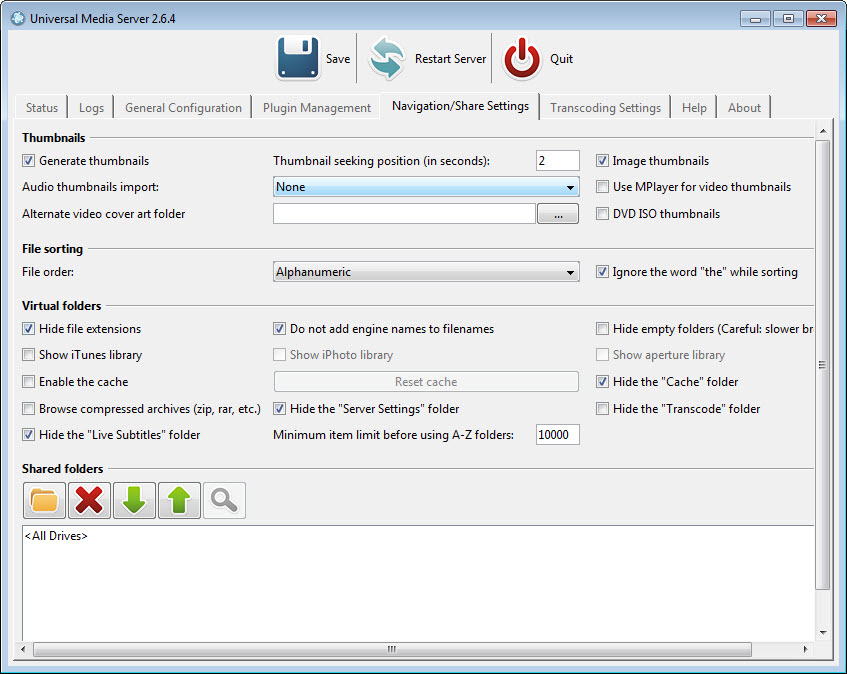
Shared folders appear on the renderer as a browsable tree, which is why a television with no apps at all can still work through your library. Virtual folders let Universal Media Server build entries that do not exist on disk, so a shelf of recently added films or a filtered subset can be assembled without moving files.
There is also a browser interface for playing from a machine that is not a DLNA client at all, and Chromecast is handled separately from the UPnP path. Neither is as polished as a purpose-built client, because a ten-foot interface on a set-top box is a front end this deliberately does not try to be.
The engine stack, and the priority list that runs it
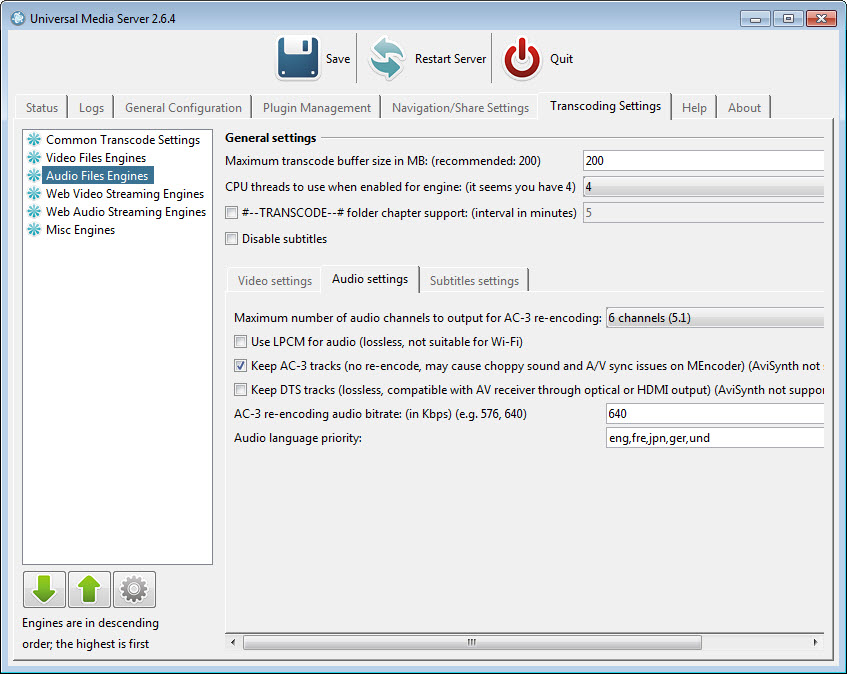
In Universal Media Server each media type gets its own ordered list of engines. The one at the top is tried first, and if it cannot handle the file the next one takes over, down the list. Video files might go to FFmpeg, then MEncoder, then an AviSynth chain, and audio has its own separate ordering.
That fall-through is the mechanism worth understanding, because most playback problems are really the wrong engine winning. MEncoder still handles VOBSUB and internal text subtitles more reliably, so there is even a setting telling FFmpeg to hand those cases over rather than fail. Media analysis runs through MediaInfo, and if you want to inspect a file’s streams yourself before blaming the server, MediaInfo is the same tool as a standalone application.
Remuxing instead of re-encoding
This is the setting that matters most and it is not obvious. A great many files that a device refuses to play are refused because of the container, not the streams inside it. An MKV holding H.264 video and AC-3 audio is perfectly playable by hardware that will not open an MKV.
Turn on remuxing with tsMuxeR and Universal Media Server rewraps those original streams into a container the device accepts, copying rather than re-encoding. The picture is untouched, the CPU stays idle and the network carries less than a transcode would. On a machine without much processing power this is the difference between smooth playback and a slideshow.
The reason it is not always automatic is that remuxing only works when every stream is already compatible. One unsupported audio track and the whole file falls back to transcoding, which is why the engine list and the per-device profile both matter.
If you would rather fix the containers permanently instead of rewrapping them on every play, a dedicated container tool does it once at the source.
When it has no choice but to transcode
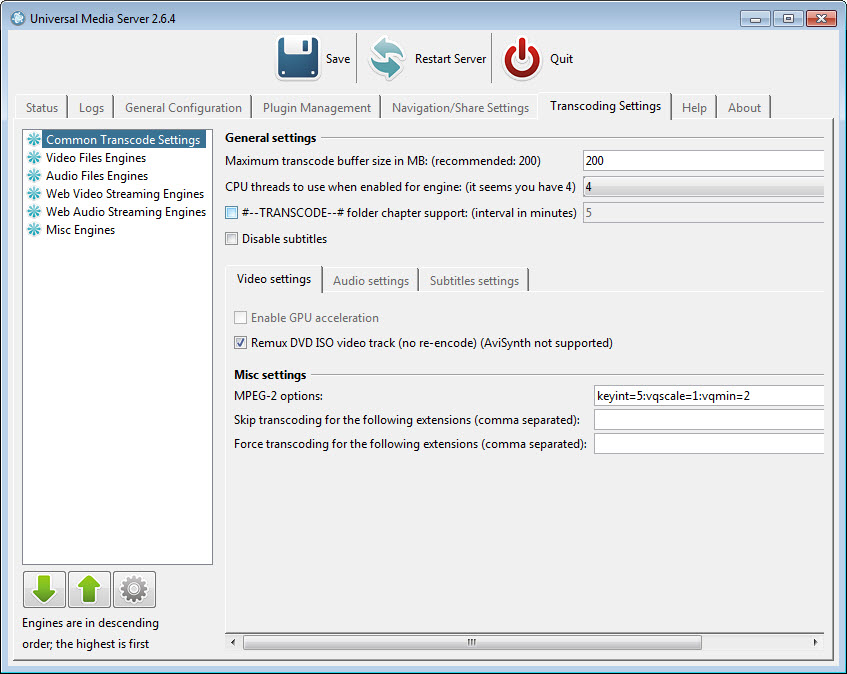
Where neither direct streaming nor remuxing is possible, the fallback is MPEG-2, and you should know what that means before you rely on it. MPEG-2 compresses poorly by modern standards, so a transcoded HD film needs real bandwidth and considerable processor time. Wired networks cope, wireless frequently does not, and the documentation says as much rather than pretending otherwise.
You do get the encoder controls. Keyframe interval and the quantiser values are exposed through presets, where a longer keyframe interval trims bandwidth at the price of visible mush in fast action.
Thread count for transcoding is detected automatically and counts physical cores rather than the virtual ones, and the transcode buffer has a hard ceiling of 400 MB at the default memory allocation.
An honest verdict on this part. Tuning MPEG-2 output is unrewarding work, and the effort goes further into making remuxing succeed, or into re-encoding the file once with HandBrake so Universal Media Server never has to transcode it again.
The transcode folder, and getting seeking to work
Inside each shared folder sits a virtual entry named for transcoding, and it holds alternative versions of the file you are looking at, one per available engine and streaming method. When the normal playback path fails, you open that folder from the device itself and pick another route without touching the server. Clever, and completely undiscoverable unless someone tells you.
It also solves the seeking problem. A transcoded stream is generated on the fly and has no index, so many renderers, a lot of Samsung sets in particular, cannot jump forward in it.
Universal Media Server can insert chapter entries at an interval you choose, every five minutes for instance, turning the file into a list of starting points you can select. Crude, and the only thing that works on hardware which refuses to seek.
Subtitles get more attention than usual
Text subtitles can be styled through ASS and SSA support, or through fontconfig with your own font settings applied over internal, embedded or external tracks. Plaintext subtitles expose scale, outline, blur plus vertical position separately, so you can stop them landing over the picture on a wide screen.
Picture-based subtitles from a DVD have their own quality scale from zero to four, defaulting to three, since these are images that have to be scaled and composited rather than drawn. Missing subtitles can be looked up online and pulled in automatically, which works often enough to be useful and occasionally fetches something out of sync. When that happens, Subtitle Edit fixes the timing faster than hunting for another file.
One exception catches people out. Font styling does not apply to 3D video or to ASS and SSA tracks, which already carry their own formatting.
Per-device profiles and the AviSynth escape hatch
Renderers are described by configuration files that state what a given device supports, and you can write your own for hardware that is not recognised. That is how someone makes an obscure television behave, and those profiles get shared on forums rather than being something most people write from scratch.
The AviSynth route is the deep end. Instead of a fixed processing chain you supply a script template with placeholders for the video and the subtitle instruction, and whatever filtering you write happens before the encoder sees the frames. Bundled with it is motion interpolation that lifts 25 fps to 50 and other rates to 60, with an option to push part of that work onto the graphics card.
The result looks like a shop-floor television, which some people love and others find unwatchable, but the fact that a media server offers it at all says something about the intended audience.
Conclusion
This belongs on the machine of someone with a mixed library and at least one difficult device, who would rather understand why a file will not play than accept that it does not. Get remuxing configured and a correct profile for your television, and it will stream material that defeats friendlier servers, without re-encoding anything and without asking you to register.
Anyone who wants a library that looks after itself should go elsewhere. There are no first-party phone or console apps here, no metadata scraping with fan art and cast lists, no remote access outside your own network unless you build it, and Jellyfin covers all of that with hardware-accelerated transcoding and no account required.
Universal Media Server rewards the effort it demands and returns nothing for the effort you do not put in, which is a fair trade as long as you know which side of it you are on. If that sounds like work you would rather skip, a simpler DLNA server will have you watching in ten minutes.
Features & benefits
Pros & Cons
- Remuxing with tsMuxeR plays container-incompatible files without re-encoding or quality loss.
- Per-media-type engine priority lists with fall-through when an engine cannot handle a file.
- The transcode folder lets you choose an alternative stream from the device itself.
- Chapter insertion restores seeking on renderers that cannot seek transcoded streams.
- Subtitle styling covers ASS and SSA, fontconfig, plaintext positioning and DVD picture quality.
- Per-device profiles and fully scriptable AviSynth processing for stubborn hardware.
- Defaults are conservative, so remuxing and engine order need setting up by hand.
- MPEG-2 transcoding fallback is bandwidth-hungry and unpleasant to tune.
- The bandwidth limiter has no effect on remuxed content and rarely helps otherwise.
- No first-party client apps and no polished metadata presentation.
- Terminology throughout assumes you already know what muxing and quantisers are.
- Sits permanently in memory as a background service.
Frequently asked questions
Because the stream is being generated on the fly and has no index, so the renderer has nothing to seek against. Turn on chapter support in the transcode folder and you get selectable start points at whatever interval you set.
Enable remuxing with tsMuxeR, which rewraps compatible streams into an accepted container instead of transcoding them, and check the engine order for that media type. A per-device profile that correctly reports what the hardware supports prevents most needless transcoding.
Not in the way people hope. It does nothing for remuxed files, and on a constrained network it lowers picture quality rather than making high-definition playback viable. Leaving it at zero is the sensible default.
Text formats including SRT along with ASS and SSA styling, plus picture-based DVD subtitles with their own quality setting. Internal and embedded tracks are supported too, and for VOBSUB the FFmpeg engine can defer to MEncoder, which handles those more reliably.
Only for the motion interpolation filter, which has a GPU option. The encoding itself runs on the processor, so the setting that matters is the thread count, and it counts physical cores rather than virtual ones.
None of its own. It relies on the DLNA and UPnP clients already present on televisions, consoles, phones, with a browser interface and Chromecast support as the alternatives.


