

SMPlayer
About SMPlayer
SMPlayer remembers. Stop a film halfway through, close the window, come back a week later, and it opens at the exact second you left, with the same audio track, the same subtitle file, the same volume and the same aspect ratio you chose.
It does this for every file it has ever played, which sounds like a small thing and turns out to be the reason people stay with it. A series watched one episode a night never loses its place, and a foreign film never reverts to the wrong audio language.
Underneath is a choice of engine. The player is a graphical front end for mpv or the older MPlayer, the two command-line playback engines behind a good deal of open-source video, and you pick which one it drives. Both carry their own decoders, so almost any audio or video file plays with no codec pack installed, and the engines handle the heavy lifting while the interface makes their many options reachable from menus.
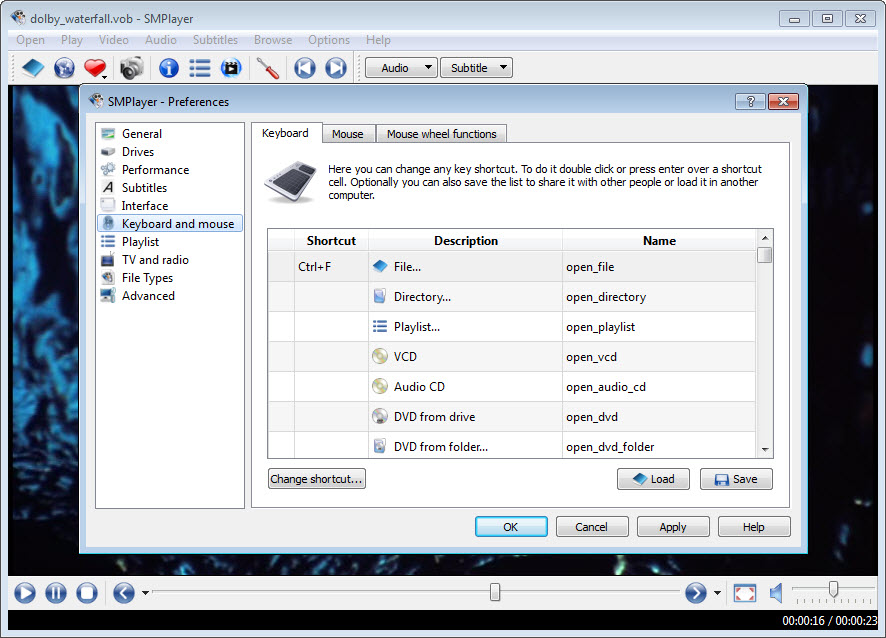
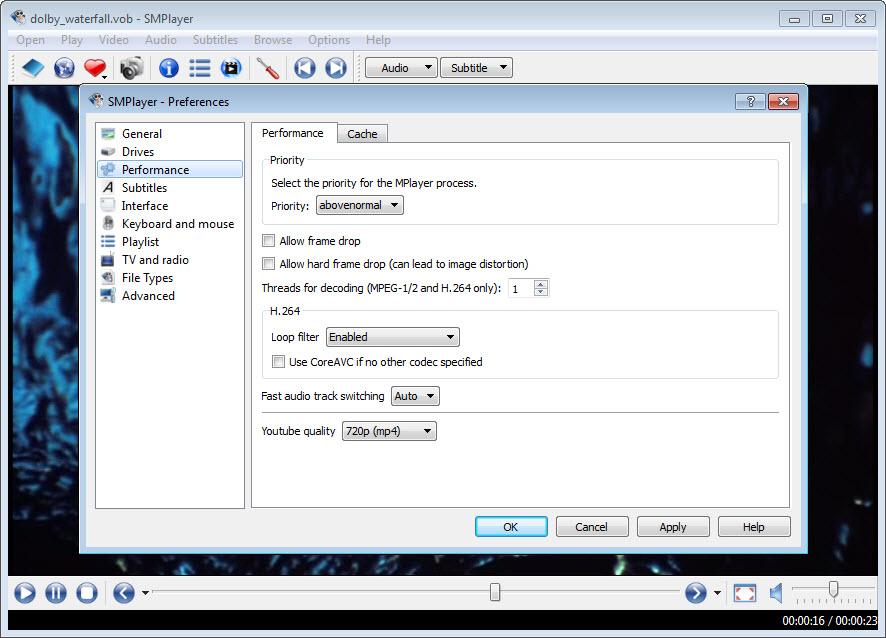
SMPlayer adds its own layer on top, including subtitle search and a video site browser, plus playlists and themes, and a preferences dialog that exposes more than most players admit to having.
Resume, and settings per file
The SMPlayer memory is per file rather than global. Each video keeps its own position, chosen audio track, subtitle track and delay, volume and zoom, aspect and equaliser settings, stored so that reopening restores all of it. Playlists remember their progress between sessions too, so a queue of lectures or episodes picks up at the item and the second where it stopped.
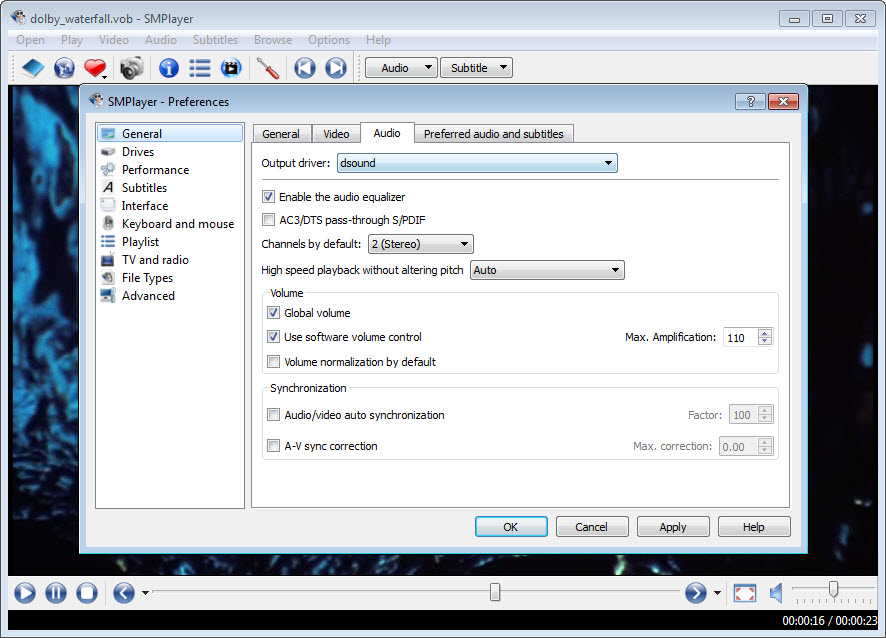
The behaviour can be switched off under the general preferences for anyone who shares a machine and would rather files always start clean. Left on, it quietly removes one of the most common frustrations of watching long content on a desktop, and it is the feature most often named when people explain why they chose this over the alternatives.
Two engines, and choosing between them
The SMPlayer installer offers mpv or MPlayer as the engine, and the setting can be changed later. mpv is the modern choice, with better hardware decoding, sharper video output and support for current formats, and it is the engine to pick unless a specific old file behaves better with MPlayer.
Because the engine does the decoding, format support is broad without any extra installs, from MKV, MP4 and AVI to WebM, MOV, MPEG, VOB and the audio formats, plus DVD and VCD playback from disc.
The same engines make advanced options available. Video filters cover deinterlacing and denoising as well as sharpening, a video equaliser adjusts brightness and contrast along with colour and gamma, and playback speed runs from slow motion up to several times normal.
For anyone who prefers mpv’s minimal window and keyboard control without a surrounding interface, a standalone mpv build offers the engine on its own.
Subtitles, and finding them automatically
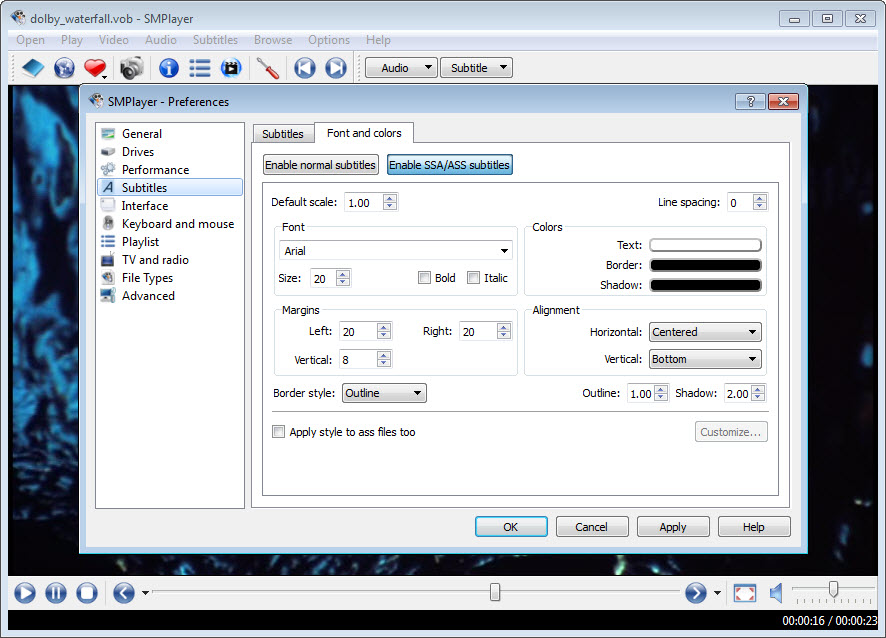
Subtitle handling in SMPlayer is thorough. Font and size are configurable, and so are colour and outline, along with position, so subtitles stay readable against any picture, and a delay control shifts them earlier or later when a file is out of sync. A second subtitle track can display alongside the first, which suits language learners who want the original and a translation on screen at once, and an option toggles that secondary track on and off.
A search dialog queries the OpenSubtitles database for the file you are watching, matches it by hash or name, and downloads the right subtitle in your chosen language with a click. It uses the current API after the service changed how it can be accessed.
When a subtitle needs more than a timing shift, a dedicated subtitle editor fixes the file itself.
Video sites and streams
A built-in SMPlayer browser searches and plays videos from YouTube inside the player, including playlists and, with the mpv engine, live streams. For other sites the player hands the link to mpv together with a downloader backend that resolves the stream, so pasting a page address into the open dialog often just plays the video.
An audio-only mode lets a video play with the picture off, useful for music or talks. Site support can be switched between the built-in YouTube handling, the external backend for everything, or disabled entirely.
This depends on the sites not changing, and they change often. The player can update its internal YouTube code without a full reinstall, which keeps it working more of the time, but a site change can still break playback until an update arrives.
Themes and the small details
The window can look spartan or polished depending on the skin, with several themes and icon sets included, and a mini-player mode shrinks it to a floating strip. A thumbnail preview appears when hovering over the seek bar, which makes jumping to a scene far quicker than scrubbing blind. Screenshots grab the current frame, and a thumbnail generator produces a contact sheet of a whole video for a quick overview. The interface is translated into more than twenty languages.
The default look on some systems is plain, and the preferences dialog, with its dozens of tabs, can feel like more than most people want. Against VLC Media Player it matches the format support, beats it on per-file memory and subtitle search, and lacks its streaming server and conversion tools.
It has no media library, so it is a player for files you point it at rather than a catalogue of everything you own.
Conclusion
SMPlayer suits anyone who watches long content across several sessions, from a series one episode at a time to a lecture course, and who wants every file to reopen exactly as it was left. The per-file memory, the subtitle search and the second subtitle track make it especially good for foreign films and language learning, and the mpv engine plays almost anything without a codec pack.
It is the wrong choice for someone who wants a media library or a converter bundled in, and the preferences dialog asks for patience. Choose the mpv engine at install, turn on the seek bar thumbnails, and leave the rest at its defaults until a specific need sends you into the settings.
Features & benefits
Pros & Cons
- Remembers position and track choices, plus display settings, for every file
- Choice of mpv or MPlayer engine, with no codec pack needed
- OpenSubtitles search and download matched to the playing file
- Secondary subtitle track for showing two languages at once
- YouTube and other video site playback, including live streams with mpv
- Seek bar thumbnail preview and a contact sheet generator
- Preferences dialog is dense and can overwhelm casual users
- Default theme looks plain on some systems
- No media library or conversion tools
- Video site playback breaks when sites change, until an update arrives
Frequently asked questions
Yes. It stores the position and the chosen tracks for each file, along with volume and display settings, and restores them when you reopen it.
mpv for nearly everything, since it has better hardware decoding and supports current formats. Use MPlayer only if a specific older file plays better with it.
Yes. The subtitle search queries OpenSubtitles for the playing file and downloads a match in your chosen language with one click.
Yes. A secondary subtitle track displays alongside the first, and an option turns it on or off.


