

W10Privacy
About W10Privacy
Privacy tools for this system fall into two groups. The ones that offer a sensible list of settings and get on with it, and the ones that put everything within reach and trust you to know what you are doing. W10Privacy is emphatically the second kind.
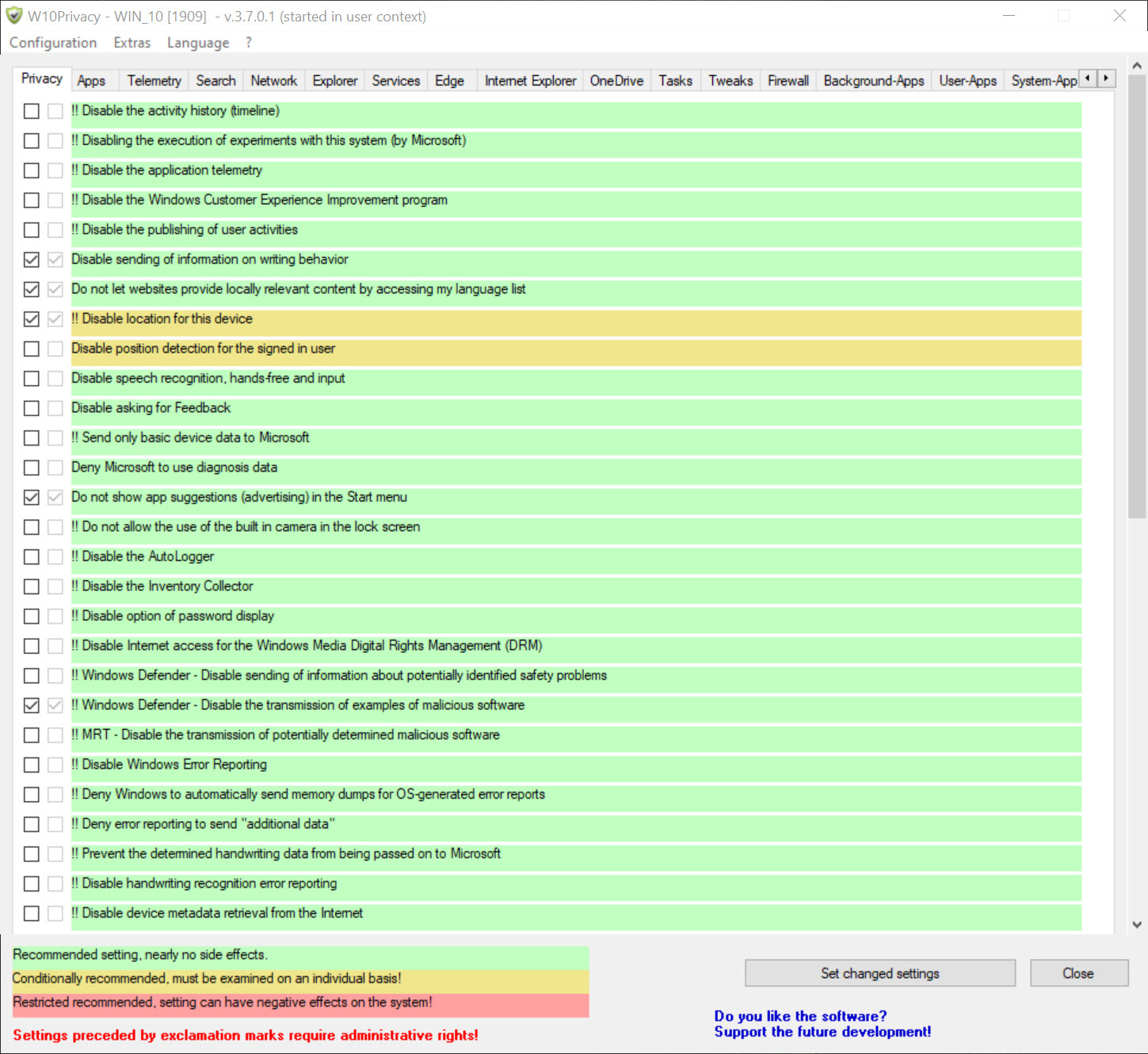
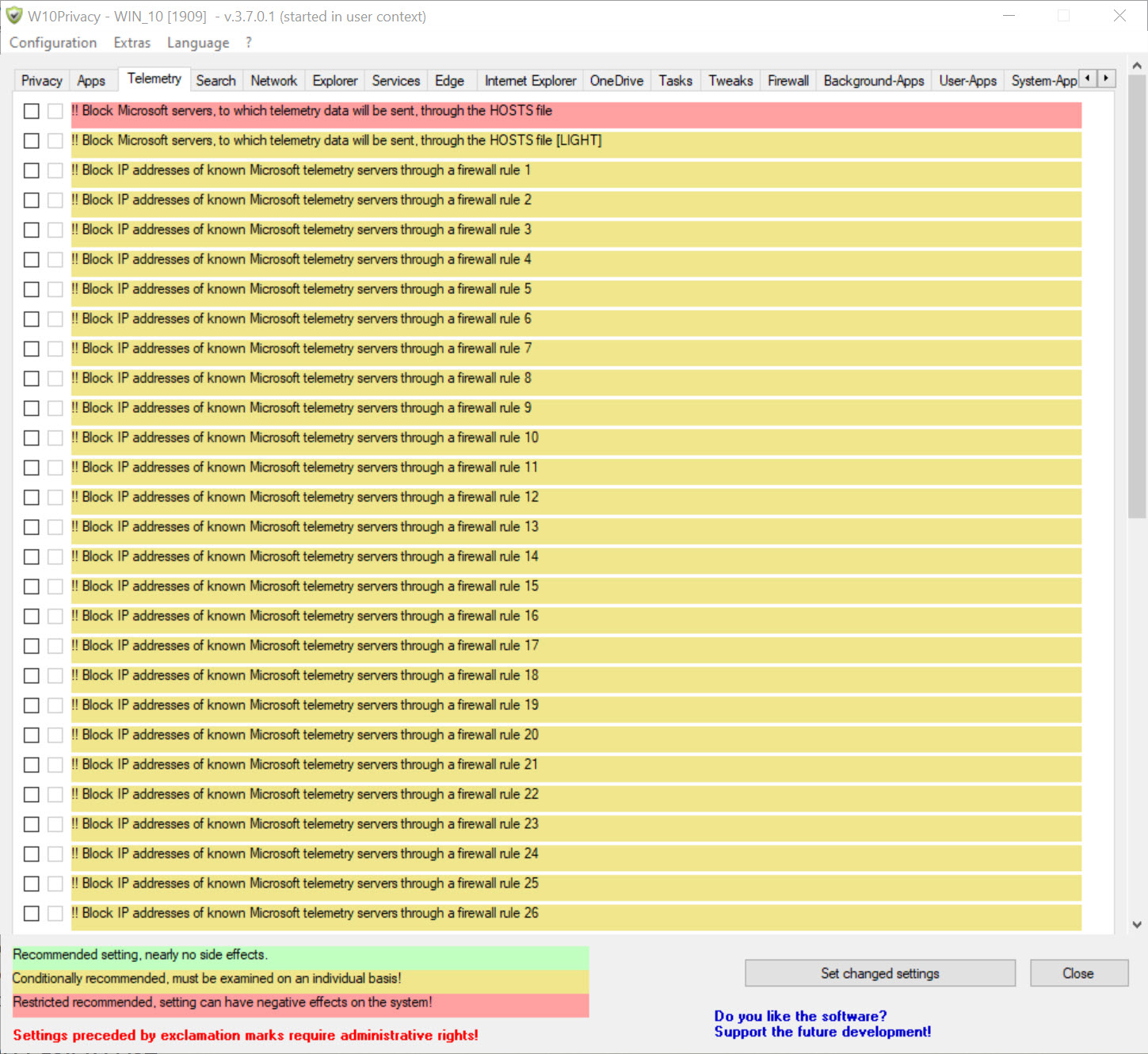
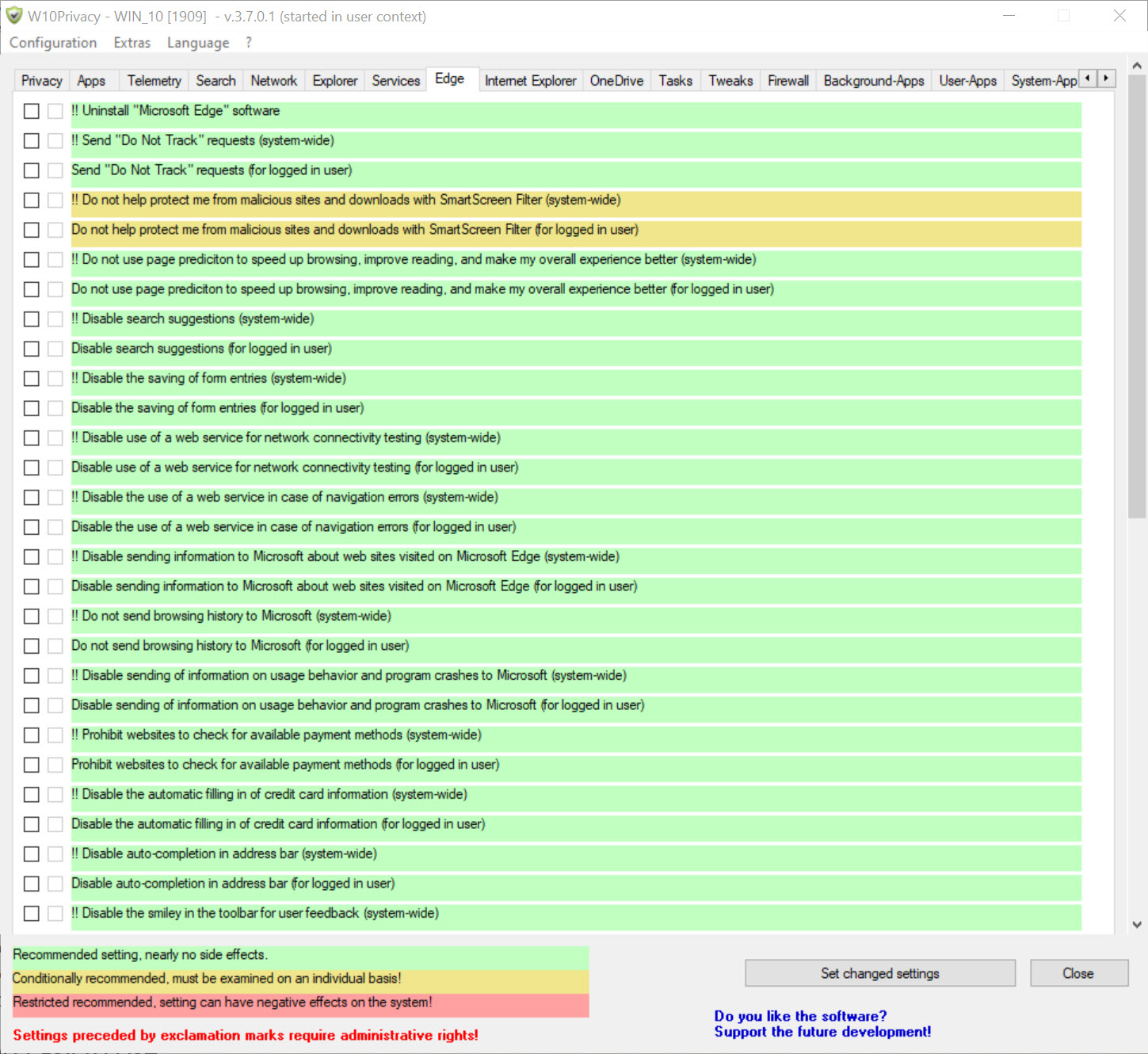
Settings run into the hundreds, spread across tabs covering telemetry, search, the file browser, network behaviour, bundled applications, services, scheduled tasks, the browser, and firewall rules. Almost nothing that can be configured is hidden.
That breadth is the reason to choose it and the reason to be careful with it, and both deserve equal weight.
Colour coding does the work of judgement
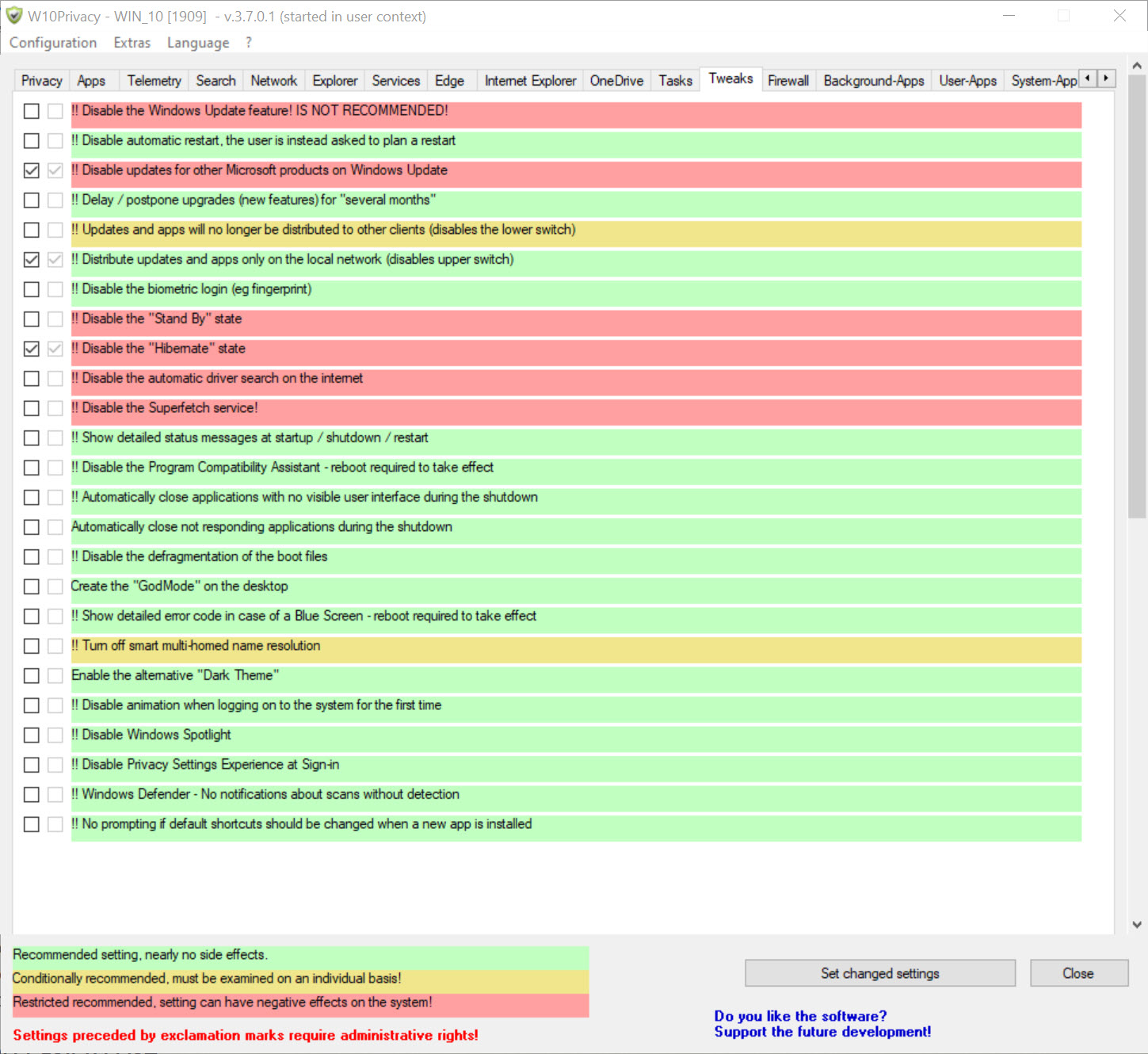
Every W10Privacy setting carries a colour. Green marks changes considered safe, amber marks ones that may affect how something behaves, and red marks changes that can break functionality outright.
Without that system the program would be unusable, because a list of several hundred toggles with no indication of consequence is not a tool, it is a minefield. With it, somebody who wants a substantial improvement without adventure can apply the green items and stop.
The same principle appears in ShutUp10, which covers similar ground with a fraction of the settings and considerably more hand-holding. That comparison is the honest way to choose between them, since one offers reach and the other offers restraint.
What it reaches that lighter tools do not
Three areas set W10Privacy apart from its gentler neighbours.
Bundled applications can be removed rather than merely disabled, which is the difference between hiding something and it no longer being present. Scheduled tasks and services are exposed directly, including the ones that re-enable telemetry components on their own schedule, so the mechanisms that undo other tools’ work can be addressed here.
Firewall rules are the third. Blocking specific destinations at the firewall means configuration is no longer the only lever, and traffic that survives every setting change can be stopped anyway.
That combination is why people who have tried lighter tools and remained dissatisfied end up here.
Applying, exporting, repeating
W10Privacy applies changes in a batch after selection rather than one at a time, and the current state of every setting is read and displayed when the program opens, so you always see what is actually configured rather than what you last intended.
Configurations export to a file and import again, which matters more than it sounds. Feature updates revert a good number of these settings, and reapplying a saved configuration afterwards takes a minute where reconstructing your choices from memory takes an evening.
That routine is the correct way to use any tool in this category. Configure, export, and reapply after each major update, treating privacy configuration as maintenance rather than a one-time job. A tool that holds the updates back reduces how often you repeat it, with the obvious consequence of not receiving fixes.
What it cannot do, whatever you switch off
Two W10Privacy limits apply regardless of how thoroughly you work through the tabs.
Consumer editions retain a floor of required diagnostic data that no setting removes, so the honest description of a fully configured machine is substantially reduced collection rather than none. And some settings depend on policy mechanisms that consumer editions lack, so a toggle can be present, applied and completely without effect.
Where configuration stops, interception begins. simplewall decides which programs may reach the network at all, which is a different mechanism from asking the system politely to stop reporting.
Blocking by destination rather than by program is the other approach, and a manager for the file mapping names to addresses handles that, with the standing caution that aggressive blocking there breaks things you use.
Who should not install it
Being direct about this matters more than usual. Somebody who wants a private machine without learning what these settings do should use a lighter tool with clearer guidance, because the danger here is not the program but the confidence it invites.
Several hundred toggles, colour-coded but not explained in depth, applied in a batch, on a system somebody depends on, is a genuine opportunity to break something and not know which change caused it. Working through the tabs in order, applying green items first and testing before going further, is the discipline that makes it safe.
Take a restore point before the first application. W10Privacy operates deep enough in the system that having a way back is not paranoia.
Conclusion
W10Privacy is the tool for somebody who has used a lighter alternative, found it insufficient, and is prepared to understand what they are changing. The reach is genuine, particularly the ability to remove bundled applications, disable the scheduled tasks that undo other tools, and block destinations at the firewall.
Approach it in the right order and it is safe enough. Restore point first, green settings applied and tested, then amber items individually rather than in bulk, and the configuration exported so a feature update costs a minute rather than an evening. Approach it by selecting everything and pressing apply, and you will have a private machine with several features that no longer work and no idea which toggle did it.
Pros & Cons
- Several hundred settings, covering far more ground than lighter alternatives
- Colour coding indicates risk on every setting rather than leaving you to guess
- Bundled applications can be removed rather than only disabled
- Scheduled tasks and services are exposed, including those that revert other changes
- Firewall rules block destinations that configuration alone cannot stop
- Current state is read and displayed, so you see what is actually set
- Configurations export and import, which makes reapplying after updates quick
- The number of settings invites changes nobody understood before making
- Red-marked items will break functionality, and nothing prevents applying them
- Updates revert many settings, so the work is periodic rather than permanent
- Some toggles do nothing on consumer editions because the mechanism is absent
- Cannot reduce collection below the floor built into consumer editions
- Assumes enough knowledge to interpret settings the interface does not explain
Frequently asked questions
By exposing several hundred settings rather than a curated list, and by reaching areas they do not, including removing bundled applications, managing services and scheduled tasks, and adding firewall rules to block destinations.
Green marks changes considered safe, amber marks ones that may affect behaviour, and red marks changes likely to break something. Applying the green items alone produces a substantial improvement with minimal risk.
Not permanently. Feature updates restore a number of defaults, and some scheduled tasks re-enable components independently. Exporting your configuration and reapplying it after each major update is the expected routine.
Because it relies on a policy mechanism consumer editions do not include, so the toggle exists with nothing to act on. That is a property of the edition rather than a fault in the tool.
No. A required minimum remains on consumer editions regardless of configuration, so the honest result is much less collection rather than none. Going further means blocking traffic rather than configuring settings.


