

SecureAnywhere Antivirus
About SecureAnywhere Antivirus
Antivirus software has a reputation to answer for. Gigabyte installations, signature downloads every morning, scans that hijack the machine for an hour, fans spinning while you try to work.
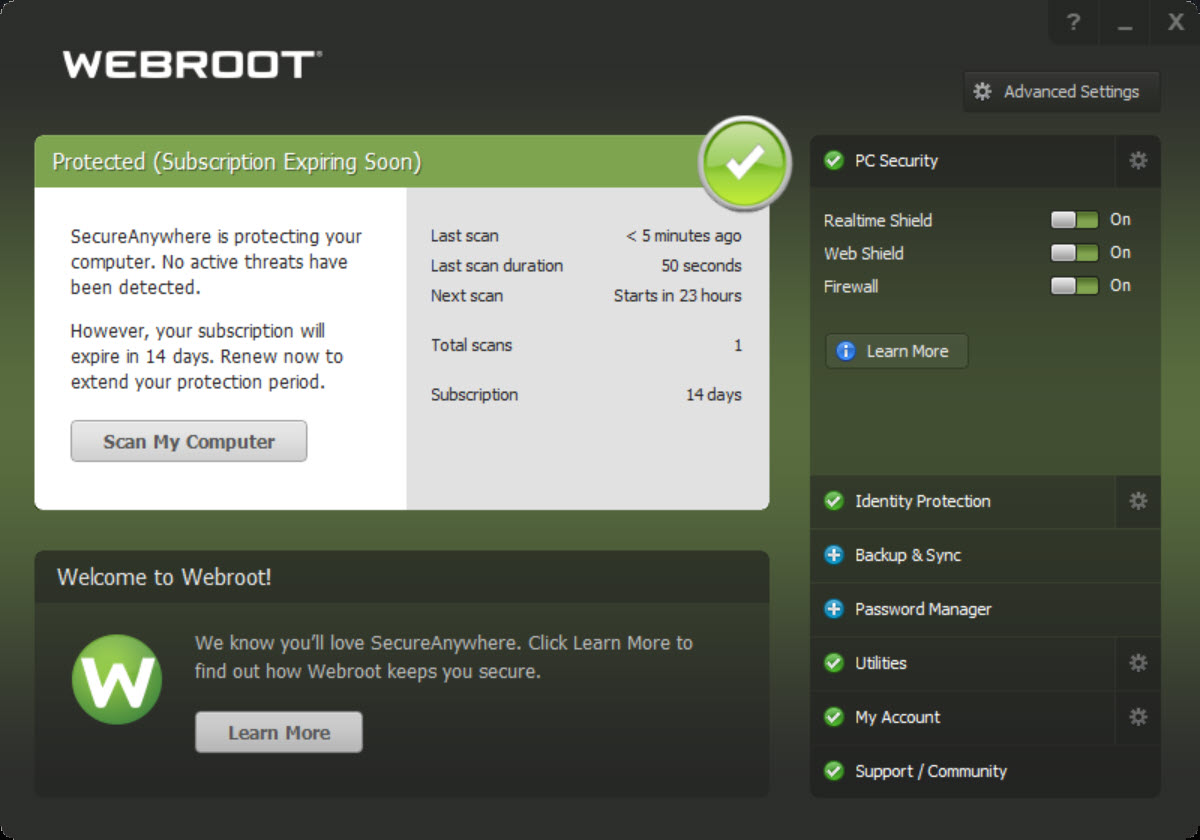
SecureAnywhere Antivirus was designed as a rejection of all that. The installer is a few megabytes, a full scan finishes in a couple of minutes, and the processing that normally burdens your computer happens on servers elsewhere.
On a modest laptop, the difference against a conventional security suite is not subtle, it is the difference between forgetting the antivirus exists and scheduling your day around it.
The trade that makes this possible is architectural. Instead of storing an encyclopedia of malware signatures locally, SecureAnywhere Antivirus identifies files by fingerprint and asks a cloud database for the verdict.
That single design choice explains almost everything else about it, the speed, the size, and the questions to ask before relying on it.
The cloud does the heavy lifting
When a file runs, the client computes its fingerprint and checks it against an online reputation database covering billions of known-good and known-bad files. Known good runs untouched, known bad gets blocked and quarantined, all in the time of a quick lookup.
There are no signature packages to download, ever, which means protection is as current as the last minute rather than the last update, and new outbreaks reach your machine’s defenses the moment the network learns about them.
The local client is correspondingly tiny. It installs in seconds, occupies a sliver of memory, and avoids the background churn that makes older machines crawl under traditional suites.
For aging hardware that a conventional product would suffocate, this approach is close to the only comfortable option among serious contenders like Bitdefender or ESET NOD32, both excellent and both noticeably heavier.
Scans measured in seconds, not coffee breaks
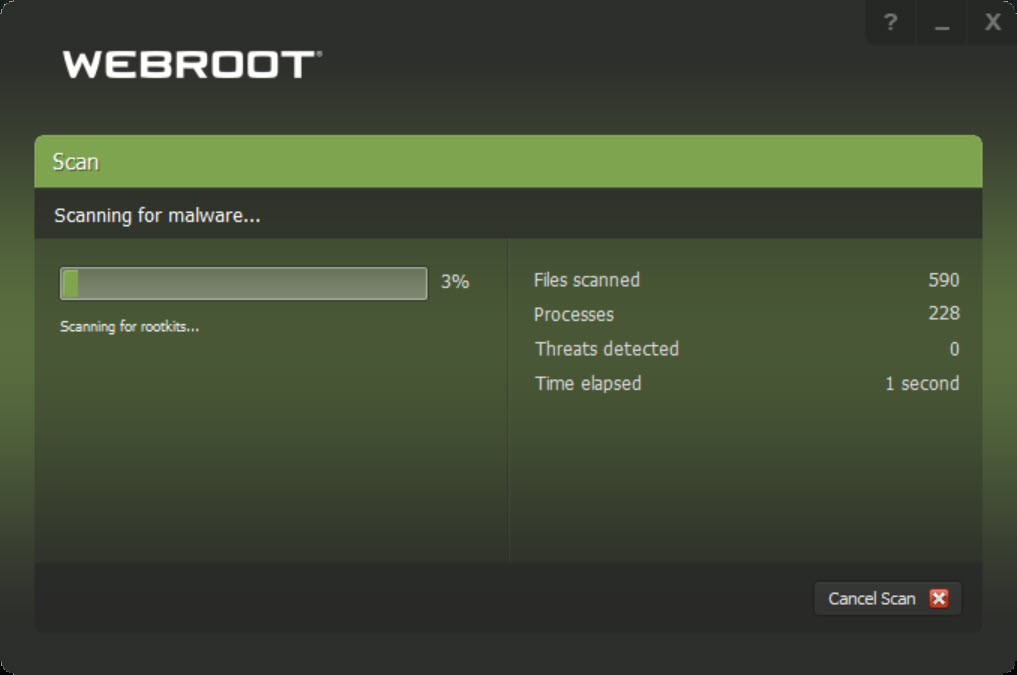
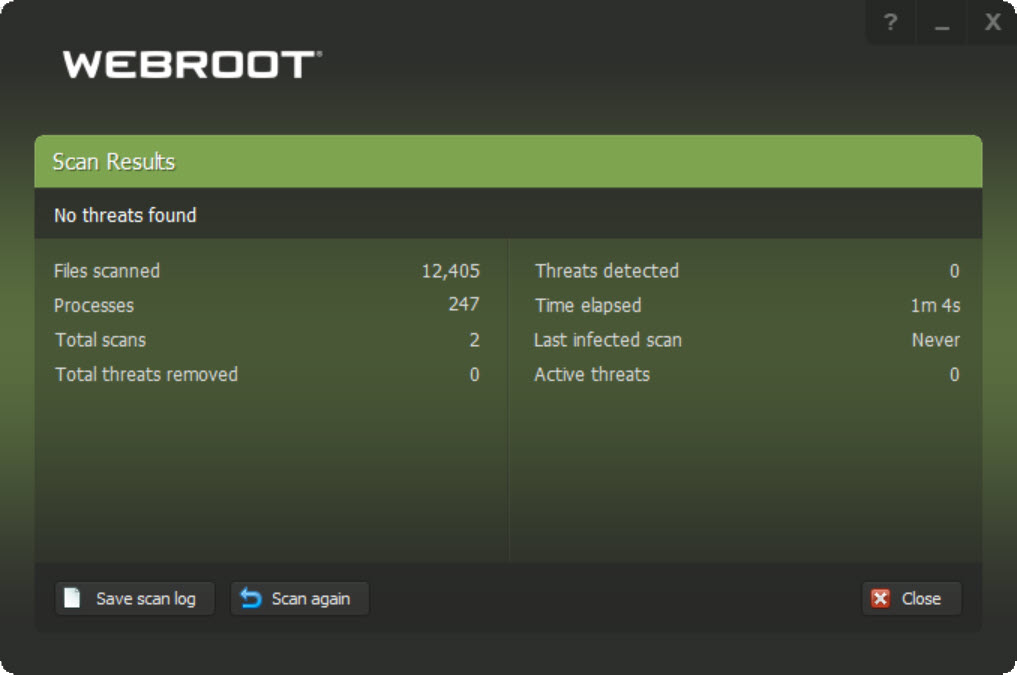
Because verdicts come from lookups rather than local pattern matching, a scheduled scan checks the files that matter, the ones capable of executing, and finishes in one to three minutes on a typical system. The first scan takes longer while the client maps the machine, and everything after that is short enough to run daily without noticing. There is no meaningful performance tax during the scan either, so it never needs to wait for lunch breaks.
Skeptics reasonably ask whether a two-minute scan can be thorough. The honest answer is that it checks different things than a traditional deep scan does, focusing on executable content and behavior rather than combing every archive on the disk.
For the way infections actually arrive on home machines, that focus is defensible. For someone who wants every last RAR file on a backup drive opened and inspected, it is not what this product does.
Journaling and rollback, the unusual safety net
The most distinctive feature handles the file nobody can classify yet. When something unknown runs, SecureAnywhere Antivirus neither blocks it nor trusts it. It lets the program execute under close watch, records every change it makes, files written, settings altered, and holds that journal. If the cloud later concludes the program was malicious, the client removes it and rolls the recorded changes back, returning the system to its state before the infection ran.
This is a fundamentally different bet than the block-first approach, and it deserves both credit and caution. Credit, because it solves the false-alarm problem elegantly and gives brand-new threats no comfortable window. Caution, because rollback has limits, and fast-moving ransomware that encrypts documents in seconds is a scenario where recording changes is weaker than never allowing them.
A periodic second opinion from an on-demand scanner such as Malwarebytes runs alongside it without friction and covers the corner cases.
Identity Shield and the browsing layer
Web protection blocks known malicious and phishing sites before they load, and the Identity Shield hardens the browser during sensitive sessions. While you bank or shop, it isolates the session against keyloggers, screen capture, and attempts by other processes to read what you type.
This protection works quietly, with no separate special browser to launch, and for the fraud-heavy reality of modern threats it arguably matters as much as classic virus blocking.
The suite rounds out with an outbound firewall monitor that flags programs phoning home unexpectedly, complementing the system’s own inbound protection rather than replacing it.
The offline question, and other honest limits
A cloud brain raises an obvious concern, what happens without internet? The client keeps protecting with local heuristics and continues journaling unknown programs, deferring final verdicts until the connection returns. That is a reasonable design, but it remains true that the product is at its best online, and a machine that lives disconnected for long stretches is a poor match.
The other limitation is visibility. The product sits out most independent laboratory comparisons, so the third-party test data that buyers use to rank competitors is thin here, and the architecture takes some faith in the cloud network’s judgment.
And since no antivirus handles deeply embedded threats perfectly, a specialized check with a tool like Rootkit Remover still has a place in a thorough cleanup routine.
Conclusion
SecureAnywhere Antivirus fits people whose machines or patience cannot carry a heavyweight suite, owners of older laptops, minimalists who want protection without ever thinking about it, and households tired of scans that announce themselves. The cloud architecture delivers real speed and an inventive recovery mechanism that no conventional rival matches.
The requirement is comfort with its bets, a connection most of the time and trust in a network you cannot audit through familiar lab charts. Accept those, and this is the rare antivirus whose presence you stop noticing entirely, which was the whole idea.
Pros & Cons
- Tiny installation and negligible memory footprint suit old and new machines alike
- Full scans complete in minutes with no performance drag
- Cloud reputation database means protection updates continuously, with nothing to download
- Journaling and rollback undo damage from threats identified after the fact
- Identity Shield hardens banking and shopping sessions against keyloggers
- Coexists with other security tools without conflicts
- Depends on an internet connection for its strongest protection
- Rollback is a weaker defense than blocking against fast ransomware
- Rarely appears in independent lab tests, so outside validation is scarce
- No deep archive-crawling scans for those who expect them
Frequently asked questions
It replaces the local signature database with cloud lookups. Files are identified by fingerprint and checked against an online reputation network, which makes the client tiny, the scans fast, and the protection continuously current.
Because scanning means checking executable content against the cloud rather than pattern-matching every file locally. Typical scans finish in one to three minutes after the first mapping run.
The program runs under observation while every change it makes is journaled. If it is later judged malicious, the client removes it and rolls the recorded changes back.
Partially. Local heuristics and journaling continue, with final verdicts deferred until the connection returns. It protects best online, and a permanently offline machine suits a different product.
Yes, unusually among antiviruses, it is built to coexist. Pairing it with an on-demand scanner for periodic second opinions is a sensible arrangement rather than a source of conflicts.


