

Dr.Web CureIt!
About Dr.Web CureIt!
Dr.Web CureIt! is an on-demand scanner that hunts and removes malware without installing anything permanent. It arrives as a single large executable that already contains the latest virus definitions baked in, you download it, run it, and it scans, so there’s no setup, no background service, and nothing left resident afterward. That design makes it a second opinion you can summon whenever an already-installed antivirus insists a machine is clean but the machine plainly isn’t.
The scenario it was built for is specific and common. Your resident security suite may itself be compromised, disabled, or simply blind to the particular threat that slipped past it, and a scanner running from a fresh download, unconnected to the possibly-infected installation, checks the system with independent eyes. Dr.Web CureIt! is that independent set of eyes, and the freshness matters enough that each download is essentially a new build.
Download-fresh, run-once, leave nothing
The whole model rests on the definitions being current at download time, so an old copy is worthless and re-downloading before each use is not optional but the point. The single executable needs no installation, runs from the desktop or a USB stick, and cleans up after itself, which is exactly what you want when the goal is a one-time deep check rather than ongoing protection.
Because it doesn’t install, it doesn’t conflict with whatever antivirus already guards the machine, and that coexistence is the entire reason on-demand scanners exist. Your permanent guard stays in place while this one runs alongside for a single verdict, the same complementary role a tool like Malwarebytes plays in its on-demand mode. Running two resident antiviruses at once causes chaos, running one resident guard plus an occasional independent scanner causes none.
The scan, the engine, and what it catches
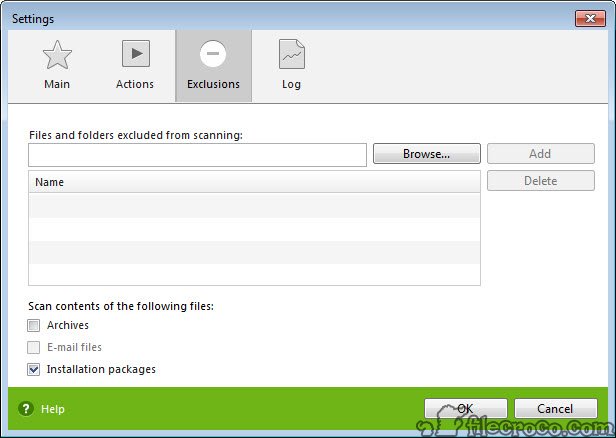
Launching offers a quick express pass over the usual infection sites or a full sweep of every file on every drive, the full scan being the slow, thorough one worth starting before bed on a suspected machine. The engine reaches viruses, trojans, rootkits, spyware, adware, and the assorted junkware that the Dr.Web laboratory tracks, and it digs into archives, email databases, and the boot areas where the nastier infections hide from lazier scanners.
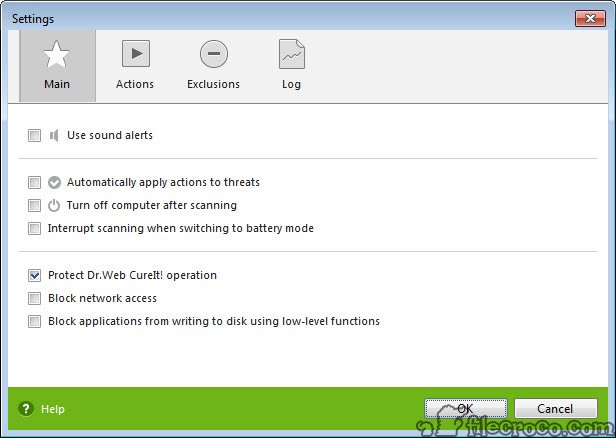
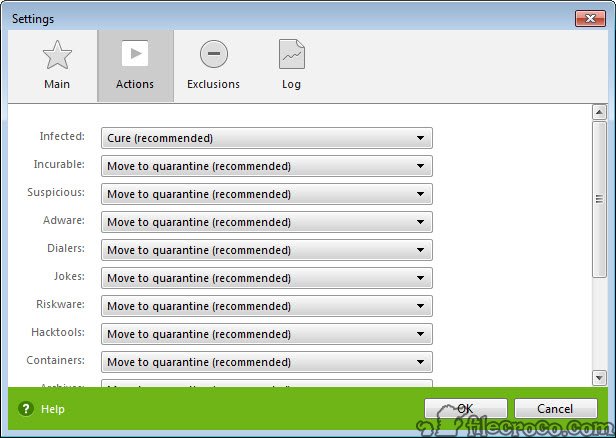
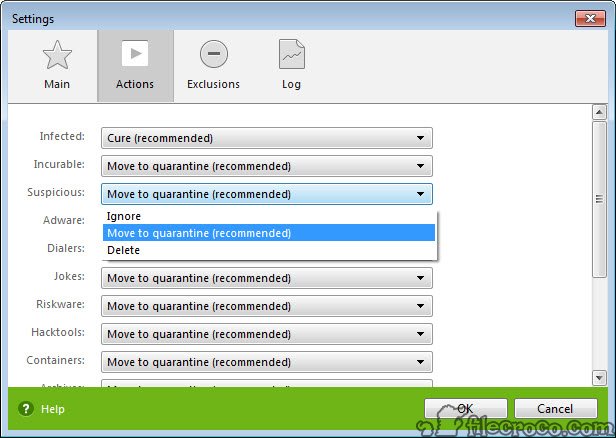
Detections land in a list with the threat named and its location shown, and you decide the action, cure where a file can be disinfected, quarantine where it should be isolated, delete where it’s beyond saving. The reporting is plain and readable, which matters when you need to understand what was actually found rather than just watch a reassuring green checkmark.
For the adware-and-junk end specifically, where browser hijackers and bundled toolbars live, a dedicated cleaner like AdwCleaner often digs those particular pests out more aggressively, and running both against a thoroughly gunked-up machine is a reasonable belt-and-suspenders move.
The privacy footnote and the realistic role
One point of transparency belongs in any honest write-up. The scanner reports anonymized detection statistics as a condition of use, which is stated plainly and is common among tools of this kind, but people handling sensitive systems should know it before running. To most it’s an acceptable trade for a capable scanner, to a few it’s a dealbreaker, and both reactions are legitimate.
The realistic role is narrow and valuable. This is not protection, it does nothing between the moments you run it, and a machine needs a resident guard for that. What it is, is the tool you reach for when something feels wrong despite the resident guard, when setting up a newly acquired used computer, or when a friend’s machine arrives visibly infected and you want an independent, install-free opinion.
For infections severe enough to block normal tools, an emergency scanner such as the Emsisoft Emergency Kit fills the same rescue niche, and having more than one on the USB stick is how technicians work.
Conclusion
Dr.Web CureIt! belongs on the rescue USB stick of anyone who fixes computers and in the back pocket of any user who has ever doubted their antivirus. As a fresh-each-time, install-free second opinion, it checks a suspect machine with eyes independent of whatever might already be compromised on it, and cleans what it finds with clear choices.
It is emphatically not a substitute for a resident guard, and the privacy-conscious should weigh the statistics reporting first. As the tool you run when something feels wrong, though, it’s one of the most dependable free scanners for the job.
Features & benefits
Pros & Cons
- Runs with no installation and leaves nothing resident afterward
- Bundles current definitions into each fresh download
- Coexists with any installed antivirus for an independent second opinion
- Scans archives, email stores, and boot areas where threats hide
- Clear per-threat reporting with cure, quarantine, or delete choices
- Provides no real-time protection, only on-demand scanning
- Sending anonymized detection statistics as a condition of use
- Each use requires a fresh, large re-download to stay current
- Full scans of large drives are slow
Frequently asked questions
Yes, that's its purpose. It doesn't install or run resident, so it won't conflict with your permanent guard and gives an independent second opinion on demand.
The virus definitions are baked into the executable at download time, so an old copy misses recent threats. Each fresh download is effectively a new, up-to-date build.
No, it only scans when you run it and leaves nothing behind. A resident antivirus is still needed for ongoing, real-time protection.
It reports anonymized detection statistics as a condition of use. That's disclosed openly, and whether the trade is acceptable depends on how sensitive the system is.
Review the named detections and choose per item, cure if the file can be cleaned, quarantine to isolate it safely, or delete if it's malicious beyond repair. Quarantine is the cautious default when unsure.


