

UEFITool
About UEFITool
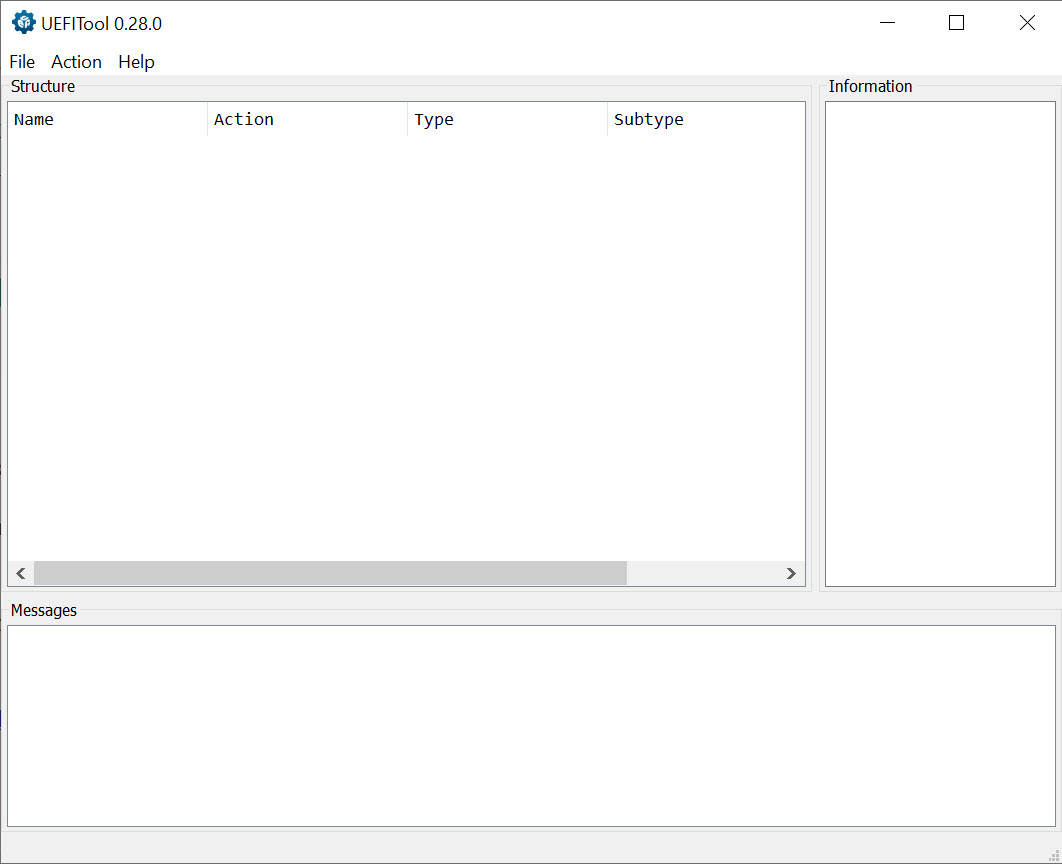
UEFITool is a UEFI firmware image viewer and editor. Open the application, load a firmware dump file (typically a flash image extracted from your motherboard’s BIOS chip), and the application parses the binary blob into a navigable tree showing every component the firmware contains.
Modules, drivers, padding regions, free space, NVRAM variables, microcode updates, embedded images, all visible and individually selectable. Search through the entire image for hex patterns or text strings. Extract specific components for separate analysis.
Replace components with modified versions and save the result back as a flashable firmware image. The application is written in C++ using the Qt framework, with builds available across desktop operating systems through community distribution.
The audience is genuinely narrow. Casual users have no reason to inspect their motherboard firmware. The actual user populations include hardware modders patching firmware to enable hidden BIOS settings, security researchers analyzing firmware for vulnerabilities, forensic investigators examining systems for advanced persistent threats that hide in firmware, motherboard repair technicians replacing corrupted firmware components, and users patching specific firmware bugs that motherboard vendors haven’t addressed.
For these specific use cases, the application is essentially the standard tool because no comparable free alternative exists with the same depth of UEFI format understanding.
How UEFI firmware actually gets organized
Understanding what UEFITool does requires understanding how UEFI firmware images are structured. A modern motherboard BIOS isn’t a single monolithic blob. It’s a layered structure containing flash regions defined by Intel’s flash descriptor (BIOS region, ME region, GbE region, others), with each region containing further nested structures specific to its purpose. The BIOS region itself uses the UEFI Firmware Volume format, which contains files with various types (drivers, applications, raw data, freeform data), some of which contain further sections that may themselves contain compressed or encrypted content.
The application parses this nesting comprehensively. Load a firmware image, and the tree view shows the flash regions at the top level. Expand the BIOS region to see firmware volumes. Expand a volume to see the files inside. Expand a file to see its sections. The hierarchy can be quite deep, with specific UEFI implementations adding their own custom sections and structures that the application identifies through built-in format recognition.
For users coming from hex editor backgrounds, this structural understanding is what separates UEFITool from generic binary inspection tools. A hex editor shows you every byte but tells you nothing about what those bytes represent.
The application presents the same binary content organized according to UEFI format specifications, which means you understand what you’re modifying rather than just changing arbitrary bytes hoping for the right result.
Search across hex patterns and text strings
The search functionality handles both hex byte sequences and text strings, with options for case sensitivity and Unicode handling. Search for a specific 4-byte signature to locate every place that signature appears in the firmware. Search for ASCII strings to find embedded text content. Search for Unicode strings to find UTF-16 encoded text that’s common in UEFI variables and configuration data.
The search results show every match with the surrounding tree context, so you understand what specific component contains each match. For users investigating specific firmware features, this contextual search beats grep-style binary search dramatically. You’re not just finding bytes that happen to match. You’re finding bytes inside specific firmware components, which tells you what’s actually relevant.
GUID search is a specific case worth noting separately. UEFI components are identified by 128-bit GUIDs (Globally Unique Identifiers) that serve as their canonical names. Every driver, application, and significant component has a GUID.
Search by GUID to find specific components when you know what you’re looking for, which is the standard workflow when patching well-documented firmware features that have known GUIDs.
Extract, replace, and rebuild
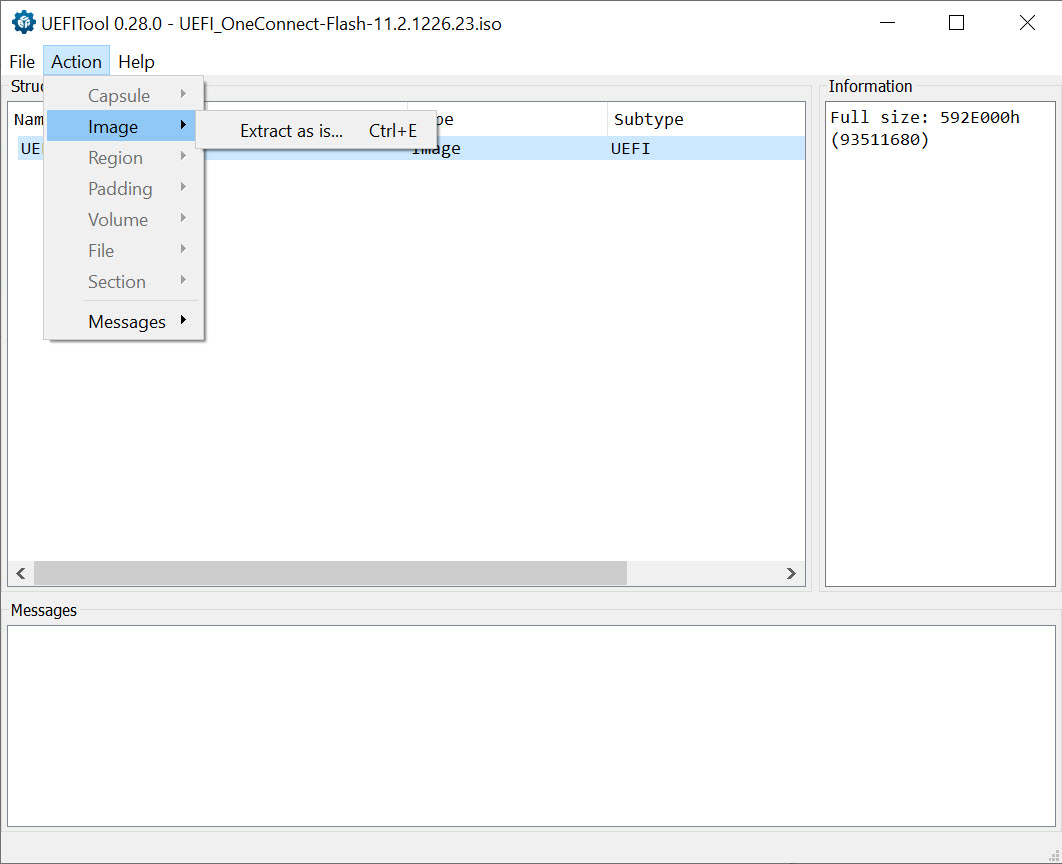
The modification workflow centers on extracting components, modifying them externally, and replacing them in the firmware image. Right-click a component in the tree, choose Extract, and the component saves as a separate file you can analyze with other tools. Modify that file using whatever editor or tool fits your needs (hex editors for byte-level changes, specialized tools for specific component types). Right-click the same component and choose Replace, point to your modified file, and the application substitutes the new content for the old.
After modifications, the application rebuilds the firmware image with appropriate adjustments for any size changes, padding, or structural updates required. The rebuild handles the specific format requirements that make UEFI images valid (proper checksums, correct firmware volume sizes, valid file metadata), with the resulting image being flashable to the motherboard if your changes are sound.
Replacement comes in two modes. Body replacement modifies just the component’s contents while preserving its metadata and structural properties. Full replacement substitutes everything including the metadata.
The choice depends on what you’re trying to accomplish, with body replacement being appropriate for most modifications and full replacement being needed for more substantial structural changes.
Intel Boot Guard and security feature visibility
Modern Intel platforms include security features that protect specific firmware regions from modification. Intel Boot Guard cryptographically verifies firmware before execution, which means modified firmware that doesn’t pass verification refuses to boot. The application identifies which components are protected by Boot Guard, displaying them with visual indicators in the tree so you understand what’s modifiable versus what’s locked.
The visibility matters substantially for users planning modifications. Attempting to modify Boot Guard-protected components produces firmware that won’t boot, which can brick the motherboard or require firmware recovery procedures. Knowing which components are protected before attempting modification saves substantial time and avoids the practical risk of unbootable systems.
The application doesn’t bypass Boot Guard or other security features. It identifies them clearly so users understand the constraints and can plan modifications appropriately. For users wanting to modify protected components, the limitations are platform-level rather than tool-level, with bypass approaches existing for some specific platforms but being beyond what this application addresses.
NVRAM variable inspection and modification
UEFI firmware stores configuration in NVRAM variables, which include user-set BIOS options, secure boot keys, hardware identification, OEM-specific settings, and various other persistent data. The application’s NVRAM section provides direct access to these variables, with parsing for standard variable formats and raw hex display for vendor-specific or unrecognized formats.
For users investigating specific firmware behaviors tied to NVRAM, this access matters. Hidden BIOS settings that vendors disable in their setup interface often exist as NVRAM variables that can be enabled through direct modification. Hardware identification values that affect Windows licensing or certain software features live in NVRAM. Various other firmware behaviors trace back to specific variables that this software exposes.
Modifying NVRAM variables requires care. Some variables affect critical platform functionality, with corruption producing systems that don’t boot or behave incorrectly. The application doesn’t validate variable contents against semantic correctness because the format varies dramatically across different UEFI implementations, with users responsible for understanding what they’re changing and why.
Two engines: classic and new
The application provides two distinct parsing engines. The classic engine has older but more thoroughly tested format support, with specific edge cases handled that the newer engine may not yet address. The new engine targets cleaner code architecture and better performance for newer UEFI features, with active development continuing.
For typical firmware analysis, the new engine is generally appropriate and faster. For unusual firmware images that the new engine doesn’t parse cleanly, falling back to the classic engine often produces better results. Both engines work on the same firmware images, with the choice being about which one handles your specific firmware better rather than fundamental capability differences.
The dual-engine approach is unusual for software in this category, with most firmware tools committing to a single parser. The trade-off UEFITool makes is maintenance overhead for both engines, balanced against compatibility with a wider range of firmware images than a single engine alone would provide.
Use cases for hardware modding
The hardware modding use cases drive substantial application usage. Motherboard vendors frequently disable BIOS options that the underlying chipset supports, with the disabled options being accessible through firmware modification that re-enables them. Users wanting to overclock memory beyond what their motherboard’s BIOS allows, enable RAID modes the vendor disabled, expose advanced power management options, or access various other hidden capabilities use the application to identify and modify the relevant firmware components.
CPU microcode updates are another common modification target. Newer CPU microcode versions include security fixes and stability improvements that motherboard vendors don’t always integrate into BIOS updates.
Users can extract microcode files from current Intel or AMD distributions, identify the corresponding microcode in their motherboard’s firmware, and replace older versions with newer ones. The procedure requires care to maintain proper structure but produces real benefits for users running CPUs that haven’t received vendor BIOS updates recently.
Modifying boot logos, sound files (for systems with boot audio), and other cosmetic firmware elements is the friendlier end of modification work. These changes are typically lower-risk than functional modifications because the components being changed don’t affect critical platform functionality. The application provides the same access for cosmetic changes as for functional modifications, with users choosing which level of risk fits their goals.
Forensic and security research applications
Beyond modification, the application sees substantial use in security research and forensic investigation. Firmware-level malware (UEFI rootkits, malicious bootkit components, persistent threats that survive operating system reinstallation) lives in the firmware regions this application exposes. Investigators dump suspect systems’ firmware and analyze it through this application to identify components that don’t match the vendor’s reference firmware images.
The Intel DCI (Direct Connect Interface) approach to forensic investigation specifically uses the application as a critical tool. Researchers extract firmware contents through DCI debugging interfaces, then analyze the dumps in this application to identify modifications, hidden components, or evidence of compromise. The forensic literature documents these workflows specifically.
For security researchers reverse engineering firmware to identify vulnerabilities, the structural visibility provides starting points for deeper analysis. Components of interest get extracted for analysis in disassemblers like IDA Pro or Ghidra.
The application handles the firmware format complexity, leaving researchers to focus on the actual vulnerability research rather than fighting with format parsers.
The standalone components
Beyond the main GUI application, the project includes command-line utilities for specific tasks. UEFIExtract performs unattended extraction of firmware images, useful for batch processing or scripted analysis workflows.
UEFIPatch applies pre-defined patches to firmware images through pattern matching, useful for automating common modifications across multiple images. UEFIFind locates components matching specific criteria across firmware images, useful for forensic investigation across many systems.
For users automating firmware analysis or modification workflows, these command-line tools enable scripting that the GUI alone wouldn’t support efficiently. Process hundreds of firmware images programmatically. Apply standardized patches across a fleet of systems. Search for specific component signatures in batch mode. The integration with broader scripting environments produces capabilities that pure GUI tools can’t match.
Considerations and limitations
The audience is genuinely narrow. Most users have no use case that would benefit from inspecting their motherboard firmware. Those who do have specific use cases typically have substantial technical background that makes them unlikely to need consumer-friendly handholding. The application reflects this audience, with documentation and interface conventions that assume familiarity with UEFI concepts rather than explaining them.
Modifying firmware is genuinely risky. Bricked motherboards from failed firmware modifications are common enough that user forums dedicated to recovery procedures exist. The application provides the tools to make modifications but doesn’t prevent users from making destructive ones, with responsibility for knowing what’s safe falling entirely on the user. Users without firmware recovery hardware (SPI programmers, BIOS chips that can be desoldered and reprogrammed externally) should be especially cautious because failed modifications may leave systems unrecoverable through software alone.
The application doesn’t read firmware directly from running systems. You need to dump the firmware image first using separate tools (Intel ME tools, fpt utilities, hardware programmers, motherboard-specific dump utilities), then analyze the dump in this application. This separation is appropriate for the application’s scope but means using it productively requires complementary tools for dumping and reflashing.
Specific firmware implementations occasionally produce parsing edge cases that neither engine handles cleanly. Particularly old firmware, unusual vendor customizations, or experimental features in newer firmware can produce situations where the application doesn’t fully understand the structure.
The community typically reports these issues for resolution in subsequent releases, but specific firmware images may not work fully until support is added.
The interface assumes familiarity with the underlying concepts. Users without UEFI background struggle to understand what they’re seeing in the tree view, which limits productive use. The community has produced tutorials and reference materials that help bridge the gap, but the learning investment is real for users entering UEFI work for the first time.
Conclusion
For users with specific firmware modification, security research, or forensic investigation needs, UEFITool delivers what amounts to the standard tool for UEFI firmware work. The combination of comprehensive format parsing, tree-based navigation, extraction and replacement workflows, search across hex and text patterns, NVRAM access, and the command-line companions covers the practical scenarios that motivate firmware-level work.
The dual-engine approach handles the format variations that single-parser tools struggle with, and active development tracks UEFI specification changes as they happen.
The audience remains narrow by design. Casual users have no use case that benefits from this software, and the interface reflects expectations that users bring substantial UEFI background. For users with the technical foundation and specific motivations that make firmware modification or analysis valuable, the application is essentially required infrastructure rather than one option among many.
The free licensing and active development make adoption straightforward for users who actually need what it does, while the risks of firmware modification keep the user population appropriately self-limited to those who understand what they’re doing.
Pros & Cons
- Comprehensive UEFI firmware image parsing across major format variations
- Tree view exposes the complete firmware structure from flash regions down to individual sections
- Hex pattern, text string, and GUID search across the entire firmware image
- Component extraction and replacement enables modification workflows
- Intel Boot Guard identification shows which components are protected from modification
- NVRAM variable inspection exposes UEFI configuration data
- Dual parsing engines for compatibility with wider range of firmware variations
- Command-line companions (UEFIExtract, UEFIPatch, UEFIFind) enable scripted workflows
- Active development tracking UEFI specification changes
- Used as standard tool in security research, forensic investigation, and hardware modding
- Modifying firmware risks bricking the motherboard if changes aren't sound
- Doesn't read firmware directly from running systems, requiring separate dump utilities
- Interface assumes familiarity with UEFI concepts that newcomers don't have
- Some unusual firmware variations produce parsing edge cases neither engine handles
- Application is appropriate only for users with specific firmware modification or analysis needs
Frequently asked questions
This software is a UEFI firmware image viewer and editor that parses motherboard BIOS dumps into navigable tree structures. It exposes flash regions, firmware volumes, files, sections, NVRAM variables, and other UEFI components, with search capabilities for hex patterns, text strings, and GUIDs. Users extract components for external analysis, replace them with modified versions, and rebuild firmware images for reflashing to motherboards.
Load a firmware image dump file (typically obtained through separate dumping utilities or hardware programmers), then navigate the tree view to inspect components. Right-click components to extract them as separate files for analysis. Modify extracted components externally using appropriate tools, then right-click the original component to replace it with your modified version. Save the modified firmware as a new image file that can be flashed to the motherboard.
The classic engine has older but more thoroughly tested format support, handling specific edge cases that the newer engine may not yet address. The new engine targets cleaner code architecture and better performance for newer UEFI features, with active development continuing. For typical firmware analysis, the new engine is faster and adequate. For unusual firmware images that the new engine doesn't parse cleanly, falling back to the classic engine often produces better results.
No, the application works on firmware image files rather than reading firmware directly from the chip. You need to dump the firmware first using separate tools, which can include Intel Management Engine utilities, vendor-specific dump tools, or hardware programmers like the CH341A. Once you have the firmware image as a file on your computer, this software analyzes and modifies it. The same separation applies to writing modified firmware back, requiring flashing tools beyond what the application itself provides.
Intel Boot Guard is a security feature on modern Intel platforms that cryptographically verifies firmware before execution. Components protected by Boot Guard refuse to run if they've been modified, which can prevent modified firmware from booting at all. The application identifies Boot Guard-protected components in the tree so users know which sections are modifiable versus which are locked by hardware security. Attempting to modify Boot Guard-protected components typically produces unbootable firmware.
The search functionality supports hex byte sequences, ASCII text strings, Unicode strings, and GUIDs. Use the search dialog to enter your search criteria, and the application returns every match with context showing which component contains each result. For users investigating specific firmware features, GUID search is particularly useful when you know the GUID of the component you're looking for. The combination of search modes covers the practical scenarios where you need to locate something specific within a large firmware image.
NVRAM (Non-Volatile RAM) variables store UEFI firmware configuration that persists across system restarts. They include user-set BIOS options, Secure Boot keys, hardware identification values, OEM-specific settings, and various other persistent data. The application's NVRAM section provides direct access to these variables for inspection and modification. Hidden BIOS options that vendors disable in their setup interface often exist as NVRAM variables that can be enabled through direct modification, which is a common motivation for using this application.
UEFIExtract performs unattended extraction of firmware image components for batch processing or scripted analysis workflows. UEFIPatch applies pre-defined patches to firmware images through pattern matching, useful for automating common modifications across multiple images. Both are command-line utilities included in the same project as the GUI application, intended for users automating firmware analysis or modification rather than performing one-off manual work.
Modifying firmware can produce unbootable systems if changes aren't sound. Bricked motherboards from failed firmware modifications are common enough that recovery procedures exist as a regular topic in modding communities. Users without firmware recovery hardware (SPI programmers, externally programmable BIOS chips) should be especially cautious because failed modifications may leave systems unrecoverable through software alone. The application provides the tools but doesn't prevent destructive modifications. Responsibility for understanding what's safe falls on the user.


