

SyMenu
About SyMenu
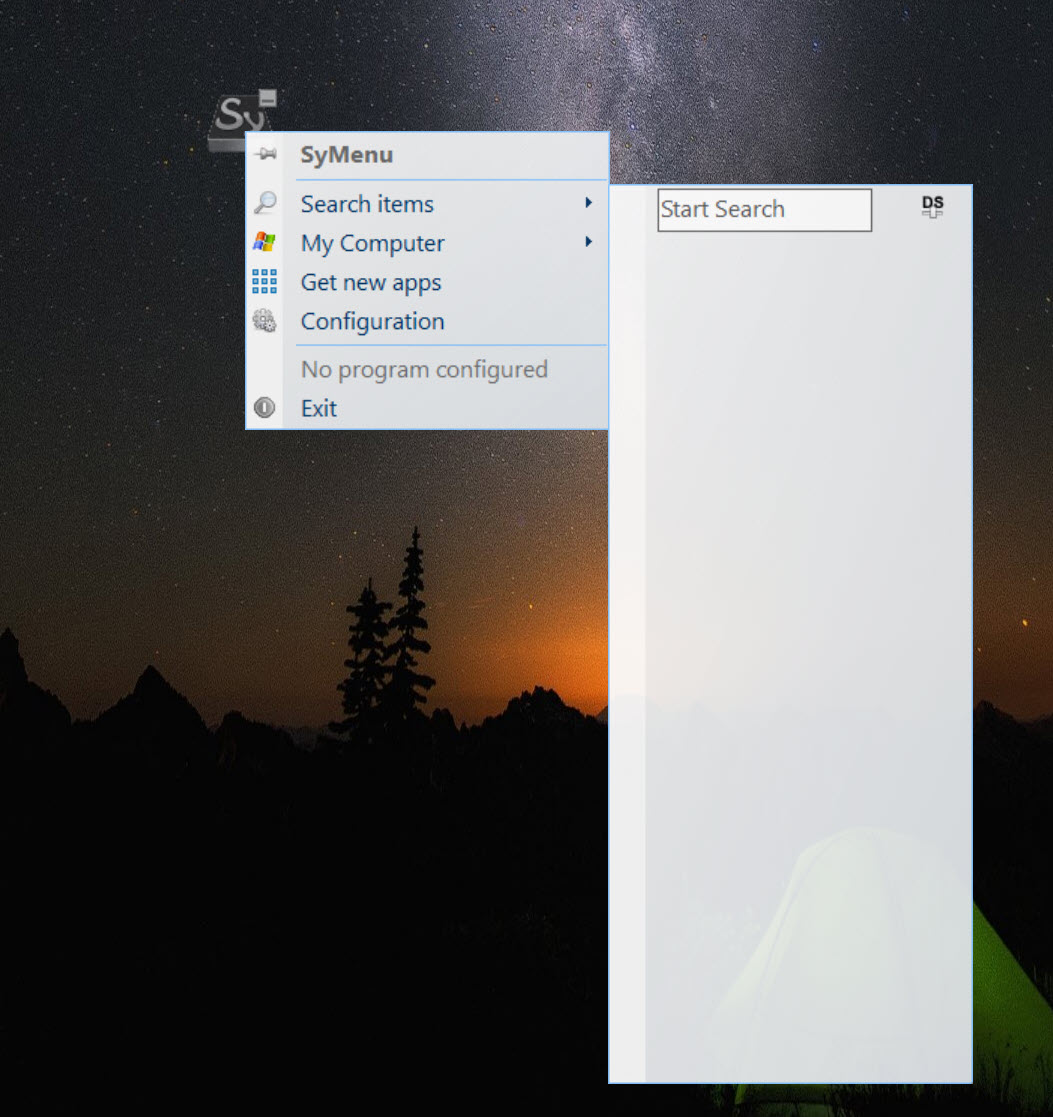
SyMenu is a start menu that lives on a USB stick. Plug the drive into any computer, launch it, and your own launcher appears, with your portable programs and documents organized exactly the way you left them, regardless of whose machine you are borrowing. Press Ctrl+F1 and the menu pops up under the mouse. Close it, unplug, and the host computer carries no trace of your visit.
Beyond launching, it doubles as a package manager for portable software. A built-in catalogue lists more than a thousand freeware programs that the menu can download, keep updated and remove for you, which turns an empty stick into a complete toolkit in an afternoon and keeps it current without hunting for updates one program at a time.
A launcher that follows the drive, not the computer
The core problem with portable programs is that the drive letter changes from one computer to the next. A shortcut pointing to drive E breaks the moment the stick mounts as drive F. SyMenu stores every link with a relative path, so a program sitting next to the launcher on the stick is found whatever letter the system assigns, and nothing needs re-linking.
It is also polite to its hosts. Settings stay in the program’s own folder, the menu runs without administrator rights, and it even works from read-only media or a network share.
That makes it equally at home on a technician’s repair stick, a locked-down office PC or a shared folder that a whole team launches from.
Everything you link is a SyItem
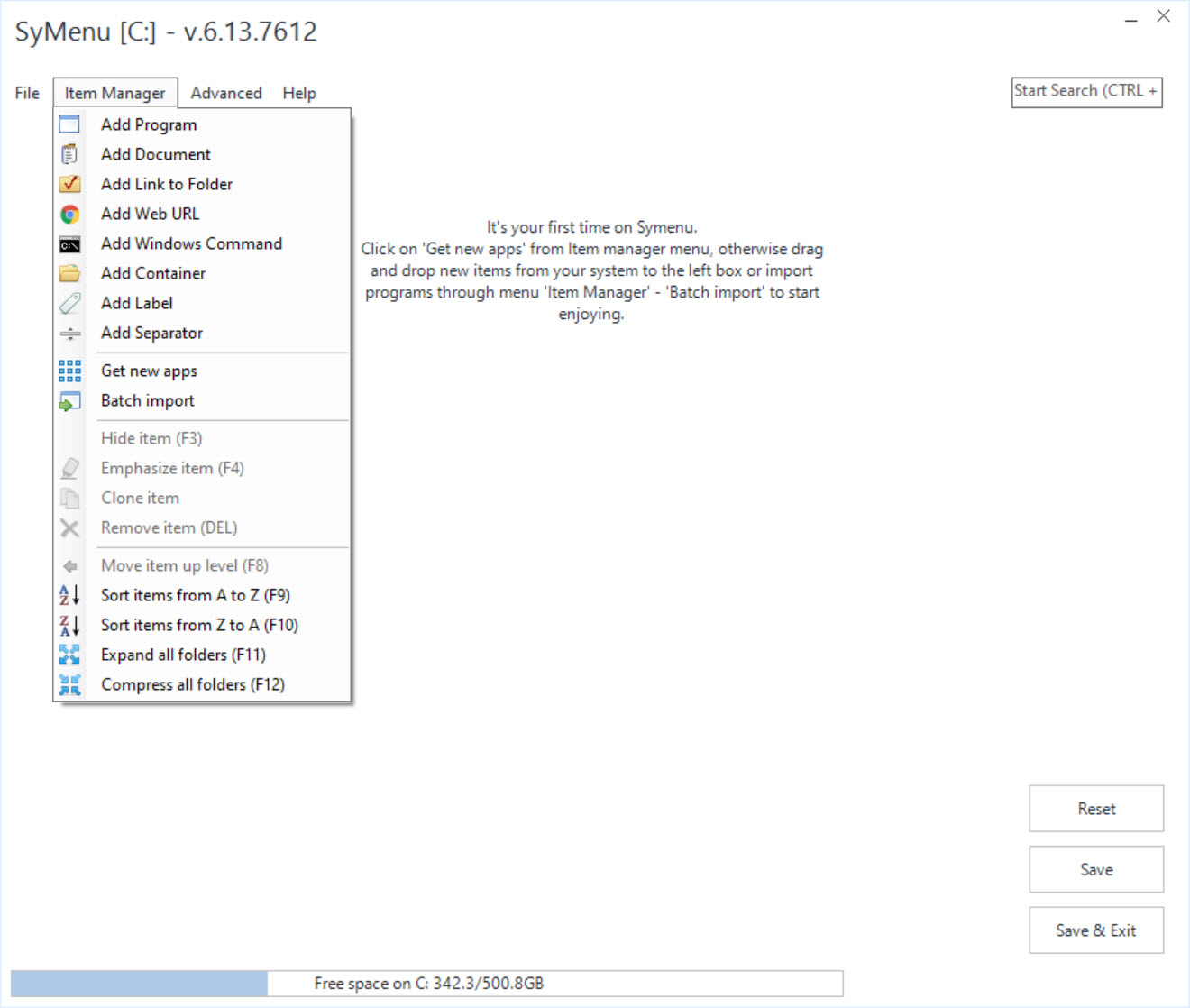
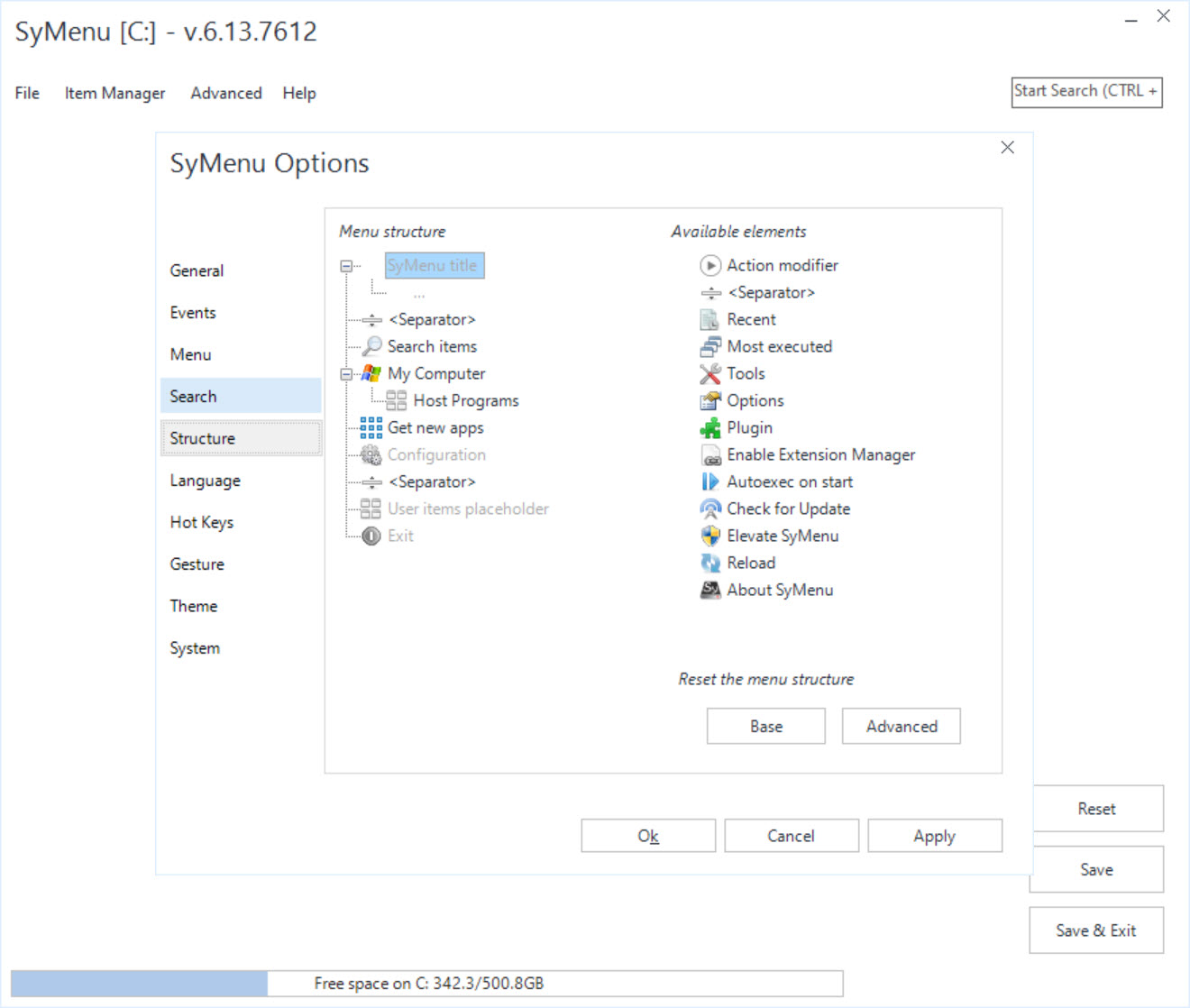
Entries in SyMenu are called SyItems, and they come in more flavours than a typical launcher offers. Programs, documents, folders, web addresses and system commands can all be added, and a set of built-in elements links straight to the host’s own tools, from the Control Panel to recent documents and the local drives.
Items sit in a hierarchy of coloured folders, so a stick with two hundred tools still reads at a glance, with diagnostics in one branch, networking in another and office files in a third.
Drag and drop adds new entries, and Batch Import crawls an entire folder tree, adding every program it finds in one pass, which is the fastest way to bring an existing collection of utilities under control.
Search across your menu and the host
The Start Search bar in SyMenu works the way search works in a modern start menu. Type a few letters and results narrow instantly, covering your own SyItems and also every program in the host computer’s start menu. On an unfamiliar PC that is often the quickest way to find what is installed locally, without learning someone else’s folder structure.
A movable Sy button gives mouse access when hotkeys are not convenient, and you can assign mouse gestures to specific items. Several execution modes appear per entry as well, including running as a different user, opening the containing folder or showing file properties, which saves a trip through Explorer when troubleshooting.
The catalogue that fills the stick for you
Item Manager opens the catalogue of programs packaged in the SPS format that SyMenu understands natively. Beyond the main suite of popular portable software, two further suites cover a famous collection of tiny network and password utilities and a respected set of advanced diagnostic tools, all ready to download into the right folders and link themselves automatically.
The real value shows later. The same system checks those programs for newer releases and updates them in bulk, and it removes them cleanly when you no longer need them.
Maintaining a toolkit of dozens of utilities usually means visiting dozens of pages, and here it collapses into a few clicks.
Autostart, file associations and per-app profiles
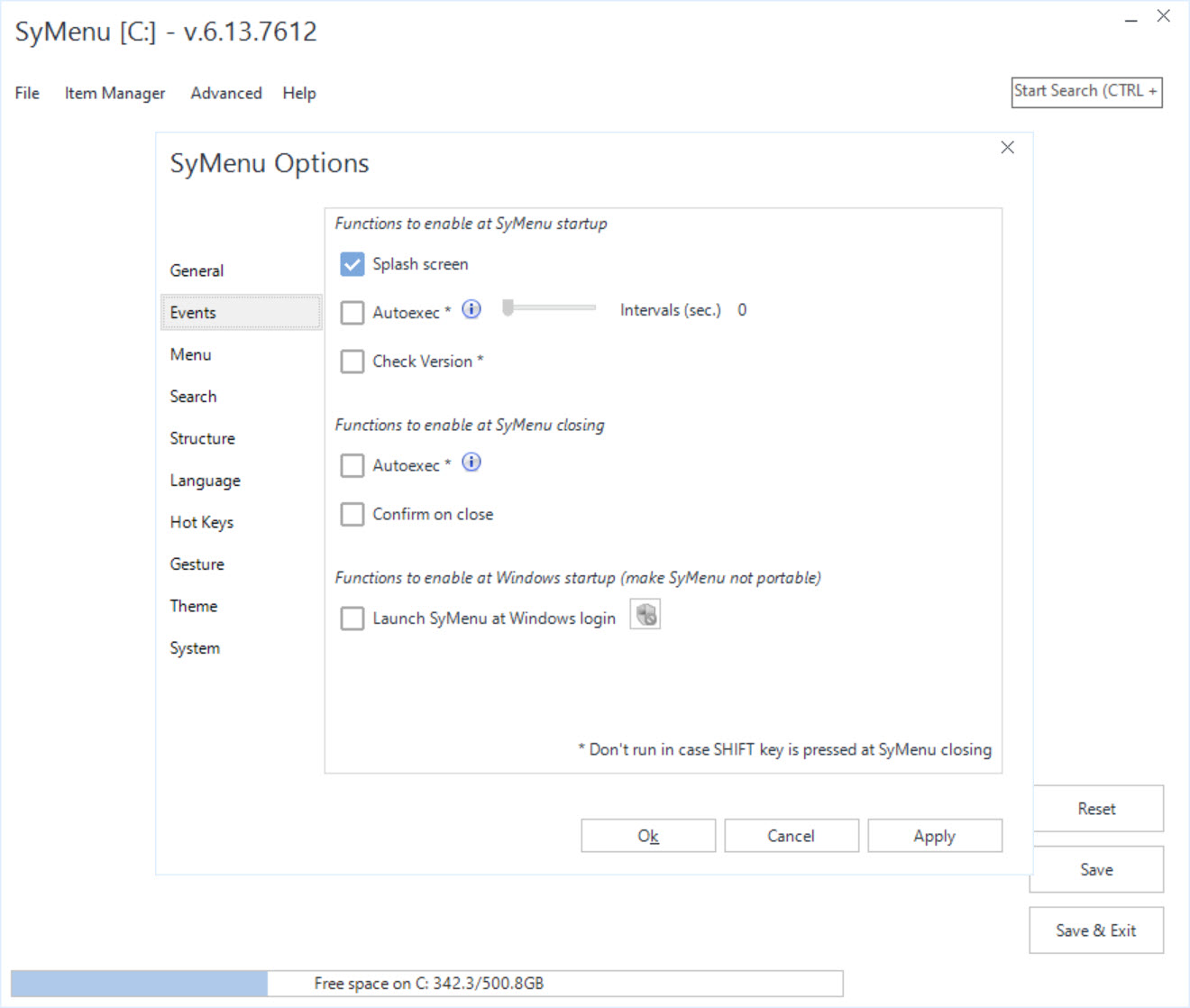
Some programs should start alongside SyMenu, such as a password manager or a sync tool. Autoexec launches chosen items when the menu opens or closes, and it can restrict that behaviour to particular computers, so the backup tool only runs on your home PC.
Extension Manager goes a step further, temporarily replacing the host’s file associations with your own while the menu runs. Double-click a PDF on a borrowed machine and it opens in the reader on your stick.
When you quit, the original associations return. Individual programs can also be given their own home drive, working folder, user profile or AppData location, which keeps their settings on the stick instead of scattering them across the host.
Where the flexibility bites back
Depth brings a learning curve. The configuration window is crowded, the terminology (SyItems, SPS, Autoexec) needs a little decoding, and the default look is functional rather than pretty. Someone who wants a dozen shortcuts and nothing else will find a simpler program launcher like ASuite quicker to set up.
The catalogue also lists only programs packaged for it, so niche or commercial tools still need to be added by hand. And if what you really miss is the classic cascading start menu on your own computer, Spencer does that one job with no setup at all. The power of this launcher shows when the drive travels.
Conclusion
SyMenu is built for people who carry their software with them, technicians, students on shared computers and anyone who works across several machines. Relative paths, borrowed file associations and a self-updating catalogue add up to a portable environment that feels like home on any PC.
The trade is a learning curve and a configuration window that rewards patience more than first impressions. Spend an evening setting it up, and the stick on your keyring becomes a full workstation that keeps itself current.
Pros & Cons
- Relative paths keep every link working whatever drive letter the stick gets
- Catalogue of more than a thousand portable freeware programs with bulk updates
- Search covers both your menu and the host computer's installed programs
- Runs without admin rights, even from read-only media or network shares
- Temporary file associations open documents in the programs on your stick
- Batch Import adds whole folders of utilities in one pass
- The configuration window is crowded and takes time to learn
- The catalogue covers only programs packaged in its own format
- Default appearance is plain and dated
Frequently asked questions
No. Programs and documents on the same drive are linked with relative paths, so the menu finds them whatever letter the stick receives on a new computer.
Yes. Item Manager lists more than a thousand programs in its suites and links each one automatically after download, then checks for and installs updates in bulk.
Its settings stay in its own folder on the drive, and temporary file associations are reverted when you close it. Individual programs can also be pointed to profile folders on the stick.
Press Ctrl+F1 anywhere, click the movable Sy button, or assign mouse gestures to specific items. The search bar inside the menu finds any entry after a few keystrokes.


