

ASuite
About ASuite
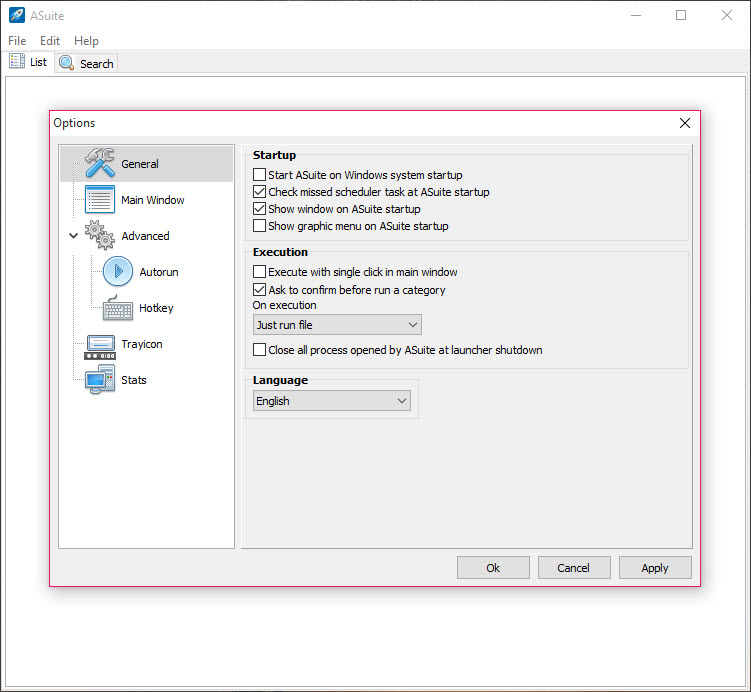
ASuite is a start menu that lives on a USB stick. Put it in the root of the drive and add the portable programs and documents stored there. On any computer the stick is plugged into, a tray icon opens a menu of them, organised in folders of your own design.
The trick is relative paths. Every entry is stored as a path from the launcher’s own folder rather than from a drive letter. A stick that gets one letter at home and another at work opens the same menu with every link intact. Nothing is written to the host computer, and when the stick is pulled, the launcher goes with it.
That makes it the backbone of a portable toolkit, and several ready-made collections of portable programs have used it as exactly that. ASuite adds the things a launcher on a stick needs. A scheduler runs chosen items at startup, at shutdown or at a set time.
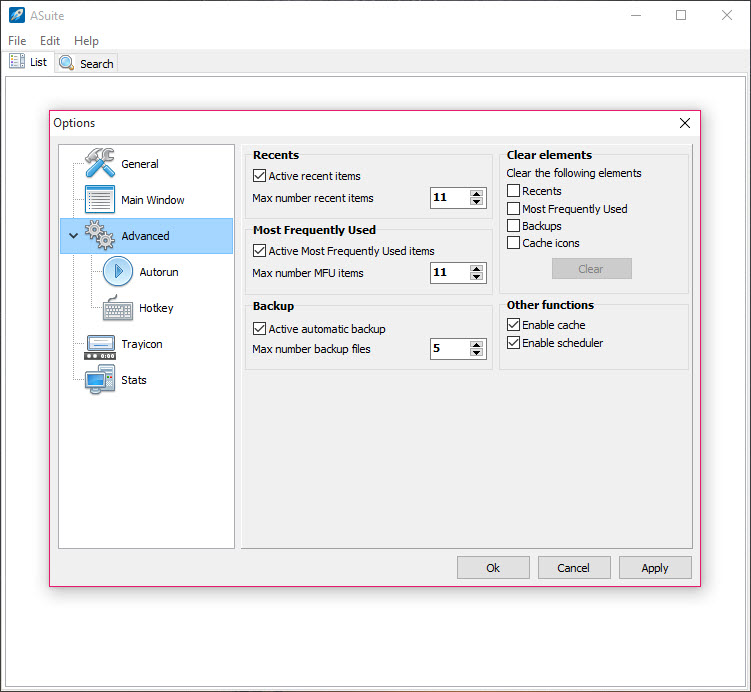
Hotkeys open items from anywhere, a search box finds an entry in a long list, and the tray menu keeps the most recently and most frequently used items a click away. It is open source and still developed, with its current line in a long feature freeze that fixes rather than adds.
The sections below cover the list, the two menus, the automation, and where a launcher on a stick stops being the right answer.
The list, and relative paths
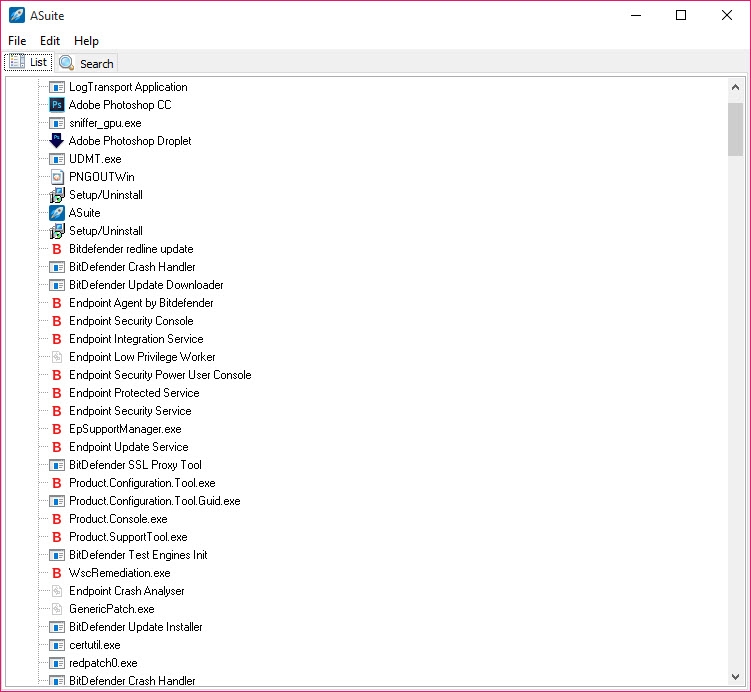
The main ASuite window is a tree. Add a program, a document, a folder or a web address, and it becomes an item you can drag into folders, with separators to break long lists into groups. Each item carries its own properties, a name, the path, parameters to pass on launch, an icon and a working folder, plus a note field for a version or a description. A scan function reads a folder on the stick and adds every program it finds in one pass, which is how a new toolkit gets populated in a minute.
Paths are the heart of it. Write them relative to the launcher, with the usual dot-dot notation to step up a folder, and the entry works wherever the stick lands. Placeholders stand in for the drive and the launcher folder, so an item never needs editing when the letter changes.
Items can point at programs installed on the host machine as well, with absolute paths, for a stick that complements a known computer rather than replacing it.
Two menus from the tray
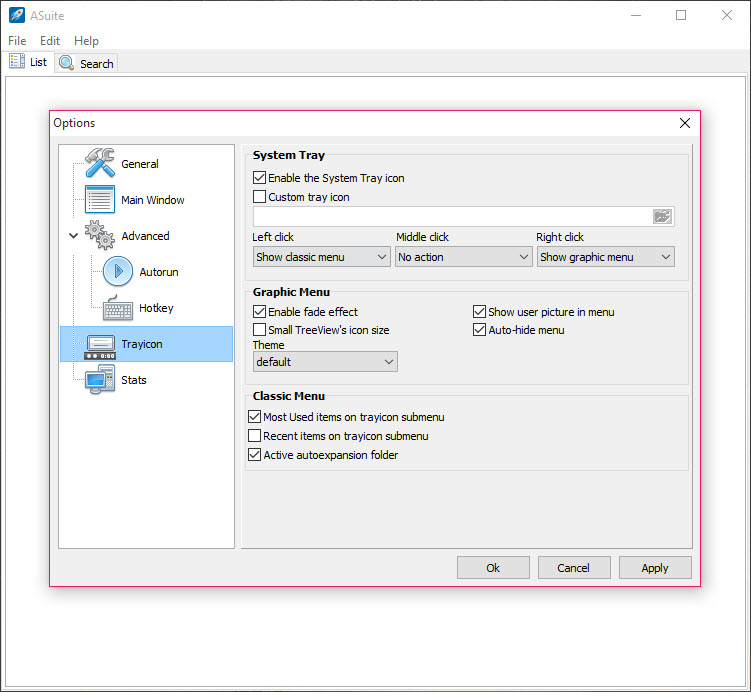
Right-click or left-click the ASuite tray icon and a menu appears, in one of two styles. The classic menu is a plain cascading list, folders opening into submenus, quick to scan and quick to click. The graphic menu is a panel with icons, a search box, tabs for the recent and frequent lists and a theme that can be changed. Either can be set to open on either button, and a hotkey opens the menu without touching the mouse.
The recent and frequent lists are the part that earns the graphic menu its place. A toolkit of fifty tools has five you open every day, and they float to the top without any arranging.
Icons are cached inside the launcher so the menu draws at once rather than reading fifty executables on every click, which on a slow stick is the difference between instant and irritating.
Scheduling and hotkeys
Any ASuite item can run when the launcher starts or when it closes, which is how a stick sets up its environment on arrival and tidies up on departure. A portable mail client launches on insertion. A sync tool runs at exit to copy the day’s work back. An internal scheduler goes further, running an item at a set time or at an interval, so a backup on the stick fires every evening the stick is in.
Hotkeys attach to any item or to the launcher itself, system-wide, so a frequently used tool opens with a key combination on any host machine. The session is restored after a crash, which matters on a stick that gets pulled without warning.
For a hotkey launcher that lives on the host computer rather than the stick, with fuzzy search across installed programs, Launchy is the counterpart.
Importing an existing list
Lists from older launchers of the same kind import directly into ASuite, including the one this program replaced in the toolkits that adopted it, so a collection built up over years moves across without retyping. It can also read the menu structure of a well-known portable platform and fold its programs into categories of its own.
The program writes its settings to its own folder only. The usual habits apply. Keep the launcher at the root of the drive and keep every program it points to on the same drive. Eject the stick properly, since a list half-written at removal is the one thing the crash recovery cannot fully undo.
For a folder-jumping companion that puts favourite folders into every file dialog, Quick Access Popup covers the half of portable life this launcher does not.
Where a launcher on a stick stops being the answer
ASuite launches and nothing more. There is no updater for the programs it points to, no sync and no encryption, so the stick’s contents are as exposed as the stick. The graphic menu is pleasant and the classic one is plain, and neither has had a redesign in a long time. Development continues as bug fixes in a feature freeze, so what it does now is what it will do.
For a stick, that is enough, and it is the role the program has filled for a very long time. For a desktop that stays put, the operating system’s own menu and search make a launcher of this kind redundant, and a quick-launch tool for favourite files and folders covers the keyboard-driven case there.
Conclusion
ASuite suits anyone who carries their programs on a stick and wants a tidy menu that follows the stick from computer to computer, with the right tools running on arrival and the backup firing on departure. The relative paths, the two tray menus and the automation are what make it a toolkit’s backbone rather than a shortcut list.
It only launches, its look is dated and its development is maintenance rather than growth. Keep the launcher at the root, keep the paths relative, eject properly, and it does its job on every machine the stick meets.
Pros & Cons
- Launches programs and documents, folders and web addresses from a tree you organise
- Relative paths keep every link working when the drive letter changes
- Classic and graphic tray menus with search and recent and frequent lists
- Runs items at launcher startup or shutdown, on a schedule or on a hotkey
- Imports lists from older portable launchers and a portable platform's menu
- Writes settings to its own folder only, with session recovery after a crash
- Launches only, with no updating, syncing or encryption of the stick's contents
- Menus have not been redesigned in a long time
- Current line is in a feature freeze
- Redundant on a desktop that never moves
Frequently asked questions
No. Items are stored as paths relative to the launcher's own folder, so they work whatever letter the host computer assigns.
Yes. Any item can be set to run when the launcher starts, and others when it closes, with an internal scheduler for timed runs.
No. Settings are written to the launcher's own folder on the stick, and nothing goes into the host's registry.
Yes. It imports lists from several older launchers of the same kind and reads the menu structure of a well-known portable platform.


