

PC Tweaker



About PC Tweaker
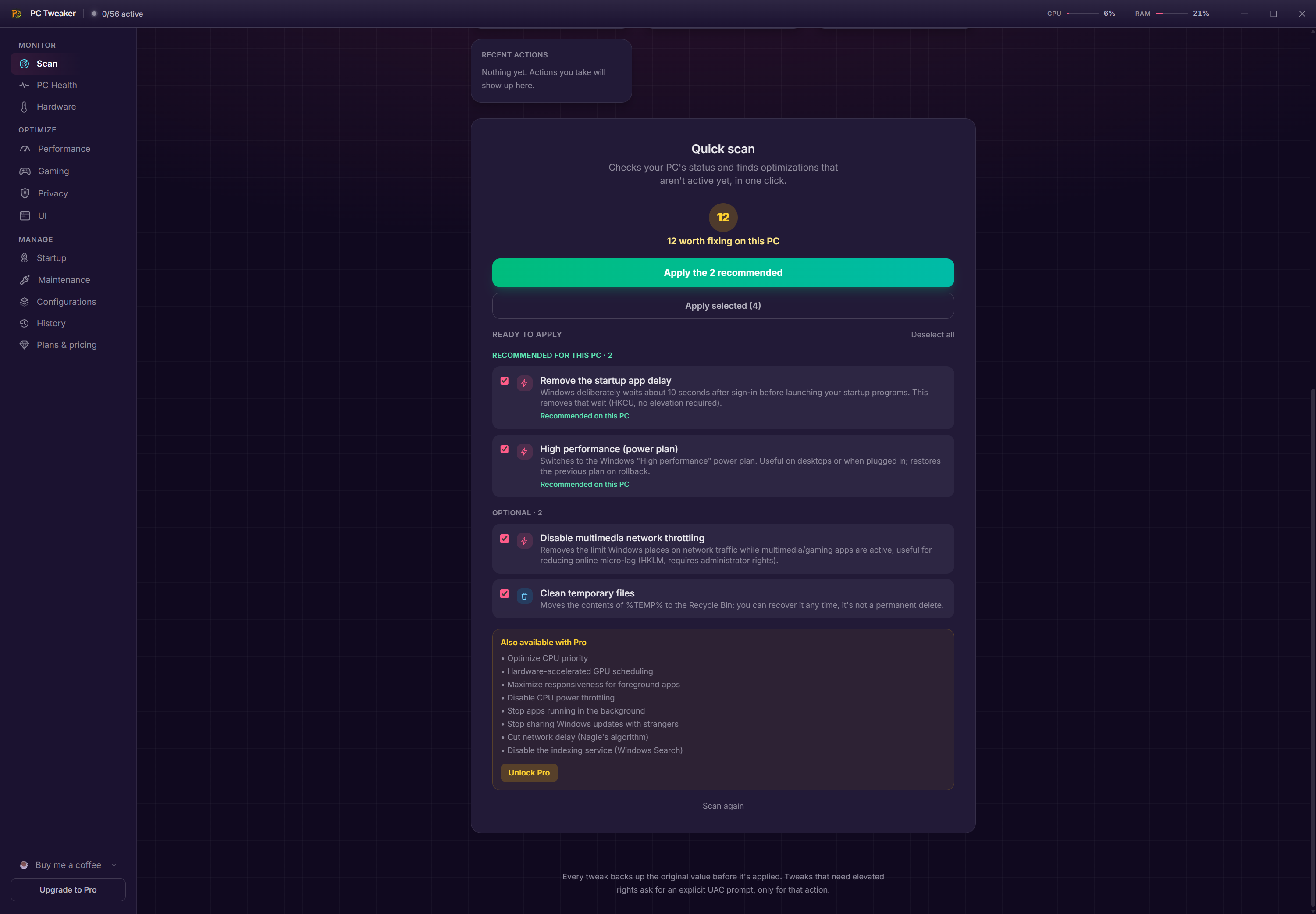
Most software promising a faster machine belongs to a category that has earned its reputation, and the usual complaint is not that the tweaks are wrong but that nobody tells you what they were. PC Tweaker answers that specifically, showing the exact registry path, value name, type, value behind every change before you apply it.
That PC Tweaker disclosure is unusual enough to be the reason to look at it. A toggle labelled as improving responsiveness is an article of faith. A toggle showing the key it writes is a decision you can check.
The claim goes further, since the descriptions are generated from the code that performs each change rather than written separately, so the tool cannot describe a key it does not touch.
Every change snapshots itself first
The second PC Tweaker decision follows from the first and matters more.
Before any tweak writes a value, the previous state is captured. One tweak can be reverted, or every applied change at once, returning the machine to how it was.
That is the correct arrangement for software whose entire purpose is modifying a working system, and it is what separates careful tools in this category from the ones that change things and leave you to remember what.
Deletions from the maintenance side follow the same logic, going to the recycle bin rather than disappearing, which is a small consistency that suggests somebody thought about the whole product rather than one screen.
For the same snapshot-first approach applied more broadly across cleaning and customisation, TweakPower records changes per module with independent rollback.
The health score explains itself
The PC Tweaker score summarising your machine’s state is standard in this category and usually meaningless, because nothing explains how it was reached.
Here every point traces to a stated fact, and the factor list is the calculation rather than a summary of it. When the score moves, the tool names which categories changed and quotes the facts on both sides, so four applications starting with the system becoming seven is shown as the reason rather than inferred.
It also declines to invent causes. Evidence that drifted without affecting the score is not listed, and when nothing changed it says nothing changed, which is a discipline most scoring systems lack.
Startup entries are the largest single contributor to that score in practice, and Autorun Organizer handles that specific area with delayed starts and boot time measurement.
Sensors rather than estimates
PC Tweaker reads temperatures, load, memory use, fan speed, power draw from the hardware’s own sensors, and where a sensor does not exist it says so rather than displaying a number nobody can verify.
The session watch is the thoughtful part. It waits until the card has actually been working before reporting a result, because an idle card runs cool regardless and a reading taken then proves nothing.
For monitoring during a game specifically, with an overlay rather than a window, MSI Afterburner remains the tool most people already run.
Two tweaks with genuine technical substance
Most of the fifty-odd PC Tweaker changes are ordinary settings. Two deserve separate mention because they address real mechanisms rather than folklore.
The network one changes the congestion control algorithm. The default speeds up until a buffer somewhere overflows, which is why a household connection’s latency climbs the moment somebody starts a large download. The alternative measures the line’s actual bandwidth and round trip and paces traffic to fit, which keeps latency stable under load.
The processor one applies to certain multi-die chips where only one die carries the larger cache. The system spreads a game across both, and pinning it to the die with the cache is a measurable improvement. On a chip without that arrangement the tool says there is nothing to align rather than offering a switch that does nothing, which is the single most honest thing in the product.
The performance claim, read carefully
The headline PC Tweaker figure comes from a benchmark the maker ran and published, on one title, on one machine, before and after applying the gaming preset.
That is considerably more than most of this category offers, since the session was recorded and the method stated rather than a number appearing on a page. It is still the maker measuring their own product on hardware they chose, which is not the same as independent verification.
The sensible response is measuring your own machine. Note the frame rate before, apply the preset, note it after, then decide from your own numbers rather than anybody’s benchmark.
The related caution applies to the whole category. Fifty-odd available changes invite applying everything, and the value of documented reversible tweaks is that you can apply a few, measure, and keep what worked.
The maintenance side
Beyond tweaking, PC Tweaker carries housekeeping tools. A duplicate finder comparing content rather than filenames, a large file hunter, drive health reporting, plus the maintenance operation appropriate to solid state drives.
Those are useful and they are also the part most duplicated elsewhere. dupeGuru does the duplicate job with more control including near-identical images, for anybody whose actual problem is a disorganised drive rather than an unoptimised one.
Conclusion
PC Tweaker is the most defensible thing I have seen in a category built largely on theatre. Showing the exact registry value behind every switch, generating those descriptions from the code that performs the change, snapshotting before writing and refusing to offer a placebo toggle on hardware that would not benefit are four decisions pointing the same way.
Use it the way the design invites. Apply a small number of changes, measure your own machine rather than trusting anybody’s benchmark, and keep what demonstrably helped. The rollback engine is what makes that approach practical, and it is a considerably better reason to install this than the frame rate on the front page.
Pros & Cons
- Every tweak discloses the exact key, value name, type, value it writes
- Descriptions generated from the code performing the change rather than written separately
- Previous state snapshotted before any change, with single or complete rollback
- Health score traces every point to a stated fact and explains what moved it
- Sensors read from hardware, with absence stated instead of estimated
- Refuses to offer a switch on hardware where it would do nothing
- Driver updates go through the system's own channel rather than a third-party database
- The published performance figure is the maker's own benchmark on one title
- Fifty-odd available changes invite applying everything rather than measuring
- Network congestion changes can interact unpredictably with some connections
- The maintenance tools duplicate dedicated software many people already run
- Free tier withholds a third of the tweaks and the gaming session automation
Frequently asked questions
Disclosure and reversibility. Each tweak shows the exact registry path and value it writes, generated from the code that performs the change, and the previous state is captured before anything is written.
Yes, individually or all at once. Snapshotting before writing is the product's central premise, and cleanup deletions go to the recycle bin rather than being removed permanently.
It comes from a benchmark the maker ran and published on one title and one machine, which is more transparent than most claims in this category and is not independent verification. Measure your own machine before and after.
The system's own update channel, which is the route that supplies signed drivers matched to your hardware. That is a better arrangement than a third-party driver database matching by device identifier.
No. Apply a few changes, measure whether anything improved, and keep what worked. The reversibility exists precisely so that approach is practical.


