

Samsung Magician
About Samsung Magician
Samsung Magician is the management program for Samsung solid state drives. It reads the drive’s health and wear, updates its firmware, benchmarks it and scans it for faults. It sets aside spare capacity to extend the drive’s life, turns hardware encryption on and, through a bootable stick it writes for you, erases the drive below the level any recovery tool can reach. For the portable models it also sets the unlock password. Plug in a Samsung drive and this is the program its maker expects you to run once in a while.
The comparison with CrystalDiskInfo is the one to make first. That tool reads health from any drive and stops there. Samsung Magician reads health only fully from Samsung drives, but goes on to change them, which no generic tool can do.
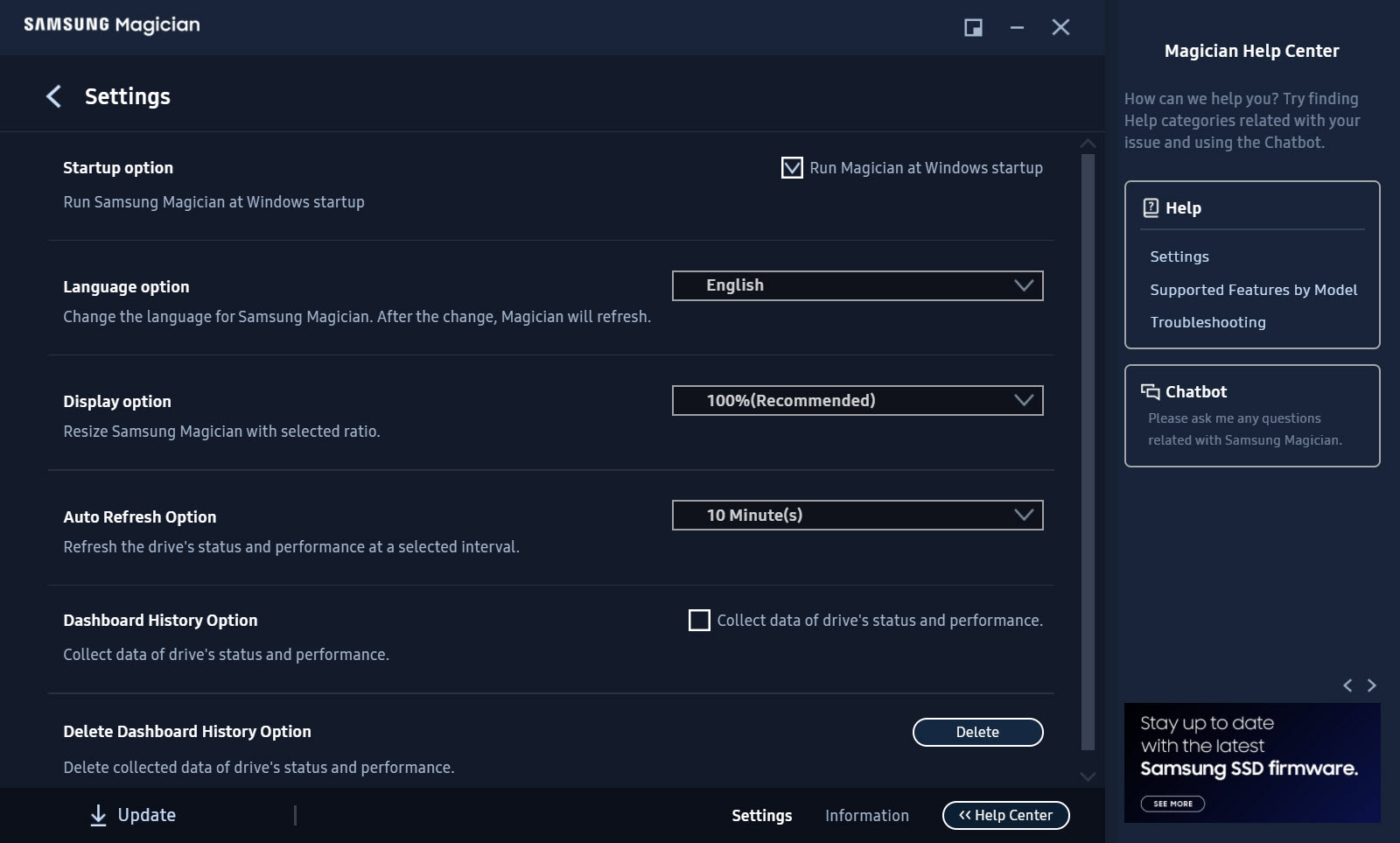
Owners of drives from other makers see them listed here with their basic details and nothing else, and should look to their own maker’s utility instead. Owners of Samsung drives get the whole set, provided the drive is connected in a way the program can reach, and that provision causes more support threads than any feature.
The dashboard and the numbers that matter
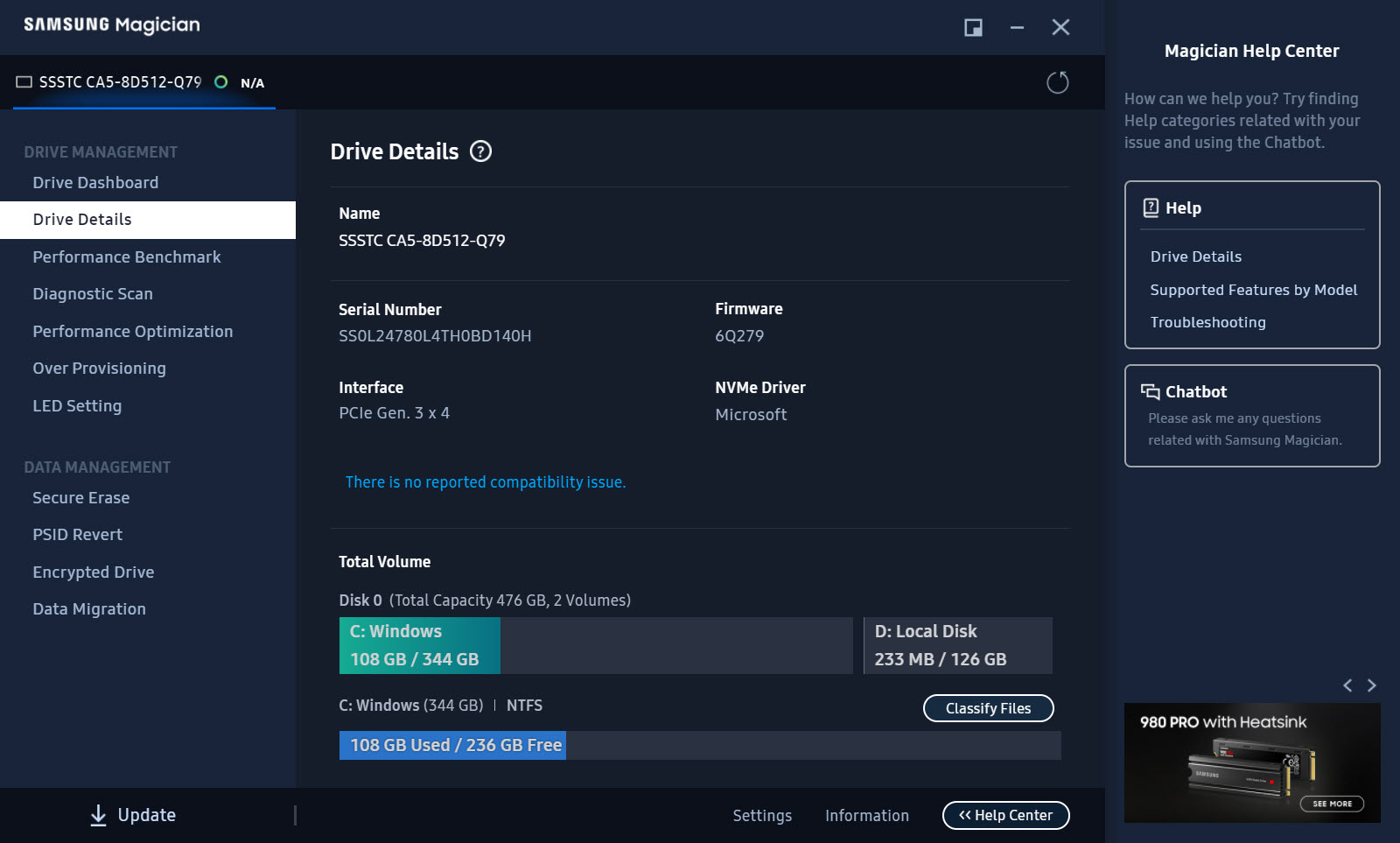
The Samsung Magician opening screen shows each drive as a card with its model and capacity, its health status and temperature, and the amount written over its life. That last figure decides how much of the rated endurance remains. Drive Details expands that into the interface and firmware version and the full SMART attribute table. A System Compatibility section reports whether the drive is connected through a controller and mode the program supports.
Two numbers deserve a glance every few months. Total bytes written against the drive’s rated endurance tells you how far into its life it is, and for most desktops the answer is a small fraction after years. Temperature under load matters for the fast NVMe models, which throttle when a laptop’s cooling cannot keep up.
A drive that reads hot here is a drive that will benchmark slow.
Firmware, benchmarks, diagnostic scan
Firmware Update checks the drive’s version against the maker’s current one and installs the newer release in place. It warns you to back up first, because a firmware flash is the one operation here that can misfire. Most updates fix compatibility with a chipset or a sleep state, and a few have fixed drives that were failing early, which is why the check is worth running on any drive that behaves oddly.
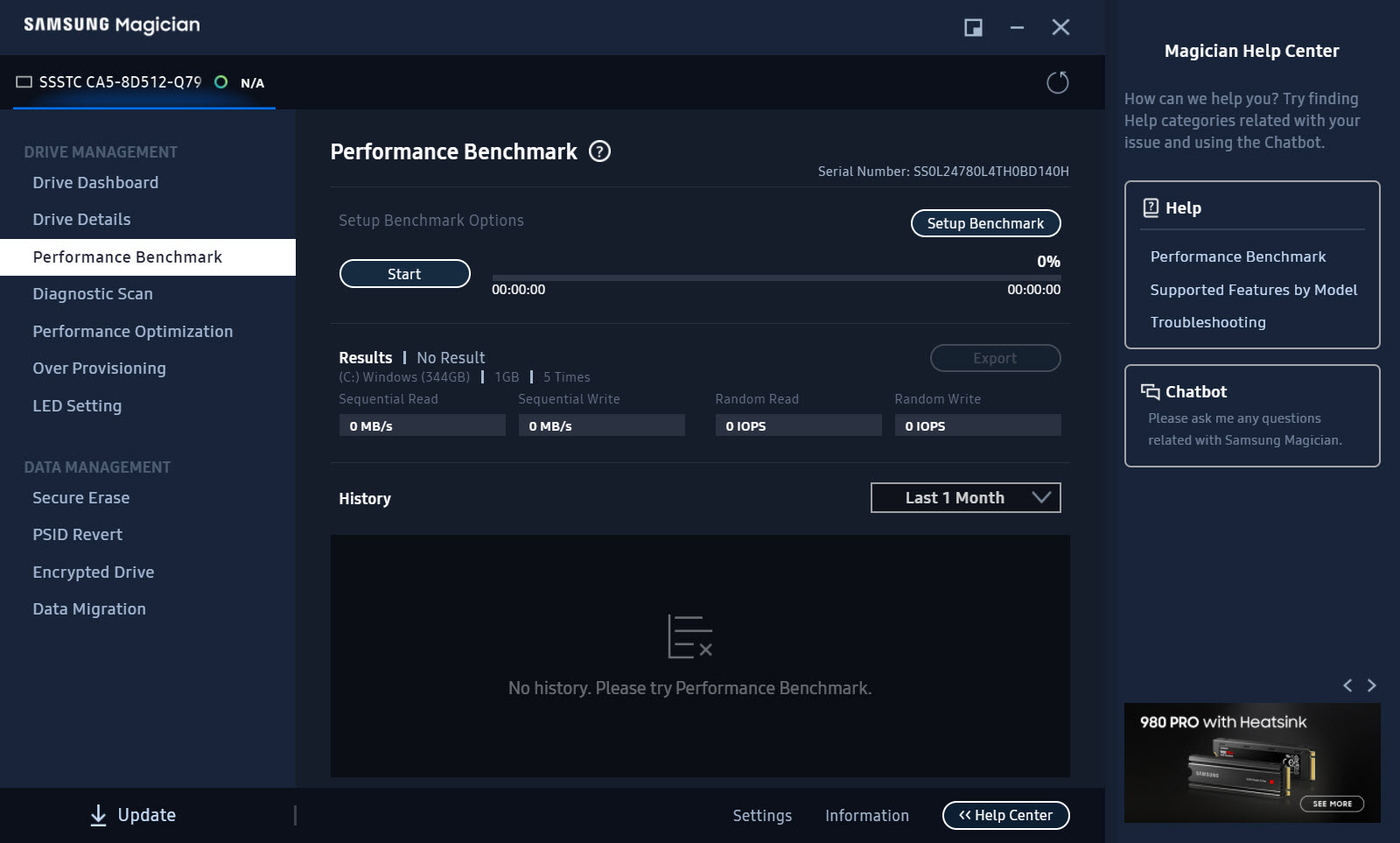
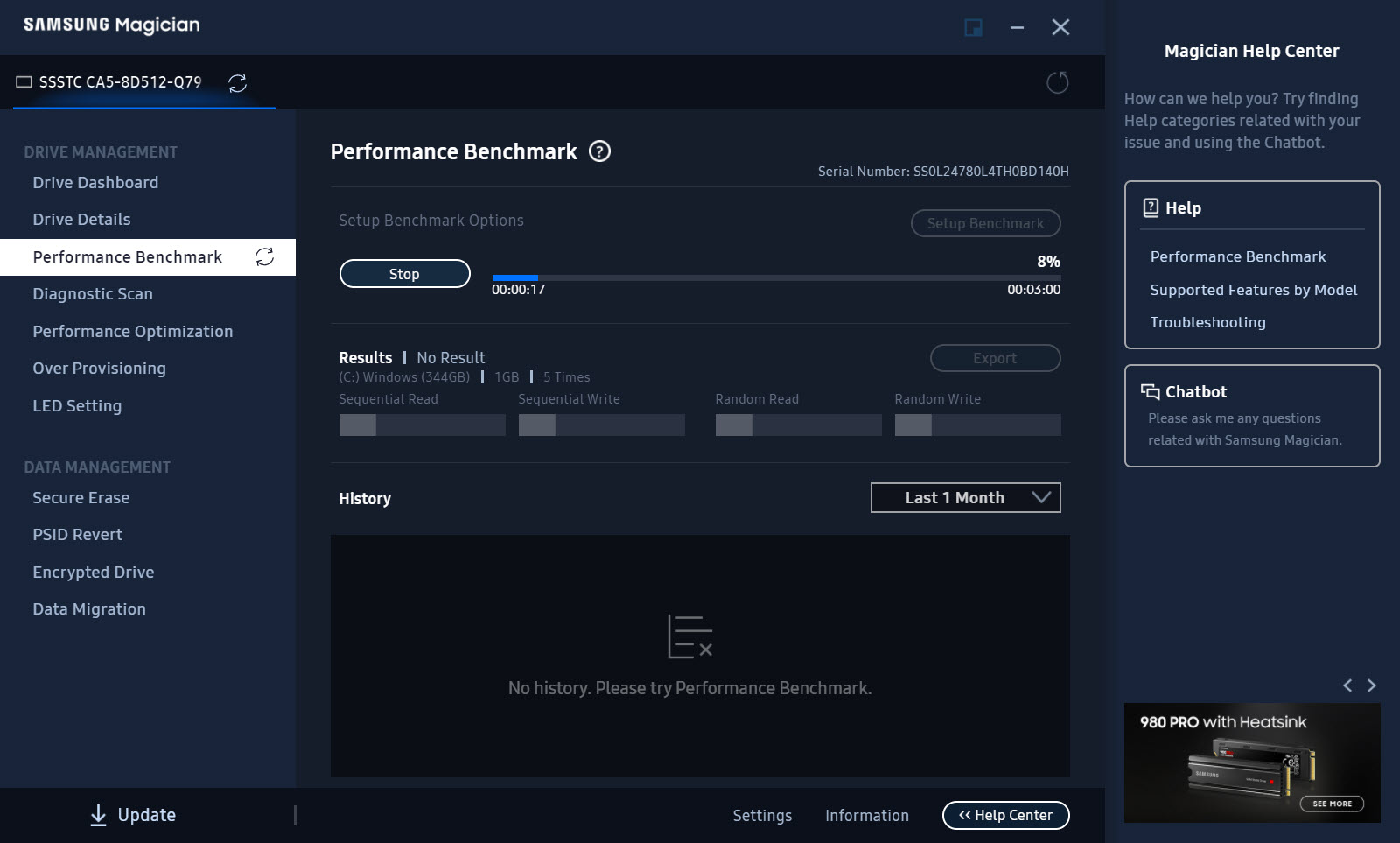
The Samsung Magician Performance Benchmark measures sequential and random read and write speeds and keeps a history, so a drive that was fast when new can be compared with itself a year later. Diagnostic Scan reads the drive either partially or in full and reports bad blocks.
A full scan on a large drive takes a long time. Some antivirus products slow it to a crawl by inspecting every read, which the manual addresses with an exclusion for the program’s process.
Over Provisioning and Performance Optimization
Over Provisioning in Samsung Magician shrinks the last partition and leaves the recovered space unallocated, giving the drive’s controller extra room to shuffle data behind the scenes. The default suggestion is ten percent and the ceiling is half the drive. Drives with more spare area hold their speed better once full and wear more evenly, in exchange for capacity you can no longer use. It works on NTFS partitions and on unformatted space. It can fail with a misalignment message on drives partitioned by very old tools, and the program says so rather than guessing.
Performance Optimization sends a TRIM command so the drive can clear blocks the file system has released. The operating system does this on its own schedule, so the button is a manual nudge rather than a feature.
The acceleration mode that older releases offered here, a RAM cache in front of the drive, has been removed from current versions.
Encrypted Drive
Encrypted Drive in Samsung Magician enables the hardware encryption built into the controller in one of three modes. The simple drive password set in firmware, the TCG Opal standard for management software, or the mode the operating system’s own disk encryption can hand off to.
Turning it on for the operating system’s use requires a clean installation with the option set beforehand, which the program explains and which surprises people who expected a toggle.
Secure Erase and PSID Revert
Secure Erase writes a bootable USB stick, because a drive cannot securely erase itself while the system is running from it. Boot from the stick, pick the drive, and the controller discards every block in seconds, leaving nothing recoverable. PSID Revert is the escape hatch for an encrypted drive whose password is lost. The 32-character PSID printed on the drive’s label unlocks a factory reset that erases everything and returns the drive to an unencrypted state.
Both of these are for a drive you are wiping, and both mean it.
Pocket SSDs, memory cards, migration
For the portable SSD models, Samsung Magician replaces the small unlock utility the drive ships with. Set, change or remove the password, update the drive’s firmware and check its health from the same window as the internal drives.
The features that alter partitions are for internal drives only. Memory cards and USB sticks from the same maker can be checked for authenticity. That sorts a genuine card from the counterfeit that shares its label and reports a capacity it does not have.
Data Migration, the cloning tool that moves an existing system onto a new drive, has been folded into the program on current releases and remains available as Samsung Data Migration on its own. It clones the boot drive to the new SSD, resizing partitions to fit, and it only clones onto Samsung drives.
Why a feature says the drive does not support it
The Samsung Magician message that fills the forums is that the selected drive does not support a feature, on a drive that plainly should. The cause is nearly always the connection. Drives behind a RAID controller, drives in a system where the storage controller is set to RAID rather than AHCI, and drives in an external USB enclosure all appear in the list. So do drives on some third-party NVMe drivers. None of them can be reached for the deeper commands. The System Compatibility section in Drive Details names the problem and often the fix.
Two other limits apply. Drives sold to computer makers for factory installation, the models with PM in the name, are not consumer drives and are unsupported here even though they are Samsung. And a drive locked with a user password has to be unlocked before the program will touch it. None of this is the program failing.
It is the program declining to send commands it cannot verify will land.
Conclusion
Samsung Magician is for anyone with a Samsung solid state drive, internal or pocket-sized, who wants to know how much life it has left and keep its firmware current. It is also the tool for setting a drive up for encryption or a clean sale. Over Provisioning and the Secure Erase stick are the two features that matter beyond the dashboard, and both are done in minutes.
It is useless for other brands and stubborn about connections it cannot trust, so check the compatibility panel before blaming the drive. For its own hardware, connected directly, it does everything the drive can be asked to do from a desktop.
Pros & Cons
- Health and wear readings for Samsung drives with the full SMART table
- Firmware updates installed in place with version history
- Over Provisioning with a chosen percentage to extend drive life
- Hardware encryption with three modes and a PSID reset path
- Secure Erase through a bootable stick it writes itself
- Portable SSD passwords and memory card authenticity checks
- Samsung retail drives only, with OEM models and other makers left out
- Most features fail behind RAID controllers or USB enclosures
- Full diagnostic scan is slow and slowed further by antivirus
- RAM caching acceleration was removed from current versions
Frequently asked questions
The drive is connected through something the program cannot pass commands over, usually a RAID mode controller, a USB enclosure or a third-party driver. Check the System Compatibility section in Drive Details and switch the storage controller to AHCI or connect the drive directly.
Only to list them. Health and firmware features, plus erase, provisioning and encryption, need a Samsung retail drive. Use the other maker's own utility for those drives.
Choose Secure Erase, insert a USB stick and let the program write a bootable image to it. Restart from the stick, select the drive and confirm. Everything on it is discarded in seconds and cannot be recovered.
The suggested value is ten percent. More extends endurance and sustained speed at the expense of usable space, up to a limit of half the drive. Leave it at the suggestion unless the drive is written heavily every day.
It was removed in current versions. Performance Optimization now offers a TRIM command only, and the RAM caching that RAPID provided is no longer available.


