
RealWorld Paint
FREE 100% SAFE

RealWorld Paint

(8 votes, average: 3.75 out of 5)
3.8 (8 votes)
Updated October 1, 2026
01 — Overview

About RealWorld Paint

RealWorld Paint is an image editor that does three jobs in one window, painting, photo retouching and animation. It works in layers, with raster and vector layers side by side, each carrying its own effects, and it reads and writes the layered files of the better-known editors, Photoshop’s PSD, GIMP’s XCF and Paint.NET’s PDN, with the layers intact. It also loads the Photoshop filter plugins in the .8bf format, which opens up a large library of third-party effects that most editors at this level cannot use.

The animation side is what sets it apart from the usual layered editor. Frames become a timeline, each frame can have its own layers, and the result saves as an animated GIF or animated PNG with a built-in optimiser that shrinks the file without any configuration.

RealWorld Paint runs portably from a folder and asks little of the machine, though very large images with many layer effects can slow it down noticeably.

Layers, vector layers and layer styles

Layers are the core of RealWorld Paint, and the panel for them is the highlight of the program. Raster layers hold pixels, vector layers hold shapes and text that stay sharp when resized, and both can extend beyond the canvas edge. Layers group into folders with sub-layers, and a button can make every layer except the current one transparent, which is a quick way to see exactly what one layer contributes.

Layer styles add effects that stay editable, shadow and glow, bevel and fill among them. Because they are styles rather than baked-in pixels, a shadow can be adjusted or removed later, and pasting a style applies it to every selected layer.

That non-destructive approach suits iterative work on logos and web graphics where the look gets tweaked many times.

Drawing tools and the photo retouching set

The drawing tools cover brushes, lines and curves along with shapes and flood fills, with custom gradients, pattern fills and bump maps. Polylines and polygons stay editable, and new points add by dragging the handle of an edge. Many of the tools blend colours in a gamma-aware way, which means gradients and soft edges mix the colours correctly rather than producing the dull bands some editors leave in the middle of a gradient.

For photos there is a crop tool that also removes perspective, so a photographed document or building can be squared up in the same step, a clone stamp for removing blemishes, a red-eye remover, and a shape-shift tool that pushes and pulls pixels in the way a liquify tool does. Colour adjustments and filters handle the routine corrections.

It is a capable retouching set rather than a professional one, and for deep photo work a full open-source editor offers more.

Animation and GIF optimisation

The RealWorld Paint animation editor treats each frame as a separate image with its own layers, so a moving object can be drawn on one layer while the background stays fixed on another. Frame delays are set per frame. A morph command generates intermediate frames between two vector layers, which saves drawing every step of a simple transformation. The result saves as an animated GIF or, by changing the default format, as an animated PNG with full transparency.

The built-in GIF optimiser is the quiet strength here. It reduces the file size of the finished animation automatically, removing redundant pixels between frames, which matters for anything headed to a web page or a chat.

For short screen-recorded GIFs rather than drawn animations, a dedicated recorder is quicker, but for hand-made animated graphics this is one of the better tools at this level.

Plugins and scripting

The RealWorld Paint .8bf plugin support means filters written for Photoshop run here, from artistic effects to noise reduction, and a large number of them are available from third parties. Beyond that, native plugins can add filters and tools as well as file codecs and even whole panels.

A scripting system built on JavaScript lets you write custom filters and operations, which is how the program extends well past its built-in features.

Batch processing

RealWorld Paint batch processing applies built-in or custom operations to a whole set of images or animations at once, resizing a folder, adding a watermark or running a filter across many files. For a simpler beginner’s batch tool alongside an editor, Photoscape covers the common cases with less setup.

File formats and the swap between editors

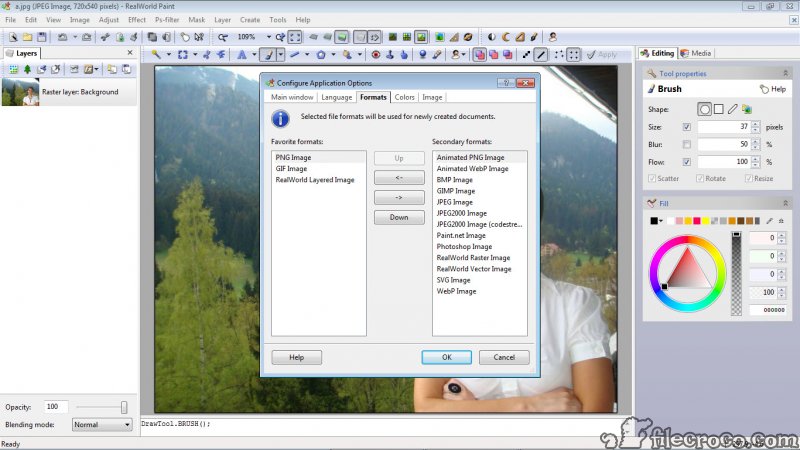
RealWorld Paint import and export of PSD, XCF and PDN with layers is unusually broad, making it a useful bridge between people who use different editors. A PSD sent by a designer opens with its layers, and vector masks import as vector layers. Some complex PSD files do not render perfectly, particularly those that depend on advanced effects, so a file that has to look identical should be checked. Standard formats such as JPEG and PNG open and save as expected.

The interface scales for high-resolution displays and can be adjusted. Additional language packs, layer styles, brushes, pattern fills and bump maps can be downloaded to extend the built-in set.

Where it falls short

Performance is the recurring complaint. Large images with many layers and styles can make the program sluggish and memory-hungry, though it tends not to crash. Some layer effect dialogs have been reported as unreliable, and very complex PSD files may not render exactly. It also lacks the colour management and the advanced selection tools of professional editors.

For a lighter everyday editor with a strong plugin community, Paint.NET is the closest comparison, and the choice often comes down to whether animation matters to you.

Conclusion

RealWorld Paint suits people who want painting and retouching, with animation besides, in one portable editor, and who value the ability to work with Photoshop files and plugins without owning Photoshop. Web designers making animated graphics, hobbyists who share layered files with friends on other editors, and anyone who likes non-destructive layer styles will find it unusually well equipped.

It is not a professional photo workstation, and its performance on heavy files tests patience. Keep files to a sensible size, lean on the layer styles and the GIF optimiser, and check complex PSD files after opening, and it does far more than its modest footprint suggests.

Highlights

Features & benefits

Use layers and styles
Design vector illustrations
Make animations
Modify your photos
02 — Verdict

Pros & Cons

The good
  • Raster and vector layers with editable, non-destructive layer styles
  • Opens and saves PSD, XCF and PDN files with their layers
  • Runs Photoshop .8bf filter plugins
  • Animation editor with per-frame layers and an automatic GIF optimiser
  • Crop tool that also removes perspective
  • JavaScript scripting and batch processing
The not-so-good
  • Slows down on large images with many layers and styles
  • Some complex PSD files do not render perfectly
  • No professional colour management or advanced selection tools
  • Some layer effect dialogs can be unreliable
03 — FAQ

Frequently asked questions

Yes. It imports and exports PSD files with layers, and vector masks import as vector layers. Very complex files may not render exactly.

Yes. It loads filter plugins in the .8bf format, giving access to a large library of third-party effects.

Yes. Its animation editor builds animations frame by frame with layers, and a built-in optimiser reduces the file size. It also saves animated PNG.

Large images with many layers and layer styles demand a lot of memory. Flattening finished layers or working at a smaller size usually helps.

Specifications

Technical details

Latest version2023.1
File nameRWPaint32.msi
MD5 checksum3E15B43AE3F9828618C5461B3631B381
File size 8.71 MB
LicenseFree
Supported OSWindows 11 / Windows 10 / Windows 8 / Windows 7
Alternatives

Similar software

Community

User reviews

guest
0 Comments
Oldest
Newest Most Voted