

Clean Master for PC
About Clean Master for PC
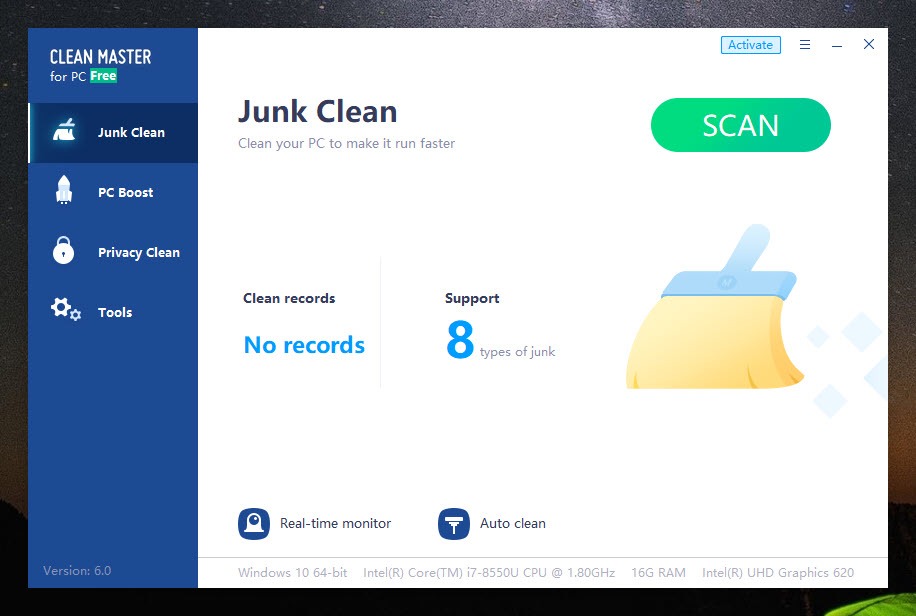
Clean Master for PC is a one-click cleaner with a big blue button on the front screen and five tools behind it. Press the button and it scans for system leftovers, residual files from uninstalled programs, browser caches and registry entries it considers dead, then reports a figure in gigabytes and offers to delete the lot.
Around that core sit Privacy Clean, PC Boost, a program uninstaller, and two tools held back for the paid tier, Driver Booster and File Recovery.
It lives in the same aisle as CCleaner and the dozen optimisers that promise a faster computer, and it looks better than most of them. What you should know before installing is that the application is as much a shop window for its own upgrade as a cleaner, and that the tools it does include unlocked do the job while the two it charges for are the weakest part of the set.
What Junk Clean finds and what it counts
The scan splits results into system junk, residual files and registry junk, each with a tick box and an expandable list, so you can drop the registry group entirely, which is the sensible default for anyone who has been burned by a cleaner before.
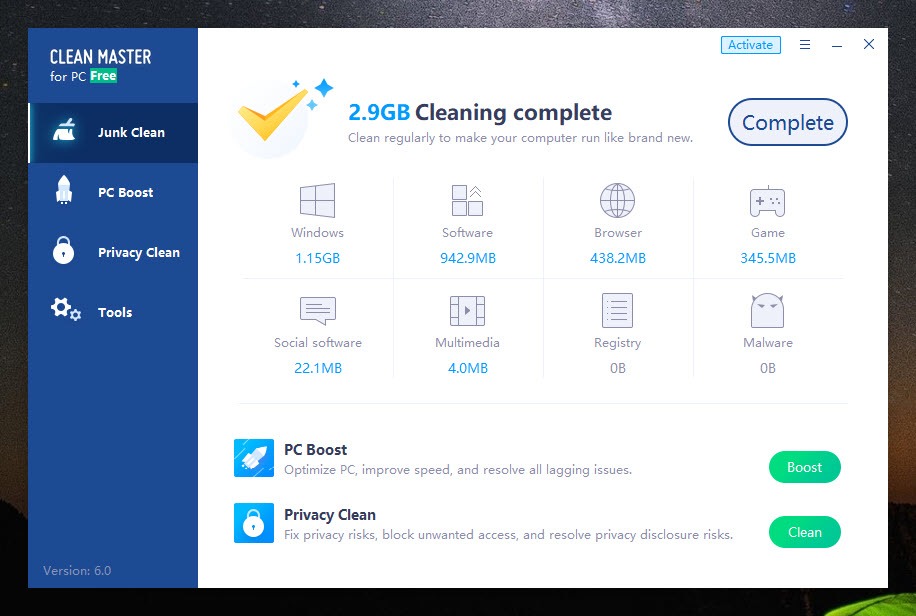
The totals run high because browser caches and update leftovers are counted at full size, and a first run on a machine that has never been cleaned routinely reports several gigabytes. Most of that is cache that will be back within a week. The residual file detection is the strongest part, catching folders left behind by uninstalled programs that CCleaner tends to leave alone.
Duplicate photo detection and a large file view sit under the same tool and are quicker to use than the equivalent hunt in File Explorer.
Privacy Clean and the browser anti-tracking switch
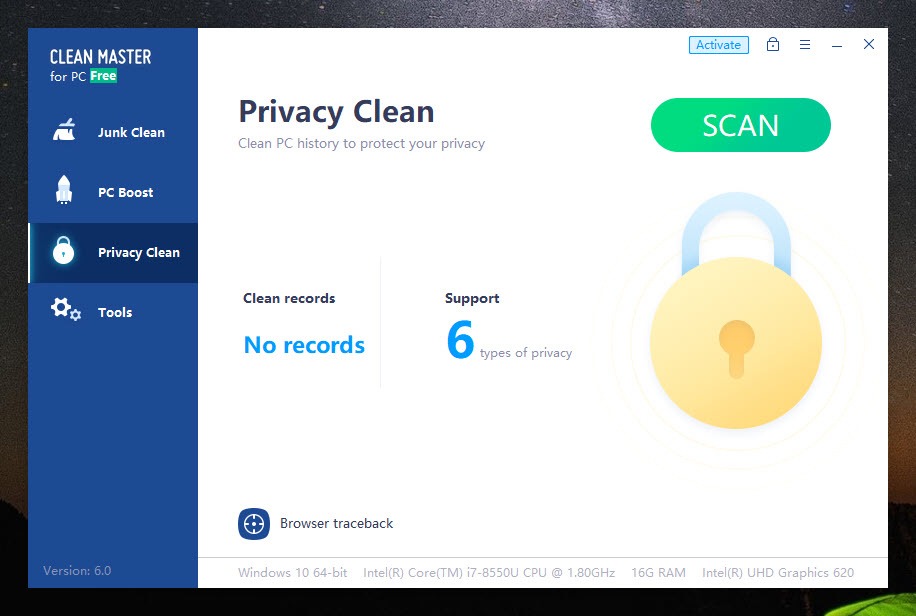
Privacy Clean in Clean Master for PC groups its findings into six risk types covering browsing and download history, recent document lists, clipboard contents and stored form data across the installed browsers. Anti-tracking is the interesting part. Switch it on and the application wipes browsing records automatically every time a browser closes, which is a lazier and more reliable habit than remembering to run a cleaner.
A password can be set on the tool so nobody else at the machine can see what was found or clear it. BleachBit reaches deeper into individual programs, but it has no automatic trigger like this one.
PC Boost, startup items and the uninstaller
PC Boost in Clean Master for PC lists startup programs and background services with a toggle each and an estimate of how many seconds they add to boot, and it also fiddles with network settings it describes as preventing lag. Disable the startup entries and ignore the network claims.
The uninstaller removes a program then sweeps for leftovers, which is what the built-in one lacks, and it handles batch removal. It is a lighter version of what a dedicated uninstaller with forced removal does, and it cannot remove a program whose own uninstaller is broken.
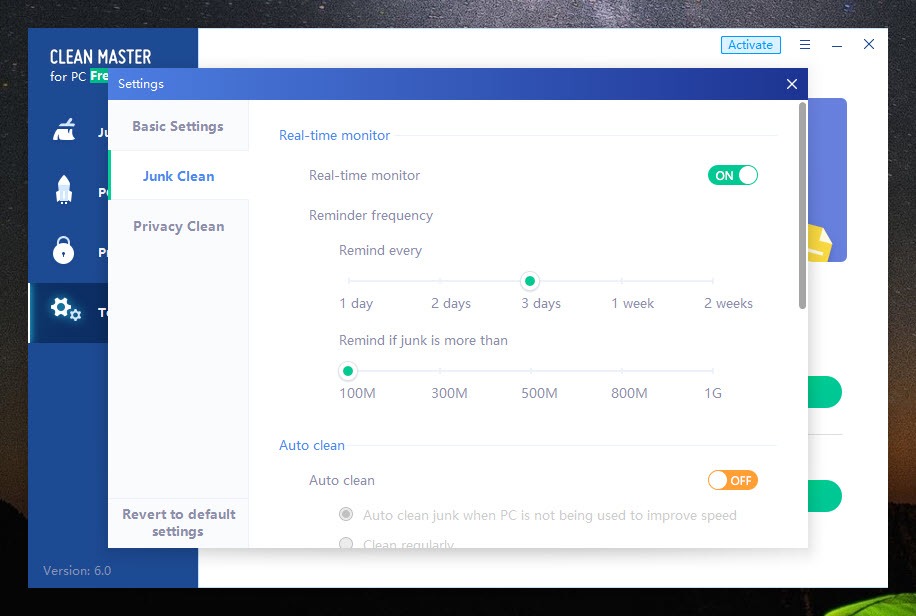
Real-time monitoring runs in the tray and pops a notification when junk crosses a threshold, offering to clean it. The notifications also carry upgrade prompts, and there is no way to keep the monitor and lose the prompts. Most people end up switching the monitor off within a day.
Driver Booster and File Recovery, the two gated tools
Driver Booster advertises a database of five million drivers, and in side-by-side tests it finds fewer outdated drivers than rivals on the same machine, nine against eighteen in one comparison. It installs what it finds without a restore point unless you make one yourself. File Recovery scans a drive or memory card for deleted files and previews what it finds, and it is a plain recovery scanner with no deep signature search, so a formatted card yields little.
Both are the reason the upgrade exists and neither is a reason to upgrade when a dedicated recovery tool and a standalone driver updater do the same jobs with more depth.
Conclusion
Clean Master for PC suits someone who wants one button, a pretty screen and an automatic wipe of browser history, and who is content to ignore the upgrade banners. For a relative’s laptop that has never been cleaned, the first run reclaims real space and the residual file scan does something the rivals skip.
Anyone who takes cleaning seriously will outgrow it quickly. The tools that are unlocked are fine and shallow, the tools behind the paywall are shallower still, and the tray monitor is louder than the problem it solves.
Pros & Cons
- Residual file detection catches leftovers from uninstalled programs
- Anti-tracking wipes browser records automatically on exit
- Registry cleaning can be excluded with one tick box
- Startup manager shows a boot time estimate per entry
- Upgrade prompts in the tray monitor and after every scan
- Driver Booster finds fewer outdated drivers than rivals and skips restore points
- File Recovery lacks a deep scan and struggles with formatted media
- Junk totals count caches that regrow within days
Frequently asked questions
No. Untick the registry junk group before cleaning and everything else runs as normal. Skipping it removes the only part of the scan that can cause trouble.
Real-time monitoring is on. It alerts when junk passes a threshold and adds upgrade prompts. Turn the monitor off in Settings to silence both.
Yes. Enable anti-tracking in Privacy Clean and browsing records are wiped every time the browser closes.
It works, but it detects fewer drivers than dedicated updaters and does not create a restore point. Make one manually before letting it install anything.


