

Arq
About Arq
Arq backs up your files to storage you already own. Point it at a cloud account, an attached drive, a network share or a server you run, choose the folders, and it copies them every hour. Every version is kept, so a file overwritten on Tuesday can be pulled back as it was on Monday.
Everything is encrypted on your computer with a password only you know before a single byte leaves, so the storage provider holds a pile of ciphertext and nothing else. Restores happen inside the app, browsing by date and folder, with no archive to download and unpack.
That design is the whole argument. Most backup services sell you their storage and their app in one bundle, and the backup lives on their terms. Arq separates the two. The app is yours, the storage is whatever you choose, and the backup format is open and documented, with an open-source command-line tool that can read it without the app at all. It also comes in a subscription edition that bundles storage for people who would rather not run their own, which the sections below mention once and then leave alone.
What follows covers the destinations, the backup engine, the schedule and its rules, the restore, and the one habit that undoes all of it.
Where a backup can go
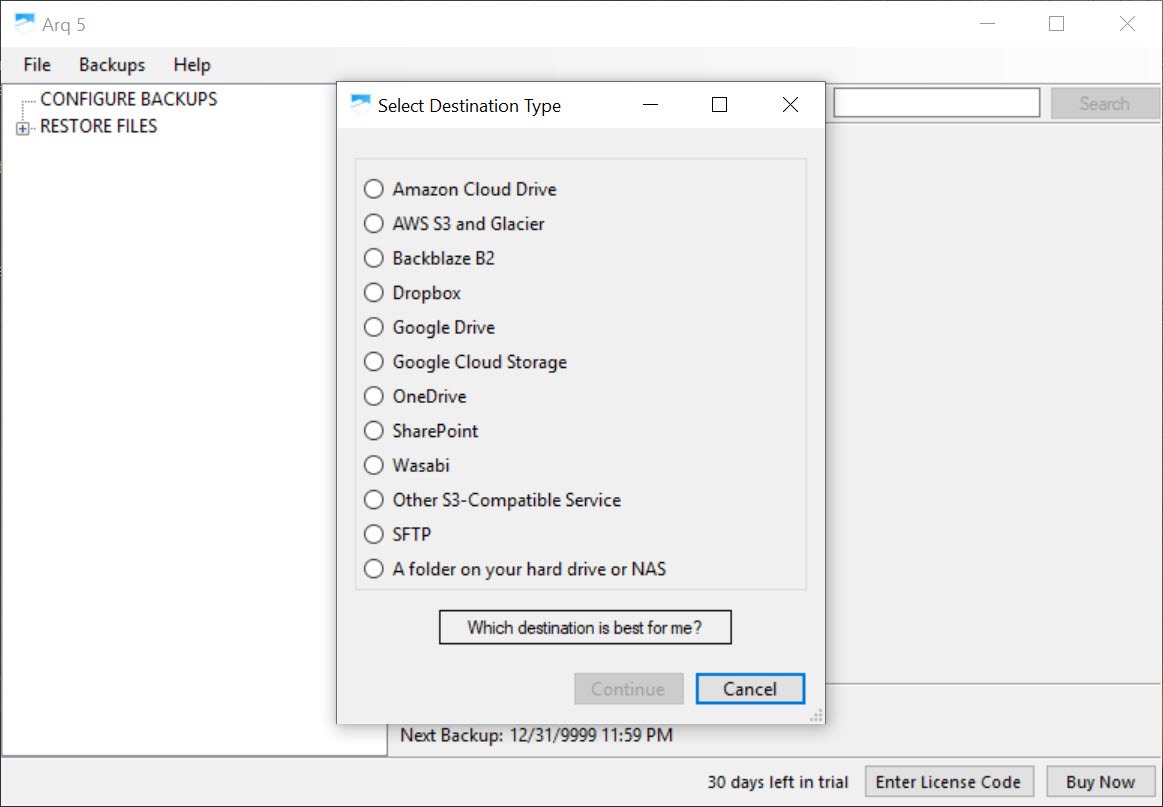
The Arq destination list is long. The big object storage services and their compatible rivals, the consumer cloud drives most people already have, a folder on an attached disk, a share on a network drive, an SFTP server you run yourself. One plan can write to several at once, so a laptop keeps a copy on the external disk at home and another in a cloud bucket, and the two protect against different disasters.
Choosing a destination is also choosing what the storage provider will charge for space and downloads, and the app cannot hide that. A budget setting caps how much it stores in a bucket and prunes the oldest versions to stay under it. For a storage account you already pay for, such as Dropbox, the spare space becomes an encrypted, versioned backup with nothing extra to buy.
The backup engine
The Arq engine is built for repeat runs. The first backup copies everything. After that, it compares files block by block and uploads only the blocks that changed, so a large file edited at one end does not travel again in full. Deduplication means a block already stored is never stored twice, even across folders. Compression shrinks what remains. The result is a backup that runs hourly without you noticing the bandwidth.
A snapshot of the file system is taken before each run, so files that are open and changing while the backup runs are copied as they were at one instant, consistent with each other. Encryption is applied before upload, end to end, and the password is never sent anywhere.
Lose it and the backups are unreadable, by you or anyone, which is the point and the risk in one sentence.
Schedules, rules and retention
Arq backups run hourly by default, or daily, or on a schedule you set, and a set of rules decides when they do not. Not on battery. Not on a named Wi-Fi network, so a metered hotspot is spared. Not over a particular network interface. Bandwidth can be throttled so an upload does not drown a video call, and exclusion rules by name, path or pattern keep caches and temporary folders out.
Retention decides how far back the history reaches. Keep everything for ever, keep a set number of versions, or thin the history so hourly versions become daily and then weekly as they age, which keeps the storage used flat. External drives that are backed up and then unplugged keep their backups, so a stick you never reconnect is still recoverable from the cloud copy.
Restoring
Arq Restore browses the backup as it stood at any moment in its history. Pick a date, browse the folders as they were, and restore a file, a folder or everything, to the original place or somewhere new. The app downloads and decrypts in place, so there is no zip file to fetch and no second step. A restore-only mode installs the app on a new machine purely to pull a backup down, which is how a lost or stolen computer’s files reach its replacement.
Because the format is documented, a separate open-source tool can read and restore the backups without the app, which matters for anyone who worries about depending on one program to reach their own files. Few backup tools offer that door. Duplicati is the open-source alternative built on the same idea of encrypted backups to your own storage, with a web interface and a rougher edge.
The one habit that undoes it
Every protection in Arq hangs on the encryption password. The app does not keep it and the storage provider never sees it, so there is no reset and no recovery. Write it down and put it somewhere that is not the computer being backed up. Then test a restore, once, on purpose, from the destination you expect to need, so the first real restore is not also the first attempt.
The second habit is checking that backups are running. A plan that stops because a cloud credential expired or a disk was unplugged reports it in the app, and the app can email a report, but only if you look or set the email up. A silent backup is only a backup if it is still happening.
Where it falls short
Arq backs up files, not the whole system, so a dead disk means reinstalling the system and then restoring the files rather than booting from an image. For a bootable image of a whole drive, EaseUS Todo Backup covers the other half. The interface is plain and the setup assumes you understand what a bucket is and what a provider charges. Mobile access to the backup does not exist, since a restore needs a computer running the app or the command-line tool.
And the subscription edition’s included storage is the only way to avoid thinking about where the backup lives, which is the trade the whole design asks you to make.
Conclusion
Arq suits anyone who already has cloud storage or an external disk and wants a backup that is encrypted before it leaves the machine, keeps every version and does not tie them to one provider’s service. The destination list, the block-level engine and the in-app restore make it a backup tool you set up once and stop thinking about.
It is files only, it expects you to understand your storage provider, and it will never recover a forgotten password. Write the password down, test a restore early, and let the hourly schedule do the rest.
Pros & Cons
- Encrypted before upload with a password only you hold
- Backs up to cloud accounts, attached disks, network shares and SFTP servers, several at once
- Block-level incremental uploads with deduplication and compression
- Hourly schedule with rules for battery, named networks, bandwidth and exclusions
- Restore from any point in history inside the app, with a restore-only mode for new machines
- Open, documented backup format readable by a separate open-source tool
- Files only, with no bootable system image
- Setup assumes familiarity with cloud storage accounts and how they charge
- A lost encryption password means unrecoverable backups
- No mobile access to backups
Frequently asked questions
Wherever you choose. A cloud account you already have, an attached disk, a network share or an SFTP server, and several places at once if you want.
No. Files are encrypted on your computer with a password only you know before they are uploaded, and the storage provider holds only ciphertext.
The backups cannot be decrypted by anyone, including the people who make the app. Keep the password somewhere safe that is not the computer being backed up.
Yes. Install it in restore-only mode on the new machine, connect to the same destination with the same password, and pull the files down.


